- 対象年齢4+
- カテゴリ仕事効率化
- 開発元Zero24 LLC
- 言語英語ほか12言語
- サイズ52.7 MB
App Storeの公式ページにリンクしています
Download.orgはThreadFlow: Parallel Timerのファイルを一切ホストしていません。ボタンを押すと、Zero24 LLCが公開しているApp Storeのアプリページが開きます。ページの最終確認:2026/11/17。
スクリーンショット

概要
開発元はこのテキストをお使いの言語で提供していません。
ThreadFlow is a lightweight work timer designed for the way real work actually happens.
It combines daily tasks and time tracking without forcing you into fixed Pomodoro sessions or turning simple time tracking into complex project management.
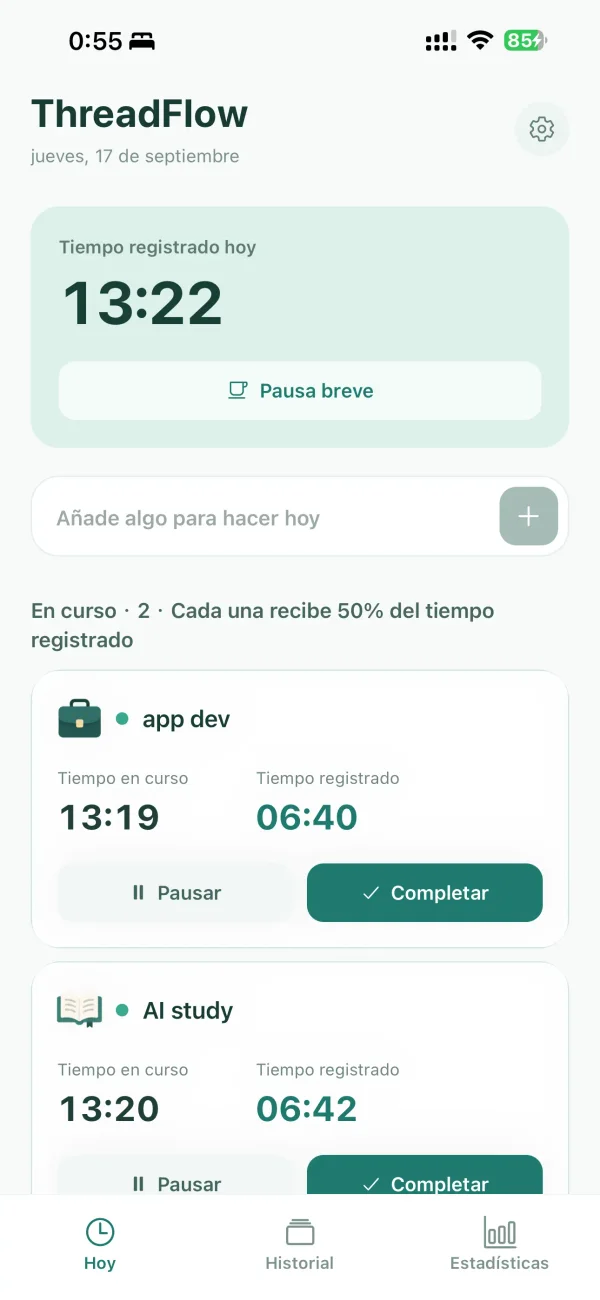
Start a timer when you begin working. Pause, resume, switch, or finish whenever you want. A task can span multiple sessions, and multiple tasks can run at the same time.
[Run multiple tasks at once]
An AI agent is still running while you start working on something else.
A file is processing while you move on to writing, planning, or another task.
One task is waiting for a result while you continue with the next.
ThreadFlow lets these tasks keep running together. You do not need to stop one timer just to start another.
[No double-counted time]
If two tasks run together for 30 minutes, your actual elapsed work time is still 30 minutes — not 60.
ThreadFlow automatically accounts for overlapping sessions so your daily total better reflects the time that actually passed.
[Daily tasks + work timer]
Add what you want to work on today and start timing with one tap.
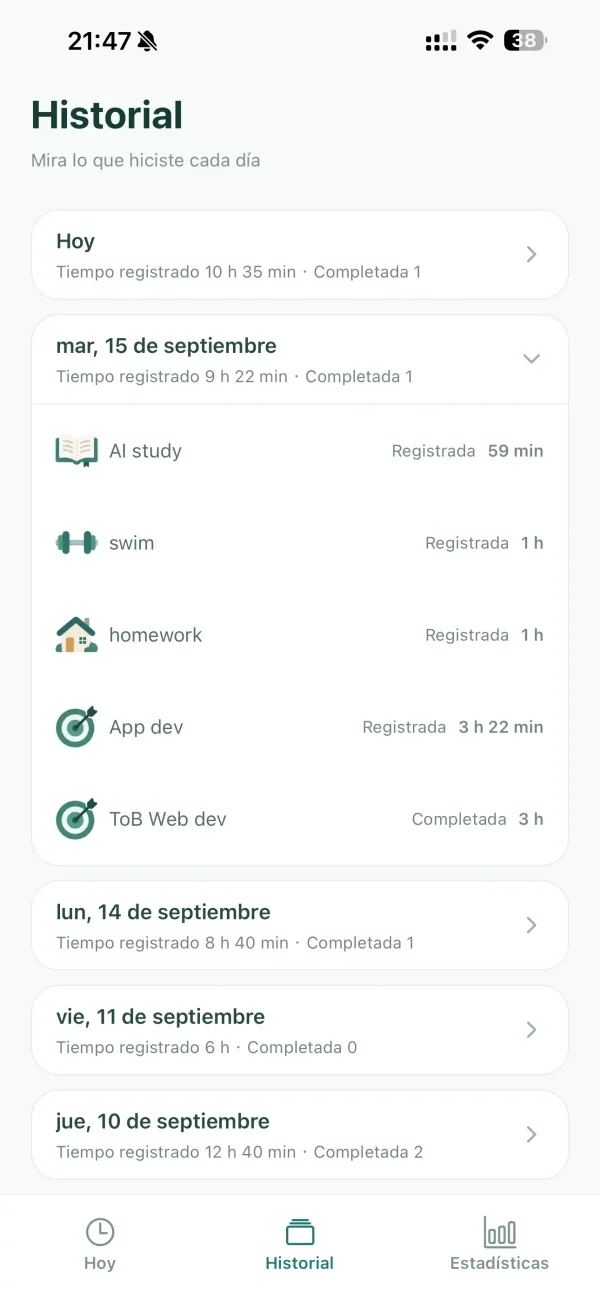
Pause, resume, or finish whenever you need to. A task can span multiple sessions, and your completed work stays in your daily history.
[No forced Pomodoro sessions]
There is no required 25-minute focus block and no forced break.
Work for five minutes or two hours. ThreadFlow follows your workflow instead of forcing you into a fixed routine.
[Live Activities]
Keep an eye on active timers through Live Activities and, on supported devices, the Dynamic Island.
Quickly check what is running without returning to the app.
[Lightweight reminders]
Set a reminder to start tracking your work.
ThreadFlow can also remind you when a timer has been running continuously for a long time, helping you check whether it should still be running or whether it is time for a break.
[See where your time went]
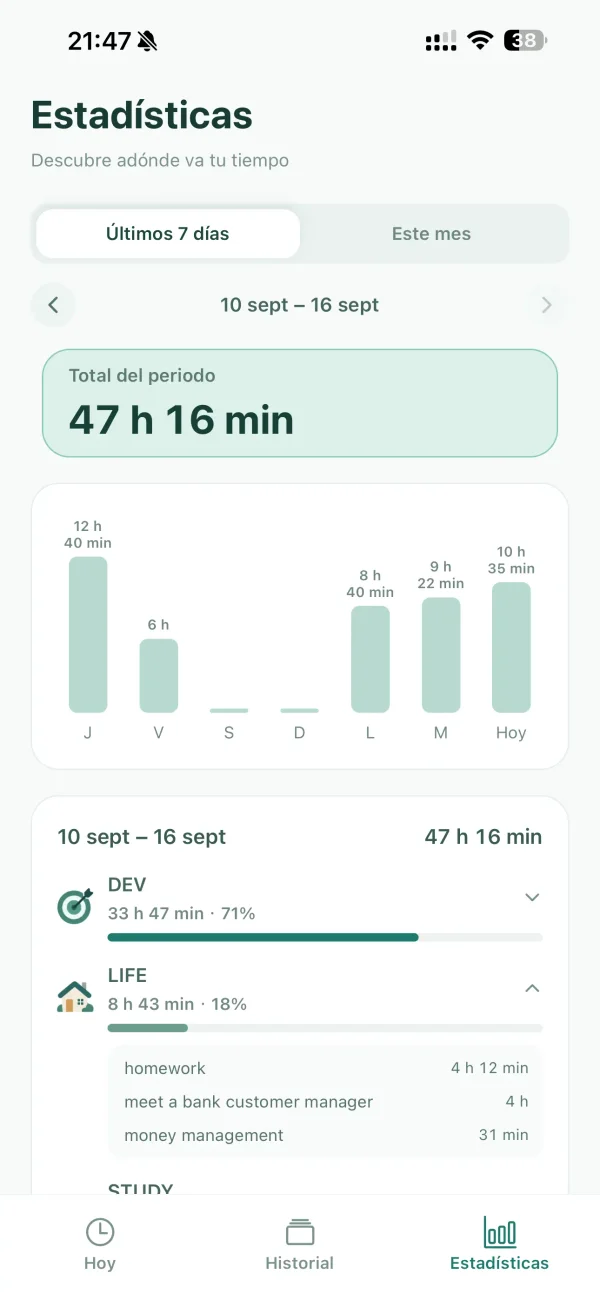
Review your actual work time over the last 7 days or by month.
See how much time you spent each day, how your time was distributed across categories, and what you completed.
[Simple and private]
No account is required.
Tasks, categories, timer records, and custom category icons are stored locally on your device.
ThreadFlow is built to answer two simple questions:
What did I work on today?
How much time did I actually spend?
新機能
バージョン 1.2.0 · 2026/11/3
• Now optimized for iPad, with adaptive layouts for portrait, landscape, and multitasking.
• Edit recorded time more easily with a new numeric keypad on iPad.
• Prevent accidental duplicate tasks when creating, editing, or copying tasks.
• UI refinements and bug fixes for a smoother experience.
アプリのプライバシー
このアプリのデータの取り扱いについて、Zero24 LLCがApp Storeで申告している内容です。
-
データの収集なし
開発元はこのアプリからデータを収集しません。
プライバシーの取り扱いは、ご利用の機能やお客様の年齢などに応じて異なる場合があります。
情報
- 販売元
- Zero24 LLC
- カテゴリ
- 仕事効率化
- バージョン
- 1.2.0
- 更新日
- 2026/11/3
- リリース
- 2026/9/4
- サイズ
- 52.7 MB
- 必要条件
- iOS 16.4以降
- 対象年齢
- 4+
- 価格
- 無料
- 言語
- 英語, フランス語, ドイツ語, インドネシア語, イタリア語, 日本語, 韓国語, ポルトガル語, ロシア語, 簡体字中国語, スペイン語, 繁体字中国語 ほか1言語
- 著作権
- © 2026 Zero24 LLC