Time Log - Activity Tracker
Study, work and reading time
Designed for iPhone, iPad, iPod touch
- Age rating4+
- CategoryProductivity
- DeveloperDOTNULL Co.,Ltd
- LanguagesGerman+ 9 more
- Size24.2 MB
Links to the official App Store page
Download.org hosts no file of Time Log - Activity Tracker. The button opens its official App Store page, published by DOTNULL Co.,Ltd. Listing last checked on Nov 12, 2026.
Screenshots


About
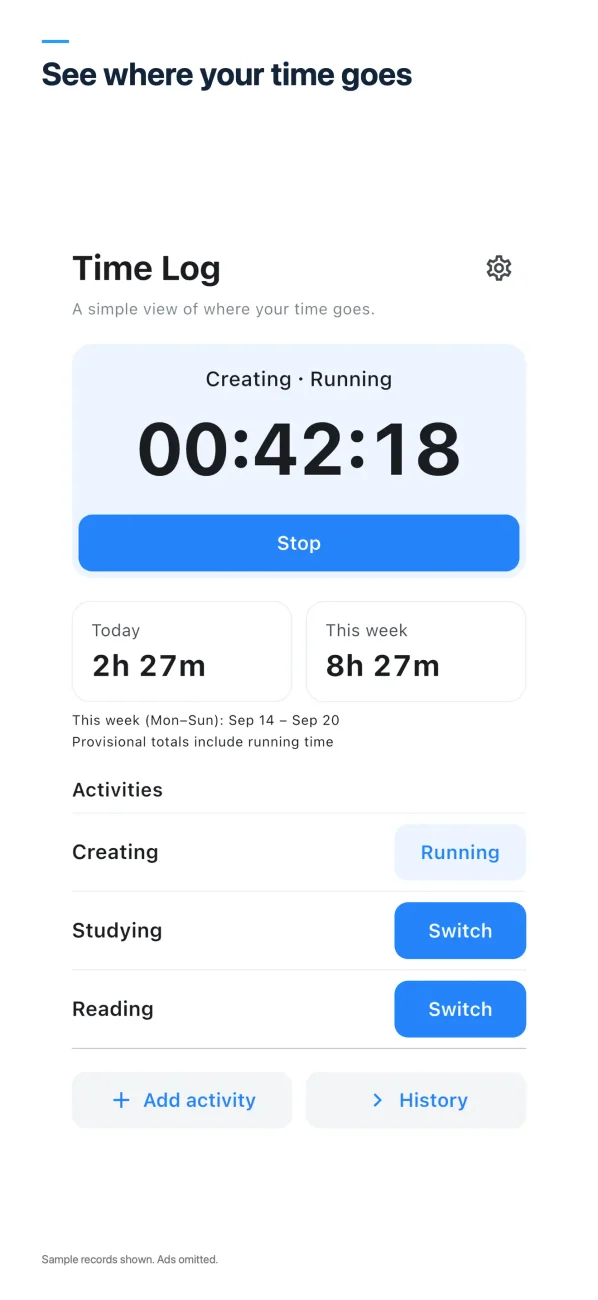
Track time spent studying, creating and reading with Start and Stop. Time Log is a simple activity tracker for understanding how you spend your own time.
START WITH AN ACTIVITY NAME
Add an activity with just a name. Tap Start to save its starting time and see the elapsed time. Switching to another activity ends the current session and starts the next at the same instant. Only one activity runs at a time.
DAILY AND WEEKLY TOTALS ON HOME
See today’s total and the current week, starting Monday, without opening a separate dashboard. Tap an activity to review its totals and history. Sessions crossing midnight are split across the days they overlap.
ADD AND CORRECT PAST SESSIONS
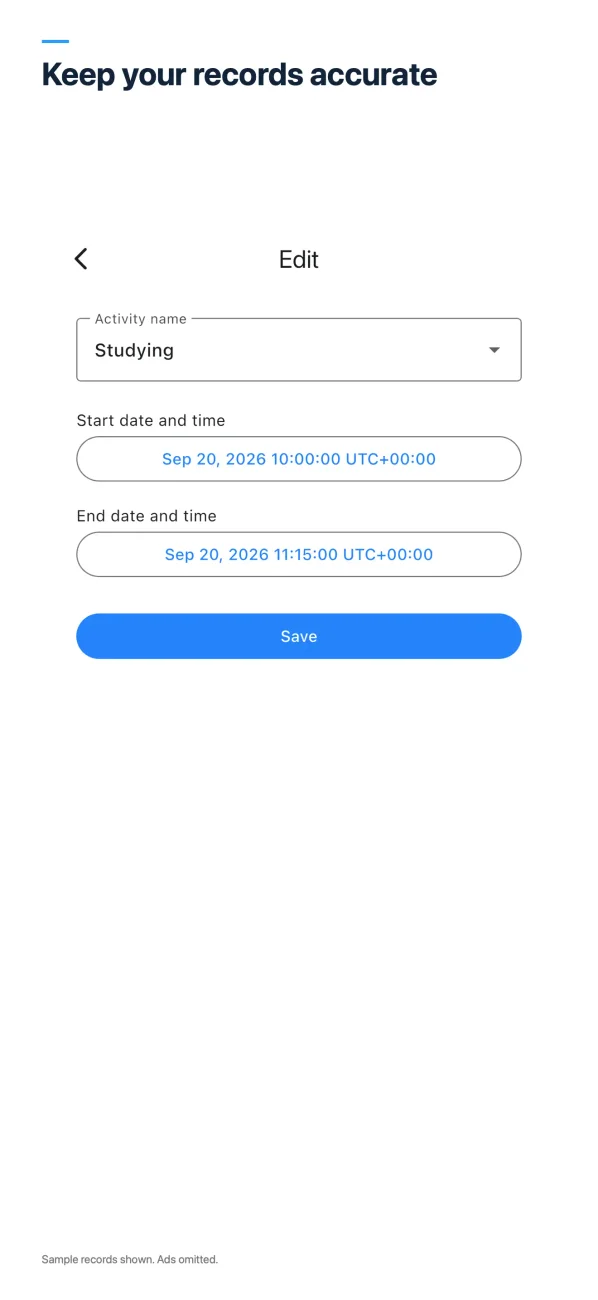
Forgot to record a session? Add it in History. Edit start and end times, change the activity or delete a record. Overlapping sessions are rejected to avoid double counting. Archive activities while keeping their history.
RESTORE WHEN YOU RETURN
Time includes screen lock, app closure and device restarts until you stop. When you return, elapsed time is calculated from the saved starting time. A reminder appears for long sessions so you can check for a forgotten stop.
Your activity records stay on your device. No account or proprietary server sync. Free to use with a small banner ad. Recording works even when ads are unavailable. See the privacy policy for advertising SDK data processing.
Available in English, Japanese, Korean, Simplified and Traditional Chinese, Spanish, French, German, Italian and Brazilian Portuguese. Dark mode follows your device setting.
Daily totals use the device’s current time zone. Manual clock changes cannot always be detected. OS backup restoration is not guaranteed. Designed for personal activity records, not attendance verification, payroll or invoicing.
What’s new
Version 1.1.0 · Oct 1, 2026
Added German, Italian, Traditional Chinese and Brazilian Portuguese.
App privacy
What DOTNULL Co.,Ltd declares on the App Store about how this app handles data.
-
Data linked to you
May be collected and linked to your identity.
- Location
- Identifiers
- Usage data
-
Data not linked to you
May be collected but is not linked to your identity.
- Diagnostics
Privacy practices may vary, for example with the features you use or your age.
Information
- Seller
- DOTNULL K.K.
- Category
- Productivity
- Version
- 1.1.0
- Updated
- Oct 1, 2026
- Released
- Sep 23, 2026
- Size
- 24.2 MB
- Requires
- iOS 15.0 or later
- Age rating
- 4+
- Languages
- German, English, French, Italian, Japanese, Korean, Portuguese, Spanish, Traditional Chinese, Simplified Chinese
- Copyright
- © 2026 DOTNULL Co.,Ltd.
You might also like
-
 TimeConsole: Focus TimerA console timer for habits
-
 Stackclock: Work Hours TrackerTime log, many timers, no ads
-
 Awayling: Focus Timer PetStudy with your phone locked
-
 Focus: Timer & TasksPomodoro for work & study
-
 TaskHunter – Time TrackerBillable hours. No account.
-
 Timer for ADHD: FlipTimerFlip to start, lift to stop.
-
 Era: Daily Activity TrackerTime Log, Focus & Life Journal
-
 Time Ledger: Time TrackerKnow where your day goes
-
 Zen Timer: Grow with OrbillaPomodoro & study focus timer
-
 LocalVoiceNoteOffline transcription, AI