
Triquid Notes
Notes for Trilium, anywhere
Designed for iPhone, iPad, Mac
Free · In-app purchases
- Age rating4+
- CategoryProductivity
- DeveloperJustin Meyer
- LanguagesEnglish+ 25 more
- Size76.3 MB
Links to the official App Store page
Download.org hosts no file of Triquid Notes. The button opens its official App Store page, published by Justin Meyer. Listing last checked on Nov 23, 2026.
Screenshots



About
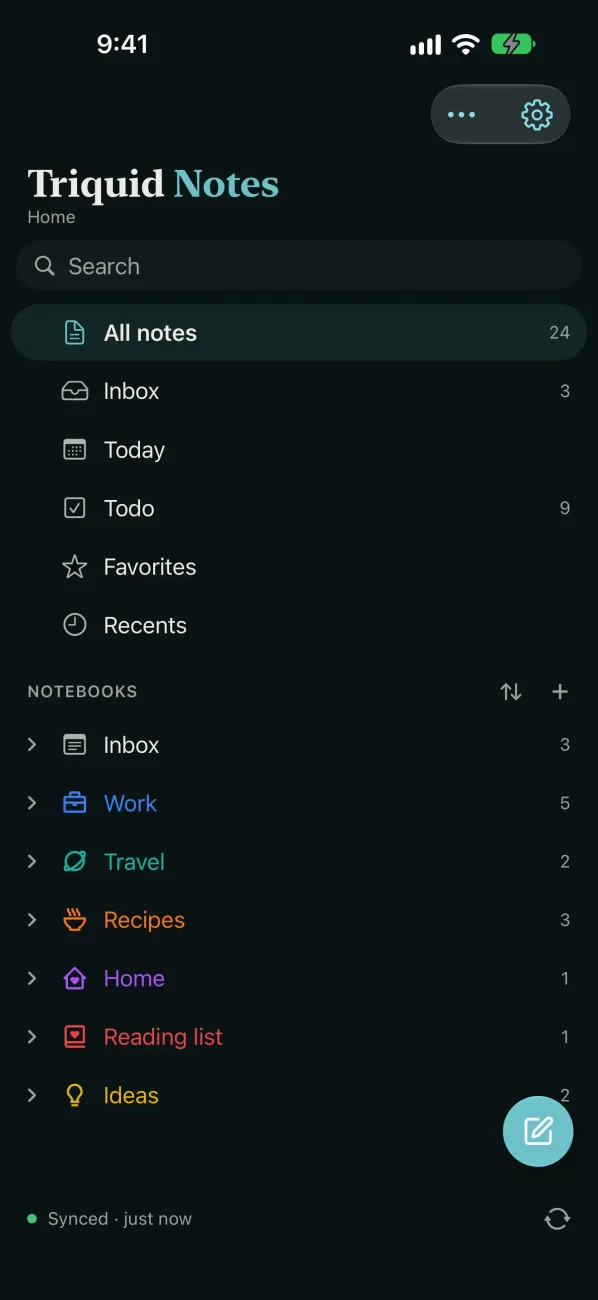
Triquid Notes is a calm, native home for your Trilium notes on iPhone, iPhone Duo, iPad and Mac. Connect your own TriliumNext server, or start on this device and connect a server later; your notes come along.
APPLE INTELLIGENCE, ON YOUR DEVICE
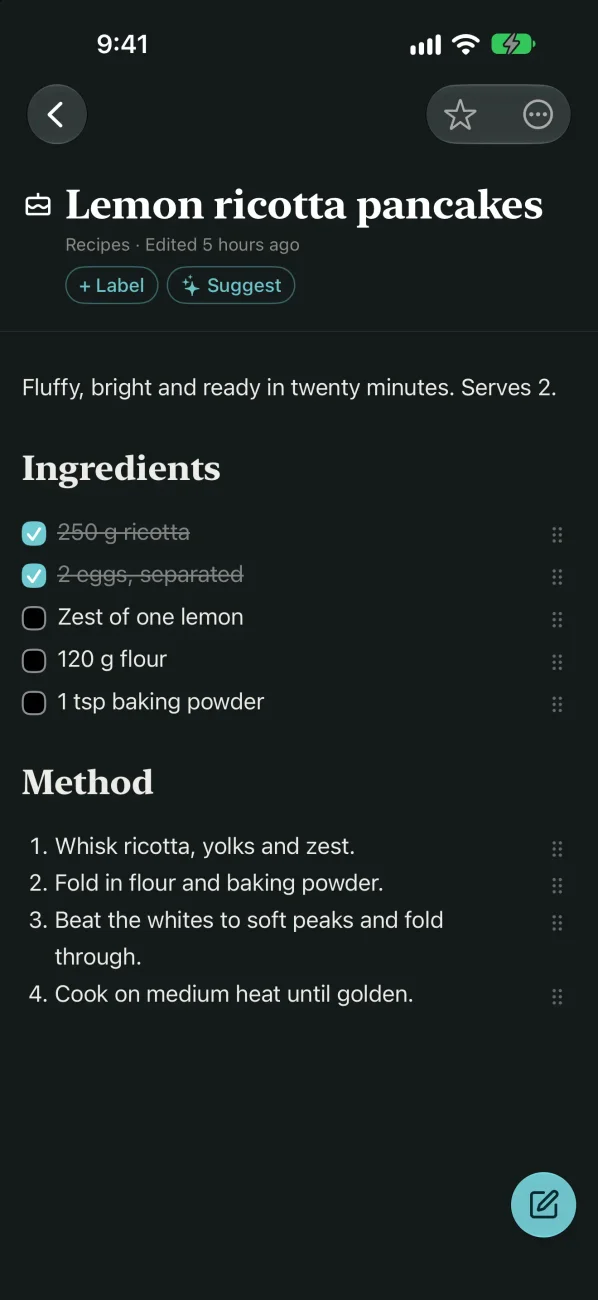
• Summarize any note, even PDFs and photos, in your own language
• Find the to-dos hidden in a note and put them on top as a checklist
• Suggest a title, and get label suggestions as you write
• Apple's Writing Tools right in the editor
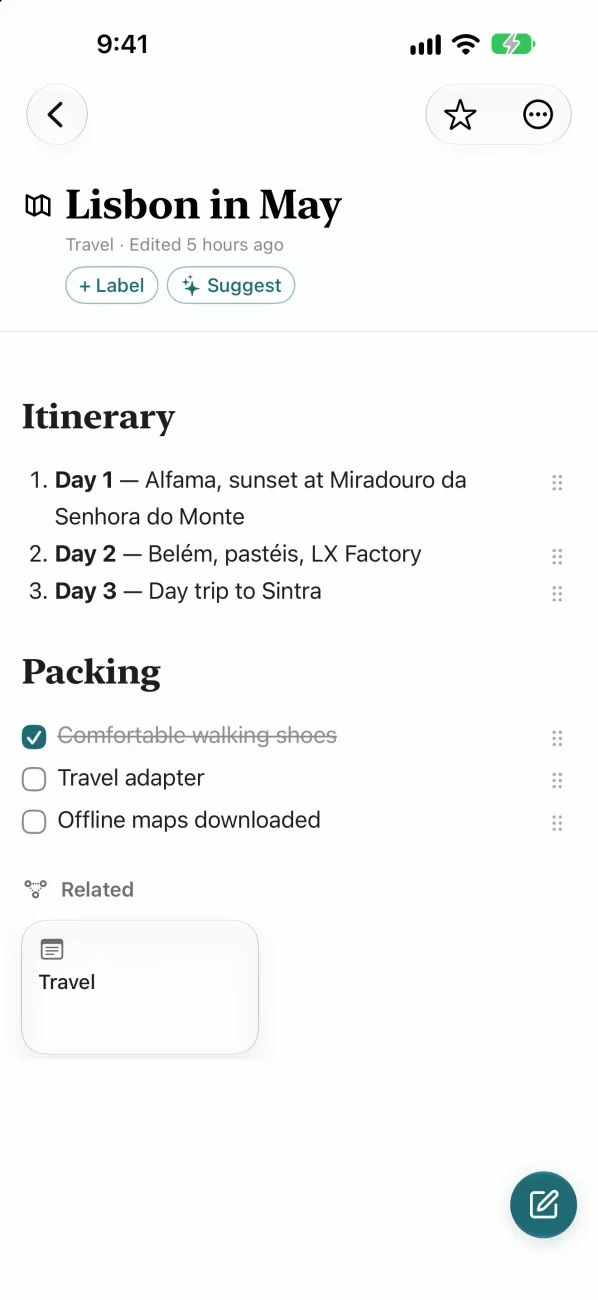
• See related notes under every note
• The app's own helpers run on your device: your notes are not sent anywhere for them
CAPTURE ANYTHING, FAST
• Quick notes from anywhere in the app
• Scan documents into PDFs with searchable text
• Copy a link and clip the whole article into a note
• Share PDFs, images and links from any app into a notebook
WORKS OFFLINE
• Read and write without a connection
• Changes sync with your server when you are back
ORGANIZED YOUR WAY
• Your full note tree, with Trilium's colors, icons and clones
• Drag notebooks into your own order, or drop a note on a notebook to move it
• Favorites, recent notes, Today and a to-do list of notes with open checkboxes
• A home screen beside the menu on iPad and Mac, in the order you choose
FOUND IN A MOMENT
• Full-text search across every note
• Find notes from Spotlight
RICH NOTES
• Text, code, Markdown, images, files, canvas, mind maps, calendars, Kanban boards and more
• Attachments from Photos and Files; previews for PDF, Office and EPUB files
AT HOME ON IPHONE DUO
• Unfolded, the menu keeps a third of the screen and the note the rest
• Half open like a book, menu and note each get a page
• Fold it shut and the same note carries on, on the cover display
MADE TO FEEL LIKE YOURS
• Accent colors, fonts and dark mode
• Liquid Glass design on iPhone, iPhone Duo, iPad and Mac
• Text that follows your system text size
• Settings that sync through iCloud, multiple servers and Face ID for protected notes
IN YOUR LANGUAGE
• Available in all 24 official languages of the European Union
• And in Simplified and Traditional Chinese
Triquid Notes requires a self-hosted TriliumNext server (v0.95 or later) to sync. Triquid Notes is an independent app and is not affiliated with the Trilium or TriliumNext projects.
What’s new
Version 1.5 · Nov 21, 2026
• A real code editor for code notes: colors as you type, automatic indenting, Tab, and a row of keys for brackets and symbols.
• Large code and text files open quickly; fixes a freeze on iPad.
• Long code notes scroll all the way, with the same background as other notes.
• Saving a large note no longer creates an “(ios-sync-conflict)” copy.
• Sharing a PDF from Safari now reaches the note.
• Smoother note lists with pictures, and fixes so note content and sign-ins aren’t lost.
App privacy
What Justin Meyer declares on the App Store about how this app handles data.
-
Data not collected
The developer does not collect any data from this app.
Privacy practices may vary, for example with the features you use or your age.
Information
- Seller
- Justin Meyer
- Category
- Productivity
- Version
- 1.5
- Updated
- Nov 21, 2026
- Released
- Oct 14, 2026
- Size
- 76.3 MB
- Requires
- iOS 26.0 or later
- Age rating
- 4+
- Price
- Free
- In-app purchases
- Yes
- Languages
- English, Bulgarian, Croatian, Czech, Danish, Dutch, Estonian, Finnish, French, German, Greek, Hungarian + 14 more
- Copyright
- © 2026 Justin Meijer
You might also like
-
 TermTrack: Probation LogParole, Check-ins & Deadlines
-
 Atelier LibrettoDocuments simplified
-
 Scrum TimerProductivity
-
 Atelier TablesSpreadsheets simplified
-
 RoadPactYour shared road, on record.
-
 Atelier DazzlePresentations simplified
-
 MediFamily: Health OrganizerPill Reminder & Vitals Vault
-
 Latch: Scan to UnlockLess scrolling. More living.
-
 Memo — Private Voice JournalOffline diary, Markdown files
-
 HabitWing – Life TrackerBuild Habits, Breathe, Reflect