- Age rating4+
- CategoryProductivity
- DeveloperJustin Xin
- LanguagesEnglish+ 4 more
- Size15.2 MB
Links to the official App Store page
Download.org hosts no file of Atelier Tables. The button opens its official App Store page, published by Justin Xin. Listing last checked on Nov 15, 2026.
Screenshots

About
Edit spreadsheets on your iPhone and iPad, wherever your files live.
Tables is a spreadsheet editor for the Excel and CSV files you already have. Open them from the Files app, edit them with formulas, charts, comments, and macros, and save them back where they came from.
Files
- Open and save Excel workbooks (.xlsx) and macro-enabled workbooks (.xlsm) in place
- Open and save CSV and TSV files
- Share a workbook as an Excel file, or the sheet you're viewing as CSV or TSV
- Undo and redo any change
Formulas
- Type formulas into the formula bar, just like on a computer
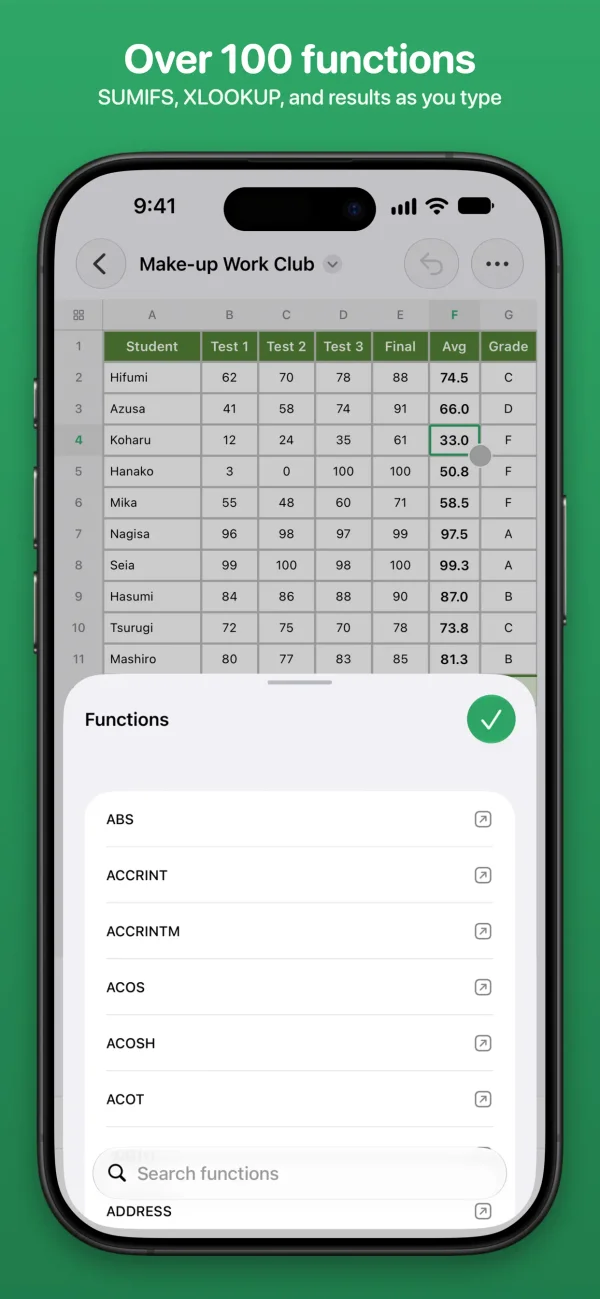
- More than 500 built-in functions, covering every Excel function except those that need a web service, a server, an add-in, a pivot table, or phonetic data
- Dynamic arrays that spill, including XLOOKUP, FILTER, SORT, UNIQUE, LET, LAMBDA, GROUPBY, and PIVOTBY
- Financial, statistical, engineering, database, and regular expression functions
- References to Excel tables, and union and intersection operators
- Search the function library, and sum a selection in one tap
Charts and Objects
- Create column, bar, line, area, pie, doughnut, and scatter charts from your data
- Choose stacked or percent-stacked layouts, and place the legend where you want it
- Select, move, resize, and delete charts, plus the pictures and shapes already in a workbook
Comments
- See at a glance which cells have comments
- Add, reply to, resolve, and delete comments and notes
- Comments move with their cells when you insert or delete rows and columns, or copy and paste
Macros
- Run the VBA macros in a workbook, including prompts and message boxes
- Edit modules in a code editor with syntax coloring and automatic indentation
- Add standard and class modules, or start a macro project in any workbook
- A built-in help book explains what macros can and can't do in Tables
Shortcuts and Siri
- Get, create, read, change, and save workbooks with Shortcuts actions you can chain together
- Read cells and ranges, find rows, set values, append rows, sort, and clear ranges
- Add, rename, and delete sheets
- Ask Siri to calculate a formula or create a new workbook
Formatting
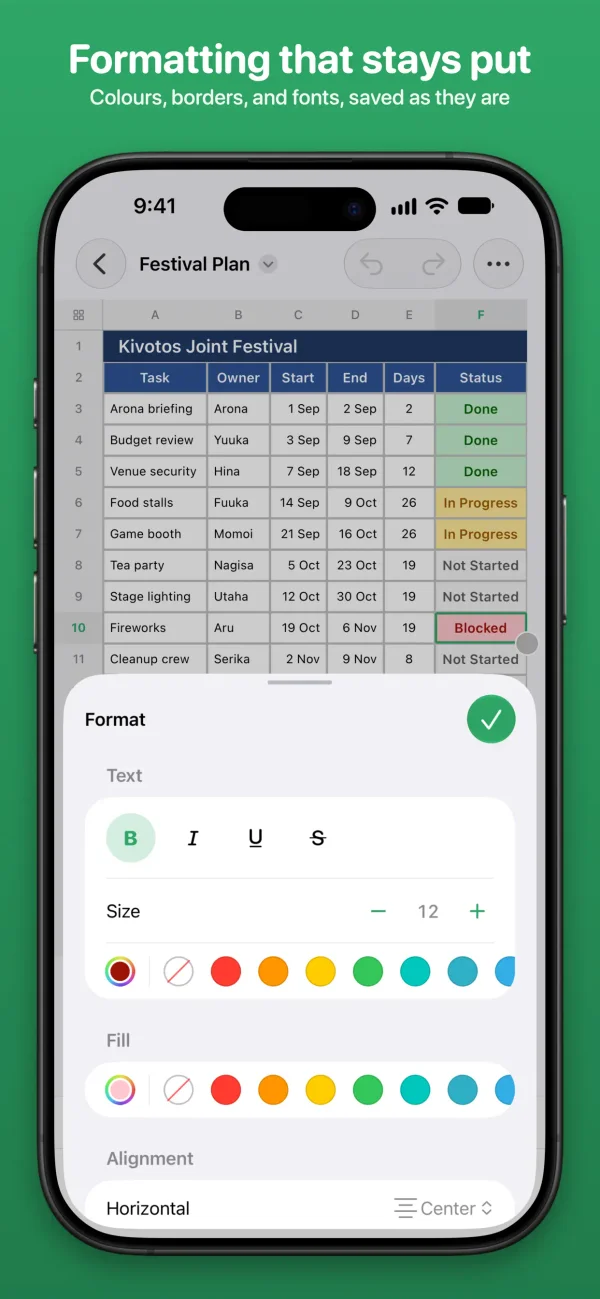
- Bold, italic, underline, and strikethrough
- Text and fill colors, font sizes, alignment, text wrapping, and rotation
- Style borders edge by edge, in a range of line styles
- Merge and unmerge cells
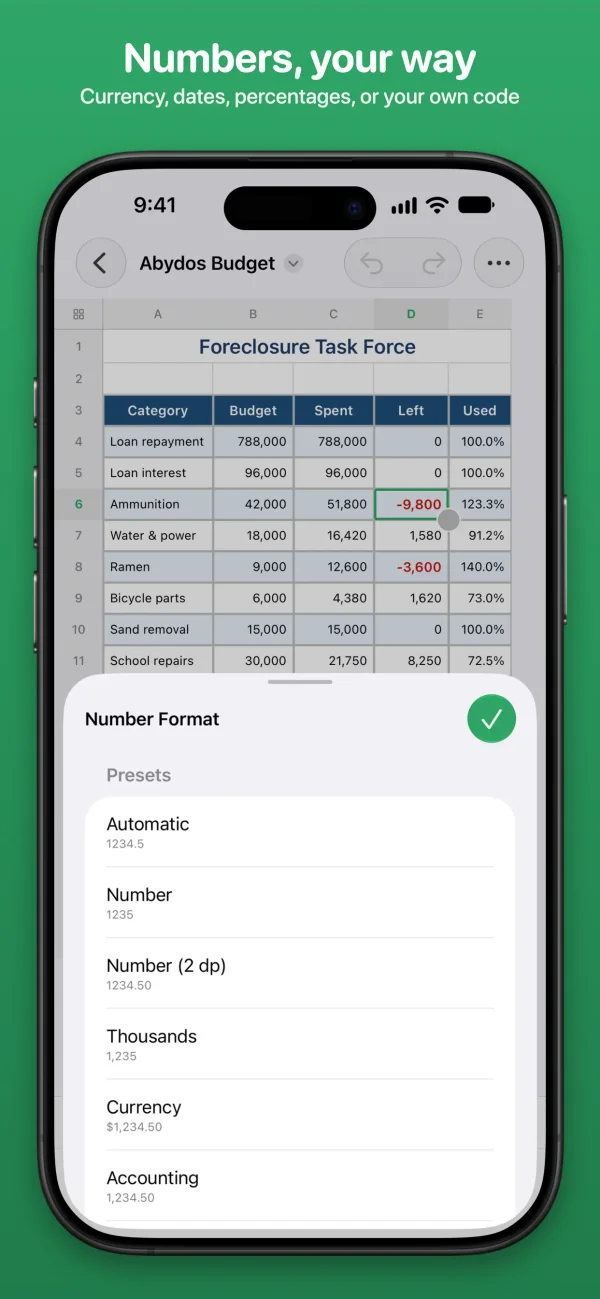
- Number formats for currency, accounting, percentages, dates, times, and more, plus custom format codes
Sheets and Rows
- Add, rename, duplicate, hide, and reorder sheets
- Insert, delete, hide, and resize rows and columns
- Select several ranges at once: hold one finger on a selection and pick more with another
Built for Touch
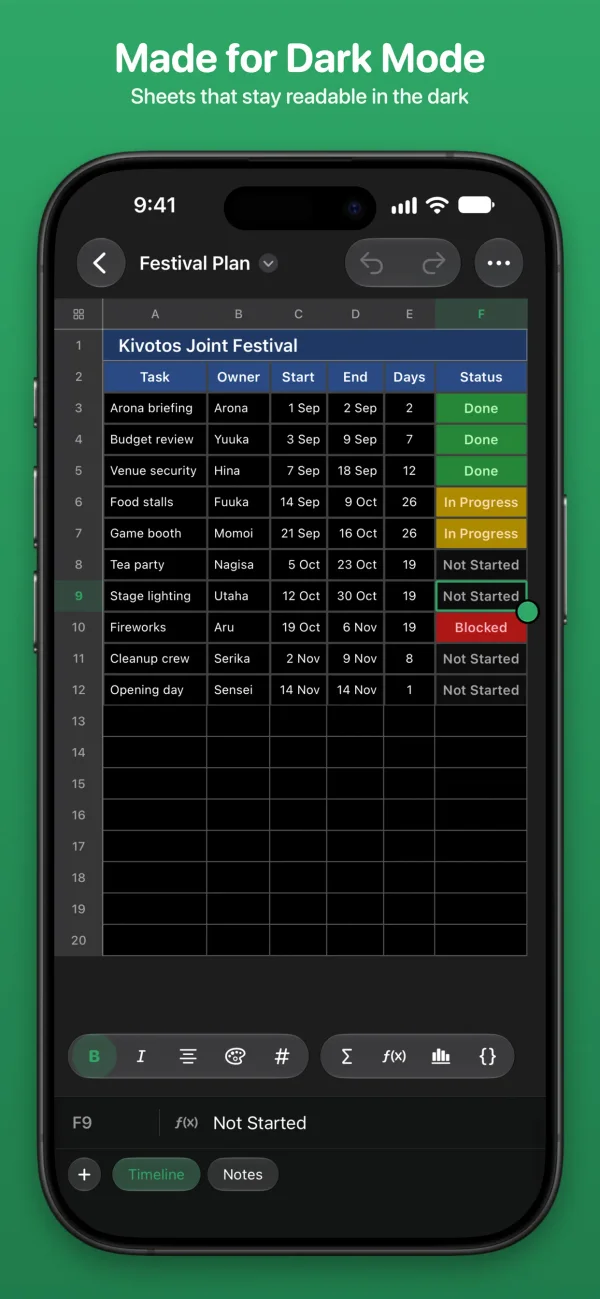
- Full dark mode support
- VoiceOver support
What’s new
Version 1.0.6 · Nov 14, 2026
Bug fixes and performance improvements.
App privacy
What Justin Xin declares on the App Store about how this app handles data.
-
Data not collected
The developer does not collect any data from this app.
Privacy practices may vary, for example with the features you use or your age.
Information
- Seller
- Justin Xin
- Category
- Productivity
- Version
- 1.0.6
- Updated
- Nov 14, 2026
- Released
- Oct 20, 2026
- Size
- 15.2 MB
- Requires
- iOS 26.0 or later
- Age rating
- 4+
- Price
- Free
- Languages
- English, Japanese, Korean, Simplified Chinese, Traditional Chinese
- Copyright
- © 2026 Justin Xin
You might also like
-
 NexReader: Markdown ReaderRead .md files beautifully
-
 Triquid NotesNotes for Trilium, anywhere
-
 ProUser: Command Your DayEdit your calendar like code.
-
 HabitWing – Life TrackerBuild Habits, Breathe, Reflect
-
 SubnotesNotes that turn into Tasks
-
 Cue — Read LaterA cozy corner for your links
-
 Tuck: Private FeedSave posts, articles & videos
-
 Noter: Sticky NotesNotes and links with summaries
-
 Safolio: Private VaultFiles, photos & expiry alerts
-
 Memo — Private Voice JournalOffline diary, Markdown files