
TV Remote UC: Universal Remote
Control Your Smart TV on Wi-Fi
Designed for iPhone, iPad
Free
- Age rating4+
- CategoryUtilities
- DeveloperKiran Gajjar
- LanguagesEnglish
- Size2.2 MB
Links to the official App Store page
Download.org hosts no file of TV Remote UC: Universal Remote. The button opens its official App Store page, published by Kiran Gajjar. Listing last checked on Nov 12, 2026.
Screenshots

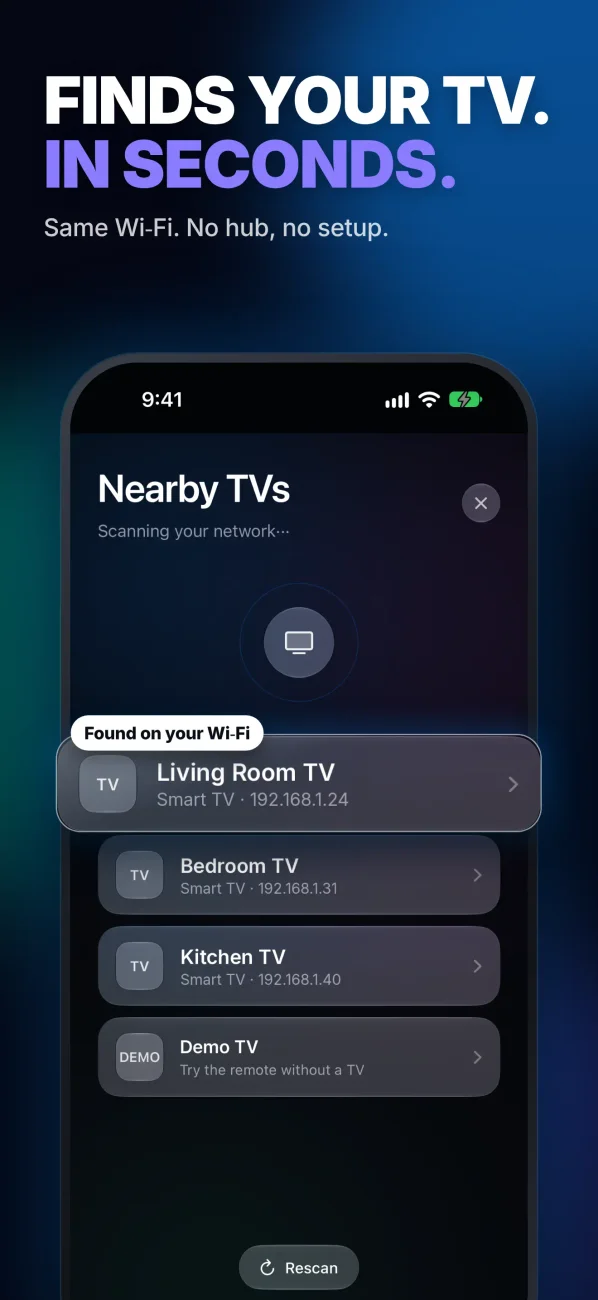
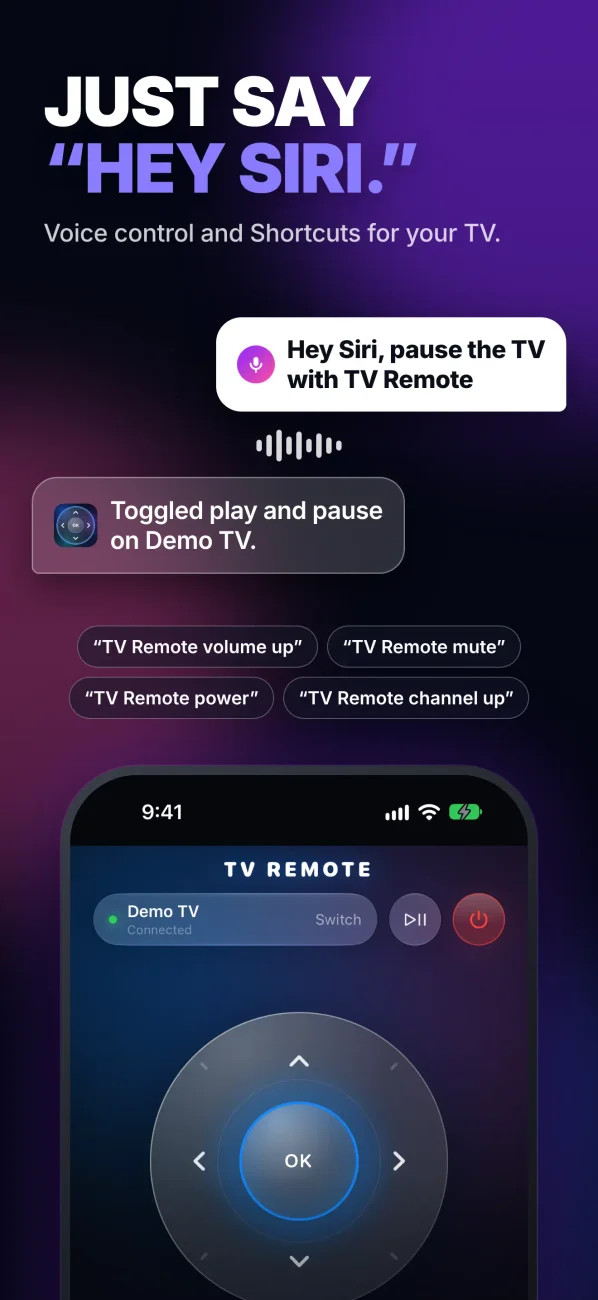


About
TV Remote UC turns your iPhone or iPad into a remote control for your smart TV. It works over your home Wi‑Fi, so there's no extra hardware, no hub and no account. Free to use, with no ads, no in-app purchases and no subscription.
HOW IT WORKS
1. Connect your iPhone or iPad and your TV to the same Wi‑Fi network.
2. Open the app and tap Find my TV. It looks for compatible TVs on your network.
3. Tap your TV. Some TVs show a code or an Allow message the first time. Confirm it once and you're paired.
No TV nearby? Choose Demo TV to try every screen first.
WHAT YOU CAN DO
• Glass D‑pad with OK, Back, Home and Menu
• Volume, mute, channel up and down, and power
• Touchpad: swipe to move, tap to select
• Keyboard and number pad: type searches and channel numbers instead of hunting letters with arrows
• Siri and Shortcuts: say "Hey Siri, pause the TV with TV Remote", or build your own automations for play/pause, mute, volume, power and channels
• Switch between the TVs in your home in two taps
• Six accent color themes, haptic feedback and a keep‑screen‑awake option
• iPad: a full‑screen layout, and with a keyboard attached the arrow keys, Return and Space control the TV
PRIVATE BY DESIGN
• Commands go straight from your device to your TV on your local network
• No account, no sign‑in, no analytics and no tracking. No data is collected
• The only permission is Local Network access, used to find and control your TV
WHICH TVS WORK?
TV Remote UC works with many recent smart TVs and streaming devices that allow control from a phone over Wi‑Fi. The easiest way to check is to tap Find my TV: if your TV appears, it's supported. Features can vary by TV model. TVs without Wi‑Fi (infrared only) can't be controlled, because iPhone and iPad have no infrared blaster.
QUESTIONS
Is TV Remote UC free?
Yes. Every feature is included, with no ads, purchases or subscription.
Do I need an account or internet?
No account. You only need your home Wi‑Fi. Commands never leave your network.
My TV doesn't appear. What can I do?
Make sure the TV is on and on the same Wi‑Fi (not a guest network), and that Local Network access is allowed for the app in iOS Settings. Some TVs also have a setting to allow control from mobile apps.
TV Remote UC is an independent app and is not affiliated with or endorsed by any TV manufacturer.
Privacy Policy: https://sites.google.com/view/tv-remote-control/privacy-policy
Terms of Use: https://sites.google.com/view/tv-remote-control/terms-of-use
Support: https://sites.google.com/view/tv-remote-control/contact-us
App privacy
What Kiran Gajjar declares on the App Store about how this app handles data.
-
Data not collected
The developer does not collect any data from this app.
Privacy practices may vary, for example with the features you use or your age.
Information
- Seller
- Kiran Gajjar
- Category
- Utilities
- Version
- 1.0
- Updated
- Nov 7, 2026
- Released
- Nov 7, 2026
- Size
- 2.2 MB
- Requires
- iOS 17.0 or later
- Age rating
- 4+
- Price
- Free
- Languages
- English
- Copyright
- © Kiran Apps
You might also like
-
 Nshmi Carنشمي كار
-
 NEWBLET CCTVAny device as a live camera
-
 Metrekareler: Duct CalculatorDuct Area, 3D & Orders
-
 TV Remote: Smart TVRemote control for your TV
-
 Control TV: Wi-Fi RemoteWi-Fi TV remote · No ads
-
 BeeConn MobileFor Beekeepers
-
 NoRemote: TV Remote ControlRemote for Roku, Fire TV & LG
-
 iDub: Video & Voice TranslatorTranslate Live Audio & Speech
-
 Myra: Universal TV RemoteTouchpad, Keyboard, Android TV
-
 UniMote: TV Remote & Air MouseSmart TV, Cast, Games & Books