Universal TV Remote Control ・
Smart TV Remote Control
Designed for iPhone, iPad, iPod touch
Free · In-app purchases
- Age rating4+
- CategoryUtilities
- DeveloperIvik llc
- LanguagesEnglish+ 1 more
- Size124.6 MB
Links to the official App Store page
Download.org hosts no file of Universal TV Remote Control ・. The button opens its official App Store page, published by Ivik llc. Listing last checked on Nov 14, 2026.
Screenshots
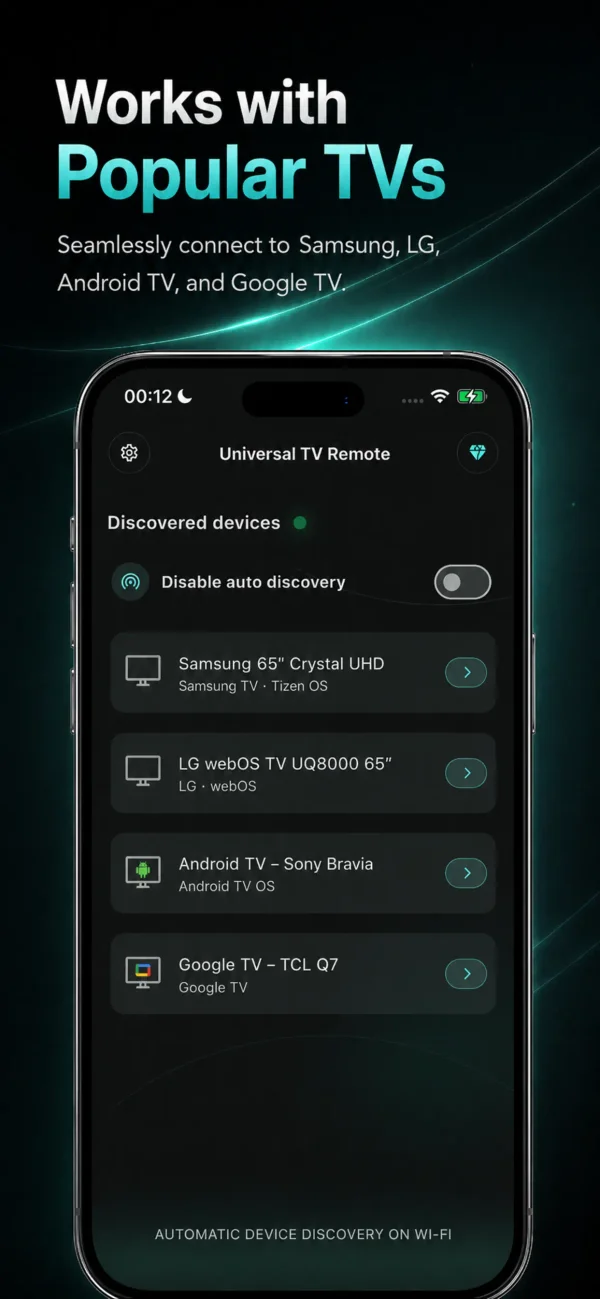


About
Turn your iPhone or iPad into a convenient TV remote control for compatible Smart TVs.
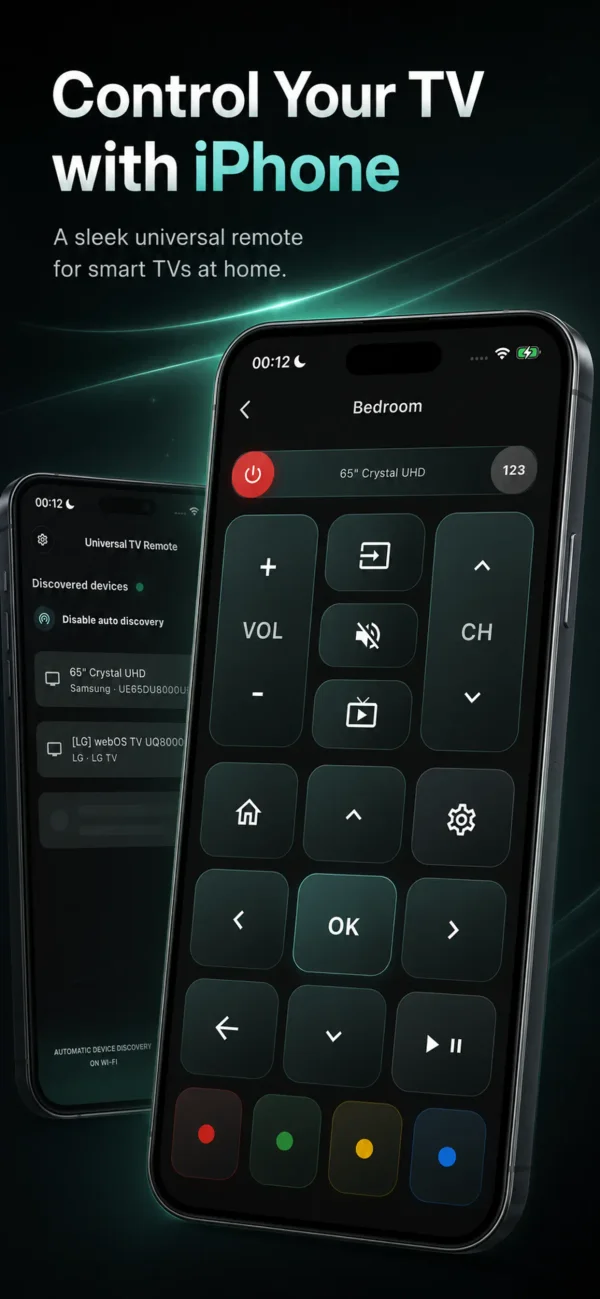
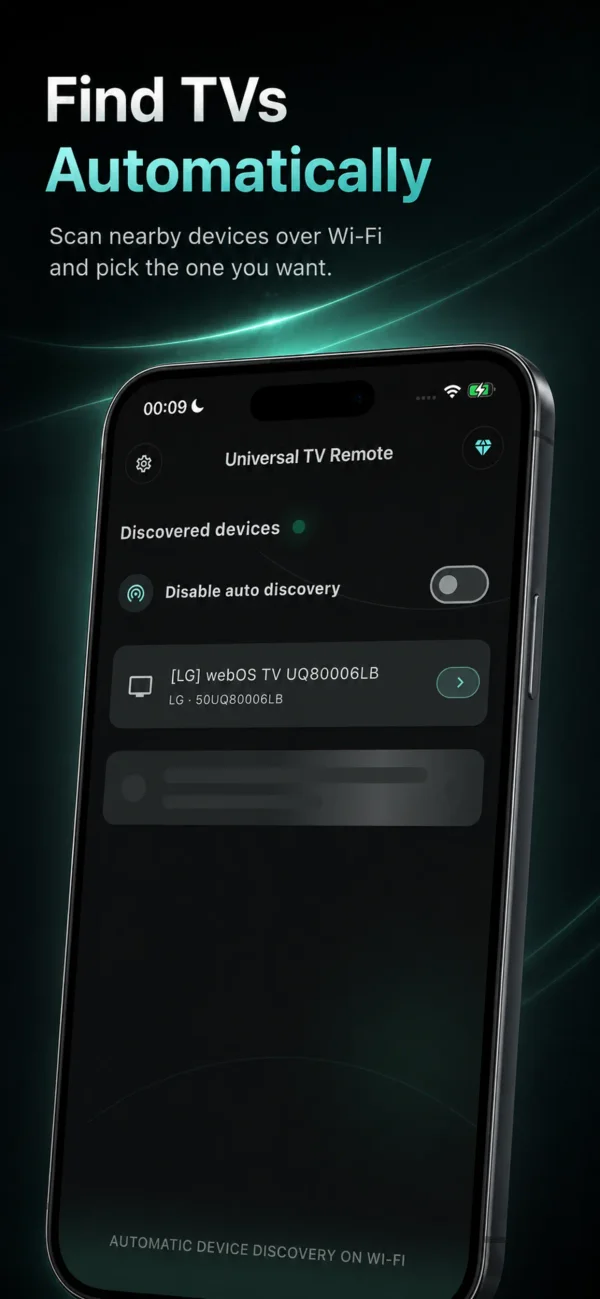
Universal TV Remote Control helps you discover TVs on your local Wi-Fi network, pair with them, and control them directly from your phone or tablet. Use familiar remote buttons, navigate menus, adjust volume, change channels, control playback, and quickly reconnect to saved TVs.
FAST WI-FI CONNECTION
Getting started takes only a few steps:
1. Turn on your TV.
2. Connect your iPhone or iPad to the same Wi-Fi network.
3. Allow access to the local network.
4. Select a discovered TV.
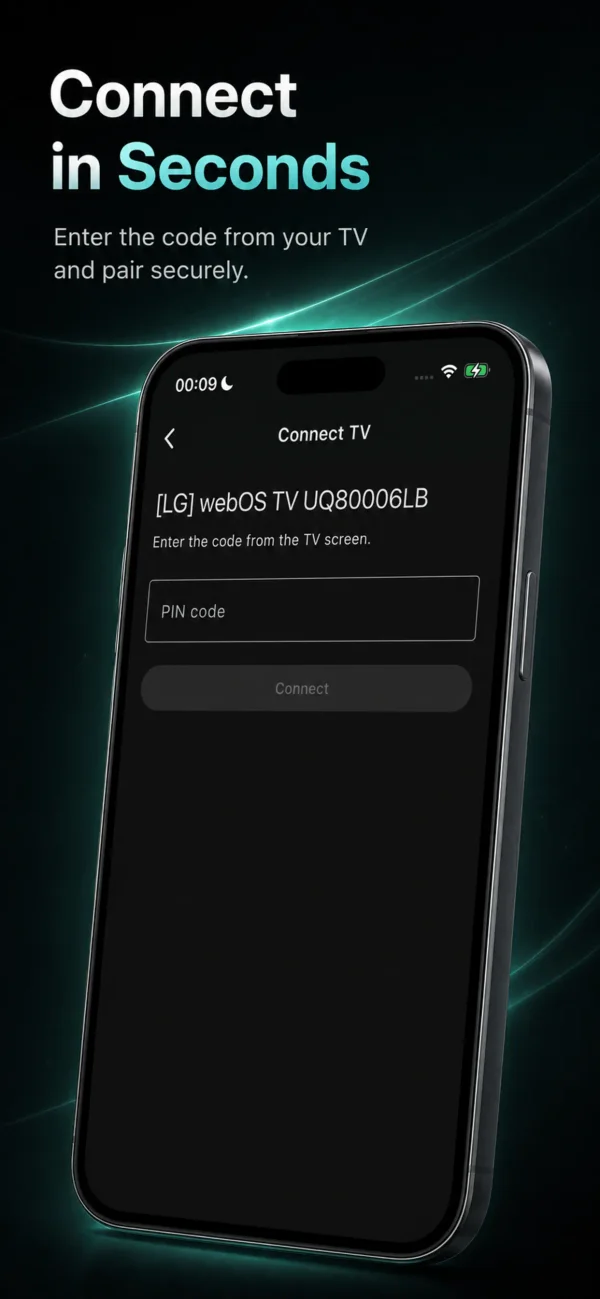
5. Confirm the connection on your TV or enter the pairing code shown on screen.
6. Start using your phone as a remote.
KEY FEATURES
• Automatic TV discovery on your local Wi-Fi network
• Remote control for compatible Samsung Tizen, LG webOS, and Android TV devices
• D-pad navigation for menus and apps
• Volume and channel controls
• Play, pause, rewind, fast-forward, and other media controls
• Numeric keypad for quick channel entry
• Save multiple TVs for faster reconnection
• Rename saved devices for easier access
• Trackpad and cursor control on compatible TVs
• Launch apps and enter text on supported Android TV devices
• Voice commands on compatible Android TV devices
• Adaptive interface for iPhone and iPad
• Portrait support on iPhone and portrait or landscape support on iPad
ONE REMOTE FOR MULTIPLE TVS
Lost your physical remote? Battery dead? Have several TVs at home? Keep compatible TVs saved in one app and quickly switch between devices in different rooms.
Universal TV Remote Control can be useful when you want to:
• control your TV from your iPhone or iPad;
• replace a missing or unavailable remote;
• change volume or channels without searching for the physical remote;
• type text using your phone keyboard on supported Android TV devices;
• navigate compatible TVs with a convenient trackpad;
• manage Samsung TV, LG TV, and Android TV devices from one app.
COMPATIBILITY
The app is designed for compatible:
• Samsung Smart TVs running Tizen
• LG Smart TVs running webOS
• TVs and media devices running Android TV
Android TV is available on selected models from manufacturers such as Sony, Philips, TCL, Xiaomi, Hisense, Sharp, and others. Compatibility depends on the TV model, operating system, firmware version, and supported network-control features.
Some buttons and features may not be available on every TV.
IMPORTANT
Your iPhone or iPad and TV must be connected to the same local Wi-Fi network for network remote control. Some TVs require you to approve the connection on the TV screen or enter a pairing code.
FREE & PREMIUM
The free version includes core TV remote features and may contain advertising.
Premium provides:
• an ad-free experience;
• expanded support for working with multiple saved TVs;
• access to Premium features available in the app.
Premium is offered as an auto-renewable subscription. Pricing, subscription duration, and any available trial terms are shown in the app before purchase and may vary by App Store storefront. You can manage or cancel your subscription in your Apple ID settings. Restore Purchases is available in the app.
Universal TV Remote Control is an independent application and is not affiliated with or endorsed by Samsung, LG, Google, or other TV manufacturers. All product names, trademarks, and registered trademarks are the property of their respective owners.
- Terms of Use (EULA): https://www.apple.com/legal/internet-services/itunes/dev/stdeula/
- Privacy Policy: https://universaltvrc.com/privacy.html
What’s new
Version 1.0.2 · Nov 7, 2026
In this update, we’ve refined the user interface, optimized our APIs for improved performance, and resolved minor issues to deliver a faster, smoother, and more reliable experience.
App privacy
What Ivik llc declares on the App Store about how this app handles data.
-
Data used to track you
May be used to track you across apps and websites owned by other companies.
- Identifiers
- Usage data
- Diagnostics
- Other data
-
Data linked to you
May be collected and linked to your identity.
- Identifiers
- Other data
-
Data not linked to you
May be collected but is not linked to your identity.
- Purchases
- Location
- Usage data
- Diagnostics
Privacy practices may vary, for example with the features you use or your age.
Information
- Seller
- Ivik llc
- Category
- Utilities
- Version
- 1.0.2
- Updated
- Nov 7, 2026
- Released
- Sep 23, 2026
- Size
- 124.6 MB
- Requires
- iOS 15.0 or later
- Age rating
- 4+
- Price
- Free
- In-app purchases
- Yes
- Languages
- English, Russian
- Copyright
- © IVIK LLC
You might also like
-
 Tv remote Universal - All TvsRemote control for TV
-
 pro-emergency-flashlightEmergency Light Tool
-
 TV Remote For Samsung SmartUniversal TV Control, Cast App
-
 Remoto - TV RemoteNo Ads. TV Remote
-
 TV Remote・UniversalUtilities
-
 TV Remote: All Smart TV RemoteUniversal Remote for Smart TV
-
 AnyTV | Universal TV RemoteSmart TV control over Wi-Fi
-
 CtrlTV: Smart TV RemoteSamsung LG Sony Bravia Hisense
-
 Stafford County - Ask BluUtilities
-
 ADB Remote: TV TouchscreenYour TV, now a touchscreen