Unlock PDF: Editor & Scanner
Fill, sign, merge & compress
Designed for iPhone, iPad
In-app purchases
- Age rating4+
- CategoryUtilities
- DeveloperHevel Iagudaev
- LanguagesEnglish+ 5 more
- Size9.9 MB
Links to the official App Store page
Download.org hosts no file of Unlock PDF: Editor & Scanner. The button opens its official App Store page, published by Hevel Iagudaev. Listing last checked on Nov 6, 2026.
Screenshots


About
Know the password, but tired of typing it every time?
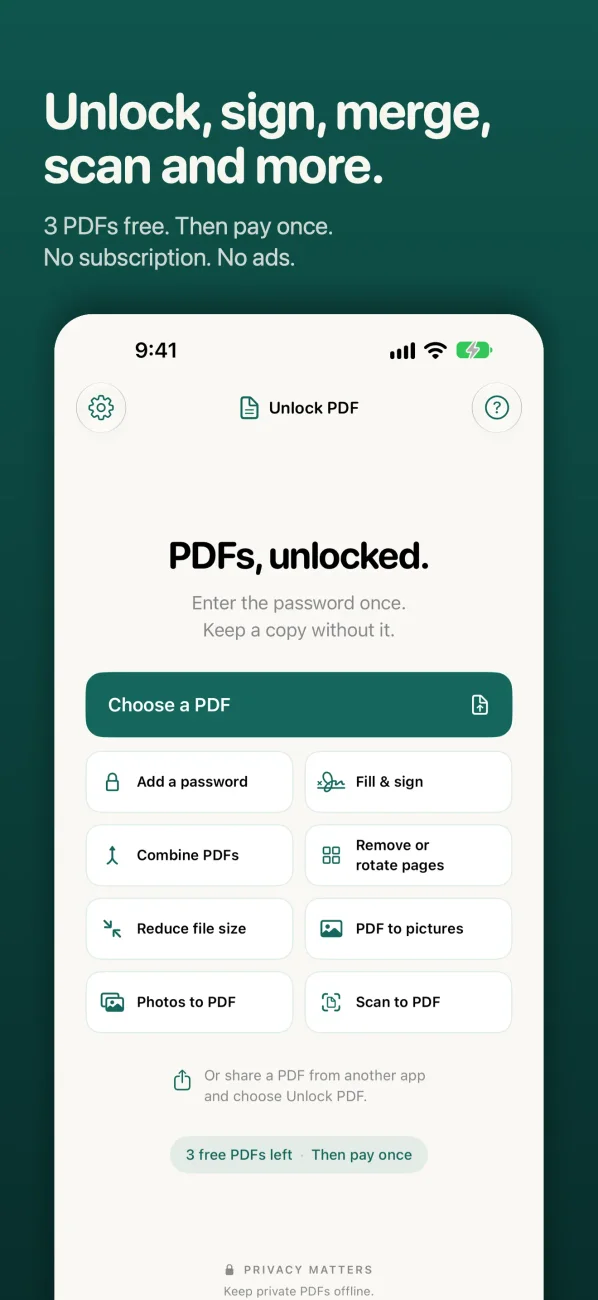
Unlock PDF saves a copy of your PDF that opens without a password. Once it is open, the app does the rest of the paperwork too: fill in the form, sign it, merge it with others, make it smaller and send it.
REMOVE A PASSWORD
• Enter the password once and keep a copy that opens without it
• Bank and credit card statements, pay stubs, tax, insurance and medical documents
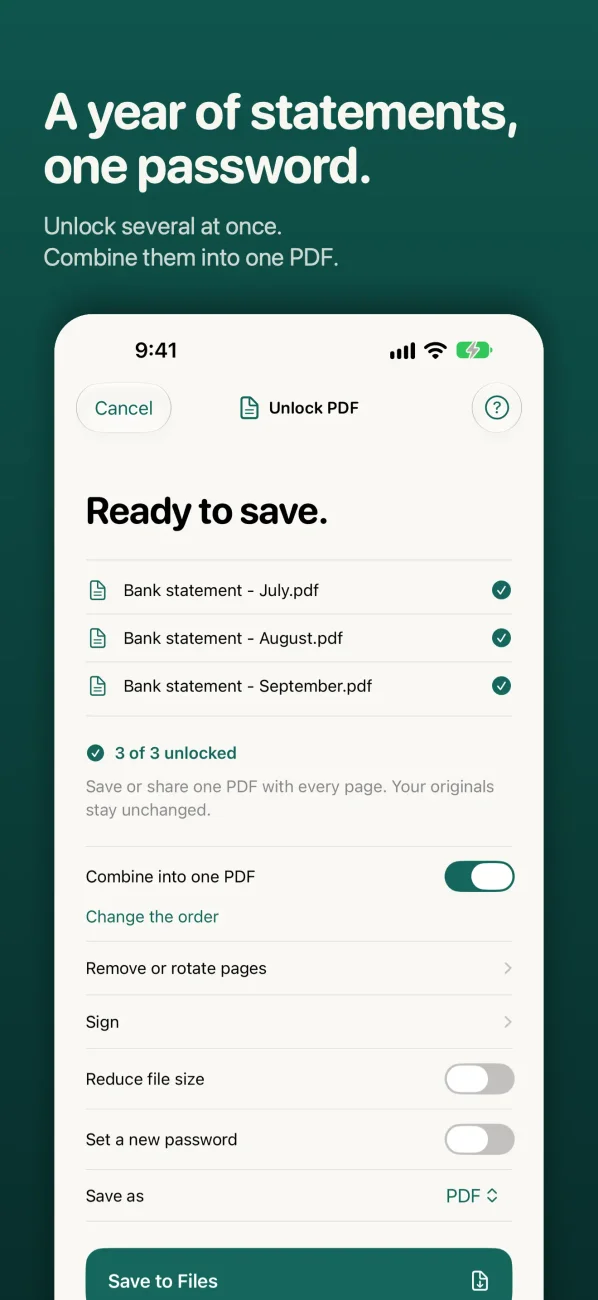
• A whole year of statements at once: one password is tried on all of them
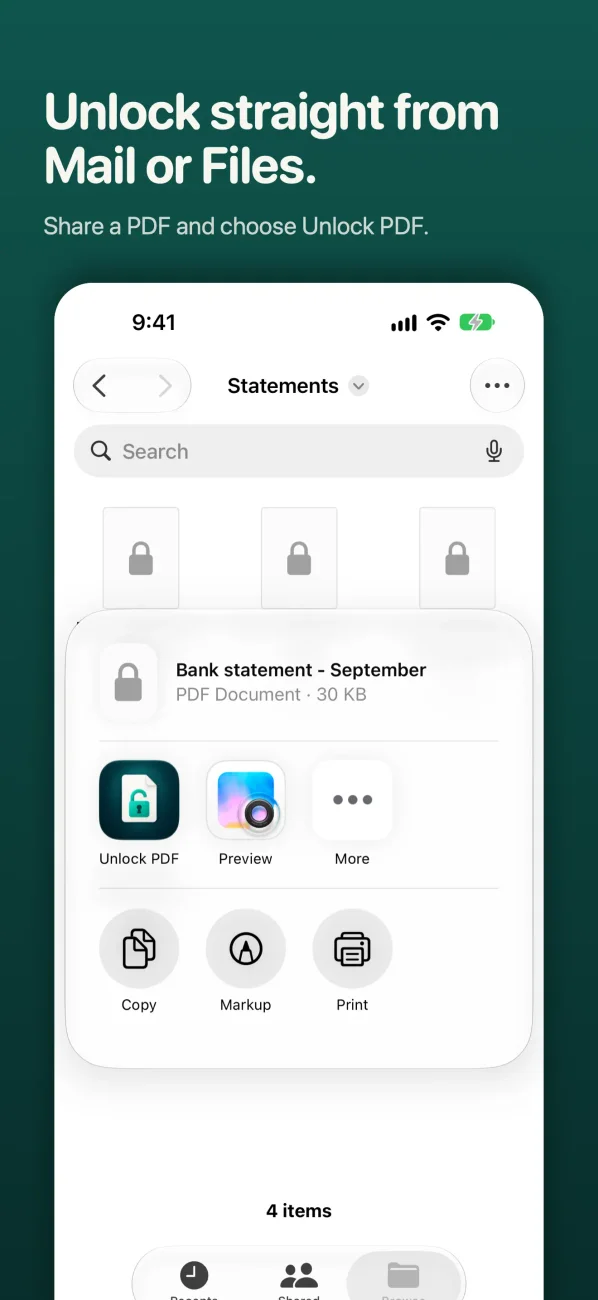
• Straight from the share sheet in Mail, Files or another app
REMEMBERED PASSWORDS
• Ask the app to remember a password, and the next PDF that uses it unlocks by itself
• Made for the statement your bank sends every month
• Kept on your device only. Using one takes Face ID, Touch ID or your passcode.
• Nothing is remembered unless you ask
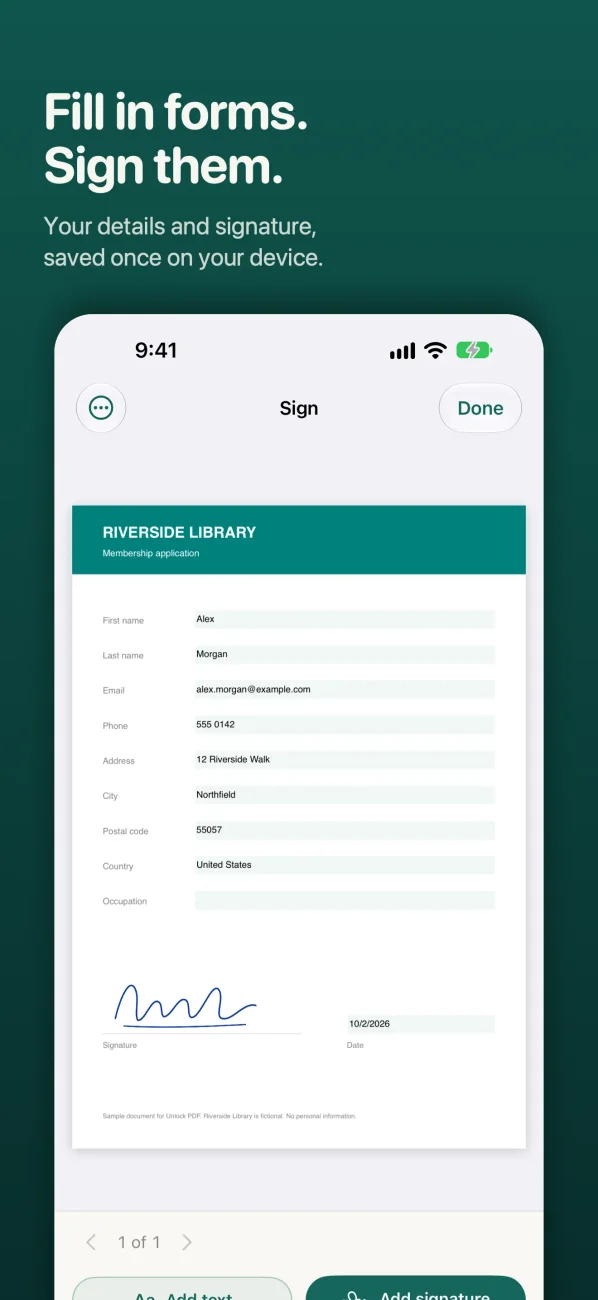
FILL IN AND SIGN
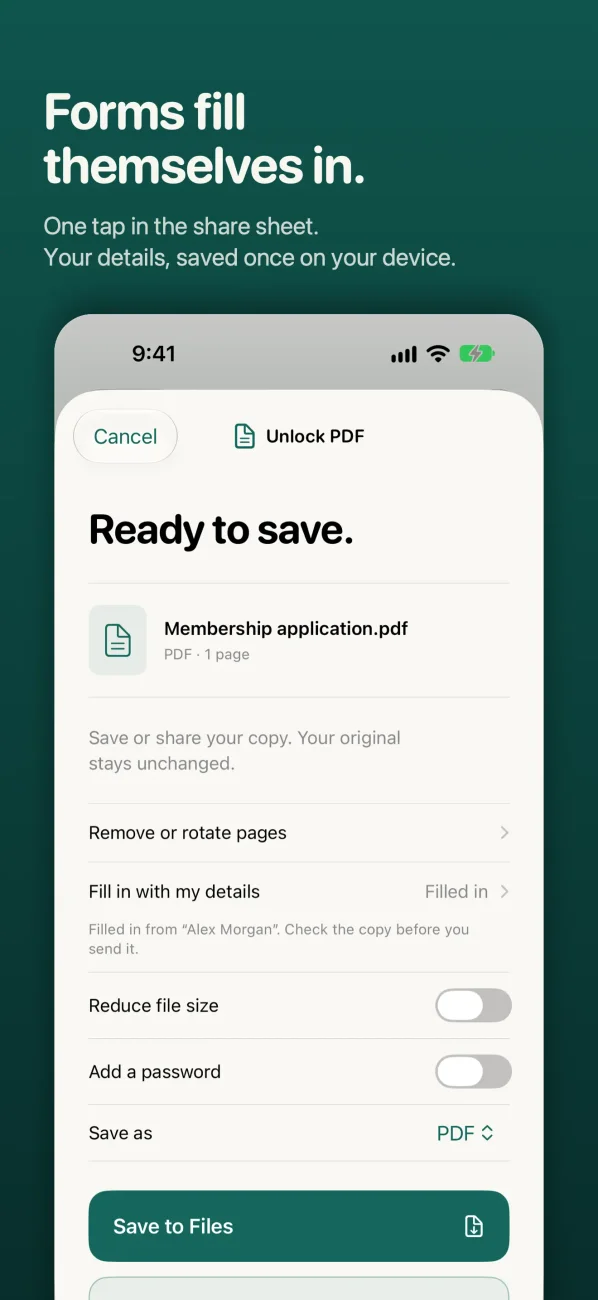
• Fill in a form straight from the share sheet: one tap, from your saved details
• Save your name, phone, email and address once. Forms with fields fill themselves in.
• Keep a profile for everyone you fill in forms for: yourself, your family, your business. Switch inside any form.
• Draw your signature once and place it on any page. Keep several, such as your initials.
• Add today's date, a check mark or a line of text next to it
COMBINE, SPLIT AND TIDY UP
• Combine several PDFs into one, in the order you choose
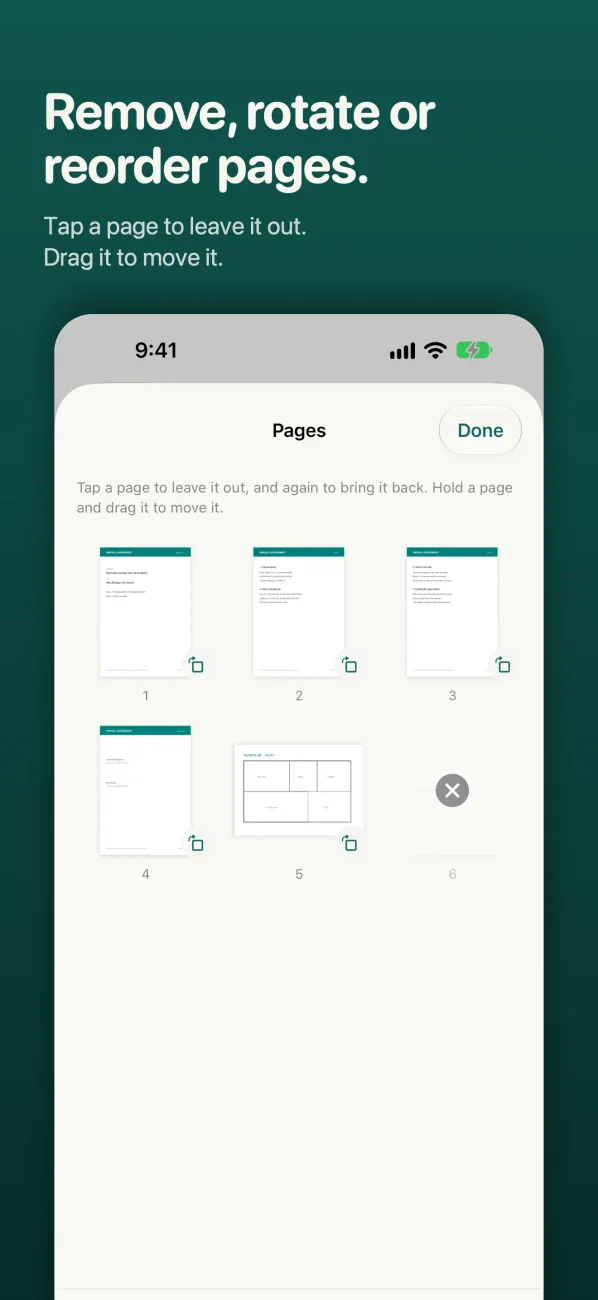
• Remove pages, rotate them or drag them into a new order
• Save every page as a PDF of its own
• Actions for the Shortcuts app: remove or add a password, combine PDFs, reduce file size
MAKE IT SMALLER
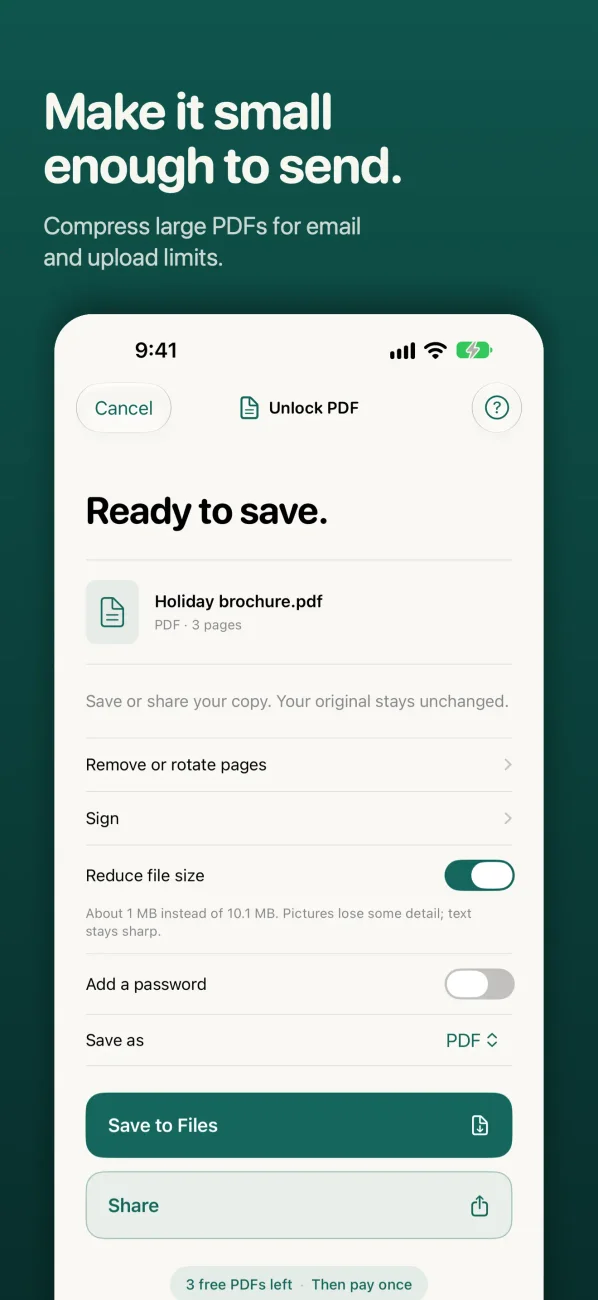
Reduce the file size of PDFs with large pictures, for email and upload limits. You see how much smaller the copy will be before you save it.
PHOTOS, SCANS AND PICTURES
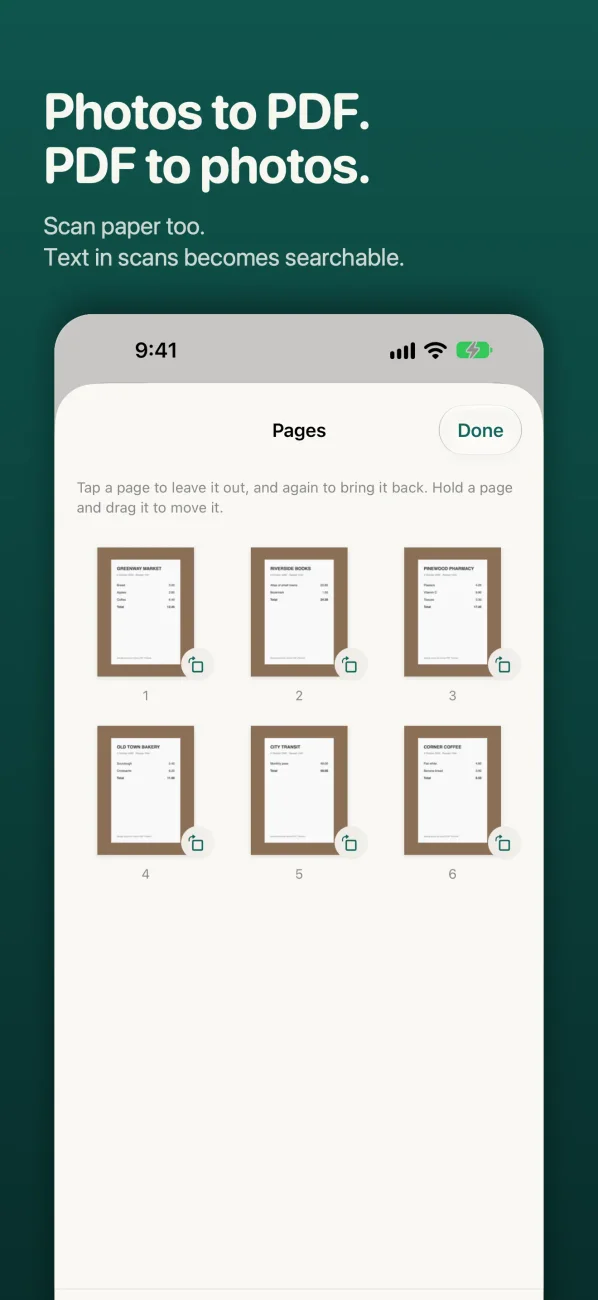
• Turn photos into a PDF
• Scan paper with the camera
• Text in photos and scans becomes searchable
• Save PDF pages as JPEG or PNG pictures, or save the text of a PDF
ADD A PASSWORD
Lock a PDF before you send it, or replace an old password with one of your own.
PRIVATE BY DESIGN
• Everything is done on your device. Nothing is uploaded.
• Works without an internet connection
• No account, no ads, no analytics
• A password is only kept if you ask the app to remember it. Your details and signatures stay on your device.
FREE TO TRY, PAY ONCE
Your first 3 PDFs are free, with every tool. After that, a single purchase unlocks unlimited PDFs. No subscription and nothing to renew. If you bought Unlock PDF before it became free, everything is already unlocked for you.
GOOD TO KNOW
• To remove a password you need the PDF's current password. Unlock PDF cannot guess, crack or recover a forgotten password.
• A password you add cannot be recovered either, so keep it somewhere safe.
• Your signature is placed on the page as a picture, like a signature on paper. It is not a certificate-based digital signature.
• Forms are filled in by the names of their fields. Check a form before you send it.
• Reducing the size scales down pictures. A PDF that is mostly text will not get smaller.
• Changing a digitally signed PDF can invalidate its signature, so keep your original.
• Your original files are never changed. The app always saves a copy.
What’s new
Version 1.4.3 · Oct 21, 2026
Mark up your PDFs. Highlight, underline or strike out words, write with a pen, add boxes, arrows, text and notes, or white out a line. Marks are saved as ordinary PDF comments, so they show in any PDF app.
Also new:
• Split a PDF into several, or extract just the pages you need
• Make scanned PDFs searchable, and copy the text of any PDF
• Fit a PDF under a size, such as 2 MB for an upload form
• Make a PDF from pictures in Files, or share photos straight to Unlock PDF
• Free PDFs go further: splitting a PDF or combining several counts as one, and saving again with Do more with this PDF is free
• Pro for the family: one purchase for up to 6 people with Family Sharing
App privacy
What Hevel Iagudaev declares on the App Store about how this app handles data.
-
Data not collected
The developer does not collect any data from this app.
Privacy practices may vary, for example with the features you use or your age.
Information
- Seller
- Hevel Iagudaev
- Category
- Utilities
- Version
- 1.4.3
- Updated
- Oct 21, 2026
- Released
- Sep 28, 2026
- Size
- 9.9 MB
- Requires
- iOS 16.0 or later
- Age rating
- 4+
- In-app purchases
- Yes
- Languages
- English, German, Hebrew, Japanese, Portuguese, Spanish
- Copyright
- © 2026 AVI-WEB
You might also like
-
 PDFUnlock: Add/Remove passwordLock & unlock PDFs instantly
-
 PDF Page Remover | DeleteDelete PDF Pages Fast and Easy
-
 Scanlyx: Smart PDF ScannerScan, Edit & Secure Documents
-
 Unlock my PDF: PDF PasswordPassword Remover & Protector
-
 Pagelet - Delete PDF PagesRemove blank or extra pages
-
 PDF Unlocker ProPDF Unlocker and Locker Tool
-
 T-Wrap AI | Studio for TeslaCustomize your vehicle with AI
-
 Unlock PDF – Password RemoverRemove PDF passwords offline
-
 PDF SecureDocument privacy protection
-
 Stickers 2026: Llena tu álbumEstampas repetidas y faltantes