Vault Docs: Secure File Vault
Private AI Scanner & Organizer
Designed for iPhone, iPad
In-app purchases
- Age rating4+
- CategoryProductivity
- DeveloperOleksii Krychevskyi
- LanguagesEnglish+ 2 more
- Size11.3 MB
Links to the official App Store page
Download.org hosts no file of Vault Docs: Secure File Vault. The button opens its official App Store page, published by Oleksii Krychevskyi. Listing last checked on Nov 19, 2026.
Screenshots
About
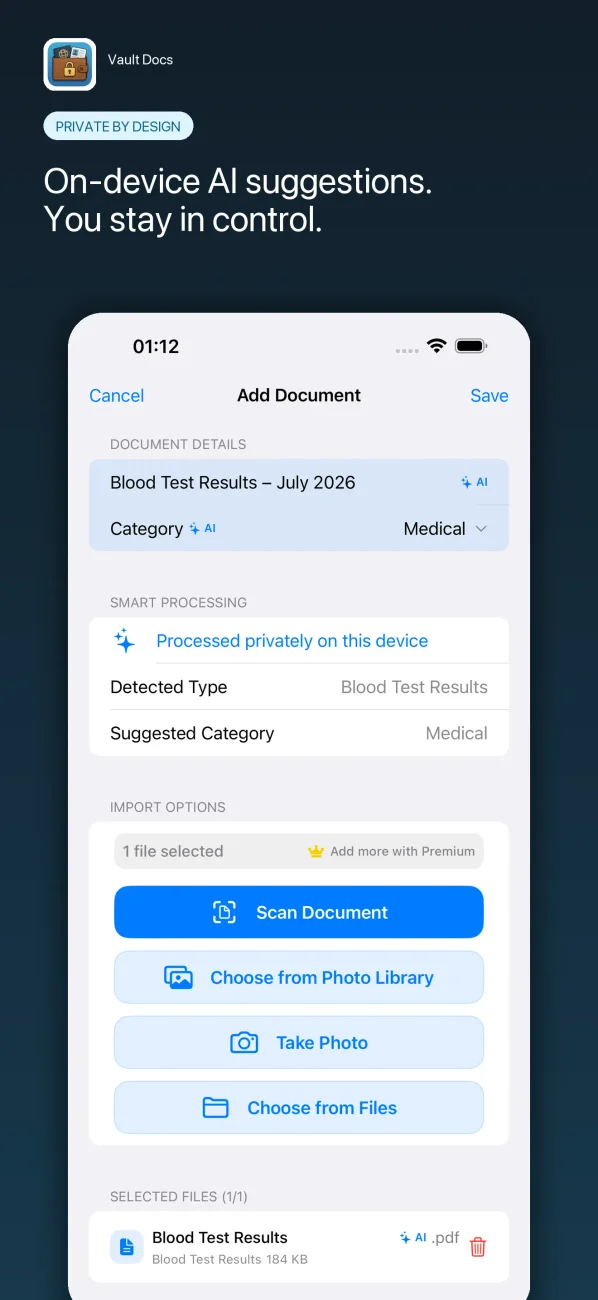
Scan paper documents and get editable AI-assisted suggestions for what they contain—processed privately on your device. Document images and recognized text are not sent to an external AI service.
Vault Docs is a private document scanner and organizer for iPhone and iPad. It turns scans and imported files into editable, organized records while keeping you in control of every suggestion.
SCAN. UNDERSTAND. ORGANIZE.
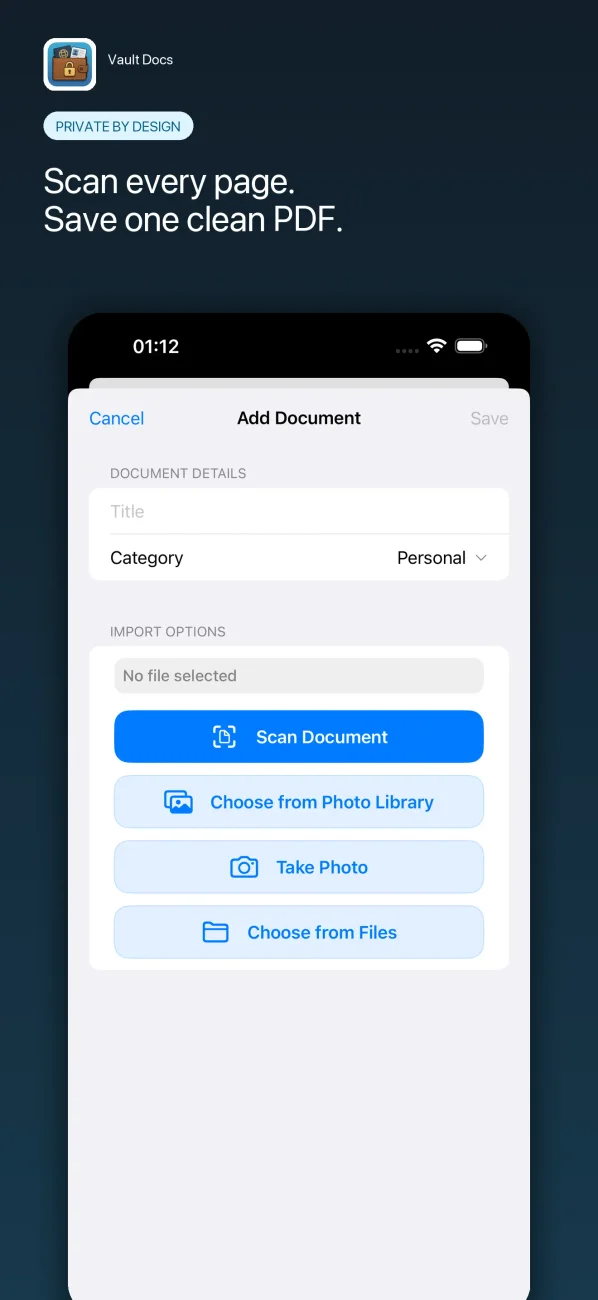
• Scan multiple paper pages into one PDF with automatic edge detection
• Import PDFs, images, photos, text, Word, and Excel files
• Get on-device suggestions for document type, concise title, category, and file names
• Review detected page groups and optionally split a mixed PDF into separate files
• Keep the original PDF unchanged unless you choose to split it
• Edit every suggestion before saving
PRIVATE BY DESIGN.
Smart Processing runs on your device. Document images and recognized text are not sent to an external AI service. Saved files stay local by default.
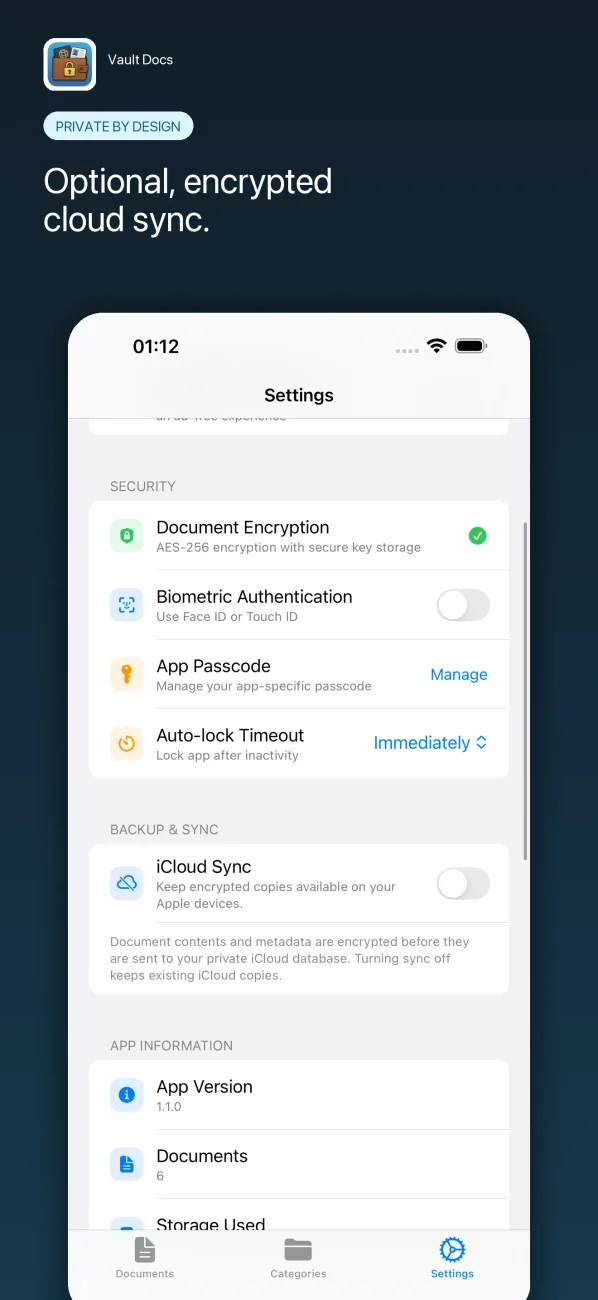
If you enable iCloud Sync, Vault Docs encrypts document contents and metadata before storing private copies in your personal iCloud database. No separate Vault Docs account is required.
PROTECT AND FIND WHAT MATTERS.
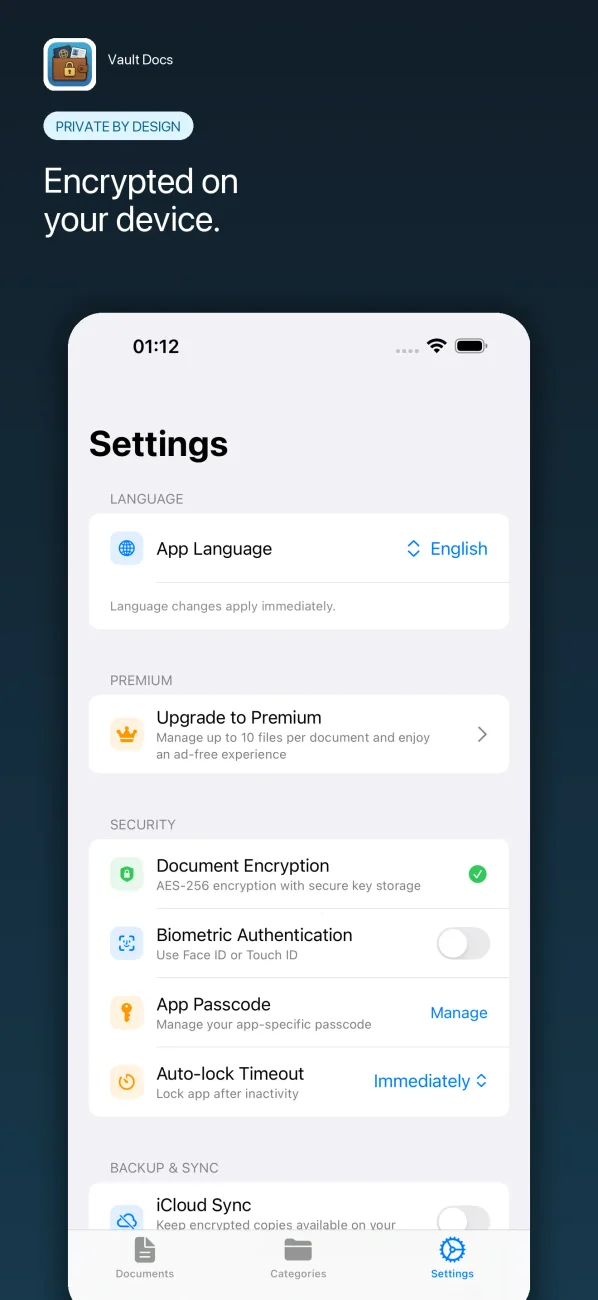
• AES-256-GCM encryption and secure key storage
• Face ID, Touch ID, app passcode, and automatic locking
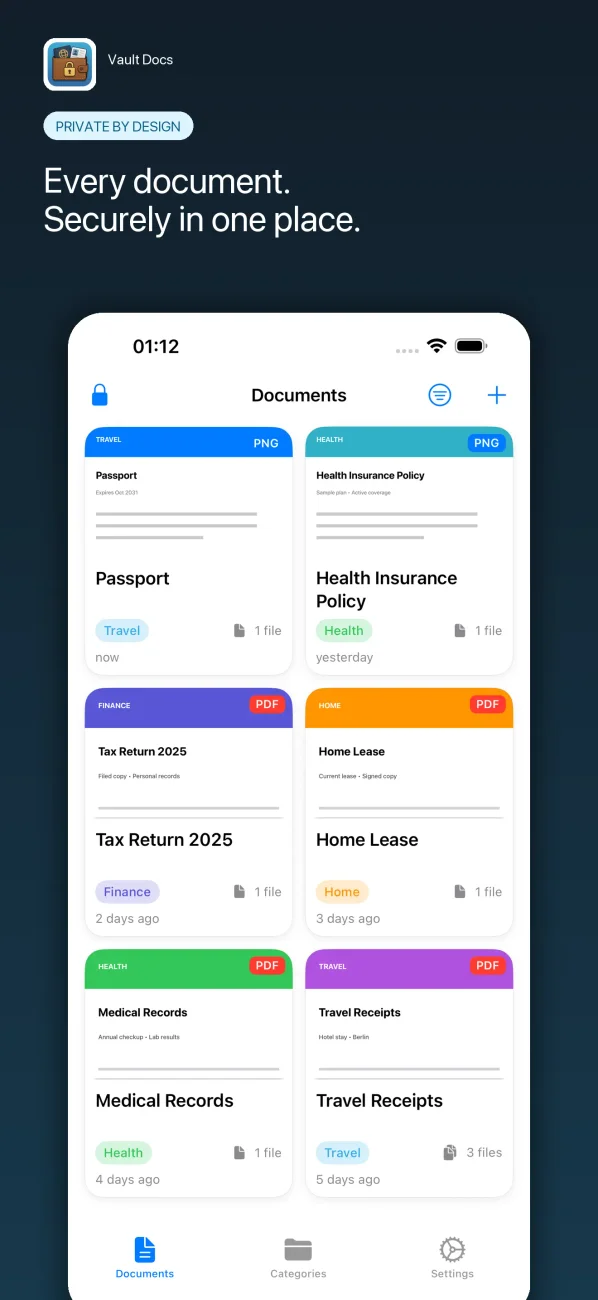
• Built-in and custom categories for identity, medical, finance, home, travel, and more
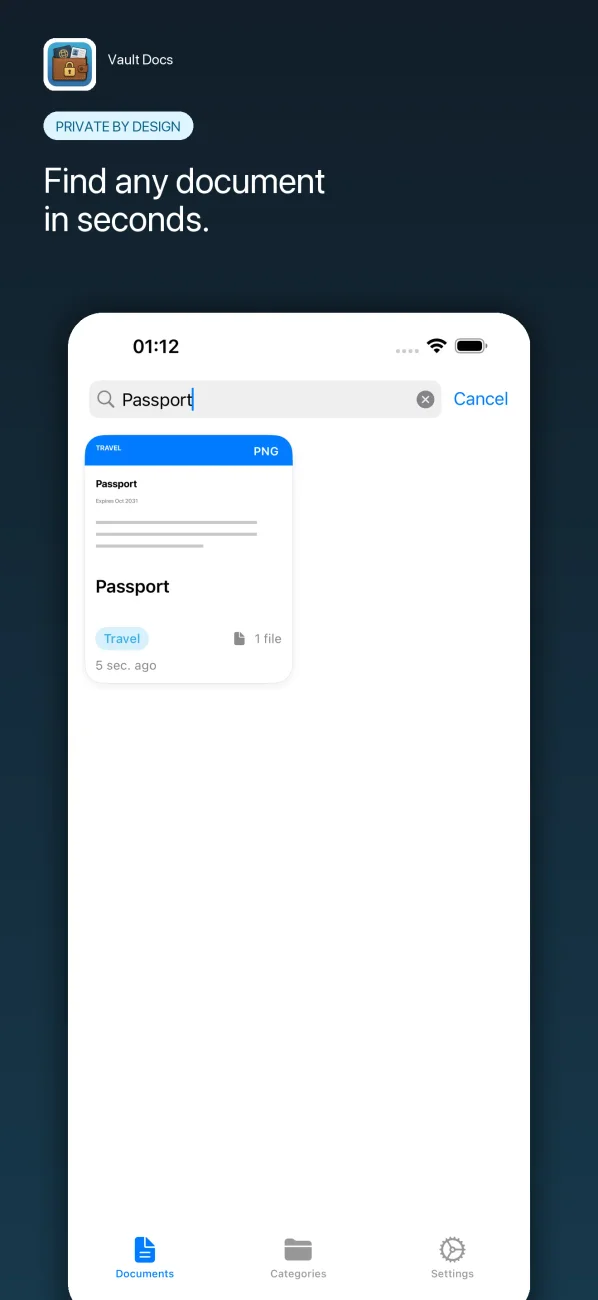
• Search by document title or file name
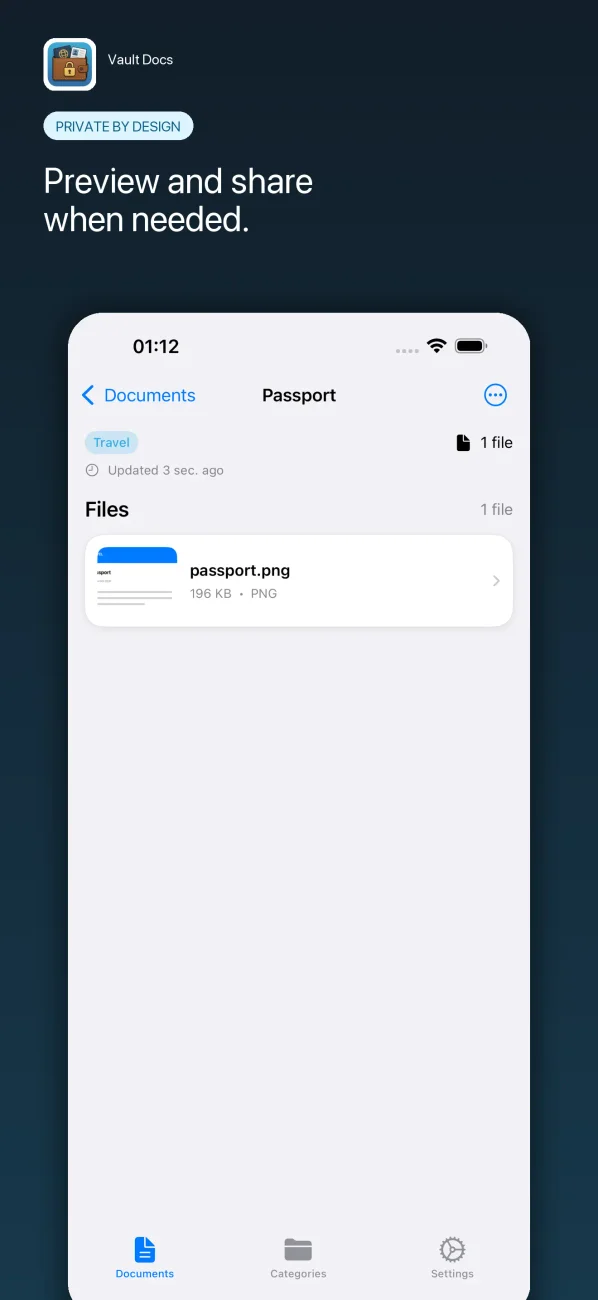
• Zoom image previews, export files, and share when needed
• English, Ukrainian, and German interface
HOW IT WORKS
1. Scan pages or import existing files.
2. Review the suggested type, title, category, file names, and page groups.
3. Save locally or enable encrypted iCloud Sync across your Apple devices.
Some features require a Premium subscription. Premium allows up to 10 files per document and removes ads. The free version may display ads.
Download Vault Docs and turn everyday paperwork into an organized, protected document vault.
Terms of Use: https://www.apple.com/legal/internet-services/itunes/dev/stdeula/
What’s new
Version 1.1.0 · Aug 1, 2026
Scan multi-page paper documents with automatic edge detection and save every page in one PDF.
Smart Processing now considers document meaning across pages to suggest concise titles, categories, document types, and meaningful file names. When one PDF contains several documents, you can review detected page groups and split them while keeping the original unchanged.
You can also import Word and Excel files, zoom image previews, and share directly from the file viewer.
All recognition runs on your device. Suggestions remain editable, and document images and recognized text are not sent to an external AI service.
App privacy
What Oleksii Krychevskyi declares on the App Store about how this app handles data.
-
Data linked to you
May be collected and linked to your identity.
- Purchases
- Location
- Identifiers
- Usage data
-
Data not linked to you
May be collected but is not linked to your identity.
- Diagnostics
Privacy practices may vary, for example with the features you use or your age.
Information
- Seller
- Oleksii Krychevskyi
- Category
- Productivity
- Version
- 1.1.0
- Updated
- Aug 1, 2026
- Released
- Jul 29, 2026
- Size
- 11.3 MB
- Requires
- iOS 18.0 or later
- Age rating
- 4+
- In-app purchases
- Yes
- Languages
- English, German, Ukrainian
- Copyright
- © 2026 kRicha
You might also like
-
 Vault PDF - create, editScan, sign & edit PDFs offline
-
 Document Vault - VaultSecure Personal Doc Organiser
-
 My Documents: Secure VaultYour Smart Document Vault
-
 PDF Vault - Document AppYour Private PDF Workspace
-
 Reminders, Habits, ADHD: TickaChecklist, task, pill, planner
-
 Habits - Simple Habit TrackerStreaks, Minimalist & Private
-
 Chaos Control 2: AI OrganizerGTD Task Manager, Time Tracker
-
 Vimcal: AI Calendar & ScheduleCalendar for work meetings
-
 Weekly Planner: ClassicDaily Agenda & Paper Journal
-
 Secure NotepadPrivate Notes with Password