
- Age rating4+
- CategoryProductivity
- DeveloperMadhura Basavaraju
- LanguagesEnglish
- Size31.1 MB
Links to the official App Store page
Download.org hosts no file of Verboten: App Blocker. The button opens its official App Store page, published by Madhura Basavaraju. Listing last checked on Nov 17, 2026.
Screenshots



About
Verboten blocks the apps you choose. You pick them once, and they stop opening.
Not a timer you can dismiss. Not a nag screen. iOS itself holds the door,
through the same Screen Time machinery Apple uses for parental controls,
so a blocked app meets a shield instead of a feed, and there is nothing to swipe past.
WHAT IT DOES
Pick your apps. Instagram, TikTok, YouTube, whatever your evenings
disappear into. One switch holds all of them.
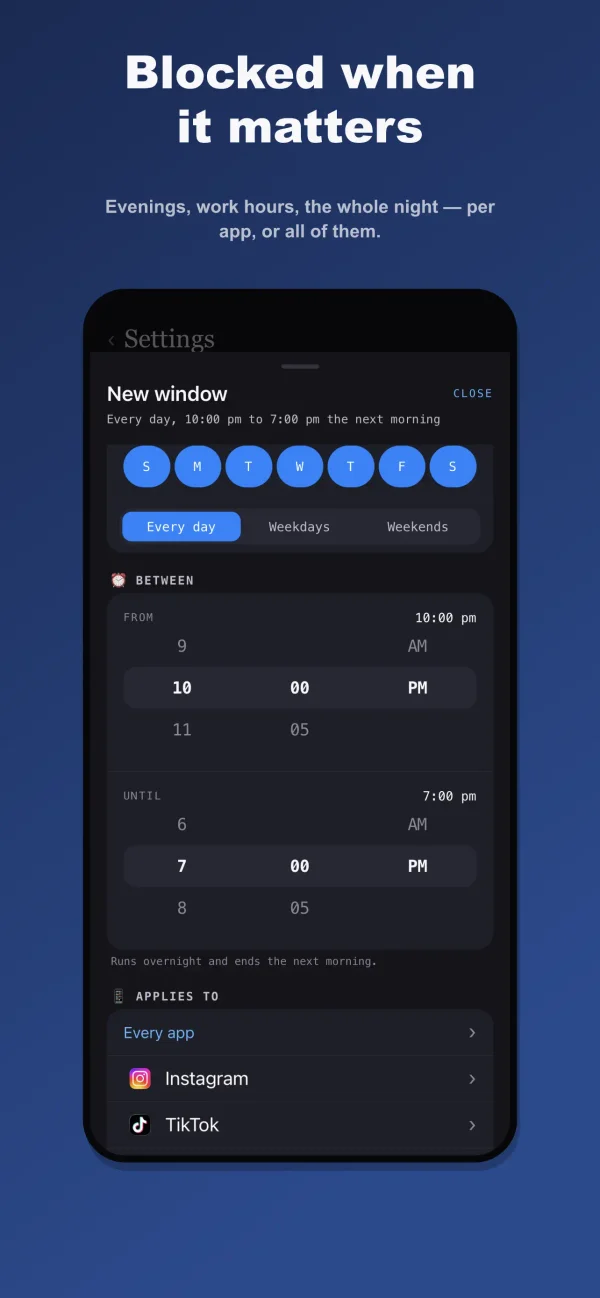
Block only when it matters. Add a window — evenings, work hours, overnight
— and blocking applies then and not otherwise. A window can cover every app
or a single one. With no window, it is simply always on.
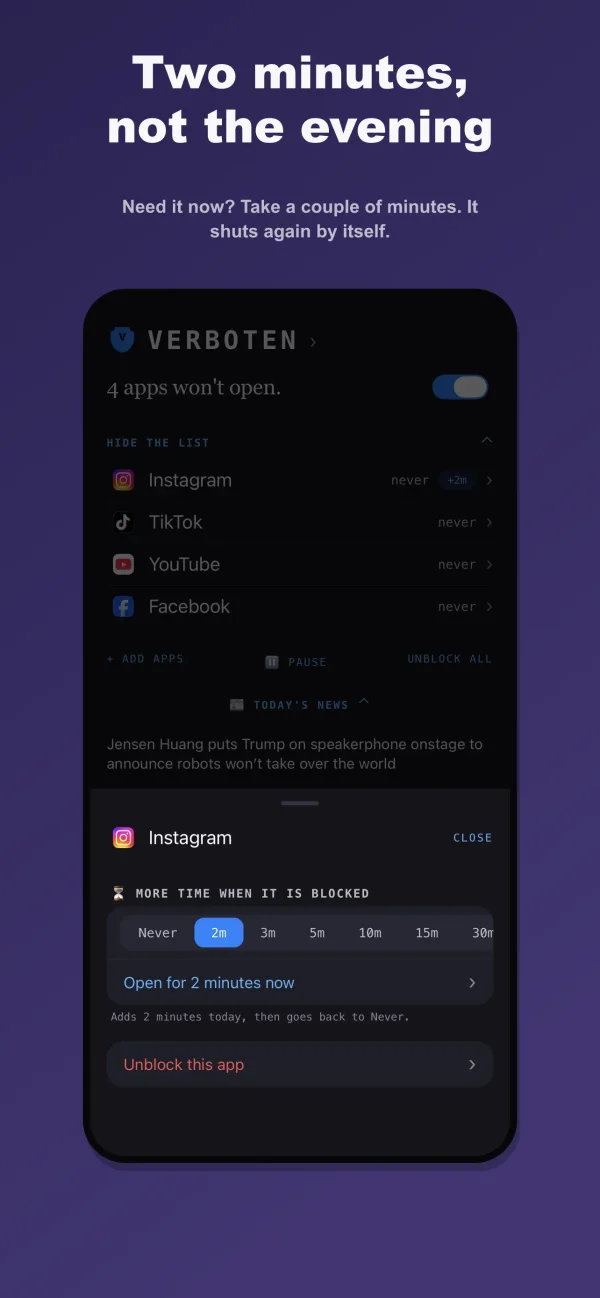
Two minutes, not the evening. Need an app right now? Take a couple of
minutes. It shuts again by itself, and the setting returns to Never — so a
moment of weakness never quietly becomes a permanent exception.
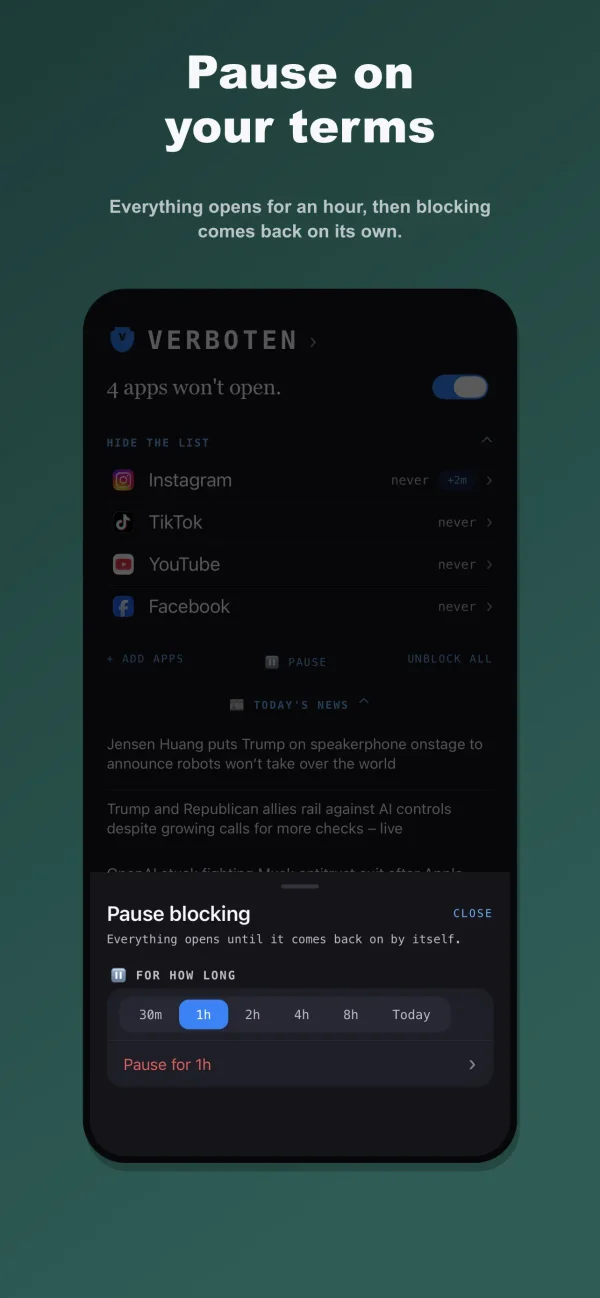
Pause on your terms. Everything opens for as long as you chose, then
blocking comes back on its own. No decision to remember.
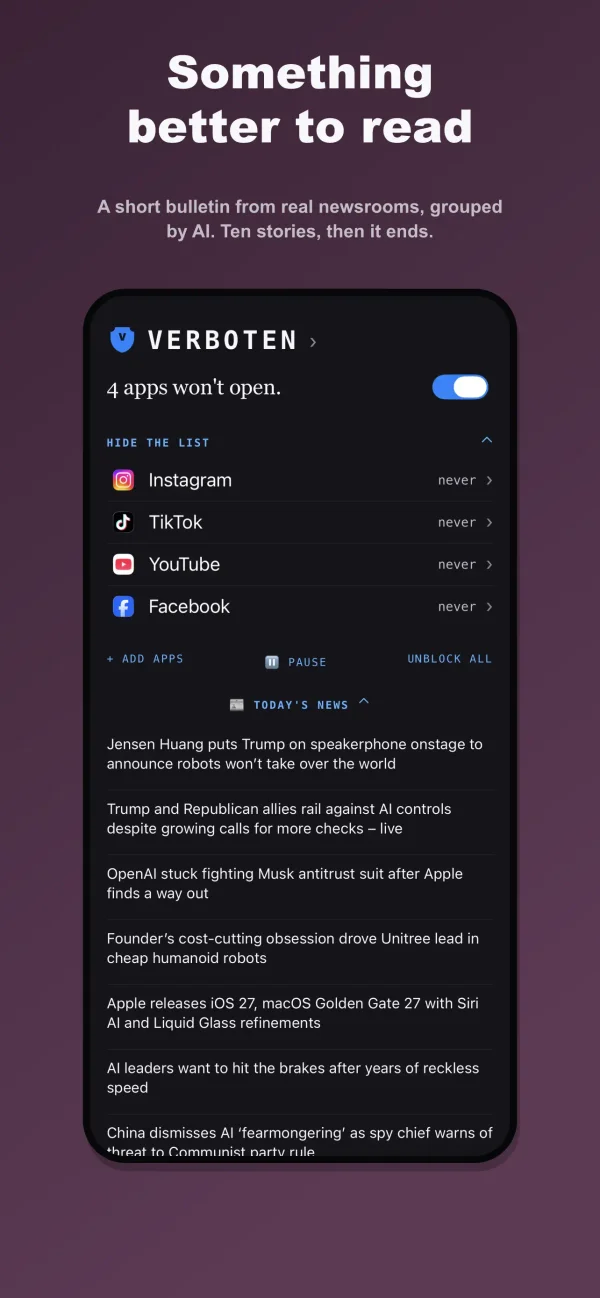
Something better to read. An optional bulletin of the day's AI news from
real newsrooms — grouped so one story isn't repeated five times, and ten
stories long. It ends, which is the whole point. Turn it off and the app fetches nothing at all.
A line worth reading. Every block shows one: a fact, a thought, a reason to look away.
WHAT IT DOESN'T DO
No account. No sign-in. No analytics, no ads, no trackers.
Nothing about you leaves your phone. Your blocked list, your schedules and
your settings live on the device. On iOS the app cannot even read which
apps you picked; Apple hands it opaque tokens, and that is all it ever sees.
No guilt. Missing your own rules is not a failure state. There is no streak
to break and no score to lose.
Verboten is made by the ReadLoft team.
What’s new
Version 1.0.3 · Sep 24, 2026
The block itself hasn't changed. This update is about what you find instead of the feed.
QUIZ ME
Five words flashed one at a time, then one question about them, then what the word means, how it is said, and where it came from. Three rounds a day, a new theme each week, and no word comes back until its pack has run out.
Four speeds, including Ghost — five words in three quarters of a second, which is about one blink.
Finished today's three? Play the same words again from the result screen, or share the card.
Off by default. Settings > Quiz me.
IDIOMS ON THE BLOCK SCREEN
Fifty phrases join the quotes and the jokes: what each one means, and a line showing it actually being used. Bob's your uncle, and now you know why anyone says it.
ALSO
The result screen sits where you can read it. A wrong answer is marked as plainly as a right one. The speed buttons are big enough to hit.
App privacy
What Madhura Basavaraju declares on the App Store about how this app handles data.
-
Data not collected
The developer does not collect any data from this app.
Privacy practices may vary, for example with the features you use or your age.
Information
- Seller
- Madhura Basavaraju
- Category
- Productivity
- Version
- 1.0.3
- Updated
- Sep 24, 2026
- Released
- Sep 21, 2026
- Size
- 31.1 MB
- Requires
- iOS 16.4 or later
- Age rating
- 4+
- Price
- Free
- Languages
- English
- Copyright
- © 2026 Verboten
You might also like
-
 app blocker - blokxset app time limit and focus
-
 !Locker v2Encrypt and lock your data
-
 Roam: App BlockerBlock apps by location
-
 Zap: App BlockerZap the distractions away
-
 Screen Limit: App BlockerFocus, Study & Digital Detox
-
 HoldOn: Block Apps & Save TimeSlow Down Before You Open Apps
-
 Loch: App Blocker & FocusScreen Time & Less Scrolling
-
 LionBlock: App BlockerScreen Time Limit & Focus
-
 FrictionBlock: App BlockerScreen Time Focus Helper
-
 LimitSet: App Blocker & FocusScreen Time Control