Vibe Check - Multi Tracker
Just do it when you have time
Designed for iPhone, iPad
- Age rating4+
- CategoryUtilities
- DeveloperWAN-CHANG LEE
- LanguagesEnglish+ 4 more
- Size16.2 MB
Links to the official App Store page
Download.org hosts no file of Vibe Check - Multi Tracker. The button opens its official App Store page, published by WAN-CHANG LEE. Listing last checked on Nov 20, 2026.
Screenshots


About
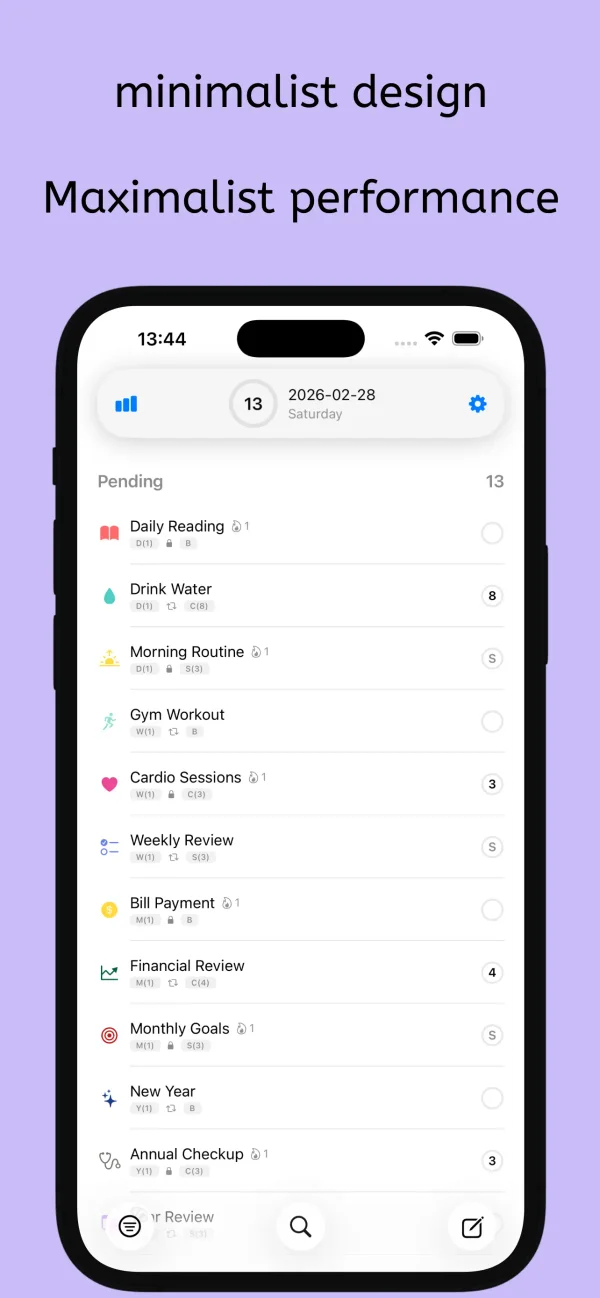
VibeCheck is the habit tracker that adapts to YOUR life - not the other way around.
Unlike rigid trackers that break your streak the moment you miss a day, VibeCheck's intelligent Flexible Mode preserves your momentum. Skip a day? No problem. Your streak stays intact with Save Point Logic, so you stay motivated instead of starting over.
- TRACK ANYTHING, ANY WAY YOU WANT -
- Daily, Weekly, Monthly, Yearly, or One-Time goals
- Binary (done/not done), Counter (3/10 push-ups), or Subtask checklists
- Fixed Schedule for strict discipline, or Flexible Mode for real-life balance
- Smart Postpone - reschedule without losing your streak
- Share Extension - create items from any app via the Share Sheet
- Siri Shortcuts - create and complete items with voice commands
- Quick Note - instant item creation with one tap
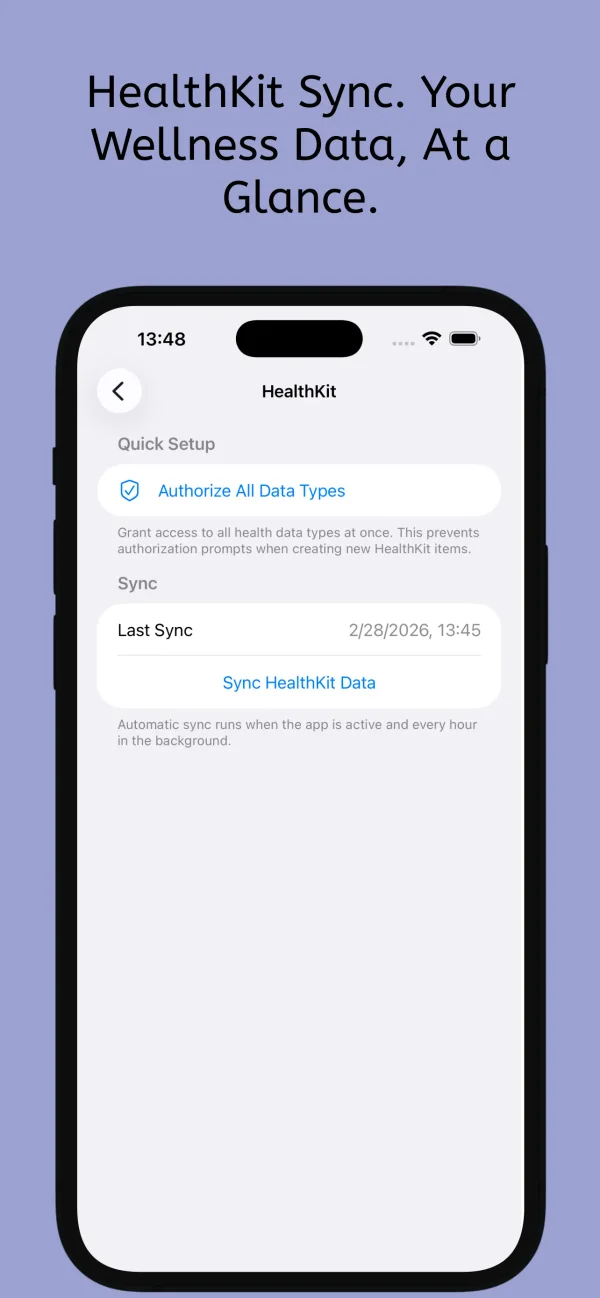
- 13 HEALTH METRICS, ZERO EFFORT -
Sync automatically with Apple Health:
- Steps, Exercise Minutes, Stand Hours, Active Energy
- Sleep Duration, Weekly Sleep, Mindfulness
- Time in Daylight, Blood Pressure, Cardio Points
- Medication Doses (iOS 26+)
- Monthly HRV, Monthly Resting Heart Rate
Your health data flows in automatically - just set a target and watch your progress.
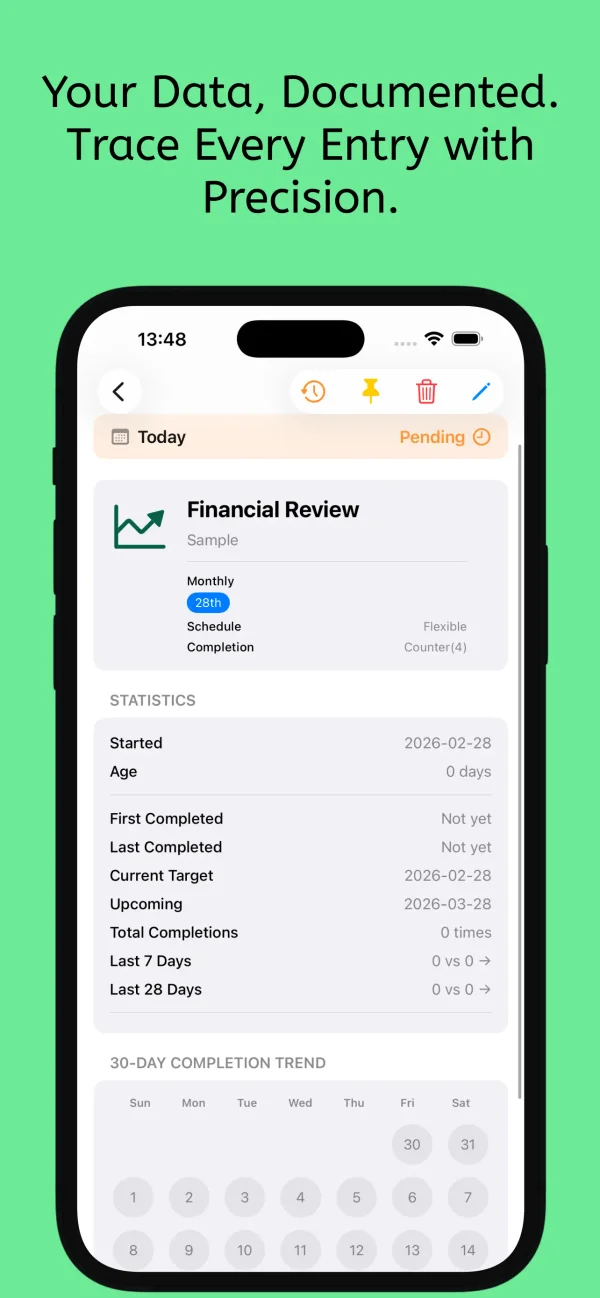
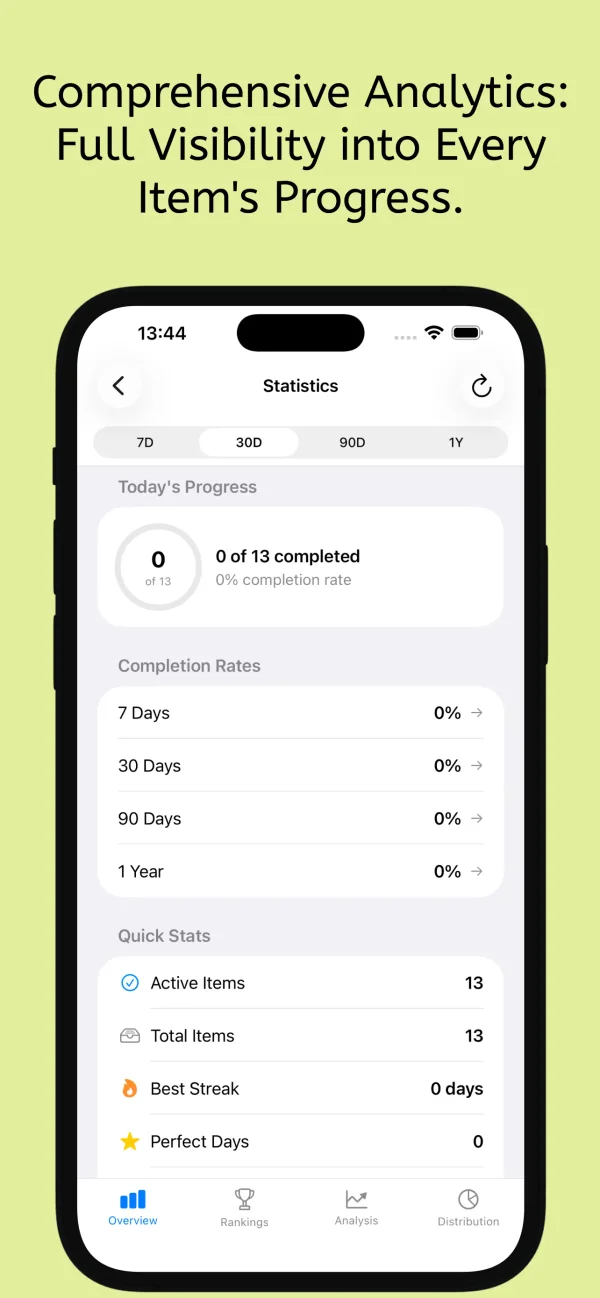
- STATISTICS THAT ACTUALLY HELP -
- Current & Best Streaks with intelligent calculation
- 7-day, 30-day, 90-day, and yearly completion rates
- 30-day trend charts and completion calendars
- Rankings - see which habits you're crushing (and which need attention)
- Perfect Day tracking - celebrate when you complete everything
- Category filter - drill down into specific categories across all stats tabs
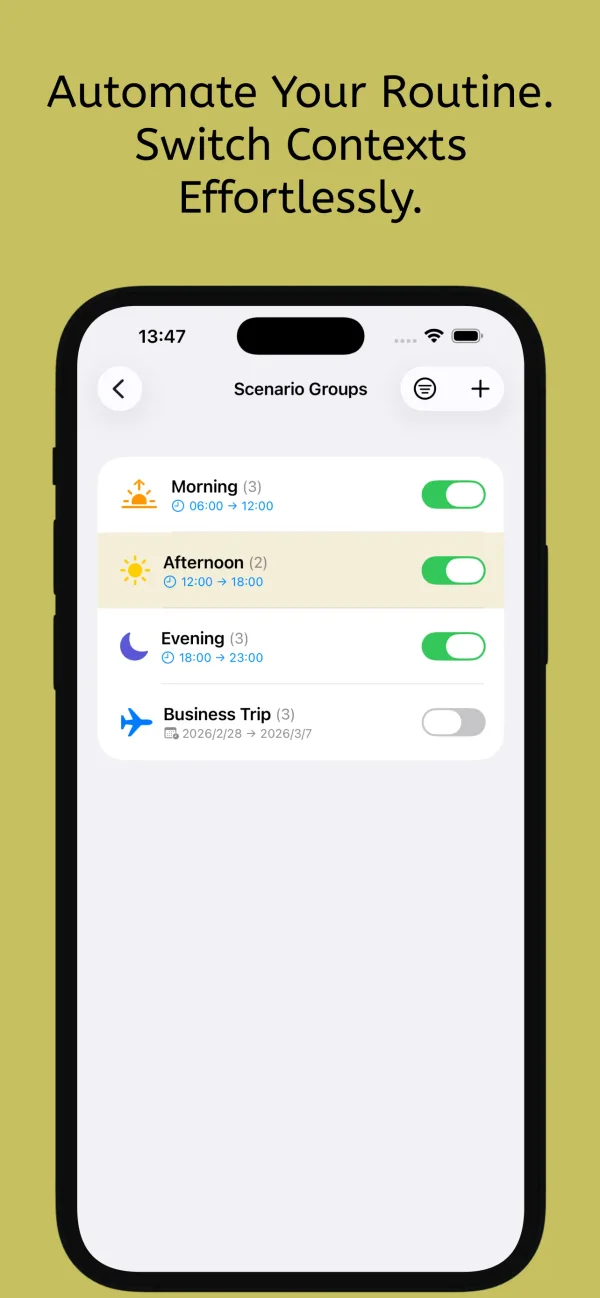
- SCENARIO GROUPS - YOUR SECRET WEAPON -
Create context-based groups to manage habits in batches:
- Date Schedule: Auto-archive items during vacations or projects
- Time Schedule: Hide work habits after hours (and vice versa)
- Switch contexts with one tap - no manual toggling needed
- HOME SCREEN & LOCK SCREEN WIDGETS -
Glance at your progress without opening the app:
- Small: today's completion score at a glance
- Medium: 7-day trend bars + today's top 3 items
- Large: full dashboard with Quick Note and New Item buttons
- Lock Screen: circular gauge, progress bar, or inline text
- Control Center: completion ring for instant access
- DUAL REMINDERS: NOTIFICATIONS + ALARMS -
- Standard notifications with custom sounds
- Native iOS Alarms that persist through Do Not Disturb
- Frequency-aware scheduling - each reminder type matches your habit's schedule
- CAPTURE MOMENTS WITH PHOTOS -
Attach up to 5 photos per item. Perfect for:
- Meal tracking with food photos
- Workout form checks
- Before & after progress shots
- BUILT FOR PRIVACY -
- 100% local storage - your data never leaves your device
- No account required. No sign-up. No tracking.
- Optional iCloud backup - fully under your control
- Export your data anytime as portable JSON
- MAKE IT YOURS -
- 720+ icons across 8 categories
- Unlimited accent colors with custom picker
- 5 density levels from compact to spacious
- Light, Dark, or System theme
- Custom categories for organization
- Pin favorites to the top
- Quick Actions - link to Shortcuts, URLs, or web pages
- POWERFUL SEARCH -
- Real-time search across names, notes, and categories
- 9 filter dimensions: status, category, frequency, schedule, completion type, pinned, reminders, photos, notes
- All filters work together for precise multi-dimensional results
- SELF-HEALING DATABASE -
VibeCheck automatically detects and repairs data inconsistencies:
- Orphaned records, duplicates, timezone shifts - all handled
- One-tap diagnostic check with detailed fix preview
- Your data stays clean without you lifting a finger
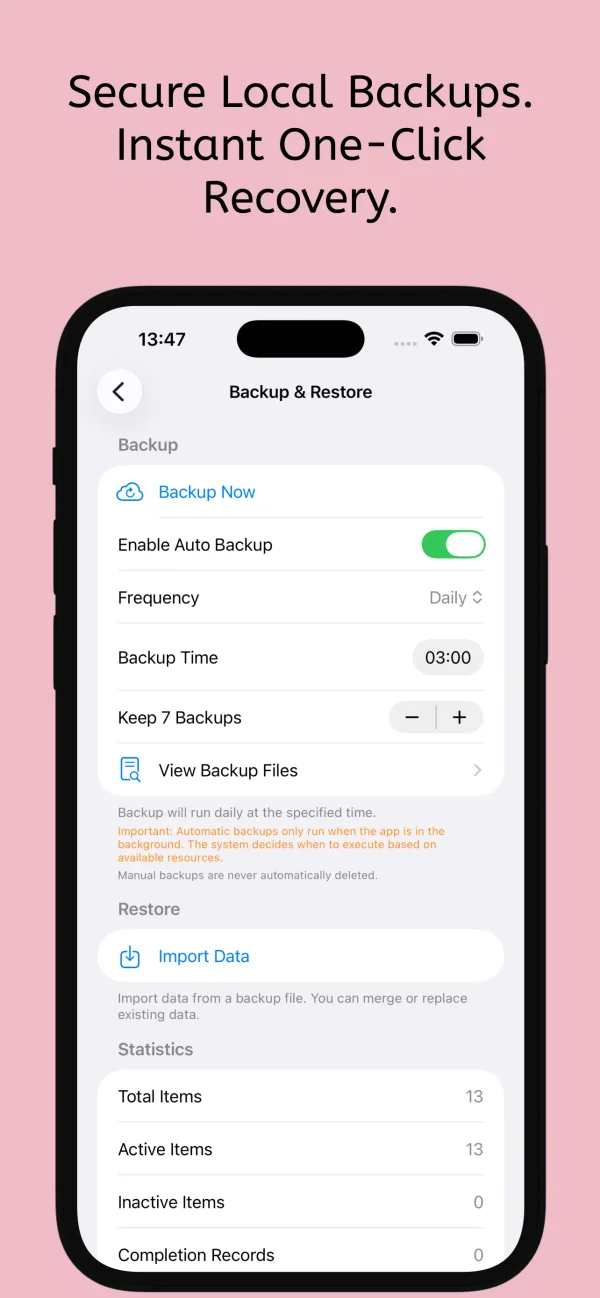
- SMART BACKUP SYSTEM -
- Auto-backup on your schedule (daily, weekly, monthly)
- Full restore with two modes: Fresh Start or Keep History
- Merge or Replace strategies for flexible data management
- AVAILABLE IN 5 LANGUAGES -
English, 繁體中文, 简体中文, 日本語, 한국어
What’s new
Version V1.6.4 · Aug 4, 2026
What's new in VibeCheck 1.6.4:
NEW
• Reminder Times Tutorial — a new 6-step in-app guide walks you through standard notifications and alarm reminders, fully localized in all supported languages.
FIXED
• Monthly streaks now calculate correctly — no more streaks breaking every other month, and Best Streak can no longer show less than your current run.
• Manual HealthKit sync works again — the Sync button no longer asks for permission you've already granted.
• iCloud backups now appear and restore right after switching to a new device, even before they finish syncing.
• The app icon badge updates correctly after restoring a backup, archiving items while editing, and recording future-dated completions to today.
• Statistics stay consistent when you adjust a counter's target value.
• Items created via Siri Shortcuts now appear in your list immediately.
• Widgets refresh on time when a Scenario Group's hidden hours begin or end.
• Sharing high-resolution photos to VibeCheck no longer fails on large images.
• Reminder times are now capped at 10 per item so removed reminders can't linger as ghost notifications.
• Smoother scrolling and faster date switching on the main list and item details.
• Tapping the center of a completion circle now registers reliably, plus many small touch-area fixes.
• Localization polish across all languages, including ordinal dates and month names.
App privacy
What WAN-CHANG LEE declares on the App Store about how this app handles data.
-
Data not collected
The developer does not collect any data from this app.
Privacy practices may vary, for example with the features you use or your age.
Information
- Seller
- WAN-CHANG LEE
- Category
- Utilities
- Version
- V1.6.4
- Updated
- Aug 4, 2026
- Released
- Mar 3, 2026
- Size
- 16.2 MB
- Requires
- iOS 17.0 or later
- Age rating
- 4+
- Languages
- English, Japanese, Korean, Simplified Chinese, Traditional Chinese
- Copyright
- © 2026 TommyHome
You might also like
-
 Orbit – Habit TrackerHabit Tracker&Progress Widget
-
 MMemosUtilities
-
 PhotoSweep 2.0Find similar & reclaim space
-
 Securly, Easy Password ManagerGenerate & Save Passwords.
-
 Sweep: Phone Storage CleanerSwipe, Delete Duplicate Photos
-
 CapDrive: Driving DashboardCustom Gauges, HUD & OBD
-
 Timer - Dial & StopwatchDrag to set. Let go to start.
-
 Grateful Diary - Mood TrackerEmotion tracker;habits tracker
-
 ShopPad: Shopping TrackerBuild a Mindful Shopping Habit
-
 About Timers - Kitchen TimerMultiple Timers & Stopwatch