
- Age rating4+
- CategoryPhoto & Video
- DeveloperIAN KAINOA RICHARDSON
- LanguagesEnglish
- Size4.3 MB
Links to the official App Store page
Download.org hosts no file of Vid-e-Note. The button opens its official App Store page, published by IAN KAINOA RICHARDSON. Listing last checked on Nov 18, 2026.
Screenshots
About
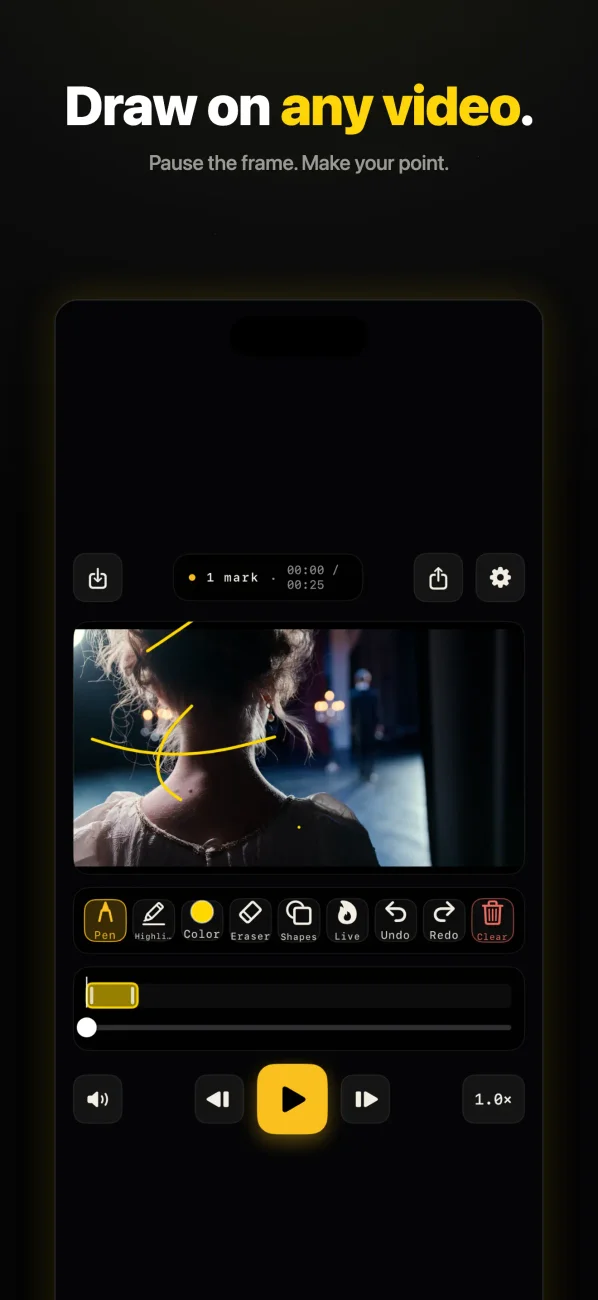
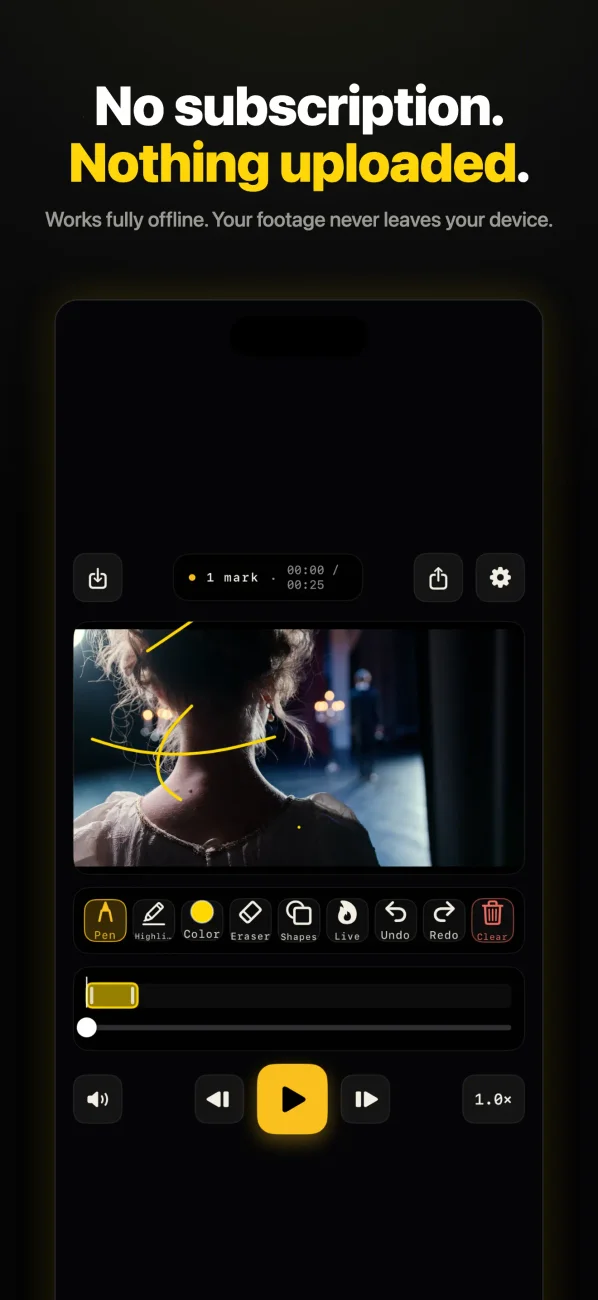
Mark up any video with a tap. Vid-e-Note turns your iPhone or iPad into a video annotation canvas — draw, highlight, and sketch directly on your footage using Apple Pencil or your finger.
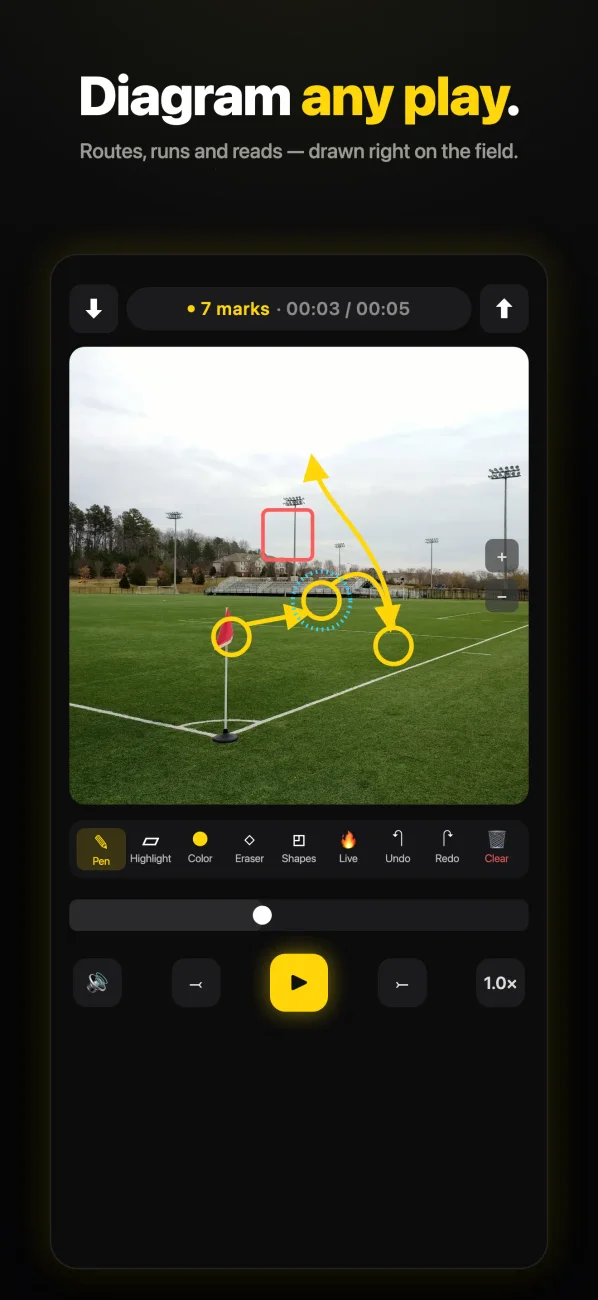
Whether you're a teacher breaking down a concept, a filmmaker reviewing a cut, a coach diagramming a play, or a creator adding visual callouts — Vid-e-Note gets out of the way and lets you work.
• Draw with ink, shapes, and highlighters over any video
• Apple Pencil support with double-tap and squeeze shortcuts
• Pinch to zoom in on any area of your footage
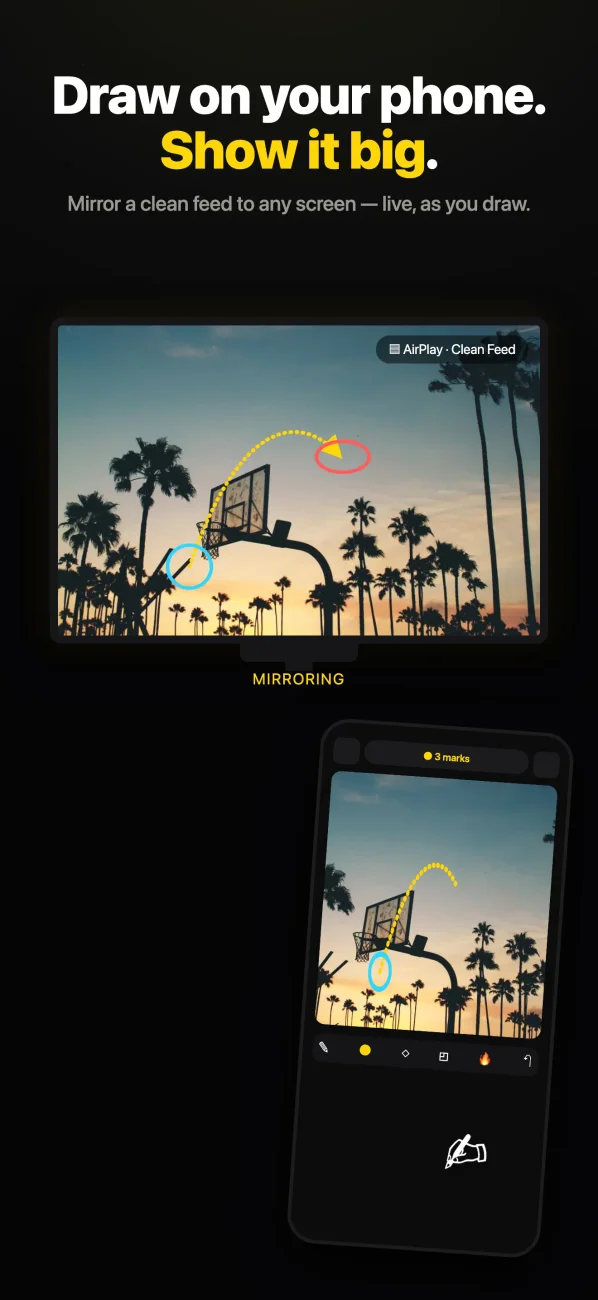
• Mirror to an external display or Apple TV with AirPlay
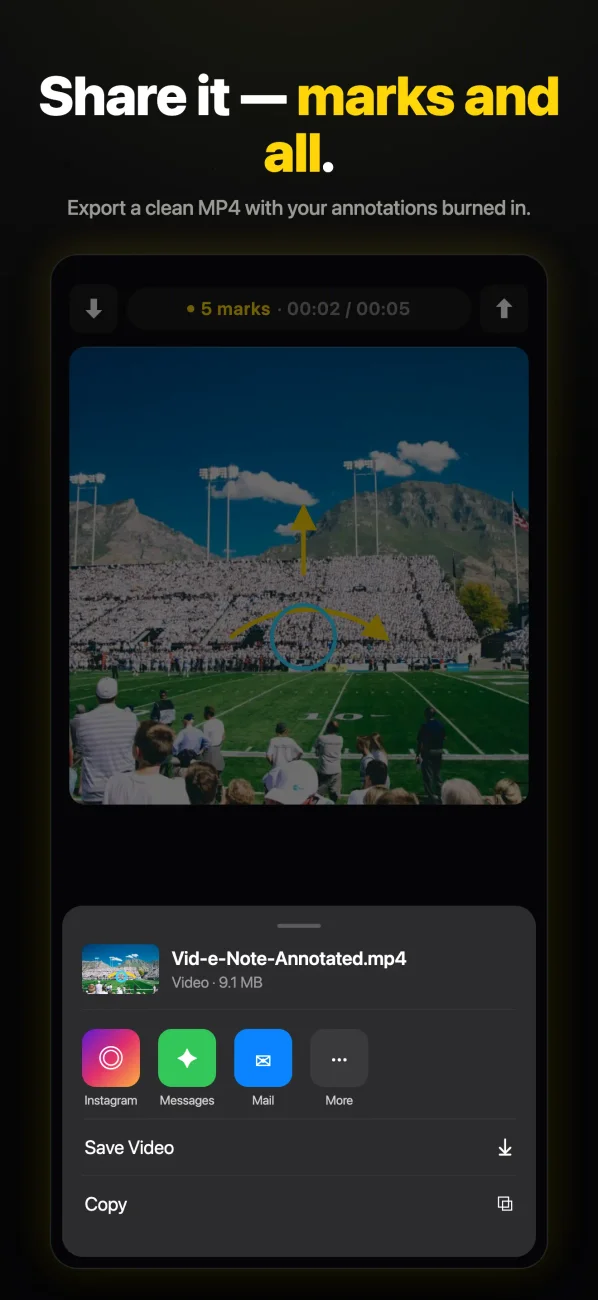
• Export your marked-up video to share anywhere
Great for film class critique, sports film review, real estate walkthroughs, or any time you need to show — not just tell.
No subscriptions. Your videos stay on your device — nothing is uploaded or shared.
Vid-e-Note. Draw on it.
What’s new
Version 1.1 · Jun 7, 2026
• Your session now survives a restart. If the app closes while you're annotating — a phone call, low memory — your video and every mark come right back when you reopen.
• Refreshed App Store visuals and general polish.
App privacy
What IAN KAINOA RICHARDSON declares on the App Store about how this app handles data.
-
Data not collected
The developer does not collect any data from this app.
Privacy practices may vary, for example with the features you use or your age.
Information
- Seller
- IAN KAINOA RICHARDSON
- Category
- Photo & Video
- Version
- 1.1
- Updated
- Jun 7, 2026
- Released
- May 22, 2026
- Size
- 4.3 MB
- Requires
- iOS 17.0 or later
- Age rating
- 4+
- Price
- $4.99
- Languages
- English
- Copyright
- © 2026 Ian Richardson
You might also like
-
 UsCam -Couple Photo no arguingTake better photos together
-
 Cinema P3 PlayerPhoto & Video
-
 TickScrubo: Video Frame ReviewScrub, slow motion, AB loop
-
 Video AnnotationAnnotate and Mark Up Videos
-
 FaceScreen: Floating CameraYour face and brand on screen
-
 Coach Play - Sports VideoTracking player Annotate video
-
 Video PencilCoaching, Calls, Streaming
-
 iCLOOSports video analysis and edit
-
 Video Frame By FramePhoto & Video
-
 NDI PlayerWith Screen Mirroring & Markup