
- Age rating+4
- CategoryPhoto & Video
- DeveloperHa Do Thi Thu
- LanguagesPortuguese+ 8 more
- Size7.0 MB
Links to the official App Store page
Download.org hosts no file of Video Compressor · Resize Crop. The button opens its official App Store page, published by Ha Do Thi Thu. Listing last checked on Nov 12, 2026.
Screenshots
About
Make large videos smaller without giving up control.
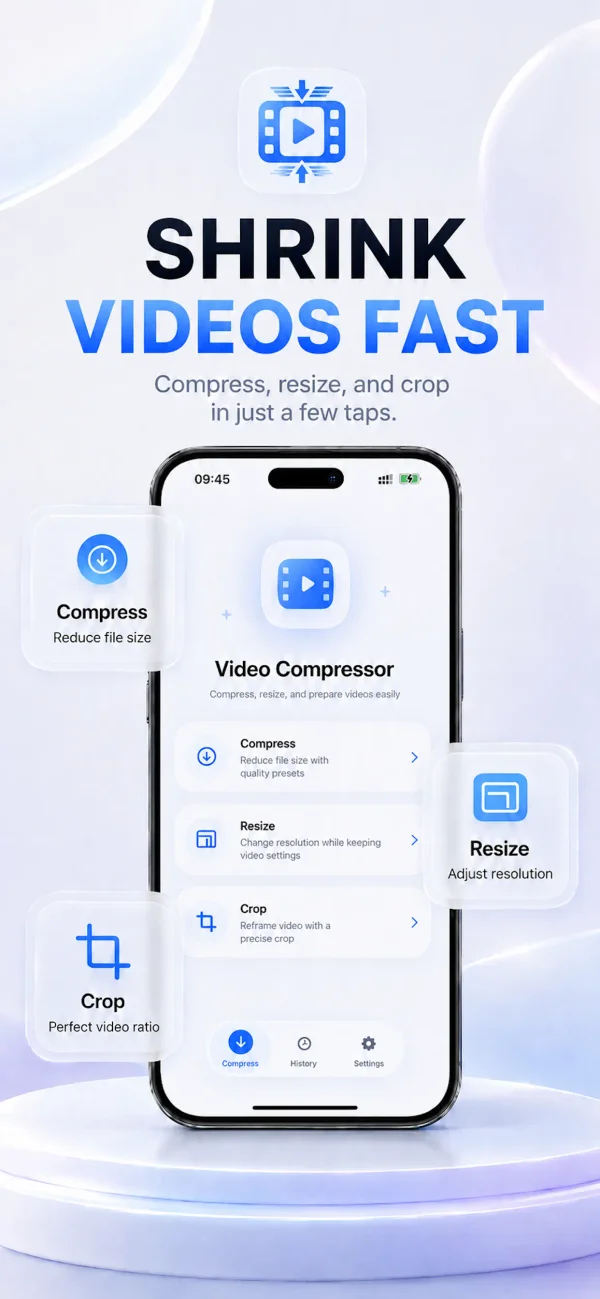
Video Compressor makes it easy to compress, resize, and crop videos on your iPhone or iPad. Reduce video file size, save storage space, change resolution, or adjust the frame for easier sharing.
COMPRESS VIDEOS
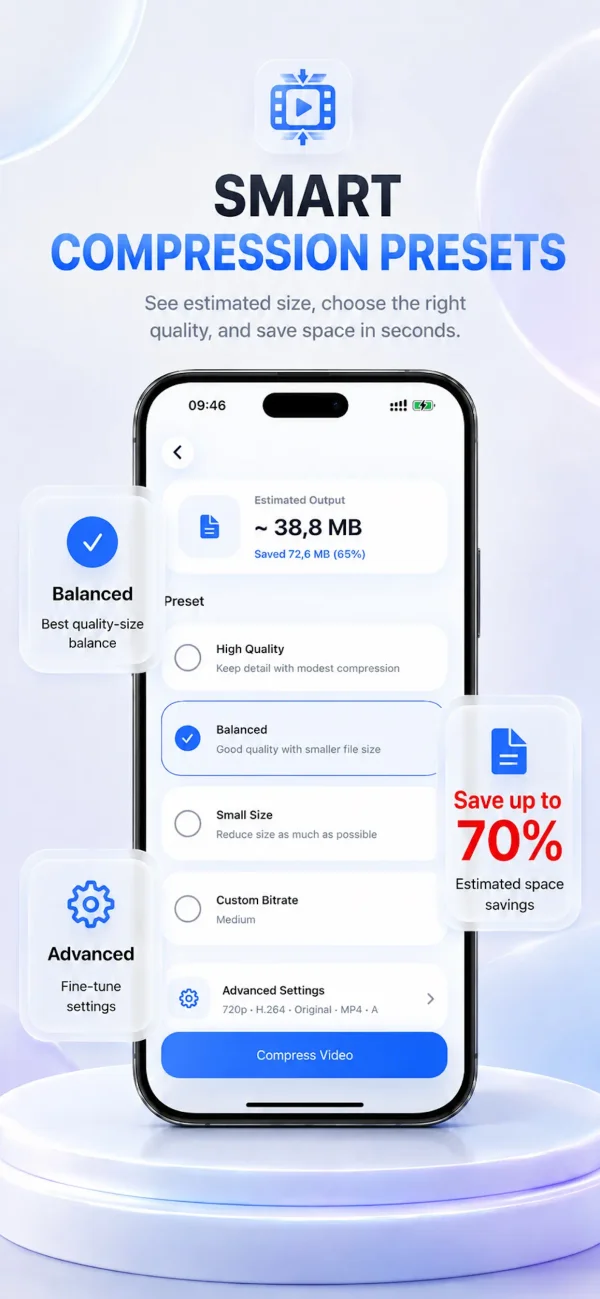
Shrink large video files with simple compression controls. Choose the balance between smaller file size and visual quality that works best for you.
Use Video Compressor to:
• Reduce large video file sizes
• Save storage space on your device
• Prepare smaller videos for email and messaging
• Make videos faster and easier to share
• Keep your original video unchanged
RESIZE VIDEO
Change video resolution to reduce file size or create an output better suited to your needs. Resize large videos without using a complicated editing timeline.
CROP VIDEO
Crop videos and adjust the visible frame for different layouts, including:
• Portrait video
• Square video
• Landscape video
• Stories and reels
• Social media posts
• Custom aspect ratios
SIMPLE AND EASY TO USE
Select a video, choose the tool you need, configure the output, and export. Clear controls make video compression, resizing, and cropping accessible without complicated editing settings.
SUPPORTED TOOLS
• Video compressor
• Video size reducer
• Video resizer
• Video cropper
• Resolution adjustment
• Quality adjustment
• File size reduction
• MP4 and MOV processing
• H.264 and HEVC support
PRIVATE, ON-DEVICE PROCESSING
Your videos are processed directly on your device. No account is required, and your video files are not uploaded for compression.
SAVE SPACE. SHARE FASTER.
Whether you need to compress a large video, reduce video size, resize a clip, or crop a video to a different aspect ratio, Video Compressor gives you the essential tools in one simple app.
Download Video Compressor and take control of your video file sizes.
What’s new
Version 1.0.2 · Jul 24, 2026
We fixed bugs and improved performance to make the app smoother and more reliable.
App privacy
What Ha Do Thi Thu declares on the App Store about how this app handles data.
-
Data not collected
The developer does not collect any data from this app.
Privacy practices may vary, for example with the features you use or your age.
Information
- Seller
- Ha Do Thi Thu
- Category
- Photo & Video
- Version
- 1.0.2
- Updated
- Jul 24, 2026
- Released
- Jun 9, 2026
- Size
- 7.0 MB
- Requires
- iOS 17 or later
- Age rating
- +4
- Languages
- Portuguese, German, Korean, Spanish, French, Hindi, English, Japanese, Vietnamese
- Copyright
- © Ha Do
You might also like
-
 Video Resizer : ResizeResize, Crop & Compress
-
 BOKKI Encoder: Compress VideoBatch Compress Dozens at Once
-
 ClipSplit - Short video makerSplit, Trim & Resize Videos
-
 Compress Video - Shrink VideosVideo Compressor, Resize Video
-
 Video Compressor - TrimoraCut, Merge, Extract Audio
-
 PixLite - Photo CompressorCompress & Resize Photos
-
 AI Screenshot OrganizerSmart Photo Cleaner & Clean Up
-
 Video Framer - Add BordersFit any video. Never crop it.
-
 VideoConverterS - Video to MP3Extract audio, compress video
-
 Video Player & EditorPlay MKV AVI, Trim & Compress