Video Stopwatch Camera
Timer overlay on Sport clips
Designed for iPhone
Free · In-app purchases
- Age rating4+
- CategoryPhoto & Video
- DeveloperApplorium Ltd
- LanguagesEnglish
- Size17.8 MB
Links to the official App Store page
Download.org hosts no file of Video Stopwatch Camera. The button opens its official App Store page, published by Applorium Ltd. Listing last checked on Nov 12, 2026.
Screenshots

About
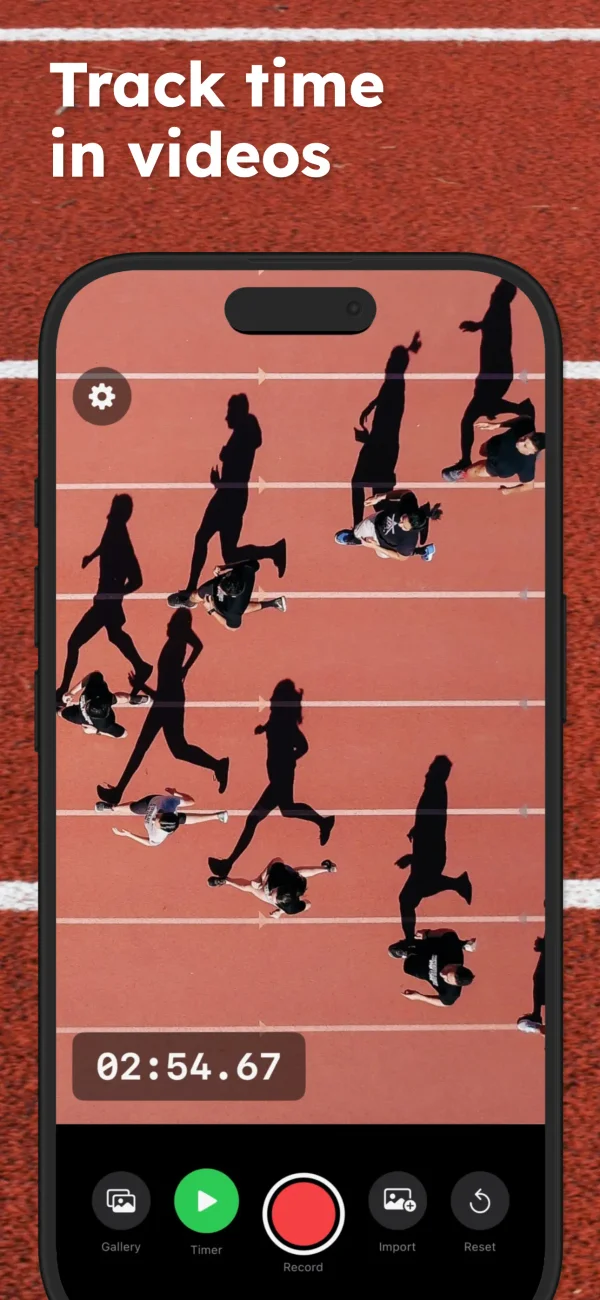
Record your workouts, races, and timed activities with a professional stopwatch overlay burned right into your videos.
Perfect for:
- Athletes tracking sprint times and race footage
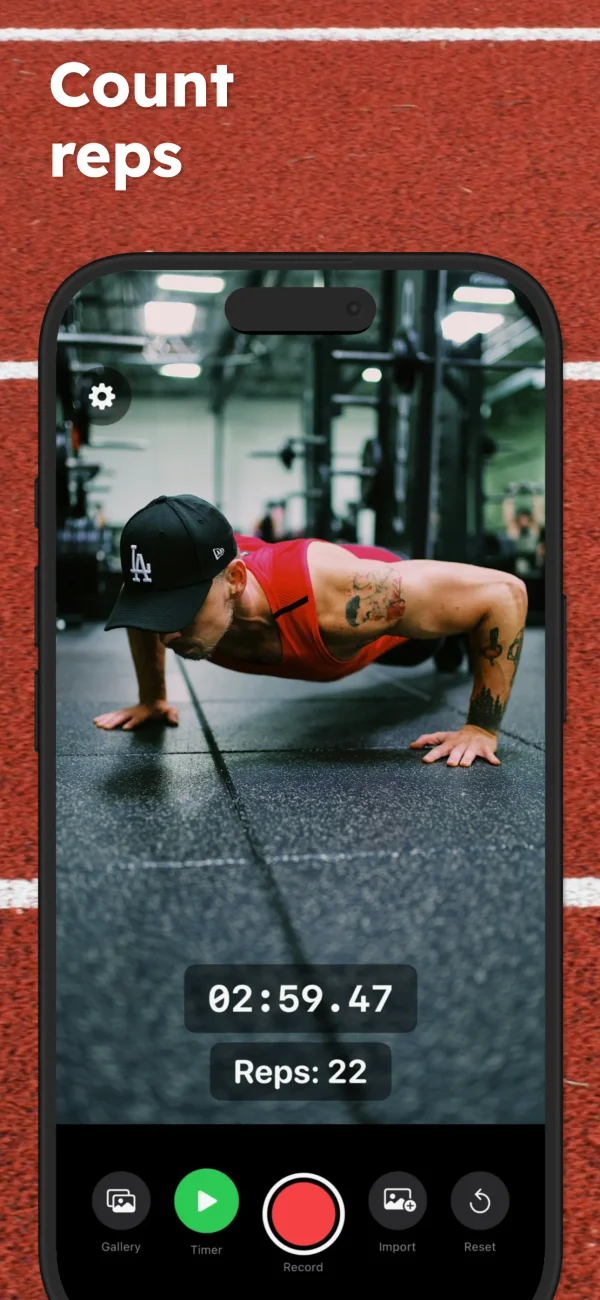
- Fitness enthusiasts recording workout videos with rep counts
- Coaches analyzing performance with precise timestamps
- Content creators adding timers to tutorials and challenges
Key Features:
- Live Recording with Timer
Record videos with a real-time stopwatch overlay. Start the timer manually or automatically when you hit record.
- Rep Counter
Track reps, laps, or any count with a customizable counter overlay. Tap the + button during recording to increment.
- Import & Overlay
Already have videos? Import them from your library and add a stopwatch overlay. Set exactly where the timer starts and stops with easy-to-use markers.
Fully Customizable
- Position the overlay anywhere: top, bottom, left, right, or center
- Choose from 10 text colors
- Adjust background color and opacity
- Customize the counter label
Pro Features:
- Unlimited video exports
- No watermark
- Slow motion recording (120fps & 240fps)
- Frame-by-frame playback
Whether you're timing your 100m dash, counting push-ups, or creating fitness content, Stopwatch Camera gives you professional results with zero editing required.
Subscription Terms
The subscription auto-renews at the end of each term.
Payment will be charged to iTunes Account at confirmation of purchase.
The subscription automatically renews unless auto-renew is turned off at least 24-hours before the end of the current period.
Account will be charged for renewal within 24-hours prior to the end of the current period.
You may manage your subscription and turn off auto-renewal by going to your Account Settings after purchase.
Any unused portion of a free trial period will be forfeited if you purchase a subscription.
Instructions on how to cancel a subscription can be found at the following link: https://support.apple.com/en-us/HT202039.
Privacy policy and Terms of Use: https://applorium.com/privacy-stopwatch-camera/
What’s new
Version 1.0.1 · Oct 15, 2026
Support for new iOS
App privacy
What Applorium Ltd declares on the App Store about how this app handles data.
-
Data not linked to you
May be collected but is not linked to your identity.
- Purchases
Privacy practices may vary, for example with the features you use or your age.
Information
- Seller
- Applorium Ltd
- Category
- Photo & Video
- Version
- 1.0.1
- Updated
- Oct 15, 2026
- Released
- Feb 24, 2026
- Size
- 17.8 MB
- Requires
- iOS 18.5 or later
- Age rating
- 4+
- Price
- Free
- In-app purchases
- Yes
- Languages
- English
- Copyright
- © Applorium Ltd
You might also like
-
 HyperChronoTime-Lapse Video Stopwatch
-
 OverlayNowCamera, HLS and RTMP streaming
-
 Calisthenics TimerStopwatch overlay for holds
-
 RaceChaseStopwatch + Video for Races
-
 Auto Record: Workout CameraHands-Free Video recording
-
 FitCam: Workout OverlaysFilm Workout Videos with Stats
-
 Video Date StamperAdd Timestamp Watermark
-
 BinaryVideo i26AI Sports Application
-
 Lensodia: Pro CameraPhoto & Video, Manual Controls
-
 Perfect Green ScreenLight A Perfect Green Screen