
Vlogy: Video Editor
Reels, TikTok & Vlog Maker
Designed for iPhone
Free · In-app purchases
- Age rating4+
- CategoryPhoto & Video
- DeveloperSaddam Hossain
- LanguagesEnglish
- Size7.9 MB
Links to the official App Store page
Download.org hosts no file of Vlogy: Video Editor. The button opens its official App Store page, published by Saddam Hossain. Listing last checked on Nov 17, 2026.
Screenshots
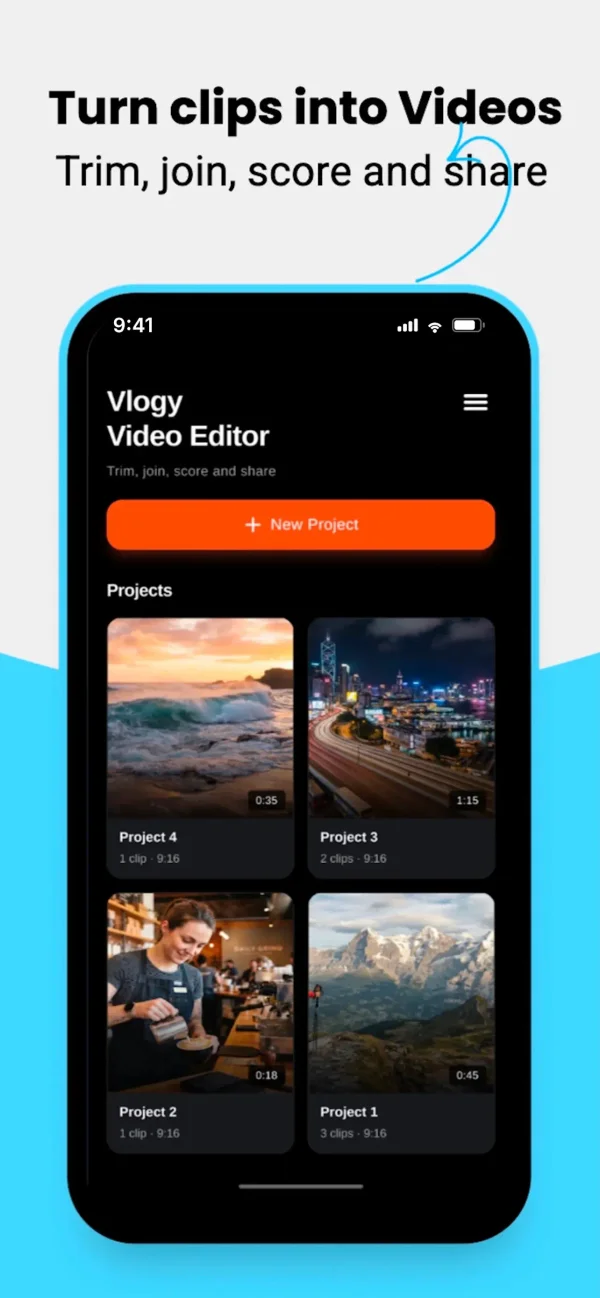


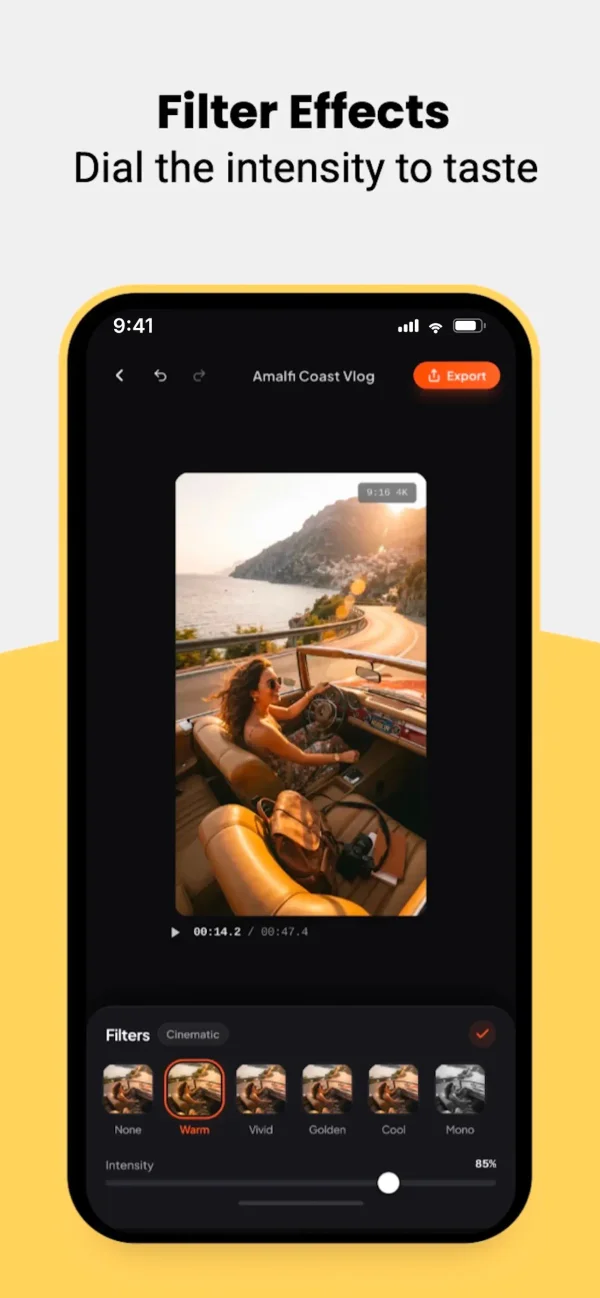
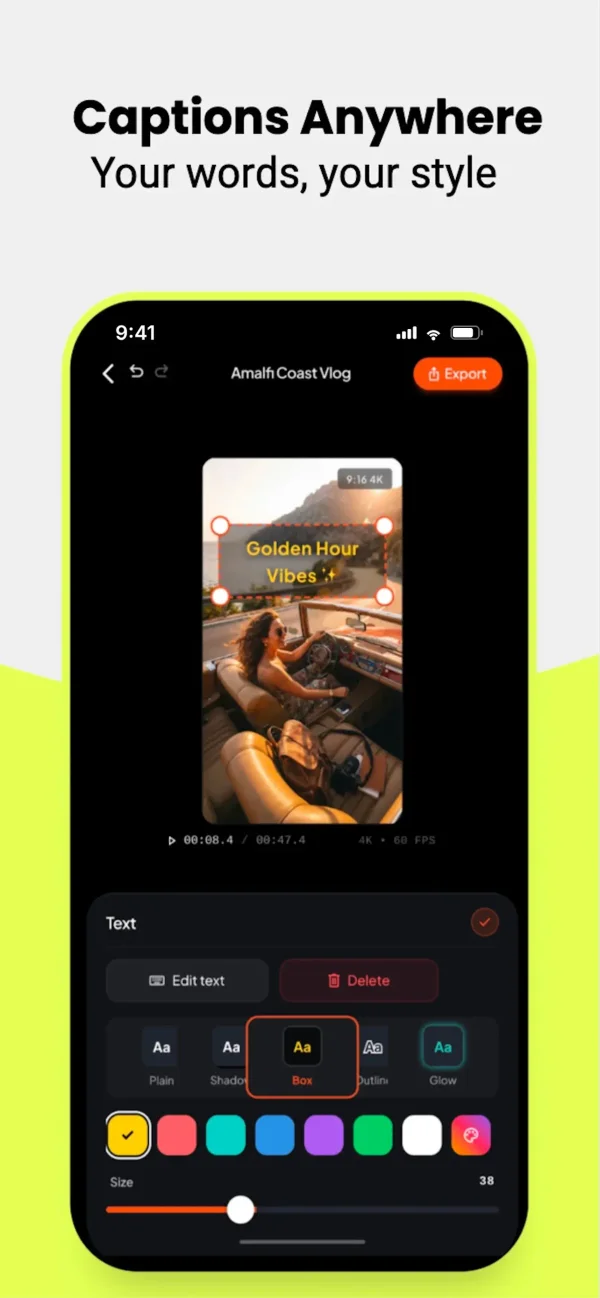
About
Vlogy turns the clips already on your phone into a video worth sharing — without a timeline full of tools you will never touch.
Import your footage, trim it, add music and text, pick a look, and export. Most edits take a couple of minutes. There is nothing to sign up for and nothing to learn.
● THE RIGHT SHAPE, EVERY TIME
Start a project in the shape you are posting in — 9:16 for vertical video, 4:5 for feed posts, 1:1 square, 16:9 widescreen, or 3:4. Choose whether each clip fits inside the frame or fills it edge to edge.
● EDIT WITHOUT THE CLUTTER
• Combine as many clips as you like and drag them into any order
• Trim any clip to the exact moment you want
• Speed from 0.25x slow motion up to 4x fast forward
• Five transitions between clips — Dissolve, Fade, Slide, Wipe and Zoom
• Nine colour looks, from subtle Warm and Cool through to Noir, Sepia and Drama, each with its own intensity slider
• Undo and redo anything, any time
● TEXT THAT LANDS
Add captions and titles anywhere on the frame. Drag them where you want them, set exactly when they appear and how long they stay, choose the size and the colour, and pick from four styles — plain, shadow, box or outline.
● SOUND YOUR WAY
Bring in music from the Files app, set its volume, and fade it in and out. Keep the original audio from your clips underneath it, adjust the volume of each clip on its own, or mute it entirely.
● PICK YOUR OWN THUMBNAIL
Choose any frame of your edit as the cover, or use a photo from your library. It becomes the first thing people see — in your projects and in the Photos app after you export.
● EXPORT AND SHARE
Export at 720p, 1080p, 2K or 4K. Save straight to your photo library, or send it anywhere you post using the iOS share sheet.
● EVERYTHING STAYS ON YOUR PHONE
No account. No sign-up. No uploads. Vlogy has no servers at all — your clips, your projects and your edits never leave your device.
● VLOGY PRO
The whole editor is free to use. Pro lifts the limits:
• No watermark on anything you export
• No ads
• Export in 2K and 4K
• Every colour look unlocked
Vlogy Pro is an auto-renewing subscription, available monthly or yearly. Prices are shown in the app before you buy and are charged to your Apple Account at confirmation of purchase. Your subscription renews automatically unless auto-renew is switched off at least 24 hours before the end of the current period. Your account is charged for renewal within 24 hours before the end of the current period. You can manage or cancel your subscription in your Apple Account settings after purchase.
► Privacy Policy: https://sites.google.com/view/vlogy-videoeditor/privacy
► Terms of Use: https://sites.google.com/view/vlogy-videoeditor/terms
What’s new
Version 1.1 · Oct 25, 2026
• Fixed text overlay
• Bug fixes and improvements
App privacy
What Saddam Hossain declares on the App Store about how this app handles data.
-
Data not linked to you
May be collected but is not linked to your identity.
- Location
- Identifiers
- Usage data
- Diagnostics
Privacy practices may vary, for example with the features you use or your age.
Information
- Seller
- Saddam Hossain
- Category
- Photo & Video
- Version
- 1.1
- Updated
- Oct 25, 2026
- Released
- Sep 30, 2026
- Size
- 7.9 MB
- Requires
- iOS 17.0 or later
- Age rating
- 4+
- Price
- Free
- In-app purchases
- Yes
- Languages
- English
- Copyright
- © Bitmasky
You might also like
-
 Video Editor & Maker: VidWeaveReels, Collage & Video Maker
-
 Ambergrain — Live Film Camera24 film stocks · retro grain
-
 SimpleClip: Video EditorEasy Editing. Powerful Tools.
-
 Crank — Video ScratchTurn the dial, play the video
-
 Cutlume: Edit Video, ReelsEdit, Add Music, Export in 4K
-
 SameTake: Video RecorderVertical + Horizontal, 2 Files
-
 ShutterLine: Pro CameraVertical + Horizontal Video
-
 SplitClip: Video SplitterSplit long videos into clips.
-
 FlowCut - Video Editor & MakerAuto Captions & Video Effects
-
 RayCut Pro: Video EditorMovie Maker, Captions & Music