Voice Note Pro | AI Notes
Record, Transcribe & Organize
Designed for iPhone, iPad
In-app purchases
- Age rating4+
- CategoryProductivity
- DeveloperDenis Cencig
- LanguagesEnglish
- Size299.1 MB
Links to the official App Store page
Download.org hosts no file of Voice Note Pro | AI Notes. The button opens its official App Store page, published by Denis Cencig. Listing last checked on Nov 25, 2026.
Screenshots



About
Voice Note Pro helps you capture thoughts, meetings, ideas, reminders, and follow-ups by voice, then turn them into organized notes and actions you can actually use.
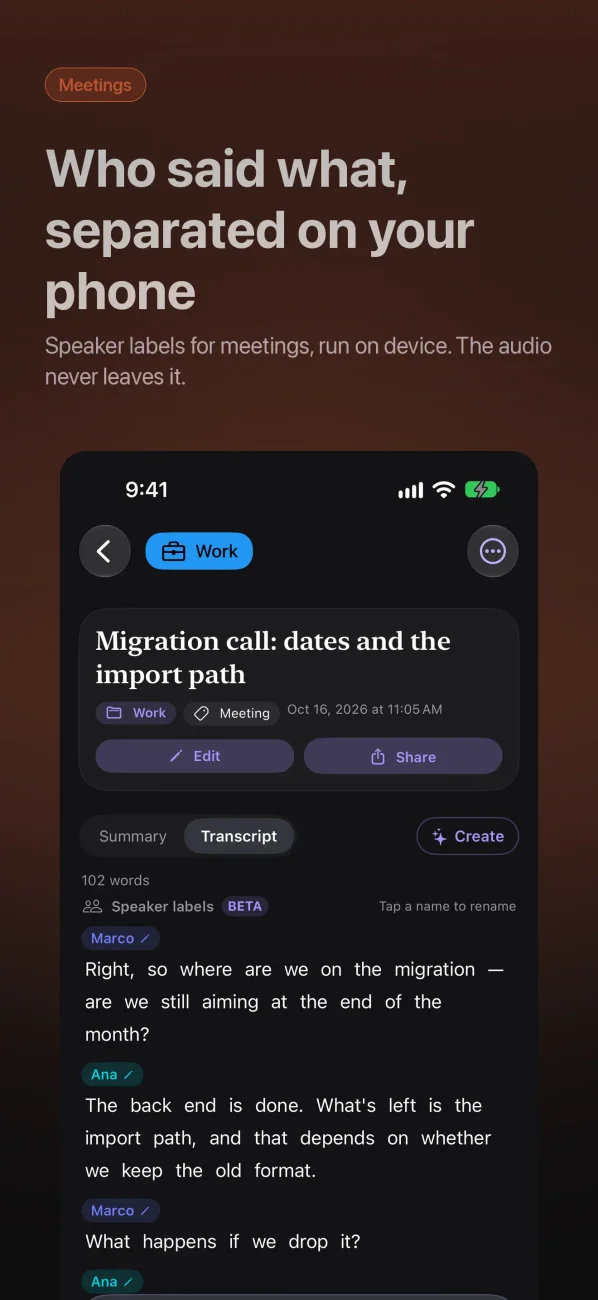
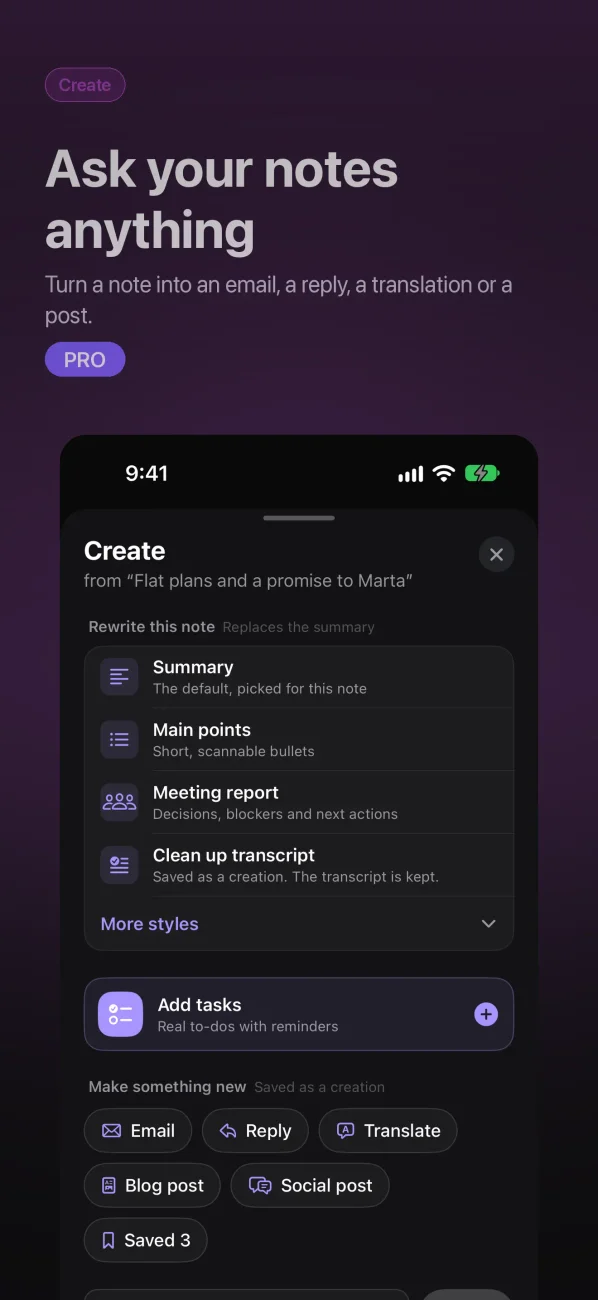
Record a voice note and get local transcription on your device. When you want more structure, optional AI can create titles, summaries, action items, tags, calendar suggestions, reminders, and follow-up tasks.
OFFLINE FIRST
Transcription runs locally on your device using Whisper AI. No account is required for the offline capture flow. With AI turned off, recording and transcription stay on your phone.
OPTIONAL AI WHEN YOU WANT IT
Enable AI to turn your voice notes into:
Clear titles
Concise summaries
Interactive to-do lists
Suggested tags
Calendar-ready events
Follow-up reminders
Searchable context for Ask AI
Structured actions for planning
FROM NOTE TO ACTION
Voice Note Pro is more than a recorder. Your notes can become:
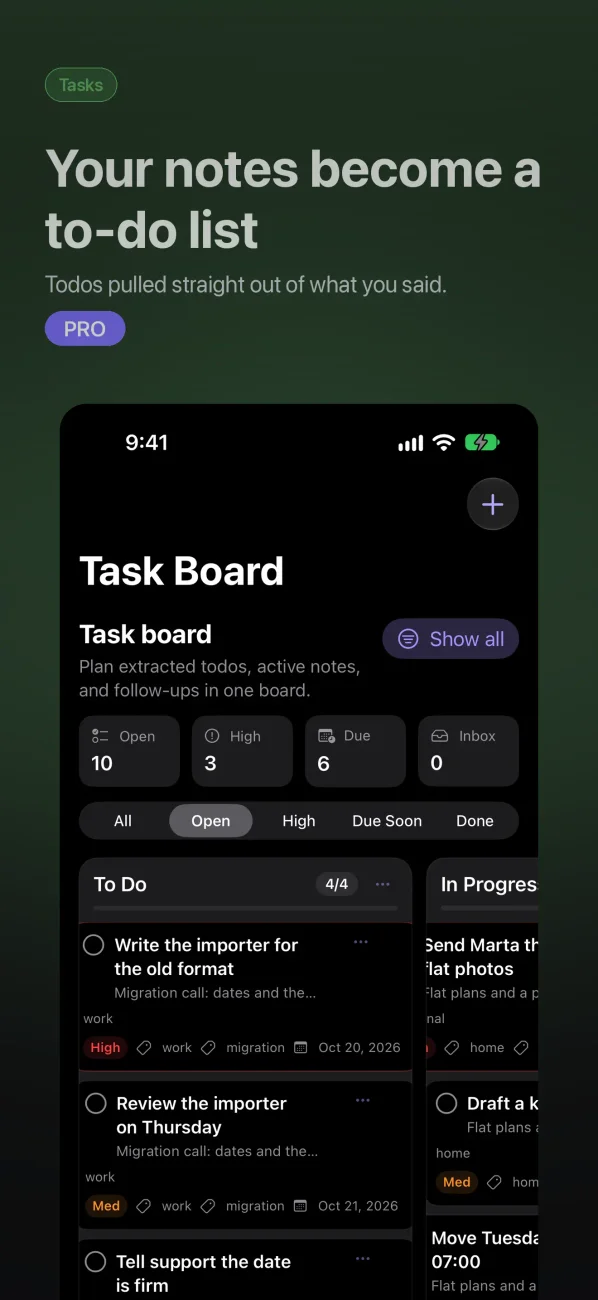
Action items with priorities, due dates, and times
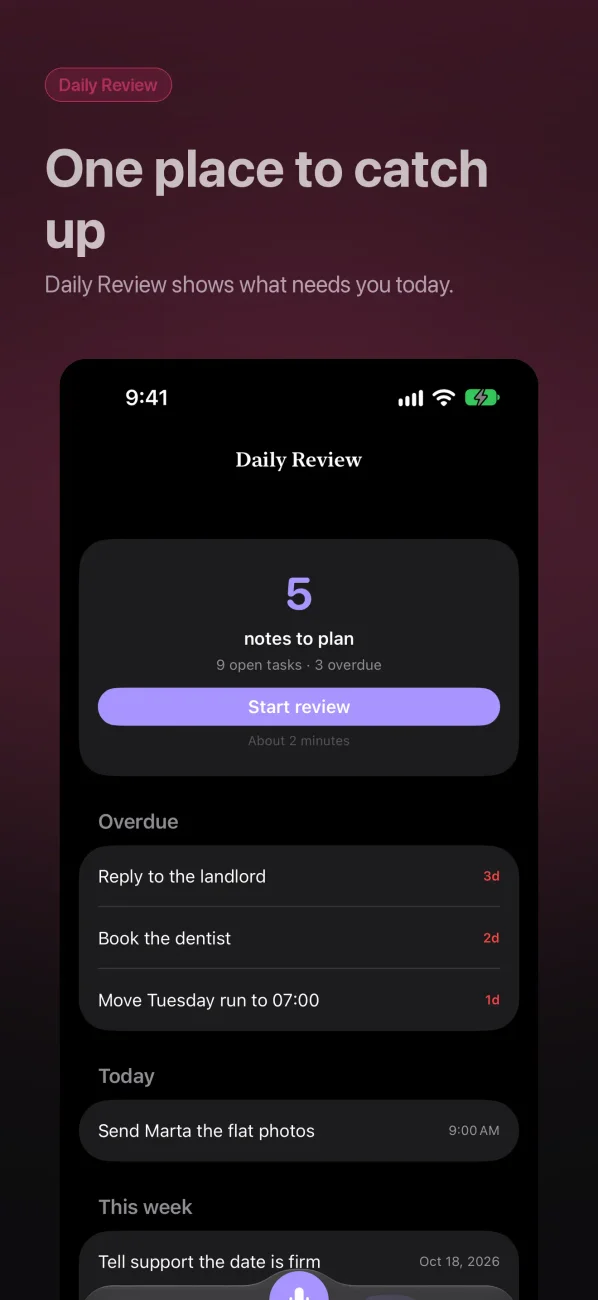
Daily Review items
Calendar suggestions
Smart reminders
Task Board cards
Searchable memory for later
Follow-up plans linked back to the original note
DAILY REVIEW
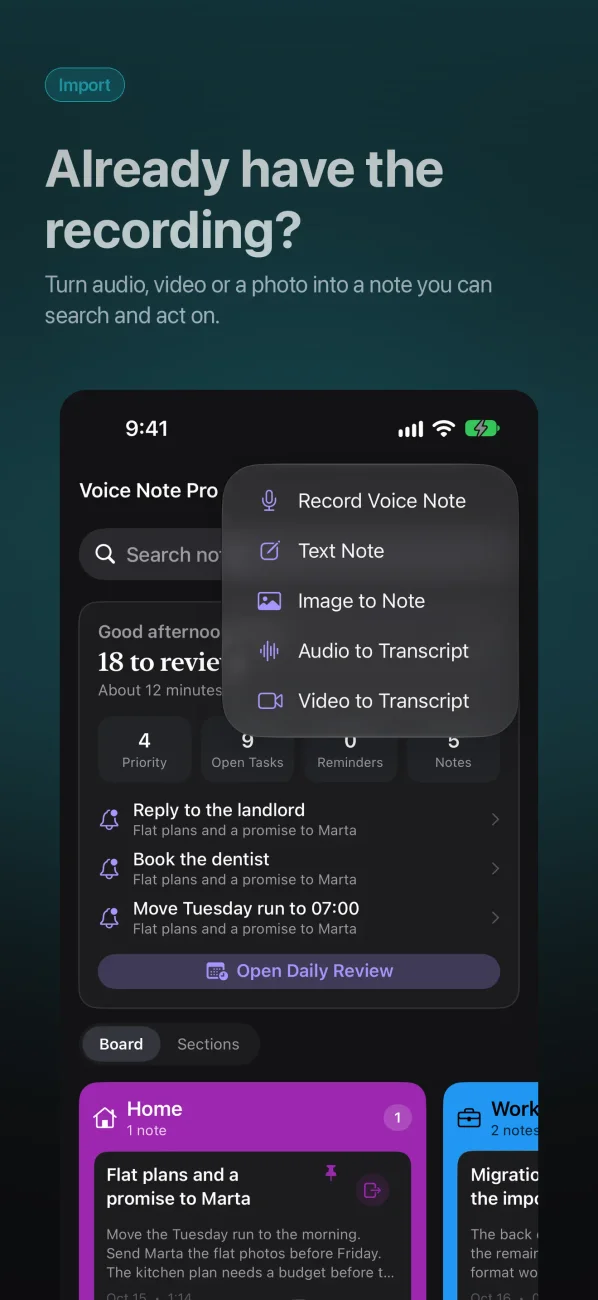
See what needs your attention today. Review overdue items, reminders, recent captures, open todos, unscheduled tasks, and follow-ups from your notes. Plan items for today, tomorrow, next week, or a custom date and time.
ACTION CENTER
Use the Action Center to process tasks, reminders, and calendar suggestions from your notes. Quickly schedule follow-ups, create calendar entries, plan unscheduled work, and keep your captured thoughts moving forward.
TASK BOARD
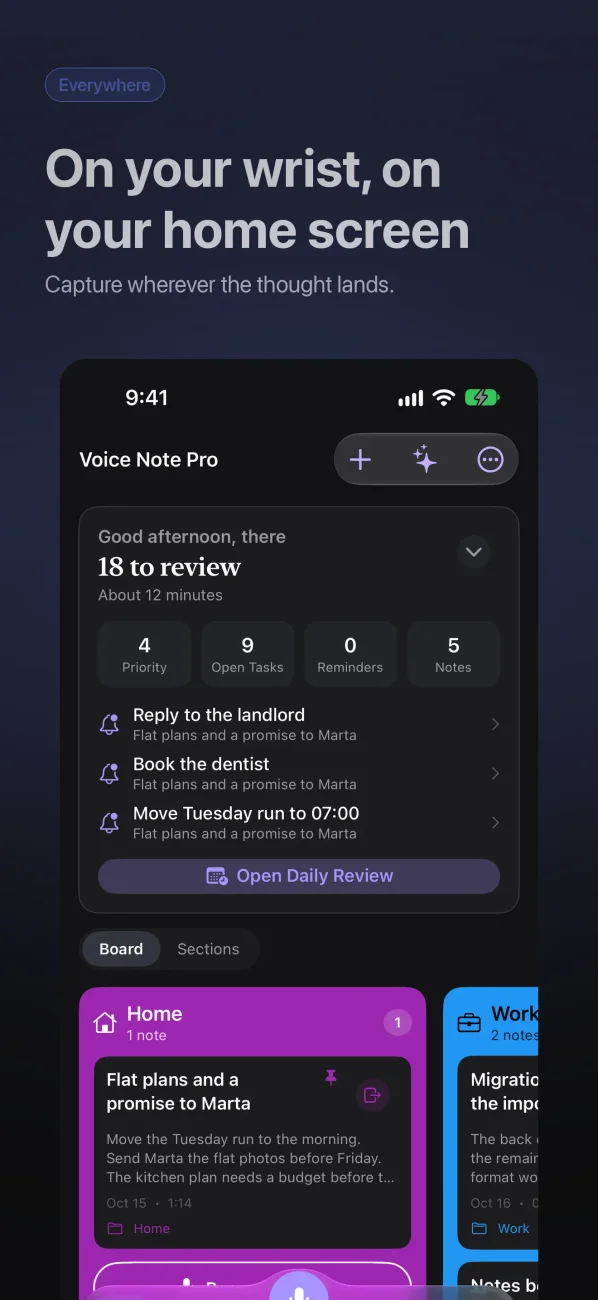
Move follow-ups from notes into a visual task board. Organize projects, waiting items, next actions, and planned work while keeping tasks connected to the original voice note.
SMART REMINDERS AND CALENDAR
Voice Note Pro can detect dates, times, appointments, and follow-ups so you can create reminders or calendar events without rewriting everything manually.
ASK AI AND MEMORY
Ask questions across your notes and use AI Memory to keep important context available for later. Turn scattered voice captures into searchable, reusable knowledge.
ORGANIZE EVERYTHING
Use folders, categories, tags, pinned notes, search, filters, done states, priorities, due dates, and task workflows to keep your captured thoughts under control.
BUILT FOR
Professionals capturing meeting notes and follow-ups
Students recording lectures and study thoughts
Creators saving ideas on the go
Busy people who think better out loud
Anyone who wants private voice notes that become useful actions
BACKUP AND SECURITY
App lock with PIN, password, or biometrics
Encrypted local backups
Google Drive and OneDrive backup and restore
Light, dark, and AMOLED black themes
Home screen widget for quick capture
Apple Watch support for quick voice capture
FREE VS PRO
Free gives you private voice recording, local transcription, text notes, and limited AI usage.
Pro unlocks the advanced workflow: more AI usage, Daily Review, Action Center, AI Memory, Ask AI, richer organization, task workflows, board actions, custom planning, backup and sync tools, and productivity features designed to help you act on what you capture.
PRIVACY
Voice Note Pro is built around private capture. Offline transcription runs locally on your device. Optional AI features use encrypted connections when enabled and can be turned off anytime.
Voice Note Pro is built for fast capture, private transcription, and practical organization.
Privacy Policy: https://voicenotepro.app/privacy
Terms of Use (EULA): https://www.apple.com/legal/internet-services/itunes/dev/stdeula/
What’s new
Version 1.0.58 · Nov 24, 2026
Now built for iPhone Duo: unfold for your notes and the open note side by side, fold to keep going. Recordings carry on through every fold.
App privacy
What Denis Cencig declares on the App Store about how this app handles data.
-
Data linked to you
May be collected and linked to your identity.
- Purchases
- Location
- Contact info
- User content
- Identifiers
- Usage data
- Diagnostics
Privacy practices may vary, for example with the features you use or your age.
Information
- Seller
- Denis Cencig
- Category
- Productivity
- Version
- 1.0.58
- Updated
- Nov 24, 2026
- Released
- Apr 11, 2026
- Size
- 299.1 MB
- Requires
- iOS 17.0 or later
- Age rating
- 4+
- In-app purchases
- Yes
- Languages
- English
- Copyright
- © 2026 AmazingLab Studio. All rights reserved.
You might also like
-
 Voice To-Do List - VoiceTasksVoice to Tasks & Reminders
-
 Relic: Copy VaultCopy it once. Keep it forever.
-
 DayPad: Weekly PlannerDaily To-Do List & Checklist
-
 Pellet - Notes, Tasks, PKMLocal notes, tasks and more.
-
 Scribelet: AI NotebookFact-check your notes & tasks
-
 PrivaNota: Private AI NotesMeeting Audio Transcription
-
 Enclave: On-Device AIPrivate, On-Device AI
-
 wits: voice reminders & listsspeak it. notes and to-dos.
-
 Quillo: Voice to TasksVoice Notes to Tasks & Events
-
 Voice To Do: TaskTalkSpeech-Based Daily Planner