- Age rating4+
- CategoryProductivity
- DeveloperFumiaki Monma
- LanguagesSimplified Chinese+ 6 more
- Size7.3 MB
Links to the official App Store page
Download.org hosts no file of Voicloud Direct. The button opens its official App Store page, published by Fumiaki Monma. Listing last checked on Nov 22, 2026.
Screenshots

About
■ Everything happens while your iPhone stays locked
Without unlocking your iPhone, you can:
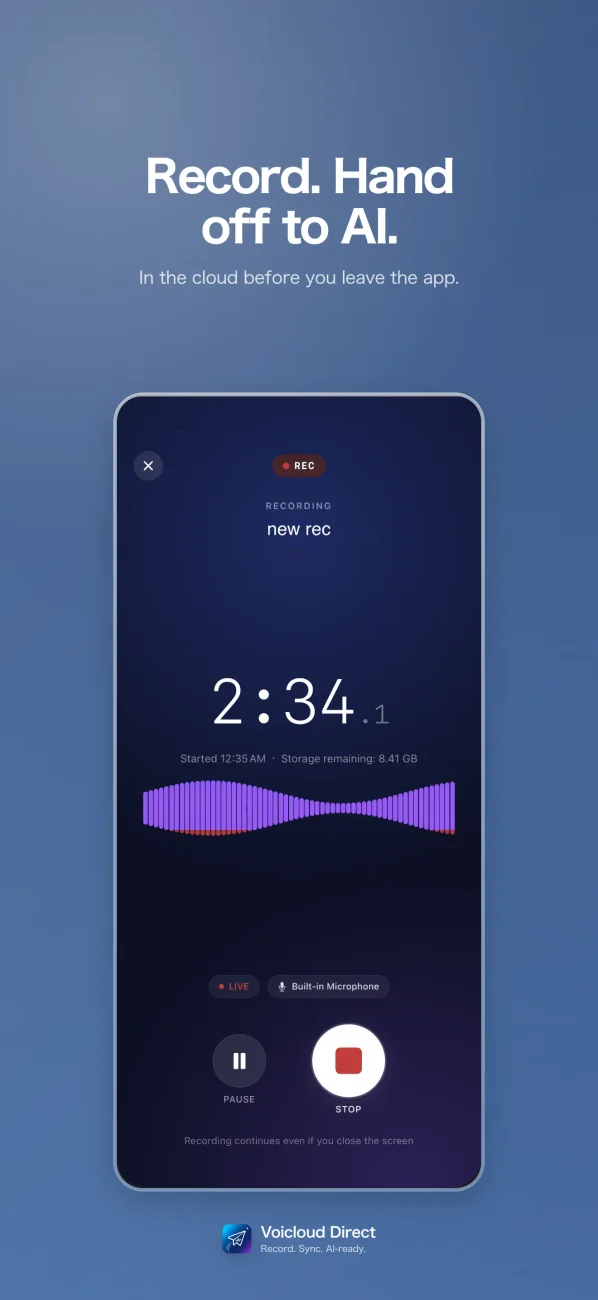
• Start and stop a recording from the Action button or Control Center
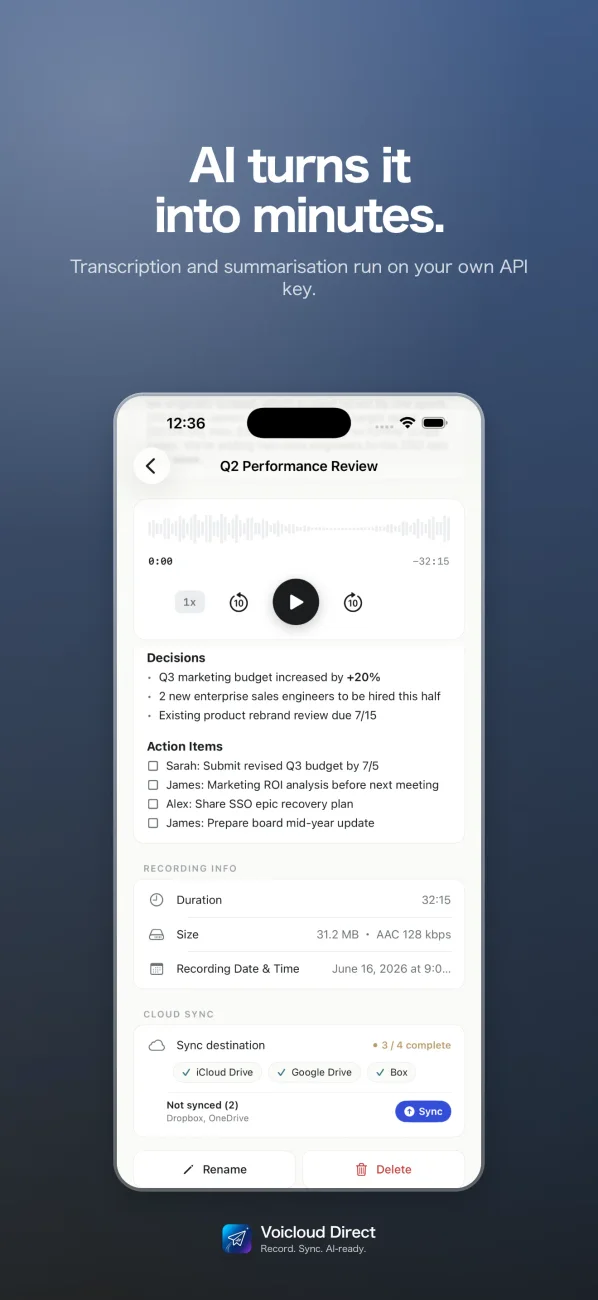
• Upload the audio to your cloud automatically
• Create a transcript and upload it as .md
• Create a summary and upload it as .md
No need to open the app. iOS handles the uploads in the background, so your phone can stay in your pocket, and a few minutes later all three files are in Google Drive or your other clouds. Transcripts and summaries go from your iPhone straight to the AI provider using your own API key, never through our servers.
Voicloud Direct does one thing: record audio and get it to your AI tools as fast as possible.
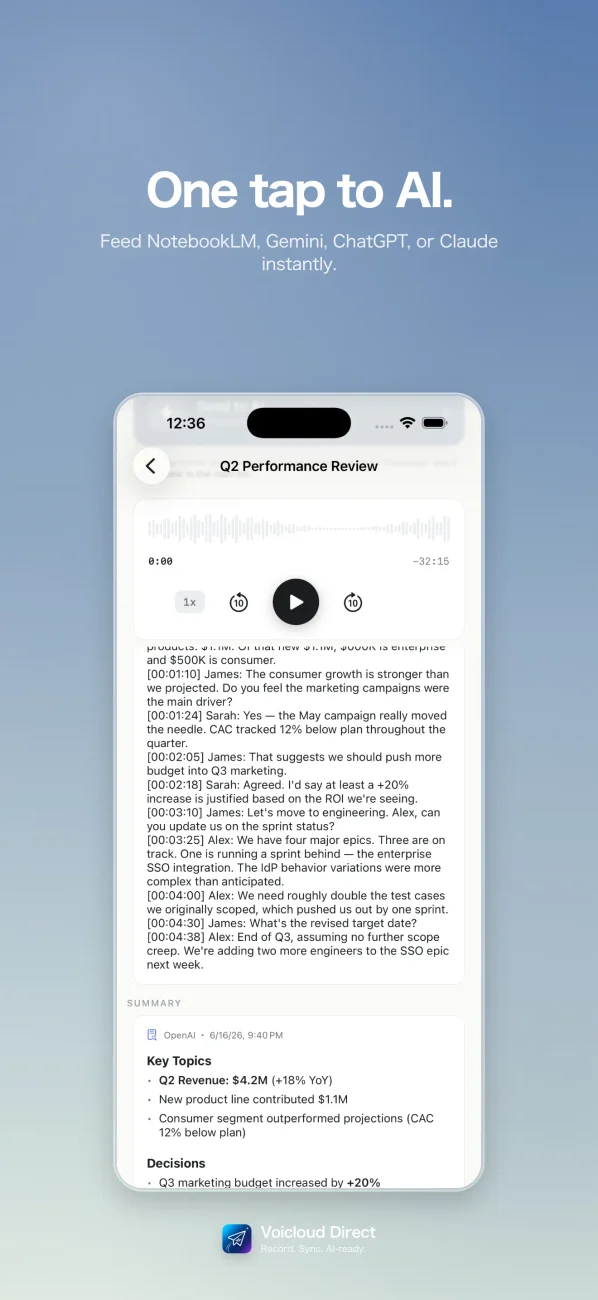
Every recording syncs automatically to your connected clouds. Then, with a single tap from the share sheet, you can send it straight to NotebookLM, ChatGPT, or any other AI tool you use. Designed from the ground up for people who record to think — and let AI do the heavy lifting.
■ Auto-sync to 5 clouds
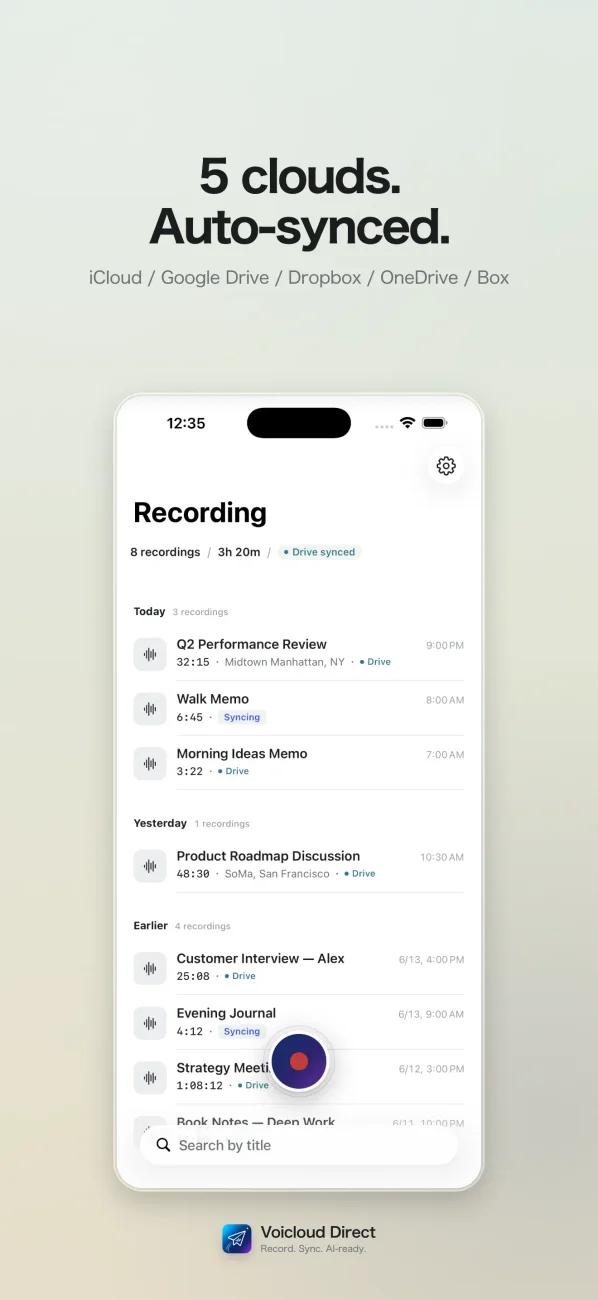
iCloud Drive, Google Drive, Dropbox, OneDrive, and Box are all supported. Record once, and every connected cloud gets the file automatically. Add a new cloud later and bulk-sync your existing recordings in one tap.
■ Send straight to AI
Open the share sheet from any recording's detail view and hand the audio file directly to NotebookLM or any app on your device. The shortest possible path from microphone to AI.
■ Transcription & summarisation with your own API key (BYOK)
Supports OpenAI, Gemini (AI Studio), and Vertex AI. Use your own API key to transcribe and summarise recordings entirely on your terms. Your key is encrypted and stored only on your device — never sent to our servers.
- Speaker-labelled transcription (Gemini / Vertex AI)
- Timestamps included in output
- Editable summary prompts to fit your use case
- Speaker count hints for improved accuracy
■ A recording experience worth using
・Record with the mic on your Bluetooth headset (or pin it to the iPhone mic in Settings)
・If Bluetooth drops mid-recording, it switches to the built-in mic and keeps going
- Real-time waveform display
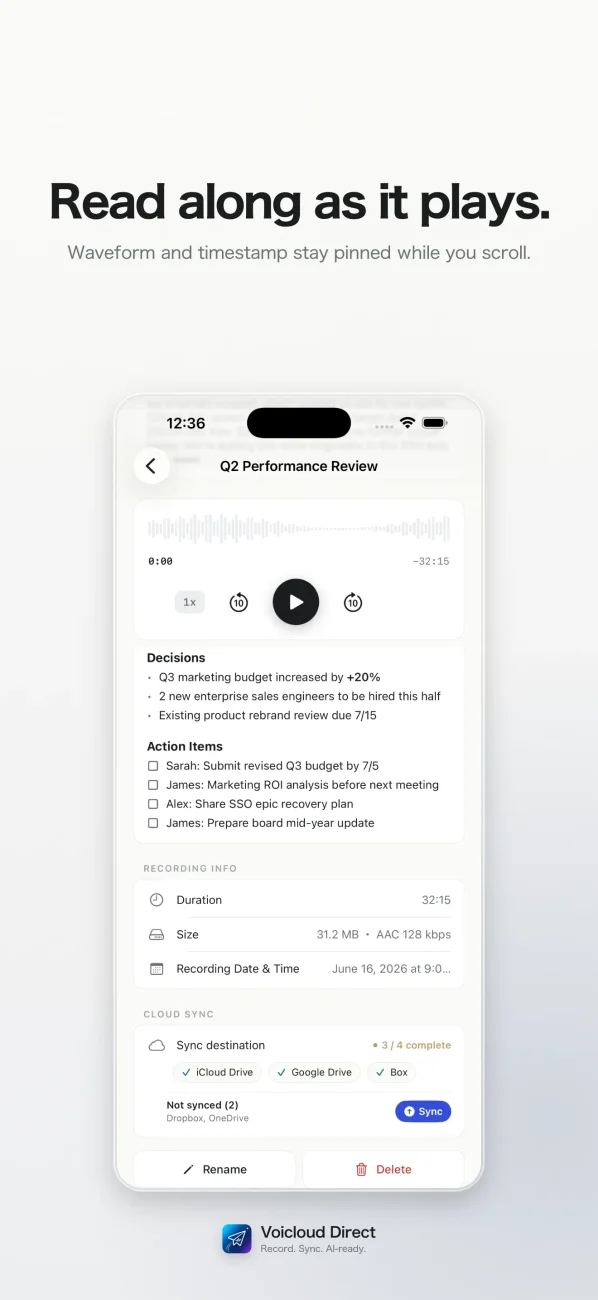
- Pinned player: follow along with the transcript while audio plays
- Adjustable playback speed and 10-second skip
- Optional location metadata and calendar-based auto file naming
- Action Button support (iPhone 15 Pro and later)
- Dynamic Island and Lock Screen recording badge
■ Privacy first
- Recordings stay on your device and in the clouds you choose — nowhere else
- API keys are encrypted in the device Keychain
- No analytics, no ads, no tracking — ever
Try it free for 3 days, then unlock it with a one-time purchase. No subscriptions, no ads.
What’s new
Version 1.1.7 · Nov 19, 2026
Stop recording. Everything arrives.
• Turn on "Transcribe automatically when stopped" in Settings: when you stop, the audio, transcript, and summary are delivered to your cloud, without opening the app. This also works for lock-screen recordings.
• New option: upload on Wi‑Fi only.
• Recordings started from the lock screen now resume after a phone call.
• The lock screen shows elapsed recording time.
• Fixed transcription with newer Gemini models.
App privacy
What Fumiaki Monma declares on the App Store about how this app handles data.
-
Data not collected
The developer does not collect any data from this app.
Privacy practices may vary, for example with the features you use or your age.
Information
- Seller
- Fumiaki Monma
- Category
- Productivity
- Version
- 1.1.7
- Updated
- Nov 19, 2026
- Released
- Jun 14, 2026
- Size
- 7.3 MB
- Requires
- iOS 18.0 or later
- Age rating
- 4+
- In-app purchases
- Yes
- Languages
- Simplified Chinese, Korean, French, Japanese, English, Spanish, German
- Copyright
- © 2026 mon neural
You might also like
-
 Inchworm ReaderRead Aloud Step by Step
-
 AI 2nd Line + ReceptionistAI second line & receptionist
-
 PDF Reader & Tools: PDFKitMerge, Compress, Sign & Scan
-
 Wavenote - AI Voice RecorderMeeting Notes & Transcription
-
 License Renewals Manager AICertification Expiry Tracker.
-
 YapText - Tap to Voice TextVoice to Text with AI Polish
-
 Grape: AI NotesVoice, handwriting, flashcards
-
 Timeline Maker: Life & FandomMemoir, biography & history
-
 fone.me: AI Call AssistantAnswers your phone & messages
-
 Everec – DictaphoneVoice Recorder & Transcription