
- Age rating12+
- CategoryLifestyle
- DeveloperKazuki ISHIMI
- LanguagesEnglish+ 9 more
- Size7.7 MB
Links to the official App Store page
Download.org hosts no file of Waketune. The button opens its official App Store page, published by Kazuki ISHIMI. Listing last checked on Nov 15, 2026.
Screenshots

About
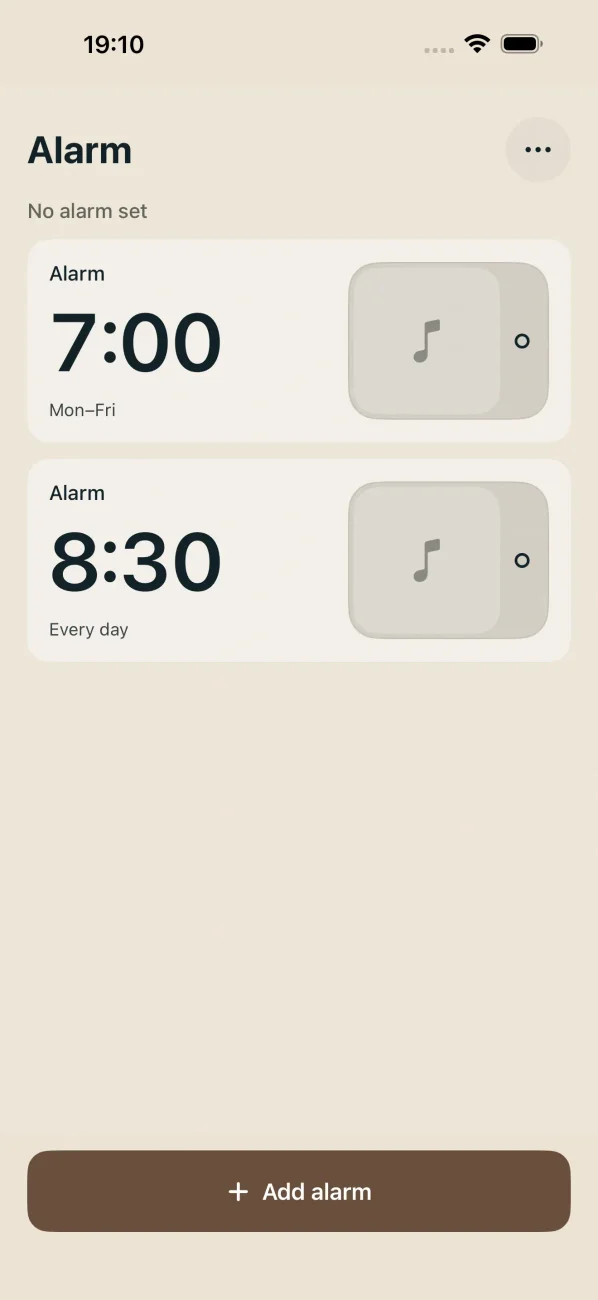
Wake up to music from your Apple Music playlists. Waketune starts playing before your chosen wake-up time and gradually raises your iPhone's system volume to your target level.
• Create multiple alarms with a name, time and repeat days.
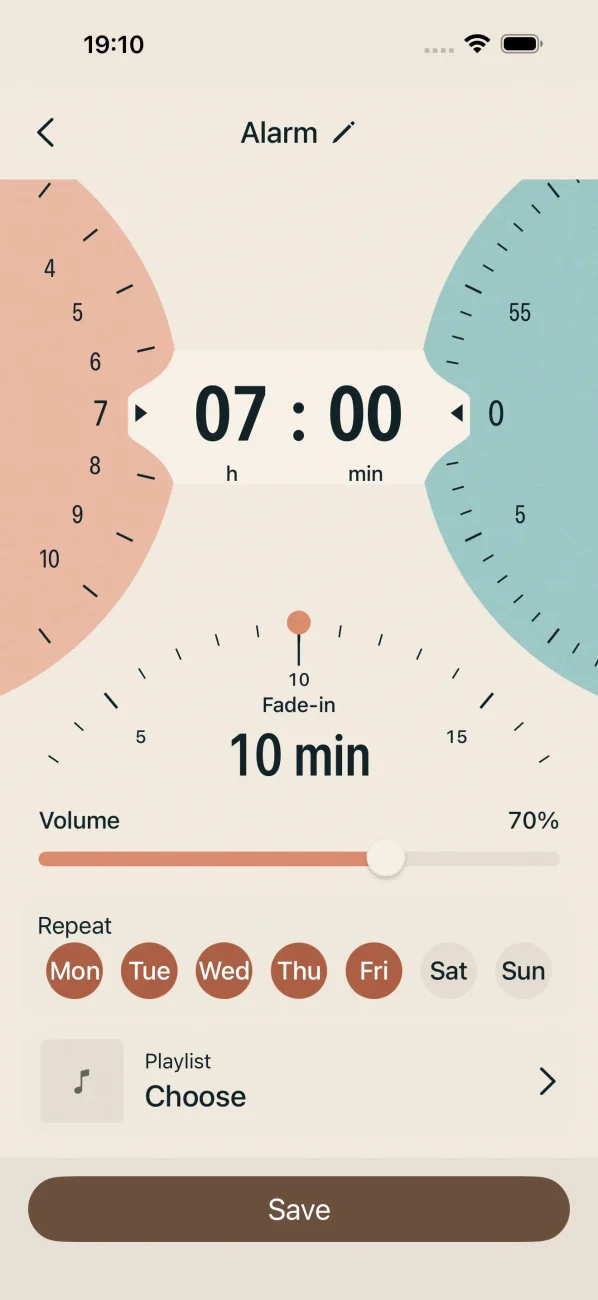
• Choose a playlist, fade-in duration and target volume for each alarm.
• Tap an alarm to edit it. Use its artwork switch to turn it on or off.
• Swipe left to delete, or use the menu to delete several alarms and sort the list.
• When the alarm rings, stop the music or keep listening.
• On iOS 26 or later, dismiss the Lock Screen alarm to choose whether to stop or continue the music.
Requirements
An active Apple Music subscription, a playlist containing songs in your Apple Music library, and permission to access Apple Music are required. On iOS 26 or later, allow alarms to use the Lock Screen alarm. Allow notifications and sounds for fallback alerts and warnings that background waiting may have stopped.
Keep Waketune running in the background while using an alarm. Returning to the Home Screen or locking your iPhone is fine. If you force-quit Waketune in the app switcher, the music alarm cannot run. On iOS 26 or later, a basic sound can still ring if alarm permission was granted and scheduling completed. If notifications are allowed, Waketune can warn you when waiting may have stopped or music could not play.
Waketune changes your iPhone's system volume to the selected target. Bluetooth or AirPlay connections may route music to another device. Check your battery and audio output before going to sleep.
What’s new
Version 1.3 · Oct 18, 2026
Added a getting-started tutorial. It highlights each control in turn to show how to add an alarm, set the time, fade-in and volume, and choose a playlist. It appears once after you update, and you can view it again anytime from "Show tutorial" in the menu.
App privacy
What Kazuki ISHIMI declares on the App Store about how this app handles data.
-
Data not collected
The developer does not collect any data from this app.
Privacy practices may vary, for example with the features you use or your age.
Information
- Seller
- Kazuki ISHIMI
- Category
- Lifestyle
- Version
- 1.3
- Updated
- Oct 18, 2026
- Released
- Sep 12, 2026
- Size
- 7.7 MB
- Requires
- iOS 17.0 or later
- Age rating
- 12+
- Price
- Free
- Languages
- English, French, German, Italian, Japanese, Korean, Portuguese, Simplified Chinese, Spanish, Traditional Chinese
- Copyright
- © 2026 Kazuki ISHIMI
You might also like
-
 Flash - Custom Alarm SoundsAny Video & Song As Your Alarm
-
 New Year 2027 Greetings CardsHappy New Year 2027 Images
-
 Pelnor: House ReviewReviews of homes for sale
-
 OVERLifestyle
-
 LifeTrail - Life Map JournalYour life as a branching map
-
 RE'MORE【リモア】公式アプリLifestyle
-
 Loud Alarm Clock ◦ Wake UP!Heavy Sleepers: Music & Sounds
-
 Location PulseCategorise Your Daily Journey
-
 Only You - One match at a timeOne person is all you need