- Độ tuổi12+
- Danh mụcLối Sống
- Nhà phát triểnKazuki ISHIMI
- Ngôn ngữTiếng Anh+ 9 ngôn ngữ khác
- Kích thước7,7 MB
Liên kết đến trang App Store chính thức
Download.org không lưu trữ tệp nào của Waketune. Nút này mở trang ứng dụng trên App Store, nơi Kazuki ISHIMI phát hành ứng dụng. Trang được kiểm tra lần cuối: 15/11/2026.
Ảnh chụp màn hình

Giới thiệu
Nhà phát triển chưa cung cấp nội dung này bằng ngôn ngữ của bạn.
Wake up to music from your Apple Music playlists. Waketune starts playing before your chosen wake-up time and gradually raises your iPhone's system volume to your target level.
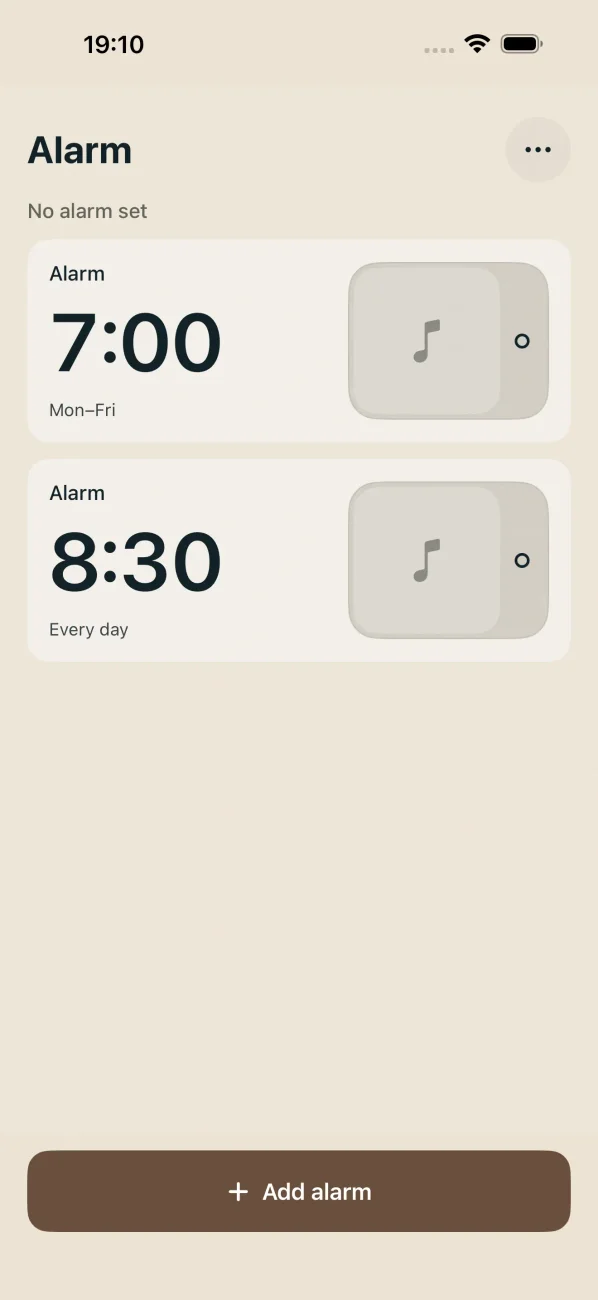
• Create multiple alarms with a name, time and repeat days.
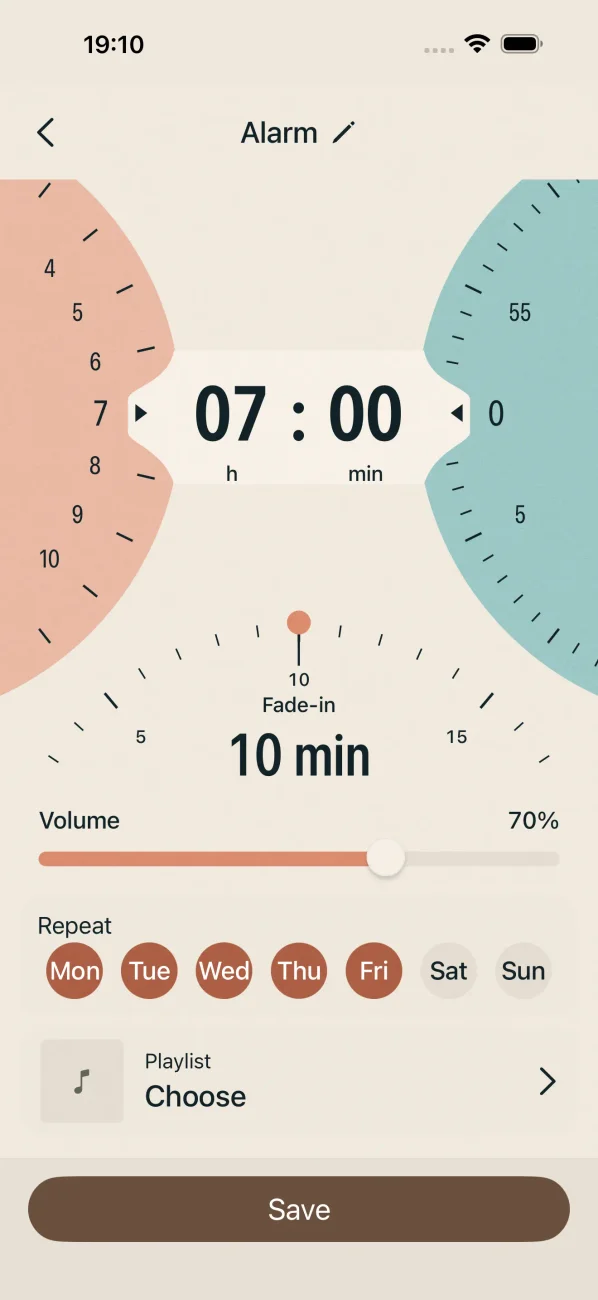
• Choose a playlist, fade-in duration and target volume for each alarm.
• Tap an alarm to edit it. Use its artwork switch to turn it on or off.
• Swipe left to delete, or use the menu to delete several alarms and sort the list.
• When the alarm rings, stop the music or keep listening.
• On iOS 26 or later, dismiss the Lock Screen alarm to choose whether to stop or continue the music.
Requirements
An active Apple Music subscription, a playlist containing songs in your Apple Music library, and permission to access Apple Music are required. On iOS 26 or later, allow alarms to use the Lock Screen alarm. Allow notifications and sounds for fallback alerts and warnings that background waiting may have stopped.
Keep Waketune running in the background while using an alarm. Returning to the Home Screen or locking your iPhone is fine. If you force-quit Waketune in the app switcher, the music alarm cannot run. On iOS 26 or later, a basic sound can still ring if alarm permission was granted and scheduling completed. If notifications are allowed, Waketune can warn you when waiting may have stopped or music could not play.
Waketune changes your iPhone's system volume to the selected target. Bluetooth or AirPlay connections may route music to another device. Check your battery and audio output before going to sleep.
Có gì mới
Phiên bản 1.3 · 18/10/2026
Added a getting-started tutorial. It highlights each control in turn to show how to add an alarm, set the time, fade-in and volume, and choose a playlist. It appears once after you update, and you can view it again anytime from "Show tutorial" in the menu.
Quyền riêng tư của ứng dụng
Những gì Kazuki ISHIMI khai báo trên App Store về cách ứng dụng này xử lý dữ liệu.
-
Dữ liệu không được thu thập
Nhà phát triển không thu thập bất kỳ dữ liệu nào từ ứng dụng này.
Phương thức đảm bảo quyền riêng tư có thể khác nhau, chẳng hạn như tuỳ theo các tính năng bạn sử dụng hoặc độ tuổi của bạn.
Thông tin
- Người bán
- Kazuki ISHIMI
- Danh mục
- Lối Sống
- Phiên bản
- 1.3
- Cập nhật
- 18/10/2026
- Phát hành
- 12/09/2026
- Kích thước
- 7,7 MB
- Yêu cầu
- iOS 17.0 trở lên
- Độ tuổi
- 12+
- Giá
- Miễn phí
- Ngôn ngữ
- Tiếng Anh, Tiếng Pháp, Tiếng Đức, Tiếng Ý, Tiếng Nhật, Tiếng Hàn, Tiếng Bồ Đào Nha, Tiếng Trung Giản thể, Tiếng Tây Ban Nha, Tiếng Trung Phồn thể
- Bản quyền
- © 2026 Kazuki ISHIMI