
- Yaş sınırı12+
- KategoriYaşam Tarzı
- GeliştiriciKazuki ISHIMI
- Dillerİngilizce+ 9 dil daha
- Boyut7,7 MB
Resmi App Store sayfasına bağlanır
Download.org, Waketune için hiçbir dosya barındırmaz. Düğme, uygulamanın App Store üzerindeki sayfasını açar; uygulamayı orada Kazuki ISHIMI yayınlar. Sayfanın son kontrolü: 15.11.2026.
Ekran görüntüleri

Hakkında
Geliştirici bu metni dilinizde sunmamış.
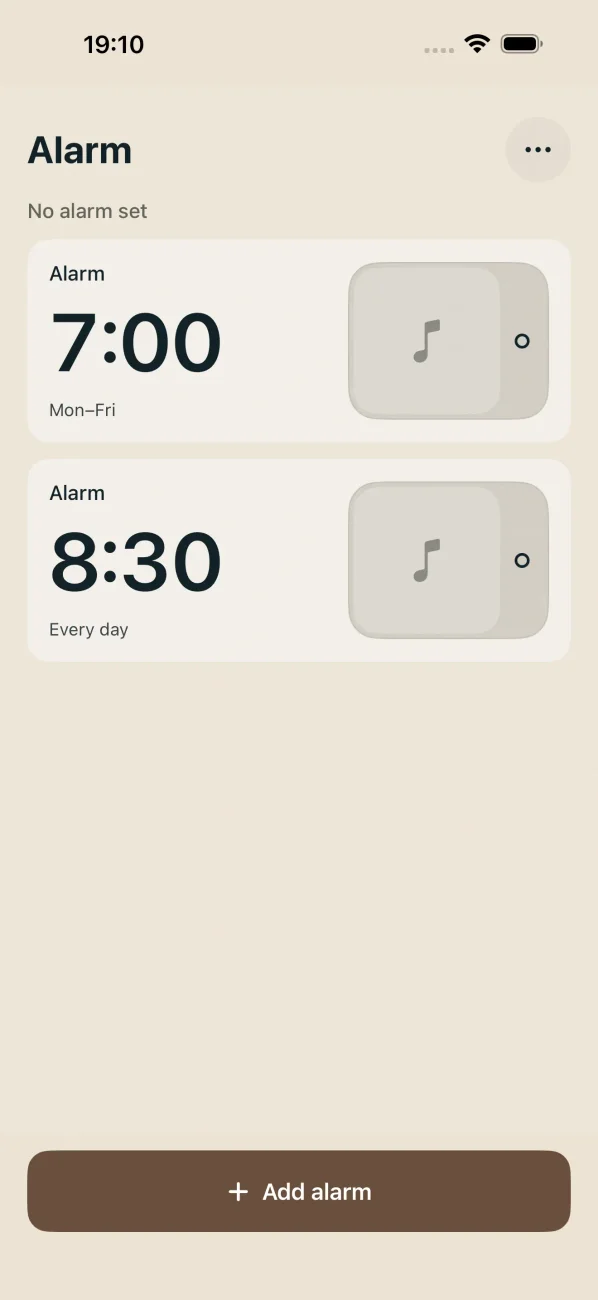
Wake up to music from your Apple Music playlists. Waketune starts playing before your chosen wake-up time and gradually raises your iPhone's system volume to your target level.
• Create multiple alarms with a name, time and repeat days.
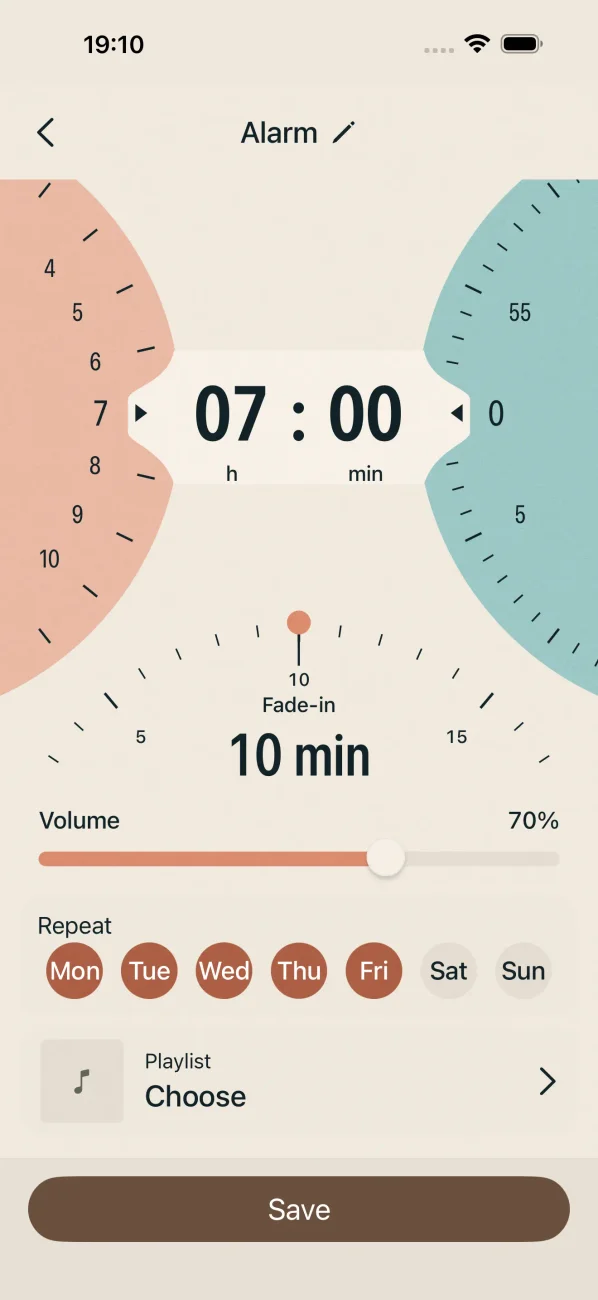
• Choose a playlist, fade-in duration and target volume for each alarm.
• Tap an alarm to edit it. Use its artwork switch to turn it on or off.
• Swipe left to delete, or use the menu to delete several alarms and sort the list.
• When the alarm rings, stop the music or keep listening.
• On iOS 26 or later, dismiss the Lock Screen alarm to choose whether to stop or continue the music.
Requirements
An active Apple Music subscription, a playlist containing songs in your Apple Music library, and permission to access Apple Music are required. On iOS 26 or later, allow alarms to use the Lock Screen alarm. Allow notifications and sounds for fallback alerts and warnings that background waiting may have stopped.
Keep Waketune running in the background while using an alarm. Returning to the Home Screen or locking your iPhone is fine. If you force-quit Waketune in the app switcher, the music alarm cannot run. On iOS 26 or later, a basic sound can still ring if alarm permission was granted and scheduling completed. If notifications are allowed, Waketune can warn you when waiting may have stopped or music could not play.
Waketune changes your iPhone's system volume to the selected target. Bluetooth or AirPlay connections may route music to another device. Check your battery and audio output before going to sleep.
Yenilikler
Sürüm 1.3 · 18.10.2026
Added a getting-started tutorial. It highlights each control in turn to show how to add an alarm, set the time, fade-in and volume, and choose a playlist. It appears once after you update, and you can view it again anytime from "Show tutorial" in the menu.
Uygulama gizliliği
Bu uygulamanın verileri nasıl işlediği hakkında Kazuki ISHIMI tarafından App Store üzerinde yapılan beyan.
-
Veri toplanmıyor
Geliştirici bu uygulamadan hiçbir veri toplamıyor.
Gizlilik uygulamaları, örneğin kullandığınız özelliklere veya yaşınıza göre değişiklik gösterebilir.
Bilgiler
- Satıcı
- Kazuki ISHIMI
- Kategori
- Yaşam Tarzı
- Sürüm
- 1.3
- Güncellendi
- 18.10.2026
- Yayın tarihi
- 12.09.2026
- Boyut
- 7,7 MB
- Gereksinim
- iOS 17.0 veya sonrası
- Yaş sınırı
- 12+
- Fiyat
- Ücretsiz
- Diller
- İngilizce, Fransızca, Almanca, İtalyanca, Japonca, Korece, Portekizce, Basitleştirilmiş Çince, İspanyolca, Geleneksel Çince
- Telif hakkı
- © 2026 Kazuki ISHIMI
Bunları da beğenebilirsiniz
-
 Flash - Custom Alarm SoundsYaşam Tarzı
-
 New Year 2027 Greetings CardsYaşam Tarzı
-
 Pelnor: House ReviewYaşam Tarzı
-
 OVERYaşam Tarzı
-
 LifeTrail - Life Map JournalYaşam Tarzı
-
 RE'MORE【リモア】公式アプリYaşam Tarzı
-
 Loud Alarm Clock ◦ Wake UP!Yaşam Tarzı
-
 Location PulseYaşam Tarzı
-
 Only You - One match at a timeYaşam Tarzı