
WeakSim - Network Simulator
Latency,Packet Loss,Bandwidth
Designed for iPhone, iPad
Free · In-app purchases
- Age rating4+
- CategoryDeveloper Tools
- DeveloperNanning Signalling Network Technology Co., Ltd
- LanguagesEnglish+ 1 more
- Size12.8 MB
Links to the official App Store page
Download.org hosts no file of WeakSim - Network Simulator. The button opens its official App Store page, published by Nanning Signalling Network Technology Co., Ltd. Listing last checked on Nov 17, 2026.
Screenshots


About
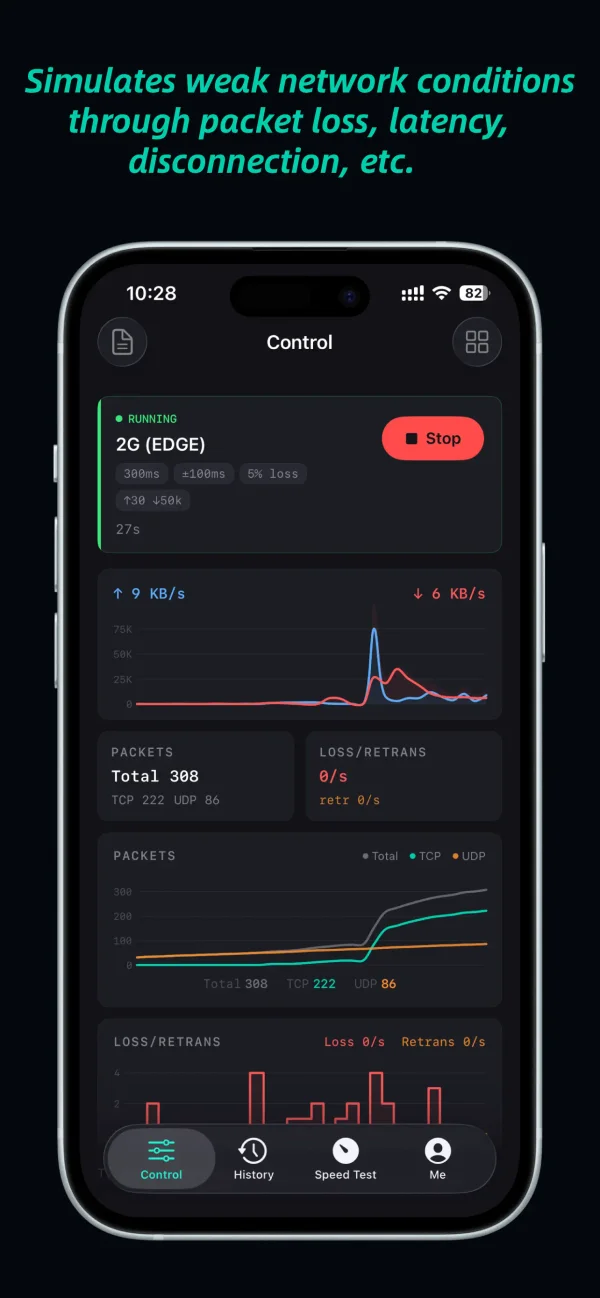
WeakSim is an iOS weak network simulator. It intercepts device traffic through the system VPN (Packet Tunnel), applying delays, packet loss, bandwidth throttling and other impairments to TCP/UDP packets locally. It reproduces real-world weak network scenarios such as subways, elevators, high-speed trains, and poor signal areas, helping you verify your app's timeout, reconnection, and degradation logic.
Core Features:
- System-level traffic interception: Based on Network Extension Packet Tunnel, all device traffic goes through weak network simulation.
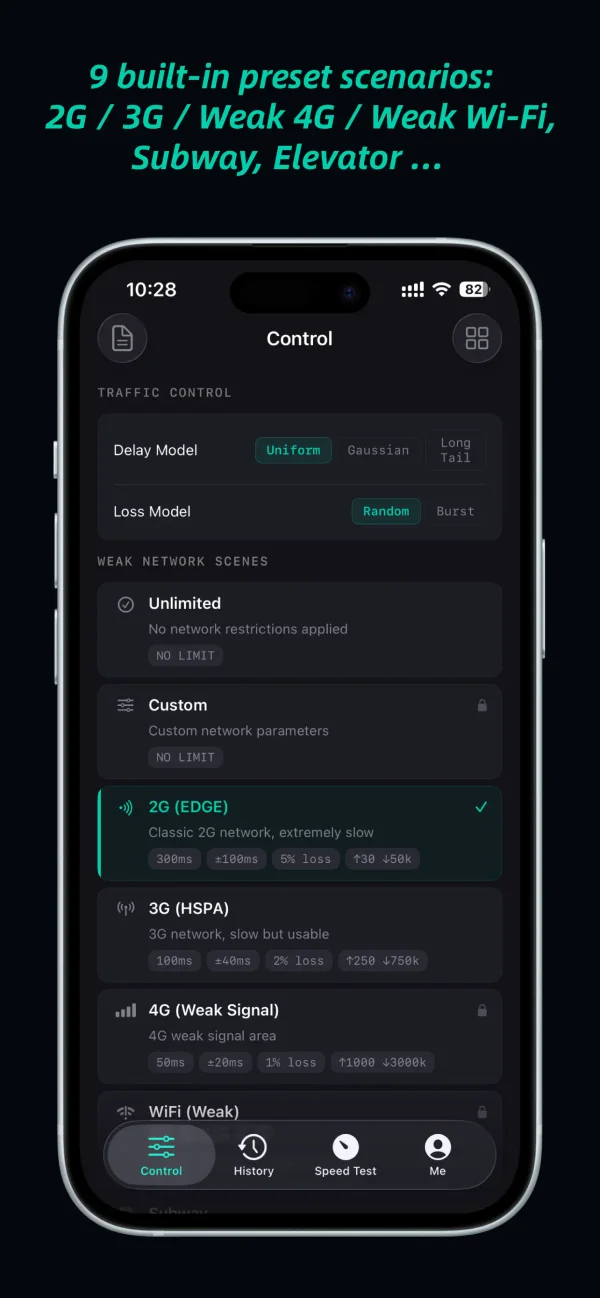
- 9 built-in preset scenarios: 2G / 3G / Weak 4G / Weak Wi-Fi, Subway, Elevator, High Latency, High-Speed Train Disconnection, DNS Timeout.
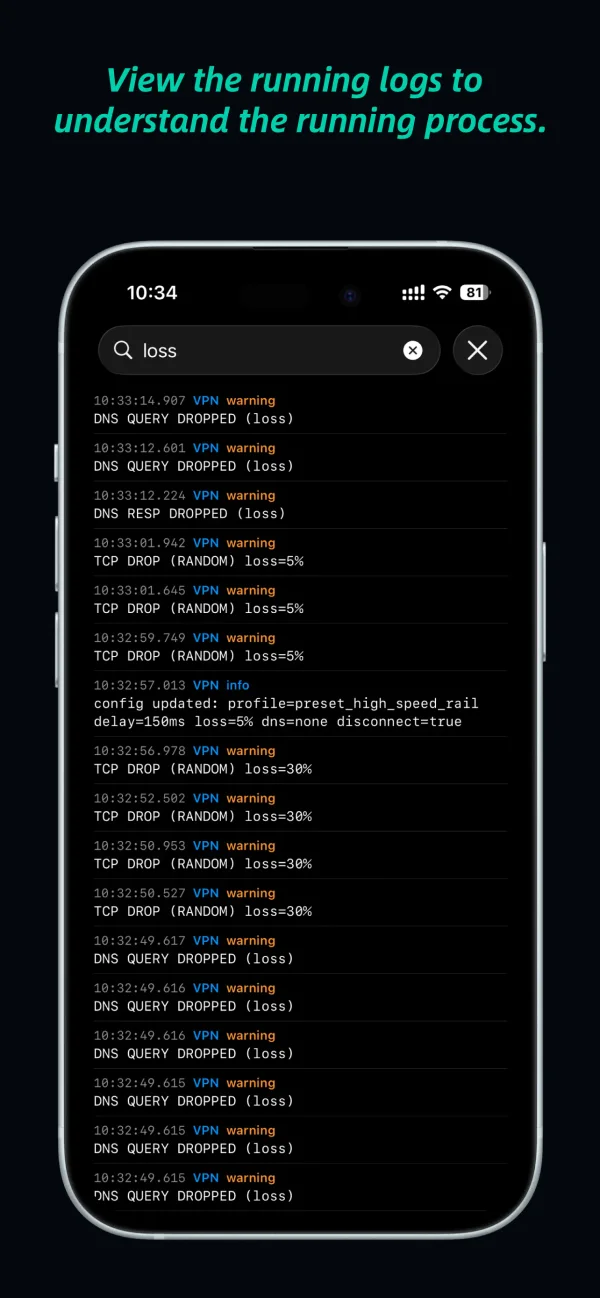
- Customizable network impairment parameters: Latency & Jitter, Packet Loss, Up/Down Bandwidth Throttling, Reordering, Duplication, Tampering, Periodic Disconnection, DNS Failure / Timeout / Error / Domain Hijacking.
- Multiple network impairment models: Latency supports Uniform / Gaussian / Long-tail distribution; Packet Loss supports Random / Burst mode, closer to real link fluctuation.
Sensitive Data:
- WeakSim does not capture network packets; it only applies impairments such as latency, packet loss, and bandwidth throttling to network packets.
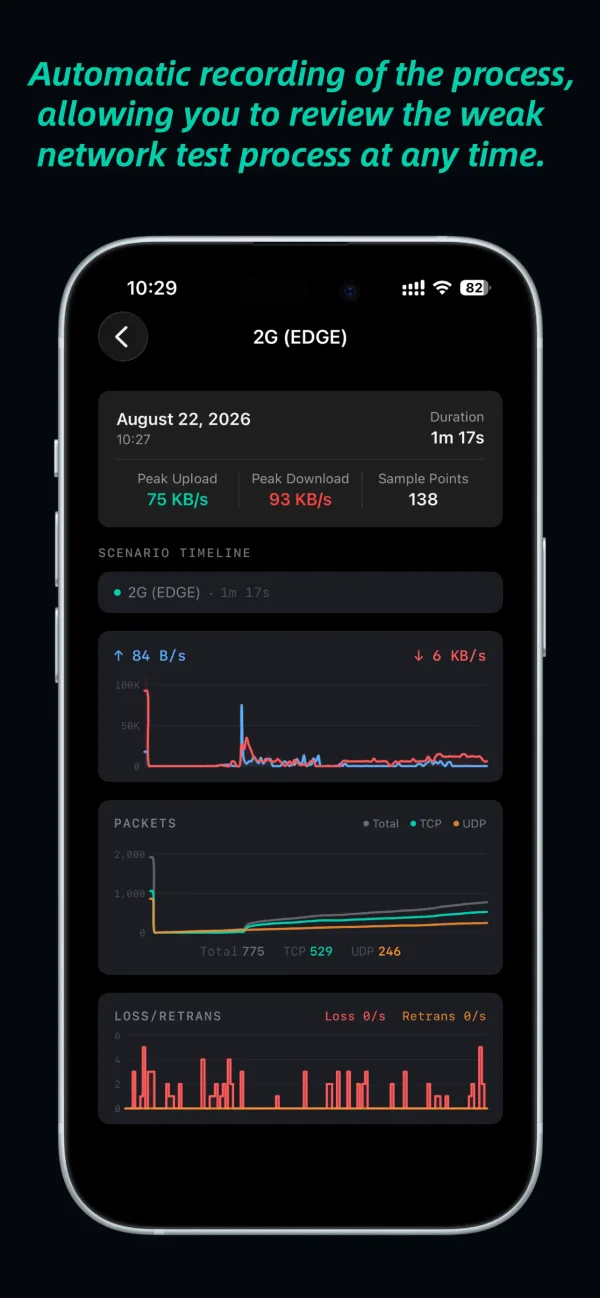
- WeakSim collects metrics such as the number of uplink and downlink packets, traffic volume, and packet loss count, and stores them locally using SQLite without involving any remote servers.
【Auto-Renewable Subscription】
1. Subscription Service:
a) Pro Weekly - Weekly auto-renewing subscription (1 week)
2. Payment: Payment will be charged to your iTunes Account upon confirmation of purchase.
3. Auto-Renewal: Your iTunes account will be charged within 24 hours before the current period ends. Once the charge succeeds, the subscription period will be extended by one term.
4. Cancellation: You can manage or cancel your subscription by going to iPhone Settings → [Your Name] → iTunes & App Store → Apple ID → View Apple ID → Account Settings → Subscriptions. To avoid being charged, cancel at least 24 hours before the end of the current billing cycle.
5. Terms of Service: https://xling-net.github.io/weaksim/terms-of-service.html
6. Privacy Policy: https://xling-net.github.io/weaksim/privacy-policy.html
What’s new
Version 1.5 · Nov 16, 2026
Add flash interruption function and optimize charts.
App privacy
What Nanning Signalling Network Technology Co., Ltd declares on the App Store about how this app handles data.
-
Data not collected
The developer does not collect any data from this app.
Privacy practices may vary, for example with the features you use or your age.
Information
- Seller
- Nanning Signalling Network Technology Co., Ltd
- Category
- Developer Tools
- Version
- 1.5
- Updated
- Nov 16, 2026
- Released
- Aug 30, 2026
- Size
- 12.8 MB
- Requires
- iOS 17.0 or later
- Age rating
- 4+
- Price
- Free
- In-app purchases
- Yes
- Languages
- English, Simplified Chinese
- Copyright
- © 2026 Nanning Signalling Network Technology Co., Ltd
You might also like
-
 WebView Insight - 专业Web测试工具Developer Tools
-
 Moni Proxy: HTTPS CaptureHTTP Debugger, Sniffer & Mock
-
 JAR DLL EXE File ViewerPE, Hex & Binary Inspector
-
 Code AnalyzerBinary File Analyzer
-
 iPerf ReloadedNetwork speed test with iPerf3
-
 Minip – HTML & JS PlaygroundRun HTML & JS with Features
-
 PixelsMeasureMeasure what you see in pixels
-
 ShipSwift - MCP CodebaseFull-Stack Vibe Coding Recipes
-
 HTML Viewer & Editor: AI CodeWeb Code Editor & AI Bug Fix
-
 HTML Editor +Developer Tools