- 対象年齢4+
- カテゴリユーティリティ
- 開発元Harpreet Ghtora
- 言語英語
- サイズ19.6 MB
App Storeの公式ページにリンクしています
Download.orgはWeb Tweakerのファイルを一切ホストしていません。ボタンを押すと、Harpreet Ghtoraが公開しているApp Storeのアプリページが開きます。ページの最終確認:2026/11/23。
スクリーンショット


概要
開発元はこのテキストをお使いの言語で提供していません。
Web Tweaker is a set of small, independent fixes for Safari on iPhone and iPad. Turn on the ones you want; each works on every website, and each is its own switch.
BLOCK ADS
A native Safari content blocker built from EasyList, EasyPrivacy and Peter Lowe’s list stops ads, trackers and analytics before they load, and the extension hides leftover ad slots. No slowdown: blocking happens inside Safari’s own engine. Scores 100% on the adblock.turtlecute.org test.
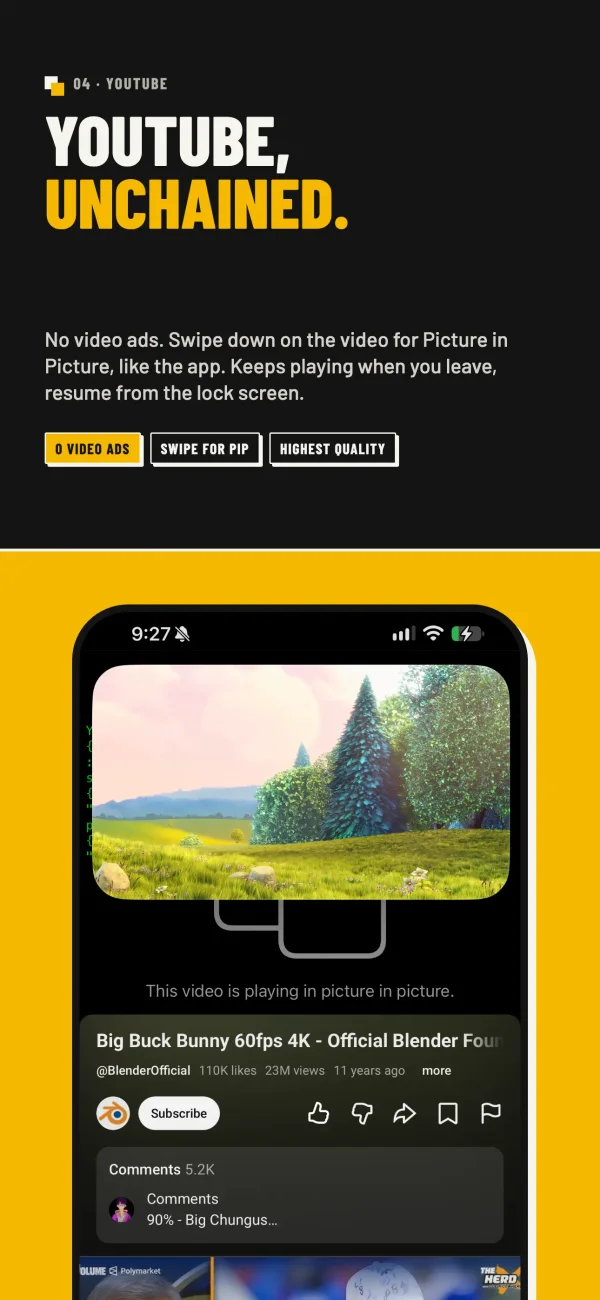
BLOCK YOUTUBE ADS
Video ads, promoted videos and banners are removed before the player sees them. An ad that still plays is skipped.
BETTER YOUTUBE PLAYER
Swipe down on a video for Picture in Picture, like the app. Fullscreen uses the native player, so leaving Safari hands the video to Picture in Picture. Background playback you can resume from the lock screen or Control Center. Highest available quality.
DARK MODE FOR EVERY SITE
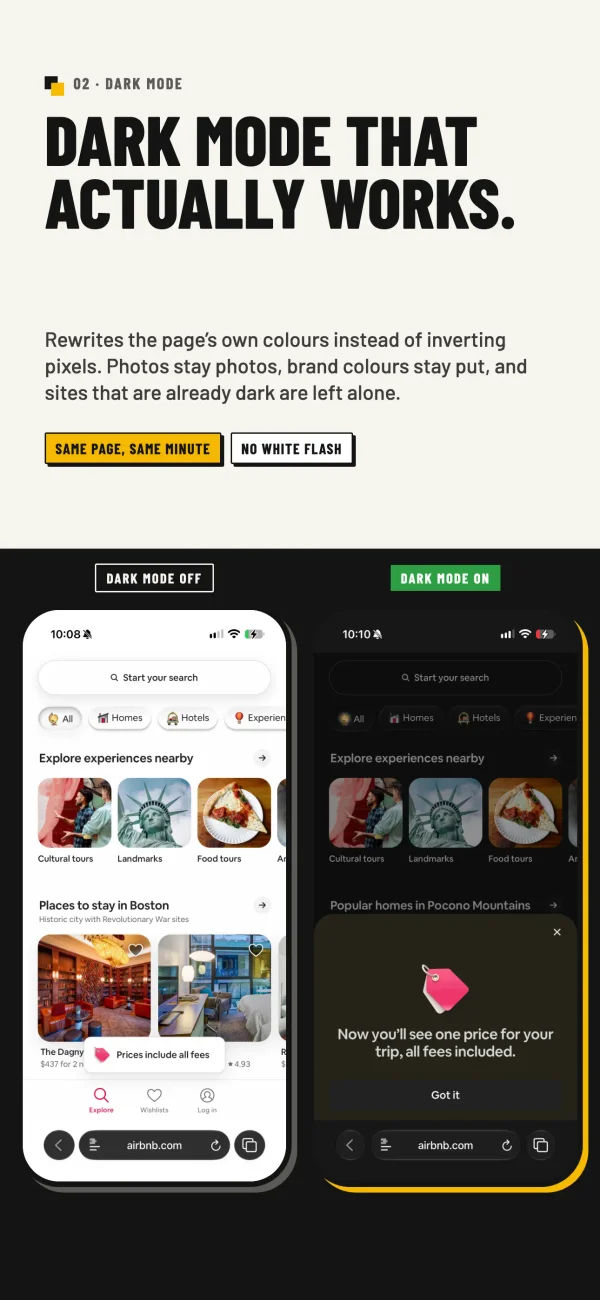
A real dynamic dark theme, not a colour filter. Photos, videos, logos and brand colours stay as they are; sites that are already dark are left alone; pages never flash white.
READER MODE AUTOMATICALLY
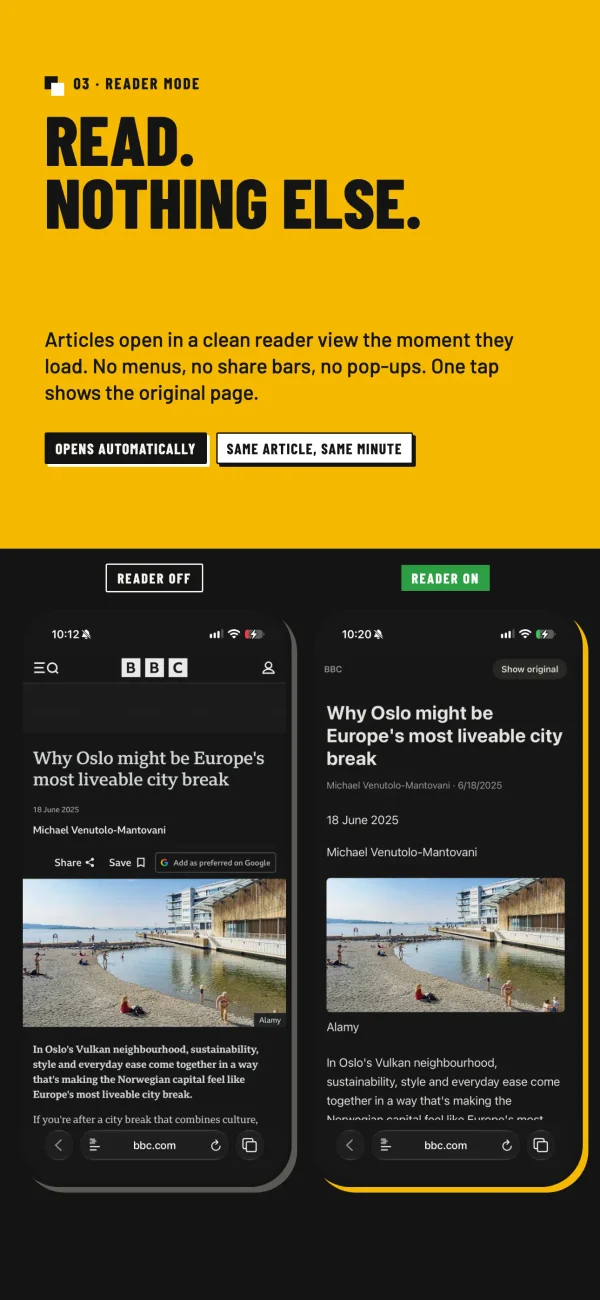
Article pages open in a clean reader view the moment they load: headline, byline, text and pictures. One tap shows the original page.
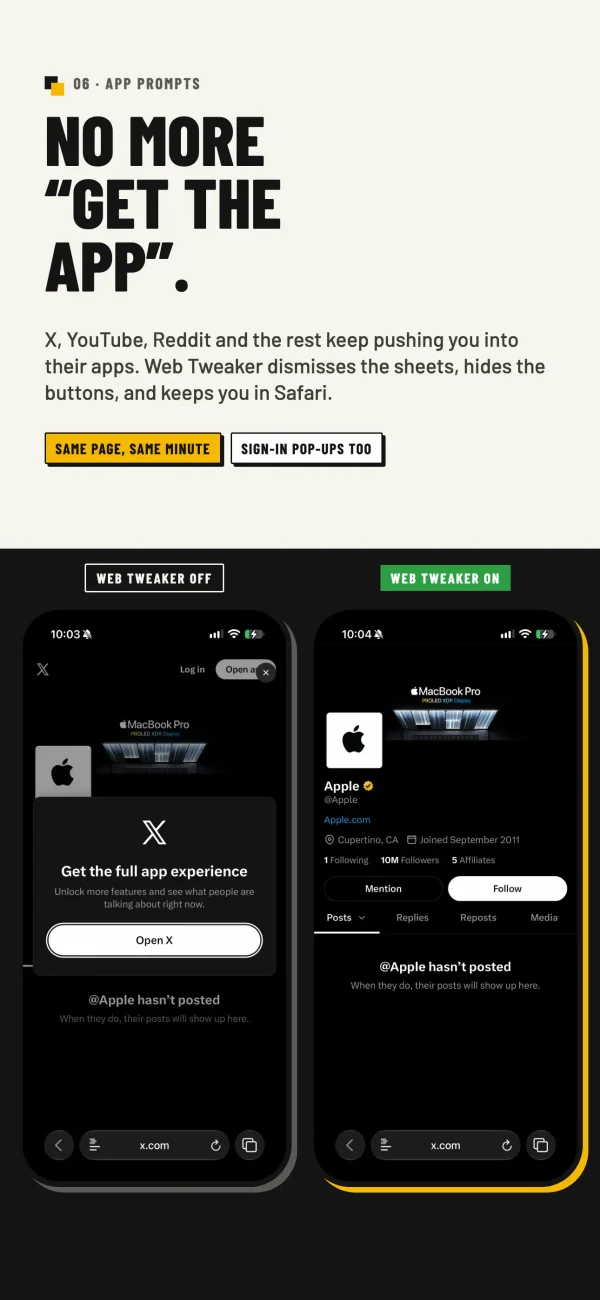
HIDE “GET THE APP” PROMPTS
YouTube, X, Reddit and others stop pushing you into their apps. The banners and sheets are dismissed, the “Open app” buttons hidden, app links stay in Safari. Google’s “AI Mode” promo and the “Sign in with Google” pop-up go too.
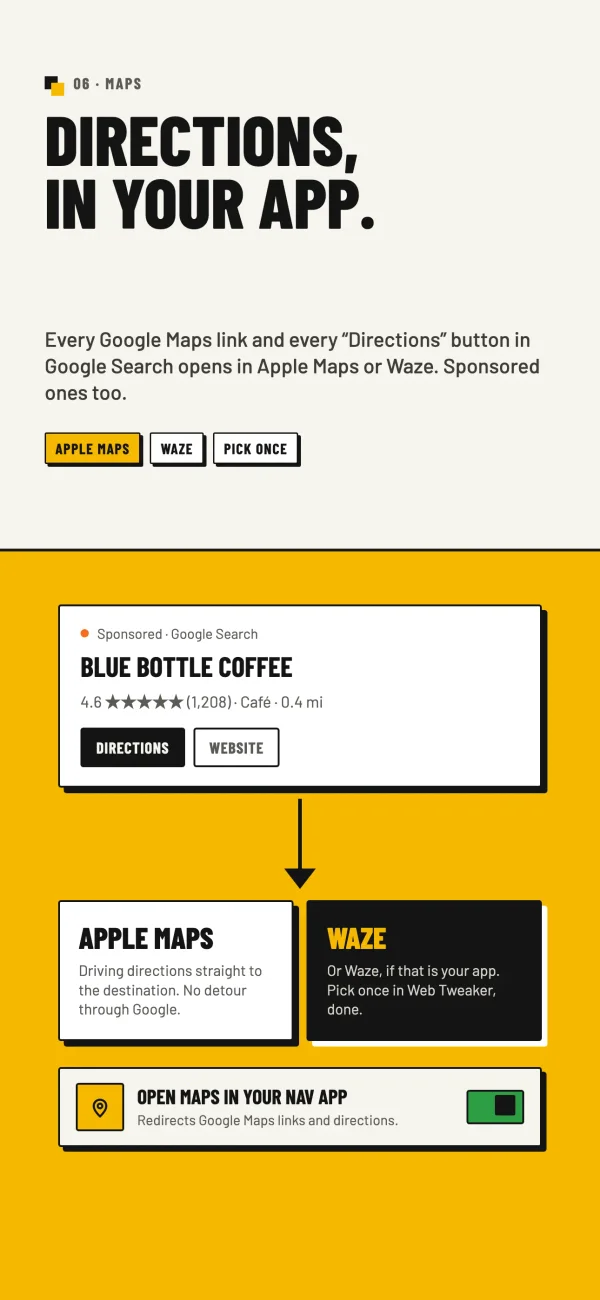
OPEN MAPS IN YOUR NAV APP
Google Maps links and the “Directions” buttons in Google Search open in Apple Maps or Waze. Sponsored results too.
COOKIE BANNERS, ANSWERED
Consent prompts are rejected (or accepted, your choice) for you, including the ones inside iframes.
CLEAN LINKS
utm_, fbclid, gclid and similar tracking parameters are removed from links.
UNBLOCK COPY AND RIGHT-CLICK
Copy, paste, select text and open menus on sites that disable them.
STOP AUTOPLAYING MEDIA
Videos and audio that start on their own are paused.
PRIVACY
Everything runs on your device. No account, no tracking, no data collected.
新機能
バージョン 1.4 · 2026/11/12
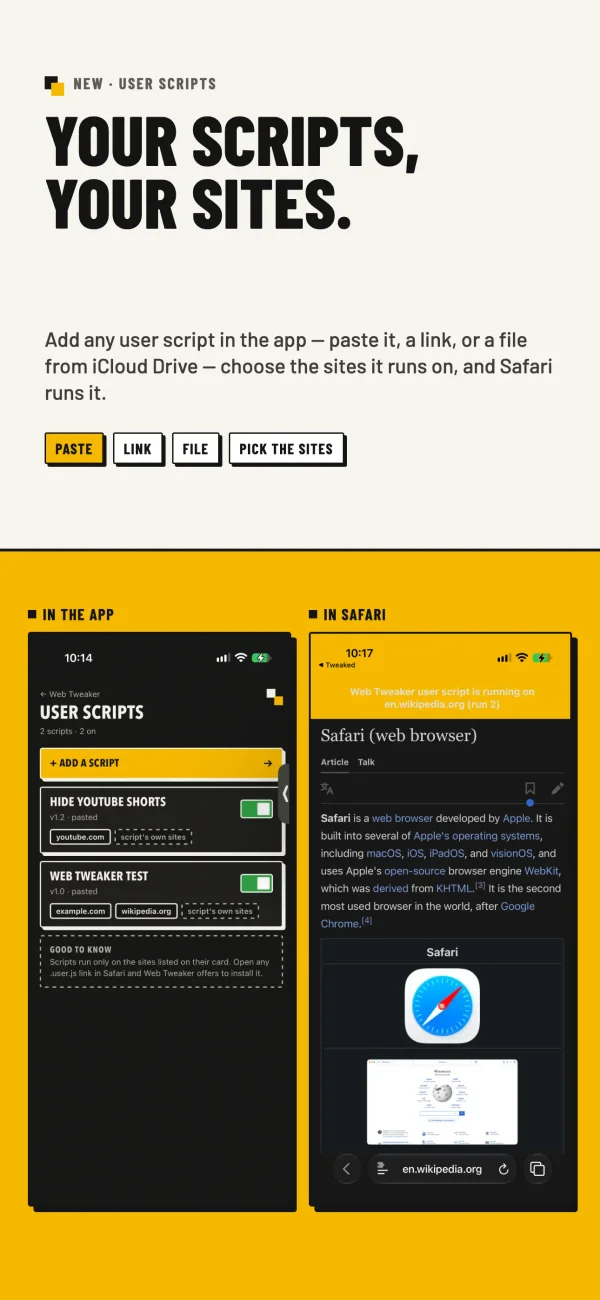
User scripts. Run your own scripts on the sites you choose. Add one in the Web Tweaker app: start from a preset (hide YouTube Shorts, comments, community posts, suggested videos or games; hide X trends; hide Reddit promoted posts), paste a script, fetch it from a link, or pick a file from Files or iCloud Drive. The editor checks the script before it is added. Pick the sites it runs on, and pause it per site from the Safari popup. Open any .user.js link in Safari and Web Tweaker offers to add it.
Dark mode can now follow the system: Always, or only when the device is dark.
Fixes: Directions on a place opened from "near me" results now goes to your navigation app. The Share and Rate buttons work again. The settings list scrolls on the Mac.
アプリのプライバシー
このアプリのデータの取り扱いについて、Harpreet GhtoraがApp Storeで申告している内容です。
-
データの収集なし
開発元はこのアプリからデータを収集しません。
プライバシーの取り扱いは、ご利用の機能やお客様の年齢などに応じて異なる場合があります。
情報
- 販売元
- Harpreet Ghtora
- カテゴリ
- ユーティリティ
- バージョン
- 1.4
- 更新日
- 2026/11/12
- リリース
- 2025/7/8
- サイズ
- 19.6 MB
- 必要条件
- iOS 15.0以降
- 対象年齢
- 4+
- 価格
- 無料
- 言語
- 英語
- 著作権
- © Harpreet Ghotra
こちらもおすすめ
-
 SiteShift: Unfolded Browsingユーティリティ
-
 anyPWAユーティリティ
-
 Sink It for Googleユーティリティ
-
 THLPlayユーティリティ
-
 Playbar for Safariウェブ動画再生アシスタント
-
 OutSpan - Fullscreen Browsingユーティリティ
-
 Lens: Simple, Private Browserユーティリティ
-
 EFKey – Swipe & AI キーボード翻訳・音声入力・ジェスチャー
-
 Litterbox - Post Peekerユーティリティ
-
 Wider - Fullscreen Browsingユーティリティ