Weekly Calendar App - Week+
Aesthetic Planner & To-Do list
Designed for iPhone, iPad, Mac
Free · In-app purchases
- Age rating4+
- CategoryProductivity
- DeveloperBrite Technologies
- LanguagesEnglish+ 12 more
- Size48.5 MB
Links to the official App Store page
Download.org hosts no file of Weekly Calendar App - Week+. The button opens its official App Store page, published by Brite Technologies. Listing last checked on Nov 28, 2026.
Screenshots

About
Finally, a planner you'll actually stick with.
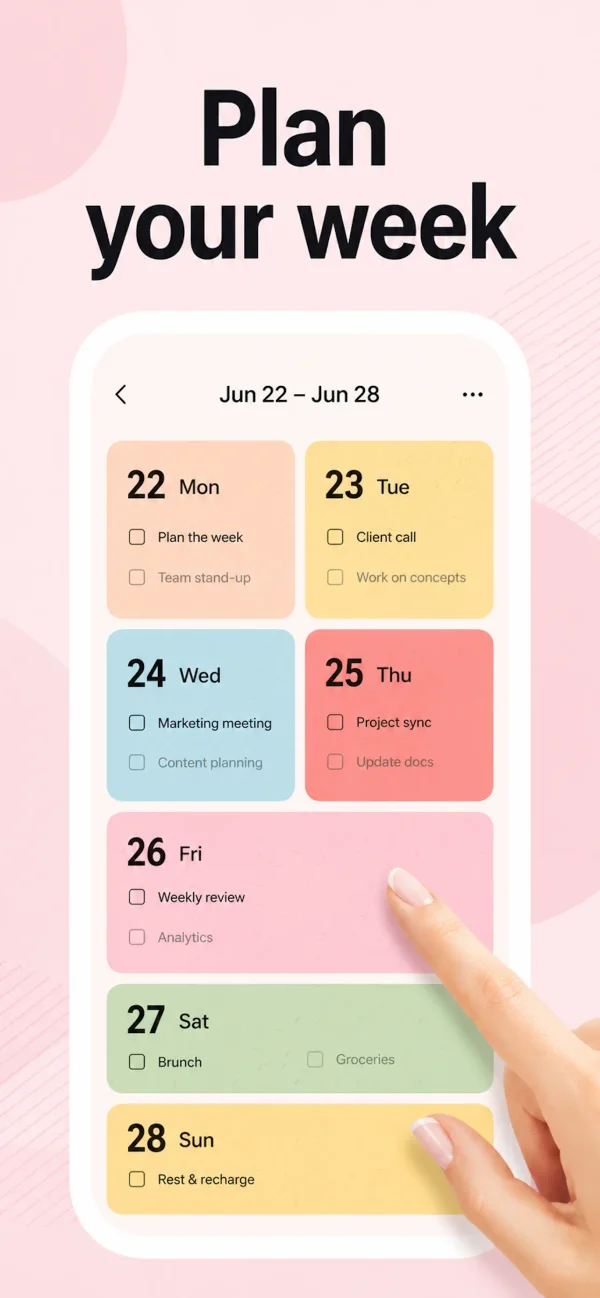
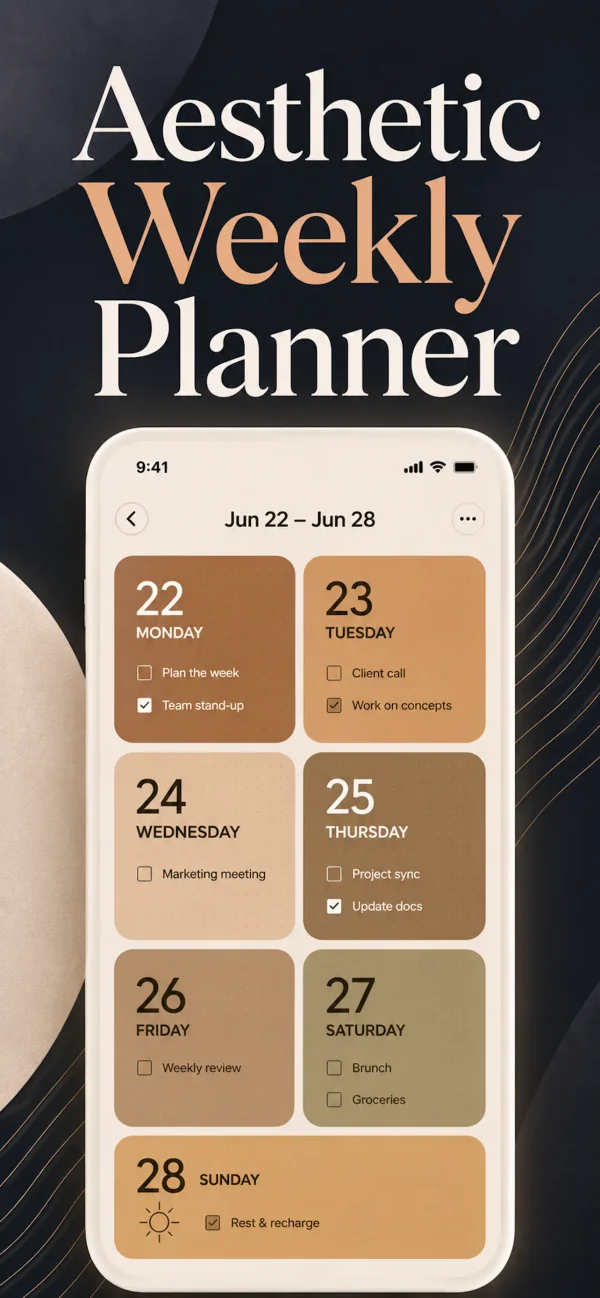
Week+ is an aesthetic weekly planner that turns your entire week into one beautiful board: seven colorful day cards, your tasks on each one, and nothing extra to slow you down. Plan your whole week in about two minutes — then simply check things off as you go.
No complicated setup. No empty pages staring back at you. Just a clear, colorful picture of your week.
KEY FEATURES
• Week board — see Monday to Sunday at a glance as seven colorful day cards
• Checkable tasks — add to-dos to any day and tick them off with a satisfying tap
• 2-minute planning — fast enough to do every Sunday evening or Monday morning
• Card color themes — Pastel, Midnight, Vivid, Sage and Ocean to match your mood
• Today highlight — your current day always stands out, so you know where to focus
• Week navigation — swipe between past and future weeks effortlessly
• Apple Pencil on iPad — handwrite notes, doodles and reminders right on each day
WHO IS IT FOR
• Students balancing classes, assignments and deadlines
• Busy professionals who want a clear overview without heavy project tools
• Moms juggling family schedules, errands and personal time
• Habit and self-care lovers tracking routines, workouts and small daily wins
• Anyone who downloaded a complicated planner… and quietly abandoned it
HOW IT WORKS
1. Open your week — seven day cards are waiting for you
2. Add tasks to each day — it takes about two minutes
3. Check things off as you go and watch your week fill up with little victories
Pick a theme you love, plan your week in minutes, and enjoy the calm of knowing exactly what comes next. Your most organized — and prettiest — week starts now with Week+.
Support: hello@britetodo.com
Terms of Use (EULA): https://www.apple.com/legal/internet-services/itunes/dev/stdeula/
Privacy Policy: https://britetodo.com/legal/PrivacyPolicyBrite.pdf
What’s new
Version 1.7 · Oct 22, 2026
• Tick off tasks right in your widgets, on the Home Screen and the Lock Screen, without opening the app.
• Today on your Lock Screen: a live card with today's tasks in your theme's colours, also in the Dynamic Island. Turn it on in Settings › Lock Screen.
• Siri and Shortcuts: add a task or hear what's on today, hands-free.
• iPhone Duo: two columns when folded, the whole week on one screen when unfolded.
• Lock Screen widgets now look like your day cards.
• Now in Swedish, Danish, Norwegian and Finnish.
• Fixes and improvements
App privacy
What Brite Technologies declares on the App Store about how this app handles data.
-
Data not collected
The developer does not collect any data from this app.
Privacy practices may vary, for example with the features you use or your age.
Information
- Seller
- Brite Technologies LLC
- Category
- Productivity
- Version
- 1.7
- Updated
- Oct 22, 2026
- Released
- Jun 24, 2026
- Size
- 48.5 MB
- Requires
- iOS 16.0 or later
- Age rating
- 4+
- Price
- Free
- In-app purchases
- Yes
- Languages
- English, Danish, Finnish, French, German, Italian, Japanese, Korean, Norwegian Bokmål, Portuguese, Russian, Spanish + 1 more
- Copyright
- © 2026 Brite Technologies LLC
You might also like
-
 Weekly Calendar AppDaily planner
-
 PlanDaySimple & Elegant Daily Planner
-
 Weeklo: Weekly Planner & ToDoSchedule, Tasks, Notes & AI
-
 Busy B Planner: To-Do ListBrain Dump & Daily Reminders
-
 52 Week Planner: To-Do ListWeekly Calendar & Task Manager
-
 Sunday: Weekly PlannerTo-Do List, Tasks & Agenda
-
 Cubby CalendarYour Personal Happy Calendar
-
 Weeklist: Weekly PlannerTo-Do List and Reminders
-
 Plander: Planner & CalendarMinimal planner·Widget support
-
 Mochi: Cute ChecklistCozy To-Do List Widget, Chores