
- Age rating4+
- CategoryProductivity
- DeveloperKAHYUN YOON
- LanguagesEnglish+ 2 more
- Size2.4 MB
Links to the official App Store page
Download.org hosts no file of WeekPeek. The button opens its official App Store page, published by KAHYUN YOON. Listing last checked on Nov 12, 2026.
Screenshots

About
Your calendar, without opening an app.
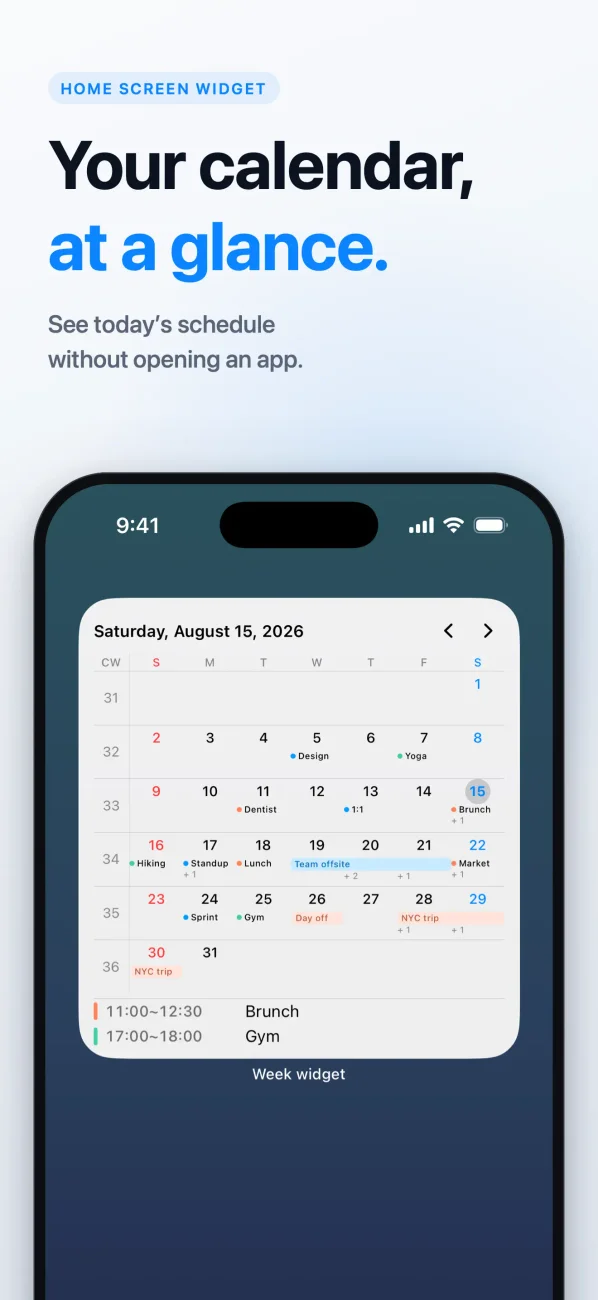
WeekPeek puts your Apple Calendar on your Home Screen, Lock Screen, and Apple Watch. Keep adding events in the Calendar app you already use — WeekPeek makes sure you see them the moment you look at your phone or wrist.
◼ Lock Screen widgets
See today's remaining events without unlocking your phone. Choose from Today's Events (your next 3), a 3-week calendar, and inline or circular week displays.
◼ Home Screen widgets (small, medium, large)
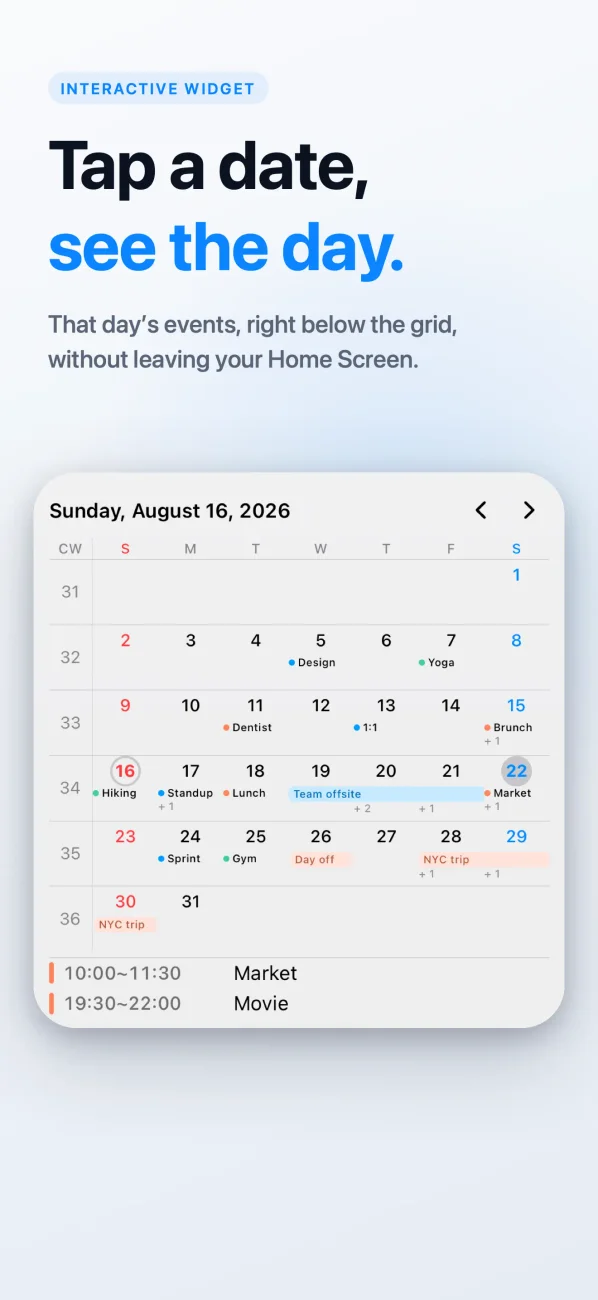
A full month with your events at a glance. On the large widget, tap a date to expand that day's events, tap an event to jump straight to it in the Calendar app, and switch months without leaving your Home Screen.
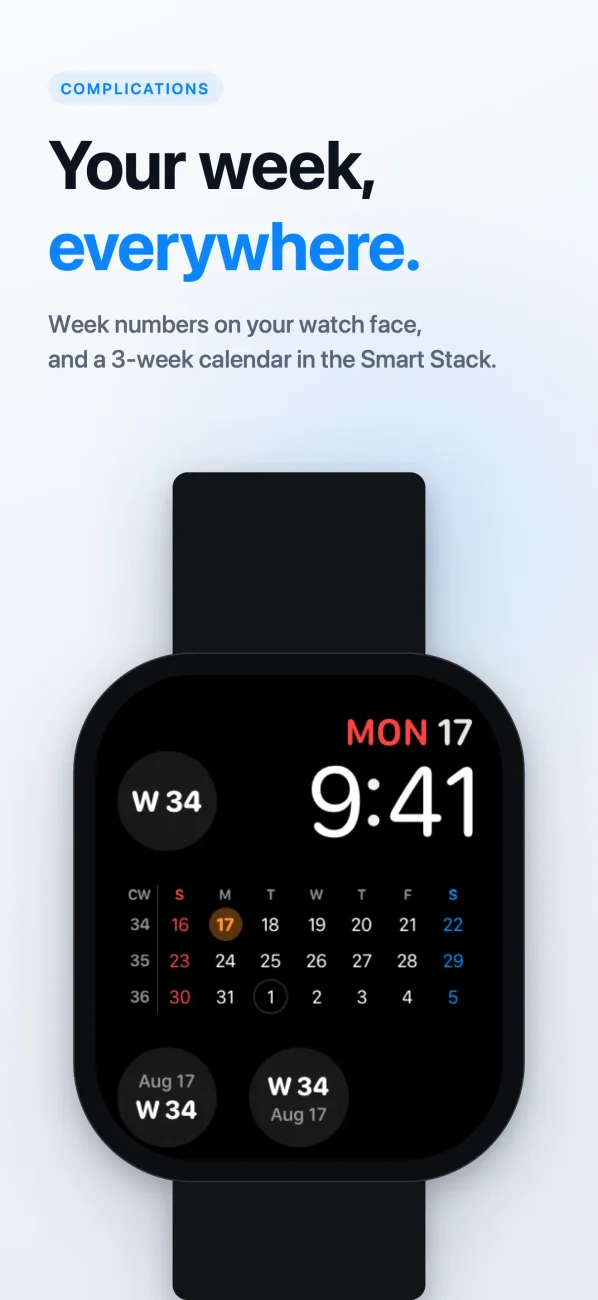
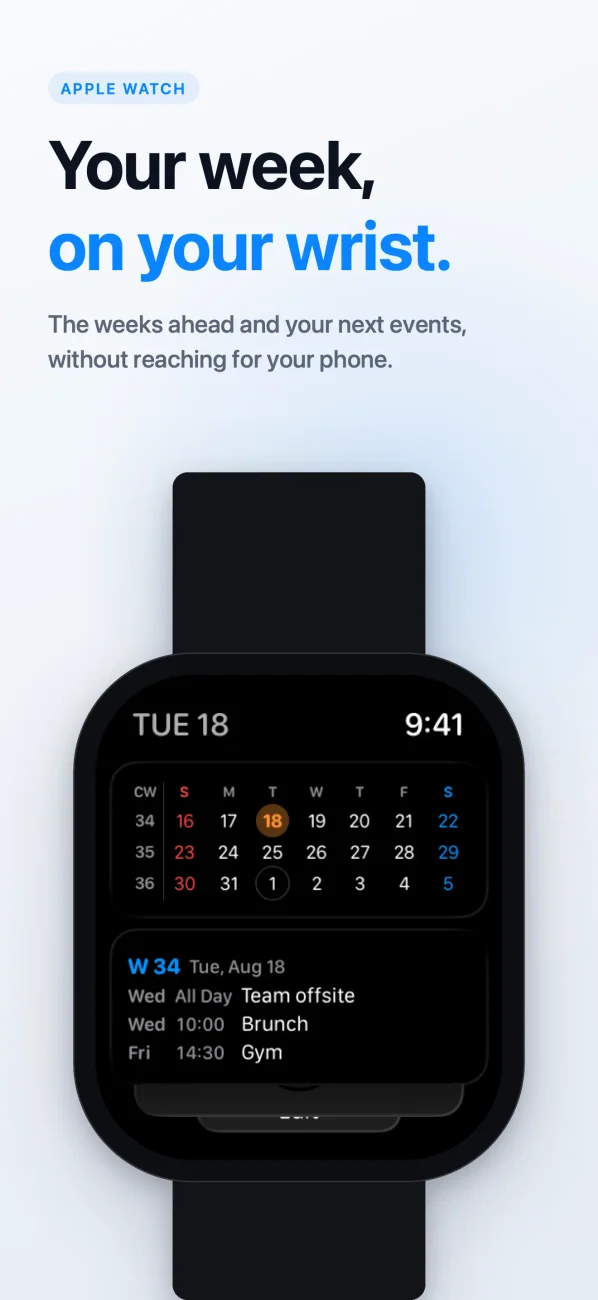
◼ Apple Watch
A weekly calendar and your events on your wrist. Turn the Digital Crown to move through events, and keep turning to cross into the next day. Includes watch face complications, a 3-week calendar, and an Upcoming Events widget for the Smart Stack.
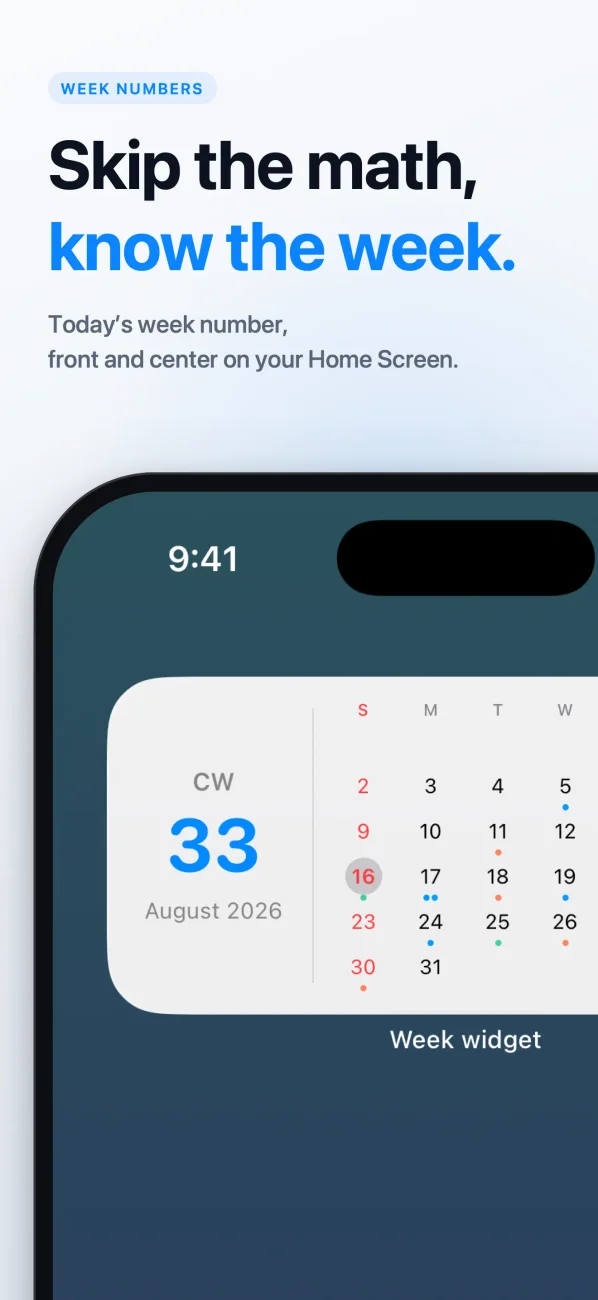
◼ Week numbers, if you need them
Working with calendar weeks (CW)? The week number column shows the current week at all times — on your widgets, Lock Screen, and Watch. Don't need it? Turn it off in settings.
◼ Made for
- Checking your schedule from the Lock Screen, dozens of times a day
- Glancing at your wrist instead of opening apps
- Anyone who plans by week numbers — manufacturing, logistics, or teams abroad
WeekPeek doesn't create or manage events. It does one thing well: showing your Apple Calendar, instantly, everywhere.
* Available in English, German, and Korean.
What’s new
Version 1.7 · Sep 7, 2026
Minor improvements for a more polished experience.
App privacy
What KAHYUN YOON declares on the App Store about how this app handles data.
-
Data not collected
The developer does not collect any data from this app.
Privacy practices may vary, for example with the features you use or your age.
Information
- Seller
- KAHYUN YOON
- Category
- Productivity
- Version
- 1.7
- Updated
- Sep 7, 2026
- Released
- Apr 15, 2026
- Size
- 2.4 MB
- Requires
- iOS 16.0 or later
- Age rating
- 4+
- Price
- Free
- Languages
- English, German, Korean
- Copyright
- © 2026 Kahyun
You might also like
-
 LookCalendarLock Screen & Watch Calendar
-
 Essential: CalendarScheduling, Reimagined
-
 대한민국 달력Productivity
-
 Routine IslandBuild habits together
-
 달빛 캘린더 - 위젯 달력Productivity
-
 Eisenhower To-Do - MellowTaskEisenhower Matrix Task Manager
-
 MyDayBook: Calendar & DiaryTo-dos, notes & journal in one
-
 Squishy Notes - Notepad & TodoColor folders, synced anywhere
-
 왓어데이 - 심플 캘린더, 위젯, 디데이, PC, 일정Productivity
-
 Haru - Calendar & Task ManagerPlanner, To-Dos & Weather