Work Timer: Pomodoro Focus
Flip Clock, Widgets & Study
Designed for iPhone, iPad, Mac
Free · In-app purchases
- Age rating4+
- CategoryProductivity
- Developeryassine kamal
- LanguagesEnglish+ 5 more
- Size45.0 MB
Links to the official App Store page
Download.org hosts no file of Work Timer: Pomodoro Focus. The button opens its official App Store page, published by yassine kamal. Listing last checked on Nov 16, 2026.
Screenshots

About
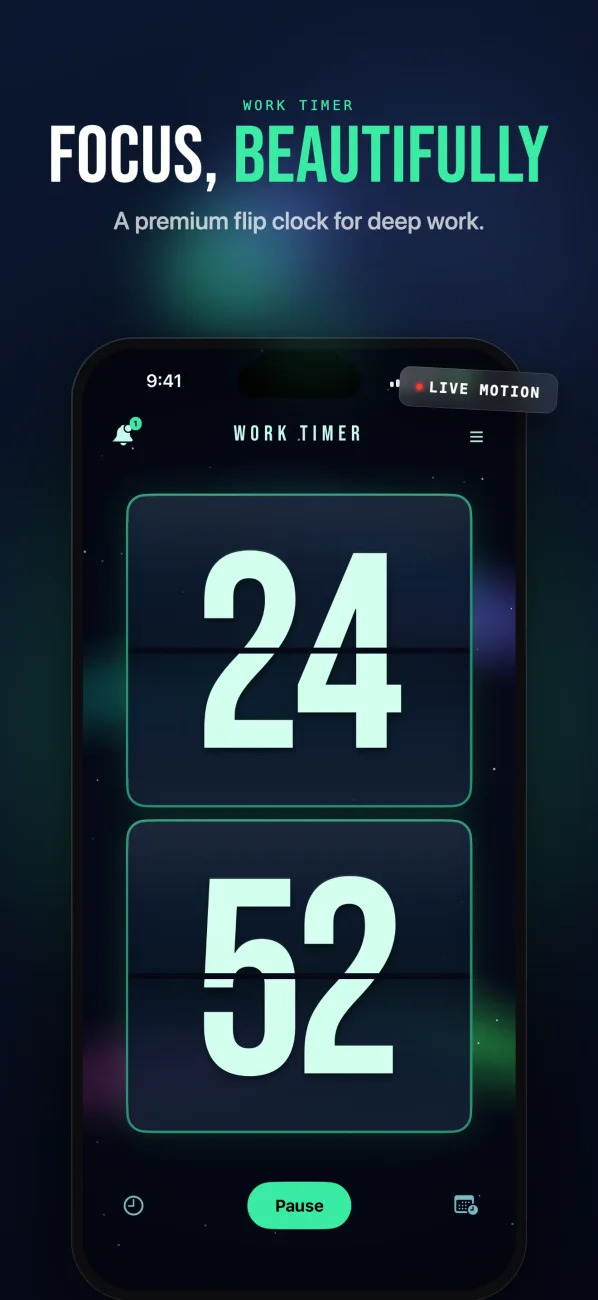
Work Timer is a pomodoro timer, study timer and flip clock for students, professionals, and creatives who want to get more done in less time. Add 14 widgets to your Home Screen and Lock Screen and keep your focus one glance away.
Whether you're studying for exams, coding, writing, meditating, or tackling a big project, Work Timer keeps you in the zone with proven focus techniques and a clean, distraction-free design.
THREE TIMER MODES
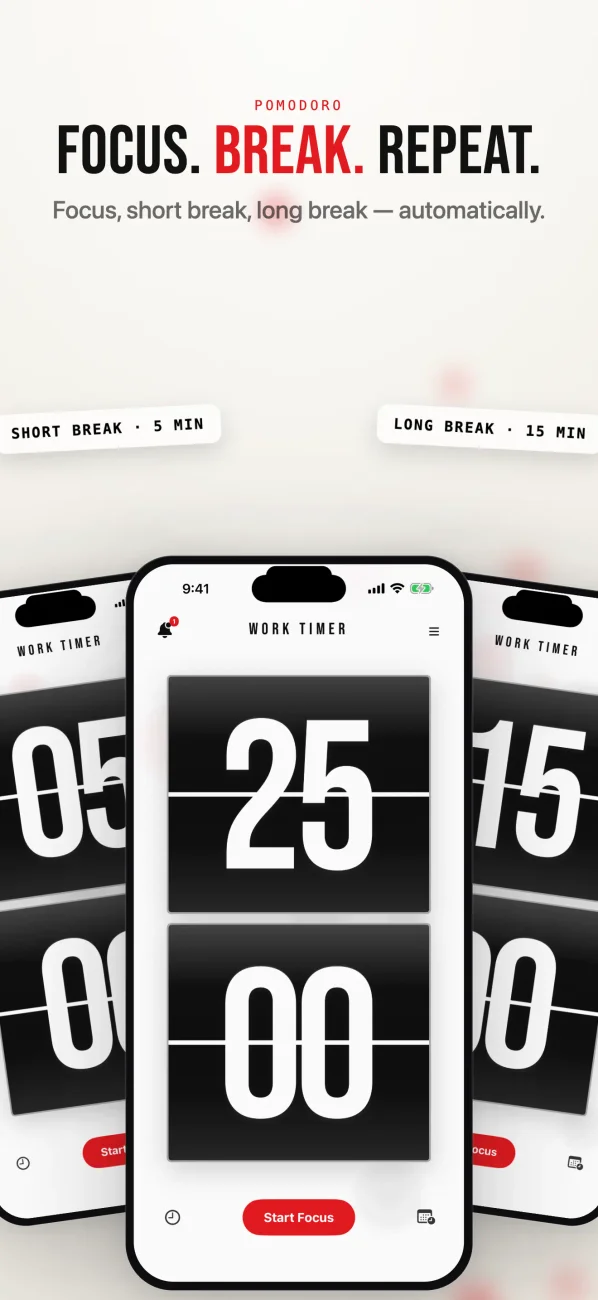
Pomodoro. Work in focused sprints with short and long breaks. A well-known productivity technique, fully customizable.
Countdown. Set any duration (hours, minutes, seconds) for one-shot focus sessions, meditation, or deep work blocks.
Count up. Track elapsed time for open-ended sessions or any activity you want to time.
LIVE ACTIVITY & DYNAMIC ISLAND
See your timer live on the Lock Screen and Dynamic Island. No need to unlock your phone. Your timer is always visible.
14 WIDGETS FOR HOME SCREEN & LOCK SCREEN
Keep your timer and clock in sight on iPhone and iPad. Home Screen widgets include Flip Clock, Minimal Clock and Analog Clock (the clocks are StandBy-friendly), plus Focus Timer, Pomodoro Cycle, Quick Start, Today, Streak, Schedule and Quote. On the Lock Screen: a timer ring, a today ring, a streak flame, and a rectangular and an inline timer.
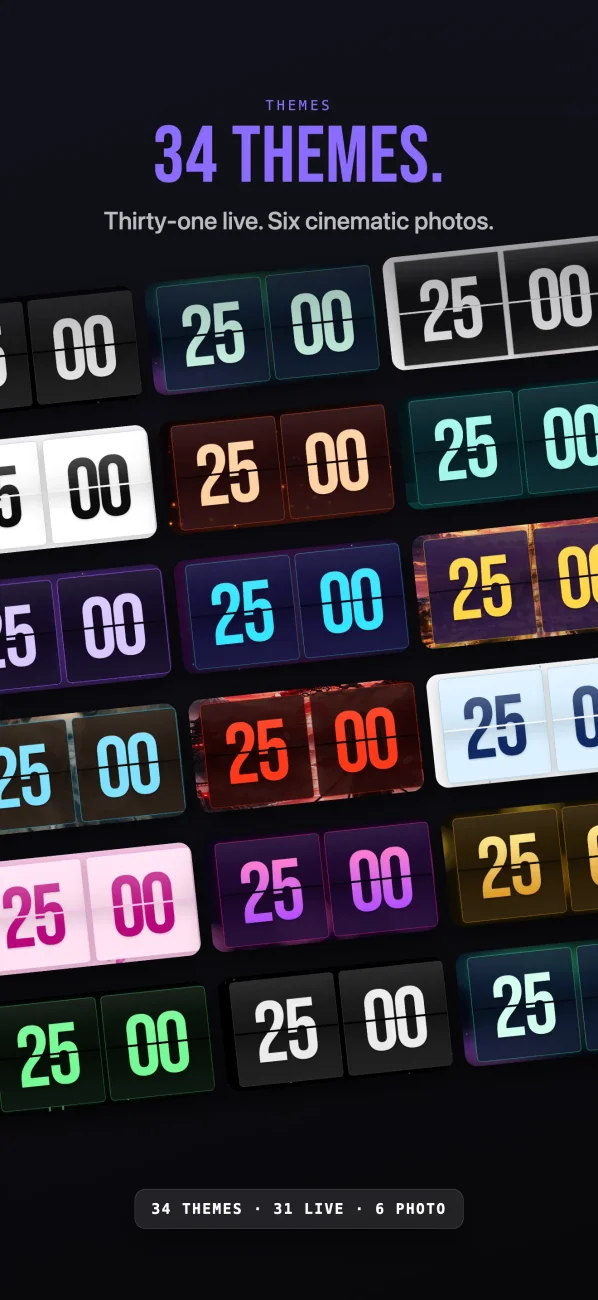
34 THEMES
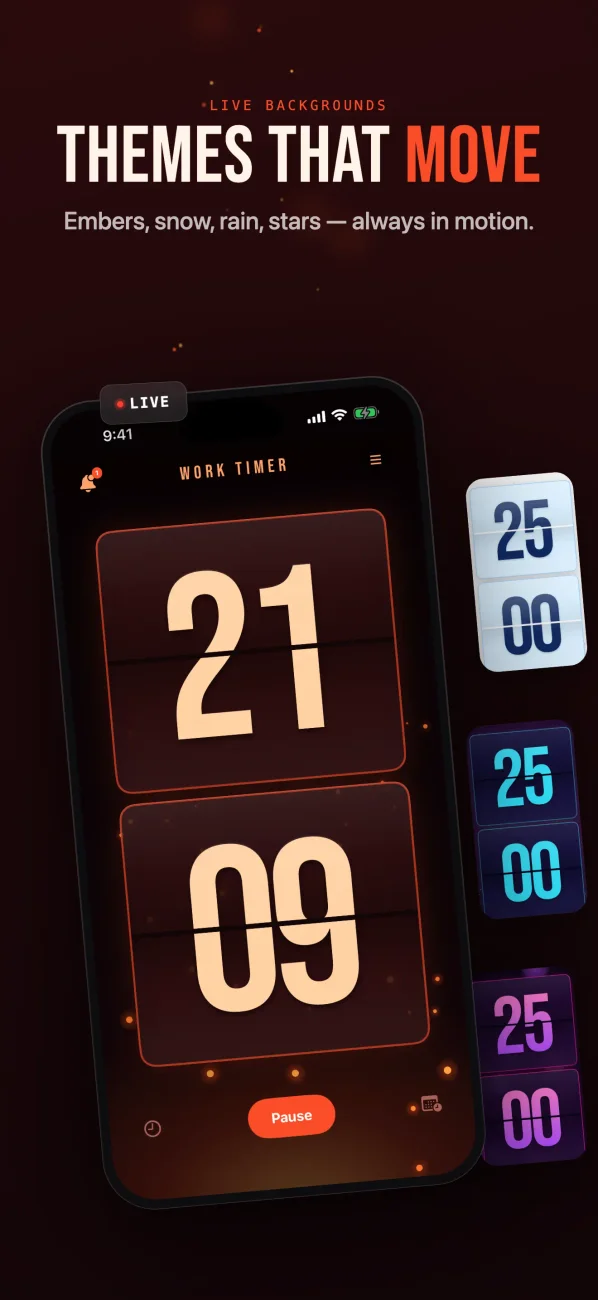
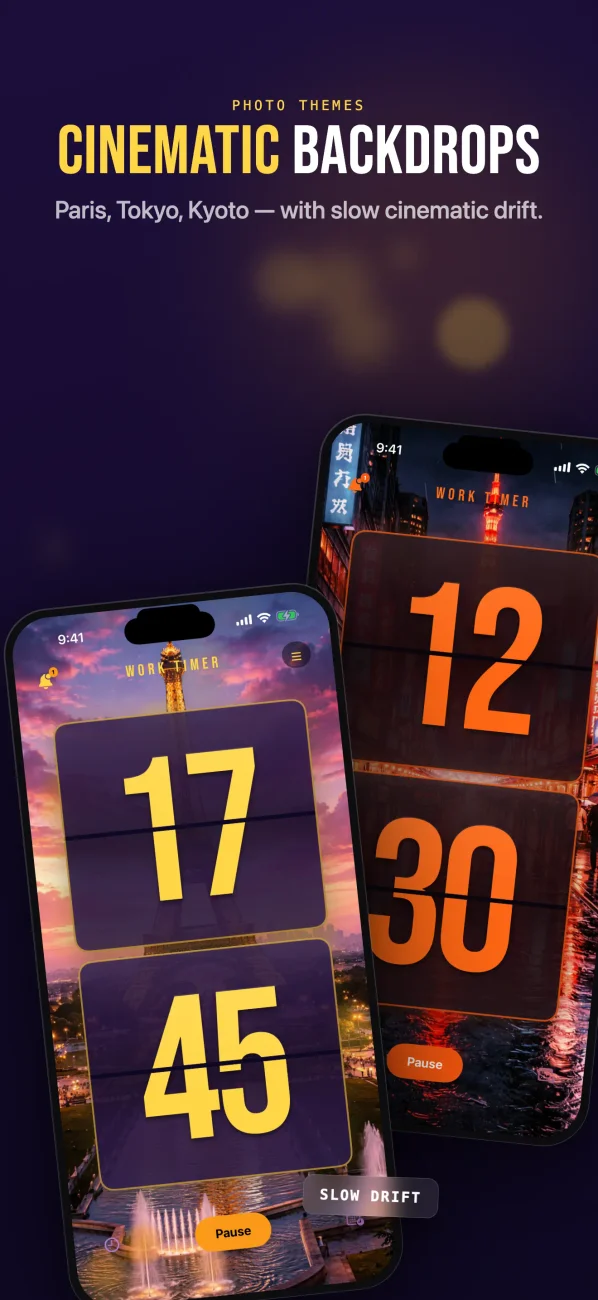
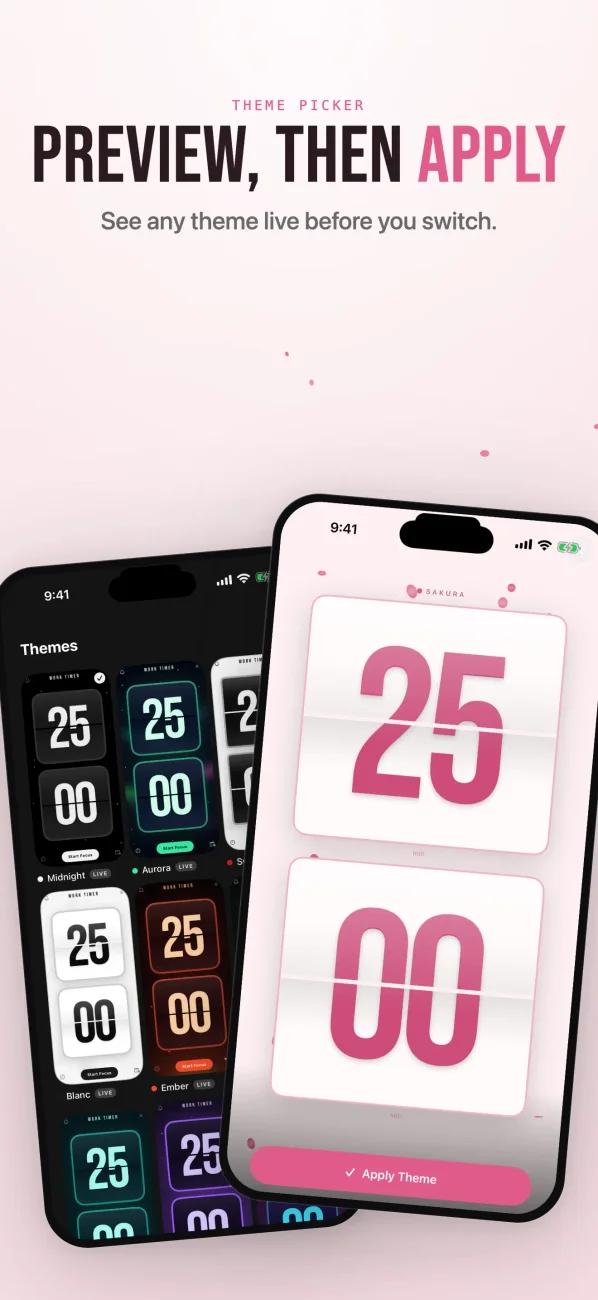
31 live themes with motion backgrounds (aurora, embers, snow, rain, stars, petals, bokeh) plus 6 cinematic photo themes with a slow, quiet drift. A premium split-flap flip clock with a real fold animation. Preview any theme live before you apply it. On the Mac, Ghost, Shadow and Dev float bare digits over your desktop, always on top.
FOCUS SOUNDS
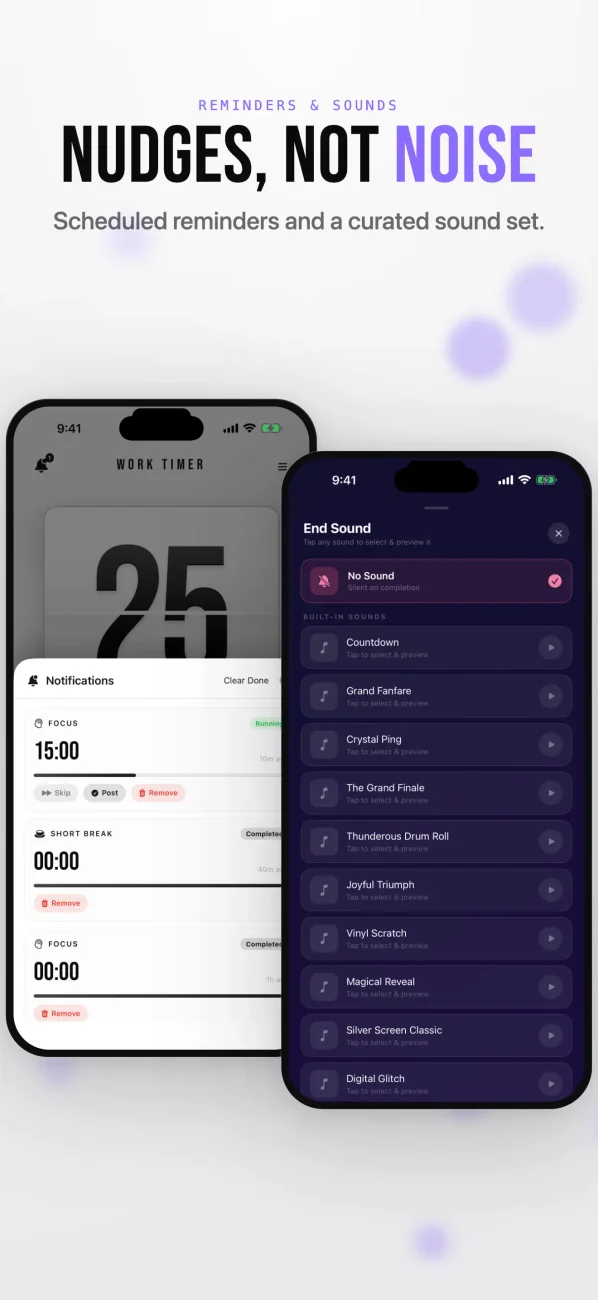
Choose from a curated library of focus and completion sounds to block distractions and stay productive.
CUSTOM SCHEDULES
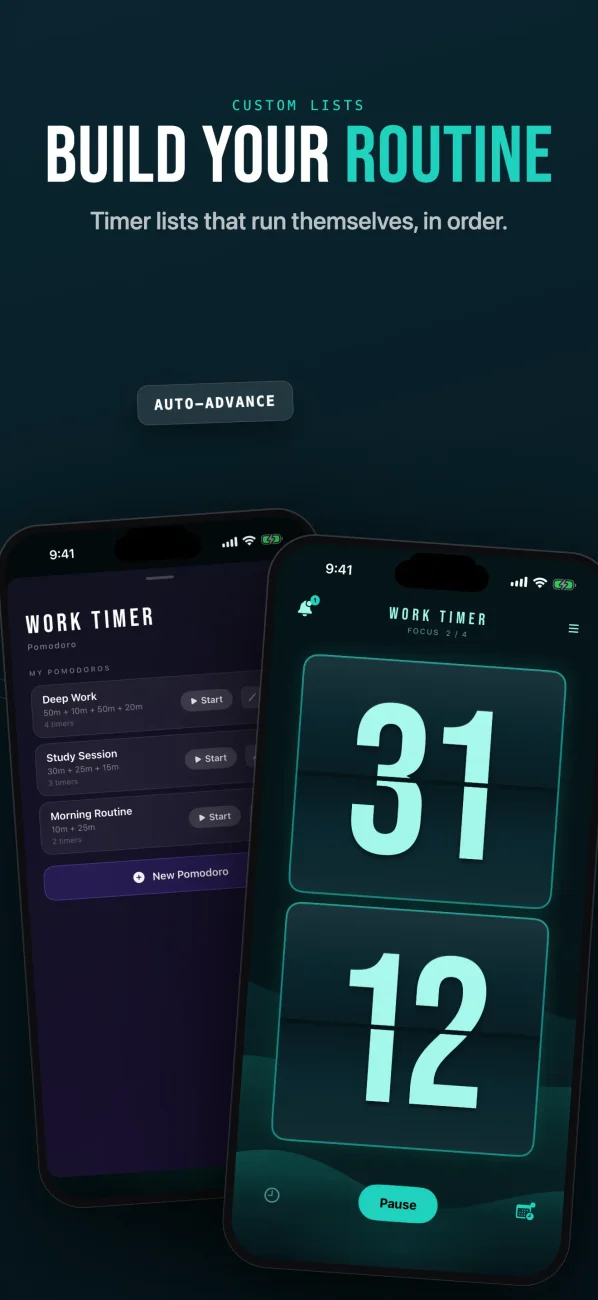
Build automated work sessions tailored to your workflow. Chain focus blocks, breaks, and timers on autopilot. Perfect for study sessions or long work days.
ANALYTICS & INSIGHTS
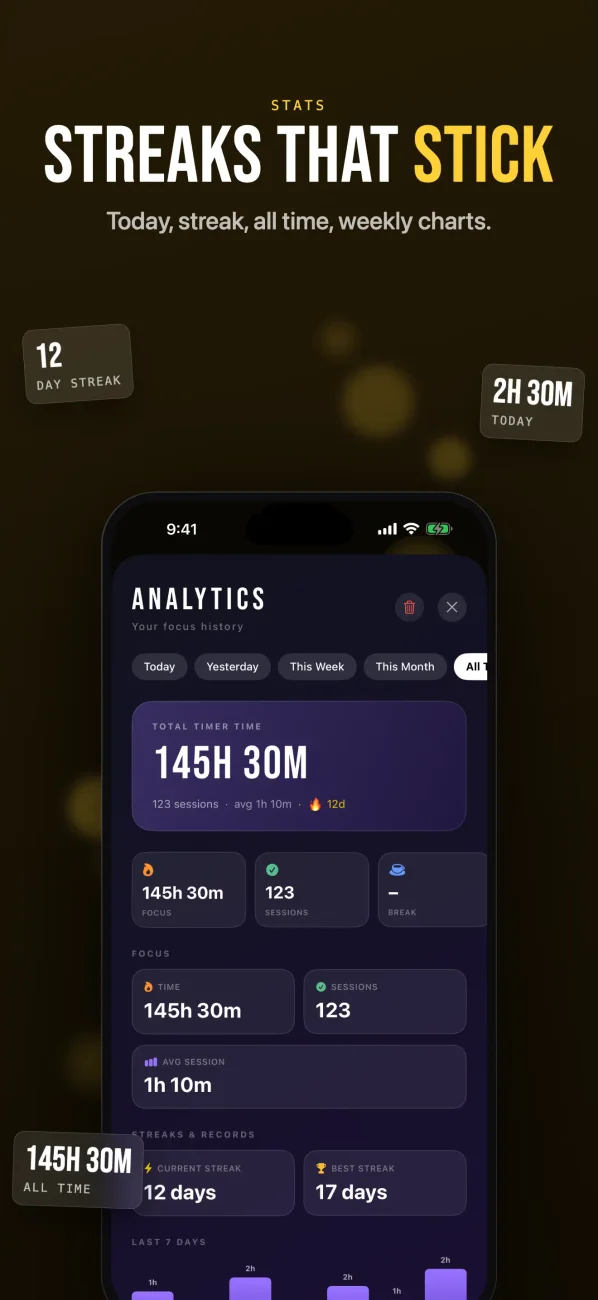
Track your daily, weekly, and monthly time across all three timer modes (Pomodoro, Countdown, and Count up). See your streaks, session counts, average duration, and productivity patterns. Filter by Today, Yesterday, Week, Month, All Time, or Custom date range.
SMART NOTIFICATIONS
Mode-aware notifications keep you informed. Customize sound, haptic feedback, and enable a 5-minute warning before your timer ends.
ZERO DISTRACTIONS
Clean, distraction-free interface. No clutter. Just you and your work. Available in English, German, French, Spanish, Italian and Dutch.
SCREEN STAYS ON
The screen stays on while your timer runs. No interruptions, no accidental locks.
PERFECT FOR
- Students studying for exams
- Remote workers and freelancers
- Developers and designers
- Writers and creatives
- Anyone who wants to stop procrastinating
FREE TO START
Work Timer is free to start. The free version includes 3 themes (Midnight, Blanc and Calm), 2 schedules and 7-day stats, supported by occasional ads delivered through Google AdMob.
WORK TIMER PRO: ONE PURCHASE
Unlock all 34 themes, unlimited custom schedules, full analytics and no ads with a single one-time purchase. No subscription to manage. Existing subscriptions renew automatically unless cancelled at least 24 hours before the end of the current period and are managed in your Apple ID settings.
Terms of Use (EULA): https://www.apple.com/legal/internet-services/itunes/dev/stdeula/
Privacy Policy: https://worktimer.io/privacy
THE POMODORO TECHNIQUE
Work 25 minutes, short break 5 minutes, repeat 4 times, long break 15 minutes. A simple routine to fight procrastination and build deep focus.
Download Work Timer and start a more productive day.
What’s new
Version 1.5 · Oct 15, 2026
- New: 14 widgets for the Home Screen and Lock Screen on iPhone and iPad: flip clock, minimal clock, analog clock, focus timer, pomodoro cycle, quick start, today, streak, schedule and quote
- 34 themes with a real split-flap flip clock: 31 with live motion backgrounds and 6 cinematic photo themes
- The app is now available in English, German, French, Spanish, Italian and Dutch
- Faster, smoother theme loading
- Bug fixes and performance improvements
App privacy
What yassine kamal declares on the App Store about how this app handles data.
-
Data used to track you
May be used to track you across apps and websites owned by other companies.
- Identifiers
- Usage data
-
Data linked to you
May be collected and linked to your identity.
- Purchases
-
Data not linked to you
May be collected but is not linked to your identity.
- Identifiers
- Usage data
- Diagnostics
Privacy practices may vary, for example with the features you use or your age.
Information
- Seller
- yassine kamal
- Category
- Productivity
- Version
- 1.5
- Updated
- Oct 15, 2026
- Released
- May 1, 2026
- Size
- 45.0 MB
- Requires
- iOS 16.1 or later
- Age rating
- 4+
- Price
- Free
- In-app purchases
- Yes
- Languages
- English, Dutch, French, German, Italian, Spanish
- Copyright
- © Work Timer 2026
You might also like
-
 Pomodoro - Focus Timer PlusBoost Focus & Productivity
-
 Aesthetic Flip Clock: FlipAuraFocus timer & pomodoro study
-
 Pomodoro Focus Study TimerProductive task timeboxing
-
 CustomerLog_clientClients & Projects Manager
-
 Count On Me TimerYour Time. Your Way.
-
 Pomodue: Focus TimerFocus timer & deep-work stats
-
 Focusin ProPomodoro focus timer & stats
-
 FocusFlow Focus TimerADHD Pomodoro & App Blocker
-
 Last Time: Habit & Event LogHow long ago? Elapsed tracker
-
 Seidō - Focus Timer & PomodoroStudy Timer & Deep Work