
WorkHourly: Work Hours Tracker
Shift Schedule & Clock In/Out
Designed for iPhone, iPad
Free · In-app purchases
- Age rating4+
- CategoryBusiness
- DeveloperAleksei Bukhtin
- LanguagesEnglish+ 32 more
- Size22.0 MB
Links to the official App Store page
Download.org hosts no file of WorkHourly: Work Hours Tracker. The button opens its official App Store page, published by Aleksei Bukhtin. Listing last checked on Nov 24, 2026.
Screenshots
About
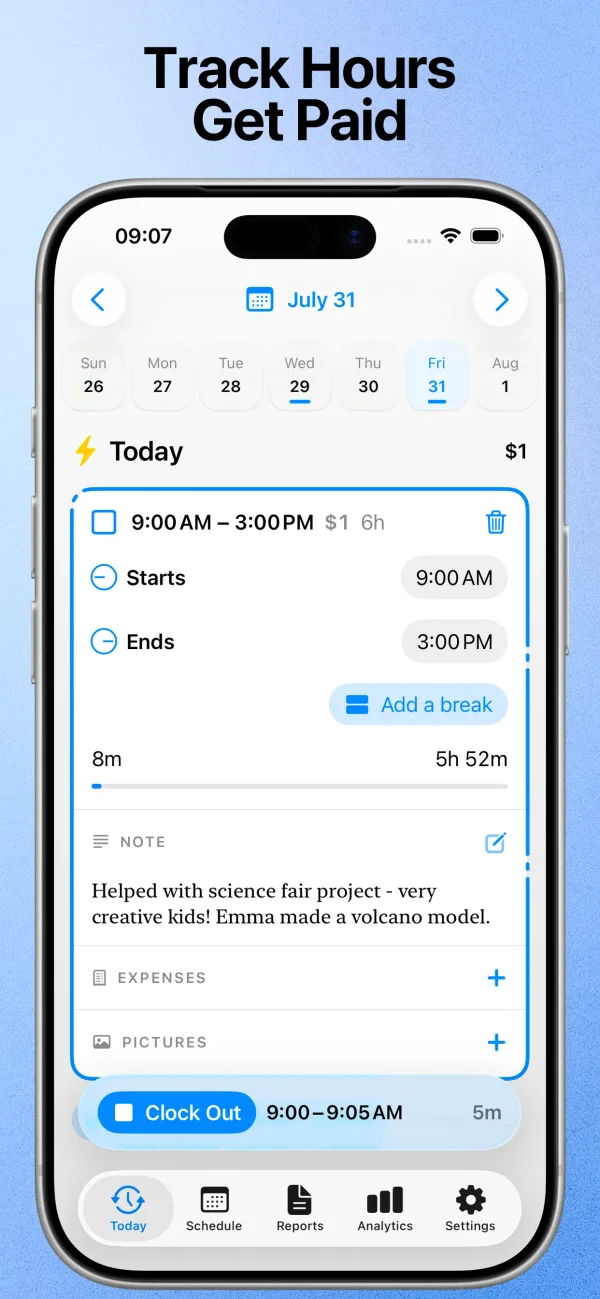
Clock in with one tap. Or add a shift in seconds and tick it off when it's done. WorkHourly turns the hours you work into invoices that actually get paid.
Built for freelancers, contractors, and anyone paid by the hour — across as many clients as you have. Rebuilt around the way hourly work actually happens: clean shift cards you can read in a glance, a week you can plan in a few taps, and reports that finally make sense.
TRACKING THAT FITS HOW YOUR DAY ACTUALLY GOES
Some days you just start working and sort it out later. Some days you know the plan in advance. WorkHourly handles both.
• Tap once to clock in, and watch your earnings add up live while you work
• Or add the shift up front and simply check it off when it's done
• Several shifts in one day, split across different clients
• Add a break with one tap — the shift splits around it, so the unpaid gap never lands in your billable total
• Set your usual break length once and it drops into the sensible point in the day; remove it and the two halves merge back together
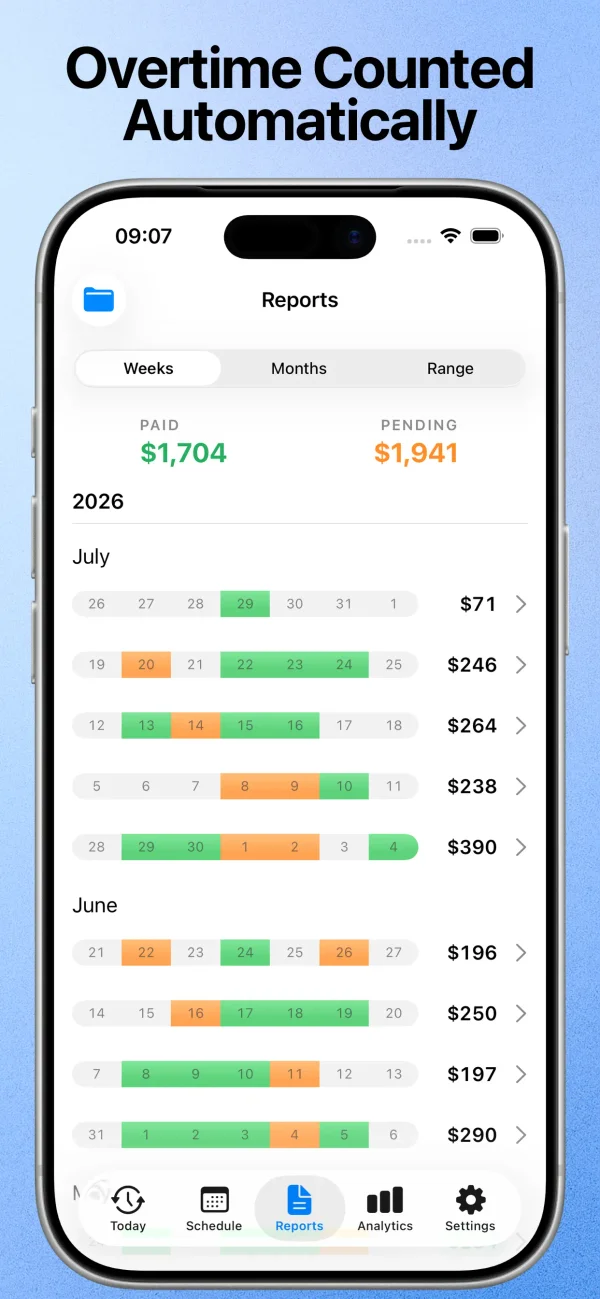
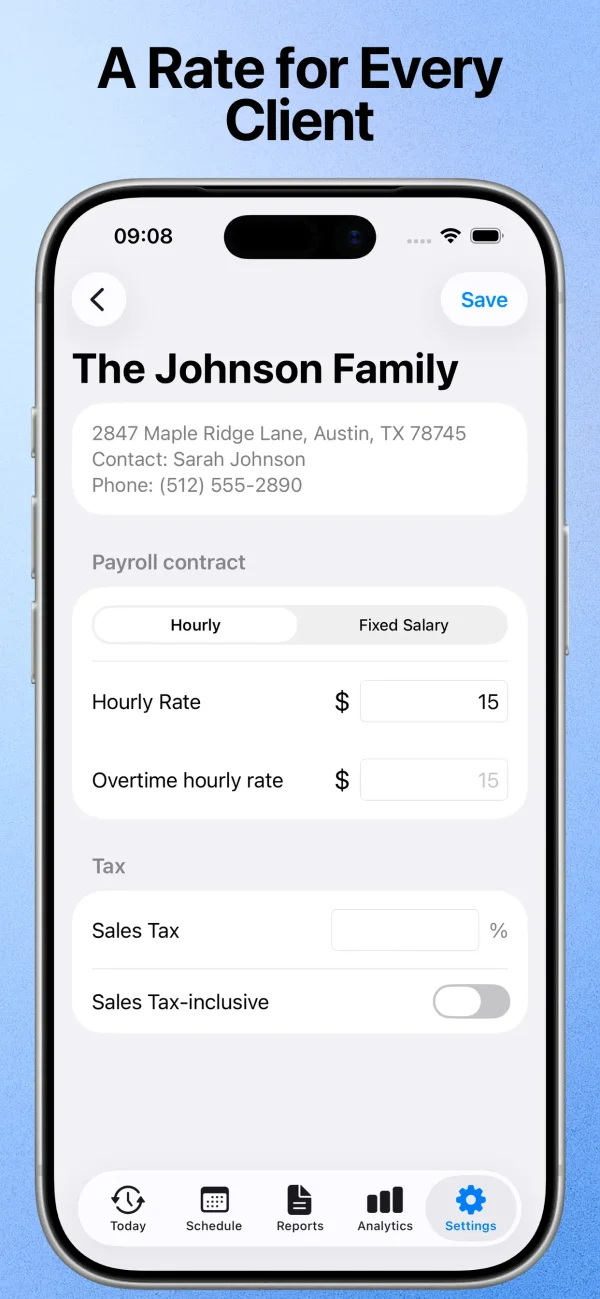
• Overtime and salary calculated automatically from each client's rules
• Works completely offline — no account, no registration, no sign-up wall
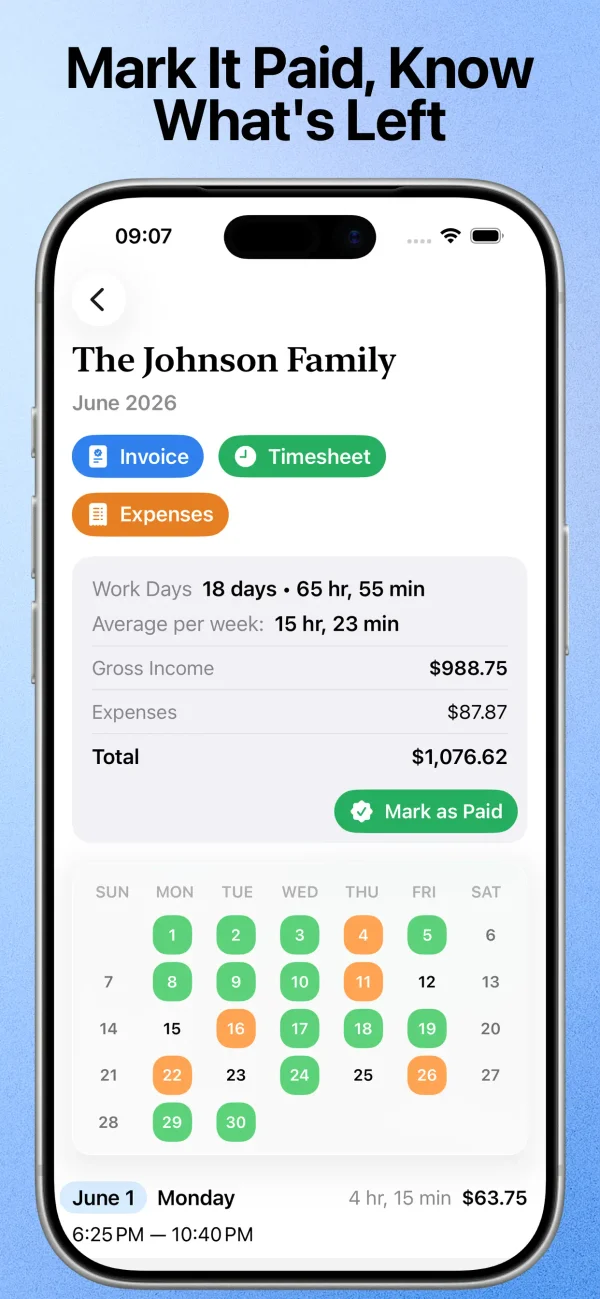
KNOW WHAT YOU'RE STILL OWED
The hard part of hourly work isn't tracking it. It's remembering who has actually paid you.
• Mark shifts as paid or still pending, client by client
• A paid-versus-pending summary for every client, so you chase the right invoice
• Nothing quietly slips through the gap between one job and the next
RATES THAT CHANGE WITHOUT REWRITING YOUR HISTORY
• Set hourly rate, salary type, and tax per client
• Raise a rate and pick the date it takes effect
• Past shifts keep the pay they were worth at the time, so your history and analytics stay honest
INVOICES YOU'LL BE HAPPY TO SEND
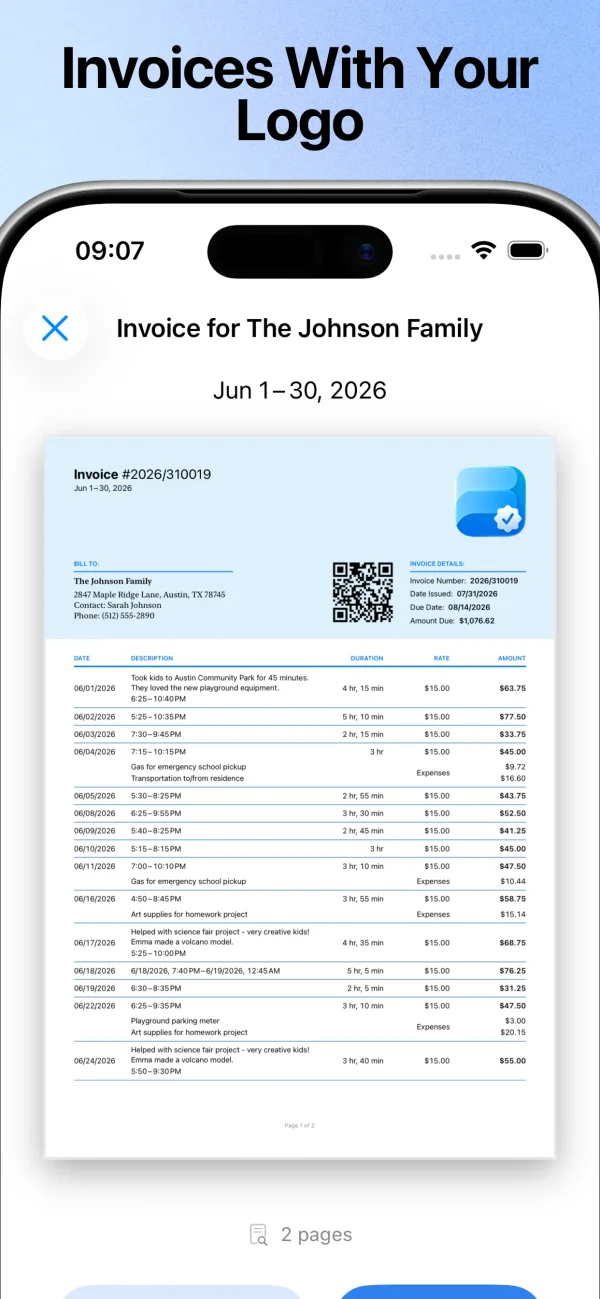
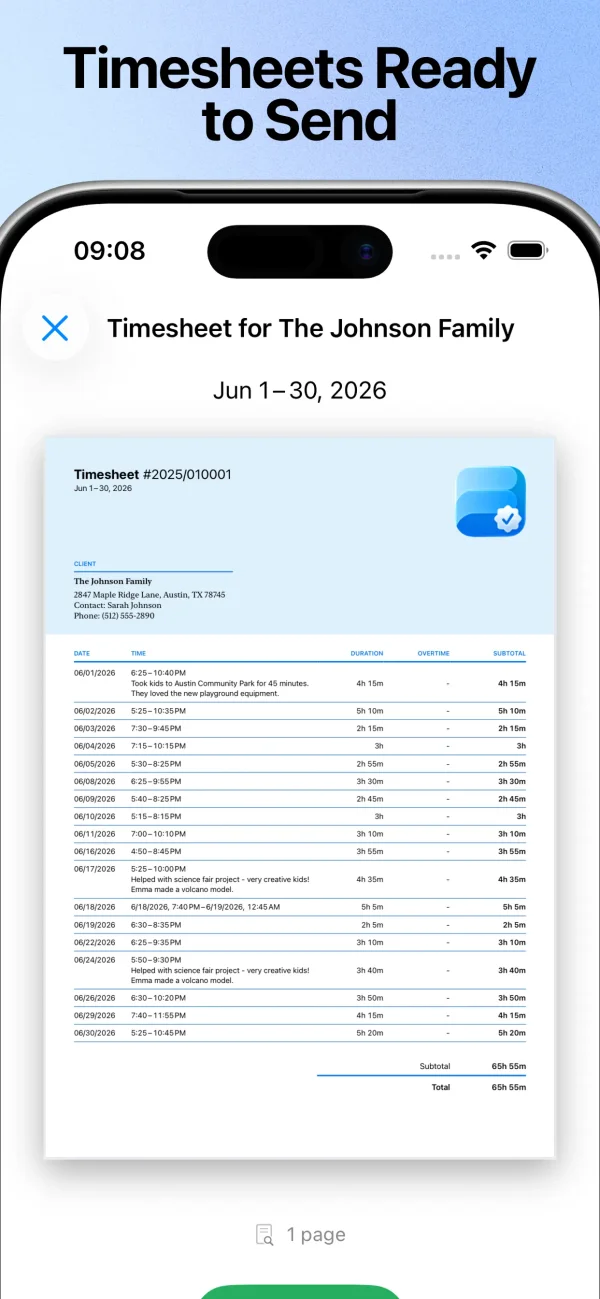
• Professional PDF invoices and timesheets
• Drop in your logo — background removed, edges trimmed, and its colors pulled out as ready-made invoice swatches
• Live preview while you set up your branding, so nothing is a surprise
EVERY COST WHERE IT BELONGS
• Log expenses against the exact shift they came from — mileage, materials, parking, whatever it was
• Notes and photos on any shift, for the details you'll want months from now
• Costs flow straight through to the invoice
PLAN THE WEEK BEFORE IT STARTS
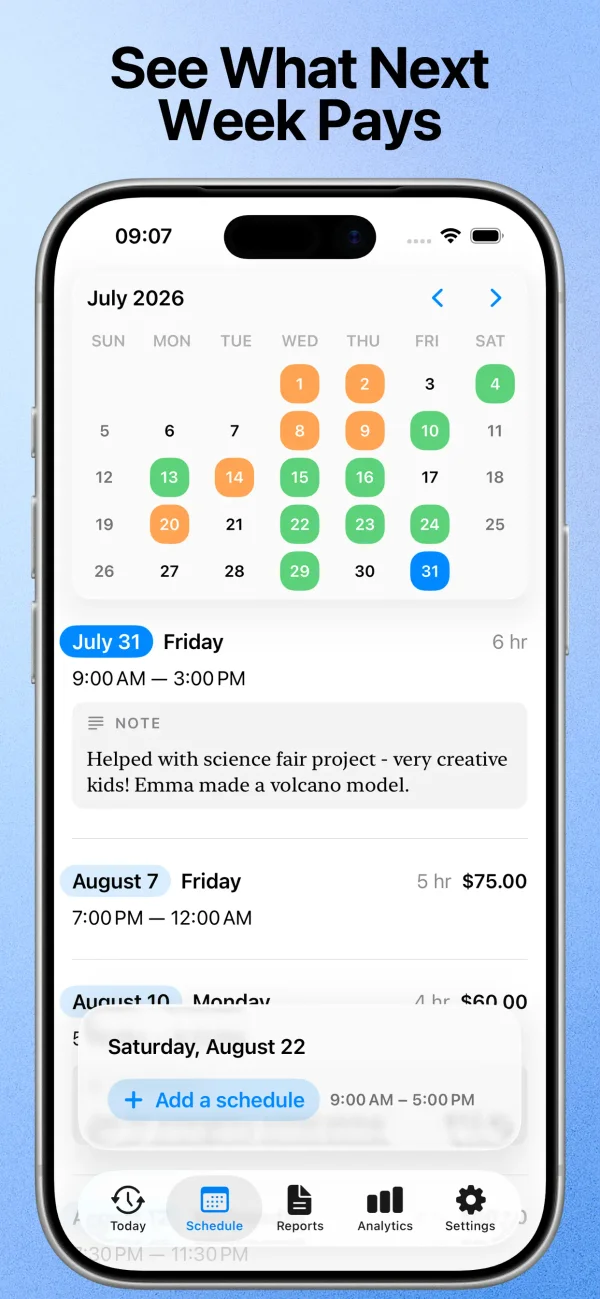
• A calendar and a running list side by side — planned and worked shifts in one view
• Estimated earnings on every upcoming shift, so you know what the week is worth before it starts
• Reminders so a worked day never goes unlogged
• Home Screen widgets and a Live Activity, so tracking never needs the app open
REPORTS YOU CAN ACTUALLY READ
• Week, month, or any custom date range you pick
• A calendar view showing worked days, hours, and overtime at a glance
• Every entry tagged PAID or PENDING
• Export any range as a PDF timesheet or invoice
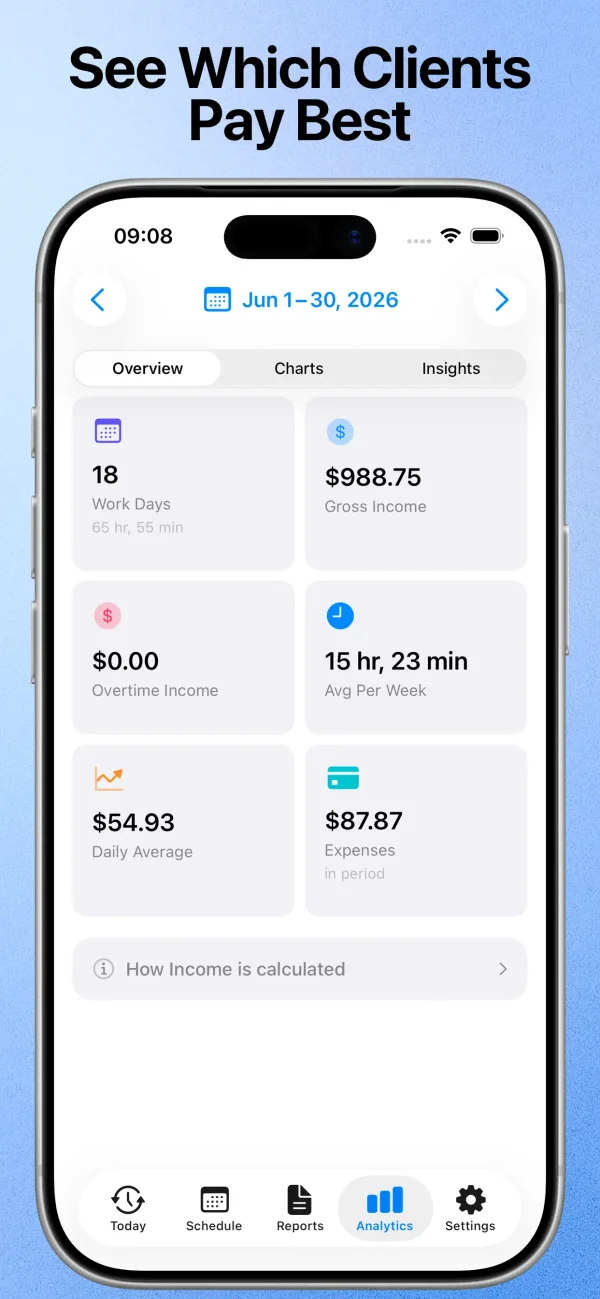
SEE WHERE THE MONEY COMES FROM
• Which clients are genuinely worth your time
• Your busiest and most profitable hours
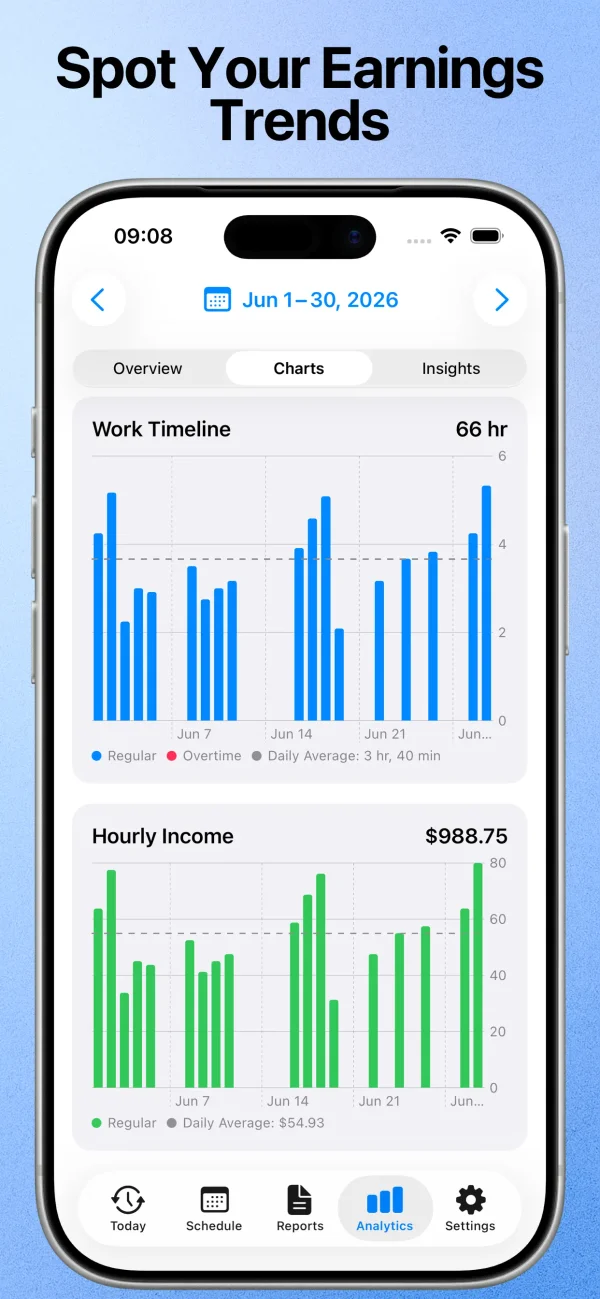
• Income trends across weeks and months, in charts that surface what a spreadsheet hides
Available in 34 languages. No account, no sign-up, no ads — your records stay on your device and in your own iCloud.
WorkHourly Pro is available as a monthly or annual subscription, or as a one-time lifetime purchase.
Terms of Use: https://www.apple.com/legal/internet-services/itunes/dev/stdeula/
What’s new
Version 2.9 · Nov 22, 2026
Bug Fixes
We have fixed some bugs and improved performance to enhance your experience.
App privacy
What Aleksei Bukhtin declares on the App Store about how this app handles data.
-
Data not linked to you
May be collected but is not linked to your identity.
- Usage data
Privacy practices may vary, for example with the features you use or your age.
Information
- Seller
- Aleksei Bukhtin
- Category
- Business
- Version
- 2.9
- Updated
- Nov 22, 2026
- Released
- Aug 13, 2025
- Size
- 22.0 MB
- Requires
- iOS 17.2 or later
- Age rating
- 4+
- Price
- Free
- In-app purchases
- Yes
- Languages
- English, Bulgarian, Croatian, Czech, Danish, Dutch, Estonian, Finnish, French, German, Greek, Hungarian + 21 more
- Copyright
- © 2025 WorkHourly
You might also like
-
 Hours Tracker: Work Log & PayShift Clock In & Overtime Calc
-
 Timesheet & Time Card TrackerWork Hours & Pay Calculator
-
 Salary & Overtime TrackerCalculate Your Monthly Pay
-
 WorkTime AutoTrack hours, estimate earnings
-
 Hours Tracker: Planck TimeTimesheet & Pay Calculator
-
 WorkLog: Time & Shift TrackerTimesheet & Pay Calculator
-
 Work Hours Tracker TimesheetTime Clock, Shifts, Overtime
-
 WorkHours – Time TrackerTrack Daily Work Hours
-
 Salary Calculator - Track PayTrack Hourly Wages & Income
-
 Hours Tracker: Time + PayWage Calculator & Timesheet