
WorkshopCut: Cut List Planner
Plywood & MDF Sheet Optimizer
Designed for iPhone, iPad
Free · In-app purchases
- Age rating4+
- CategoryProductivity
- DeveloperBruno Petkovic
- LanguagesEnglish+ 32 more
- Size18.0 MB
Links to the official App Store page
Download.org hosts no file of WorkshopCut: Cut List Planner. The button opens its official App Store page, published by Bruno Petkovic. Listing last checked on Nov 26, 2026.
Screenshots
About
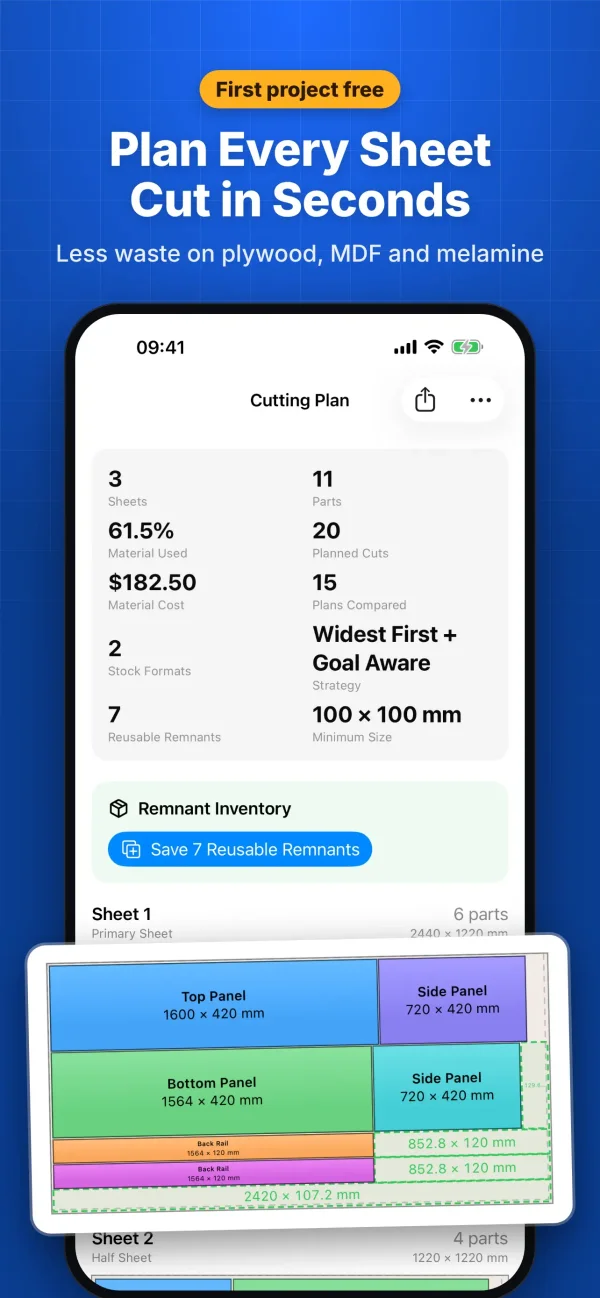
Waste less material on every build. WorkshopCut turns your cut list into an efficient sheet layout and a step-by-step cutting sequence, accounting for kerf, edge trim and grain.
Your first project is free. Premium unlocks unlimited projects and parts, PDF export, Workshop Mode, CSV import/export, remnant inventory, multiple materials per project and cutting service pricing. New subscribers get a 7-day free trial on the yearly plan.
Stop guessing how to arrange parts and start cutting with a clear plan.
WorkshopCut turns a cut list into optimized 2D sheet layouts for plywood, MDF, melamine, OSB, particleboard, and other panel materials. Enter your stock sizes and required parts, then generate a practical cutting plan that accounts for real workshop constraints.
OPTIMIZE MATERIAL
• Compare multiple layout strategies
• Minimize sheets, improve material use, simplify cuts, or reduce cost
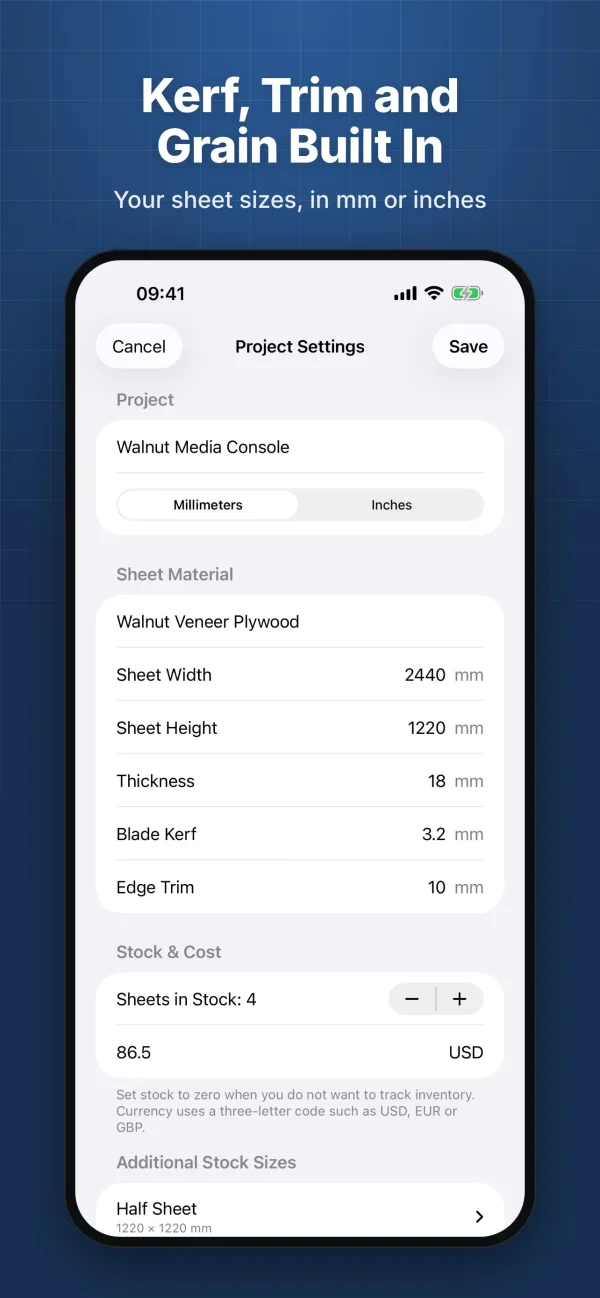
• Account for saw kerf and edge trim
• Respect grain direction and rotation locks
• Plan with multiple stock sizes, quantities, and prices
• See utilization, cut counts, costs, and reusable remnants
• Plan several materials and thicknesses in one project
• Estimate panel-shop cutting charges per cut, metre or sheet
CUT WITH CONFIDENCE
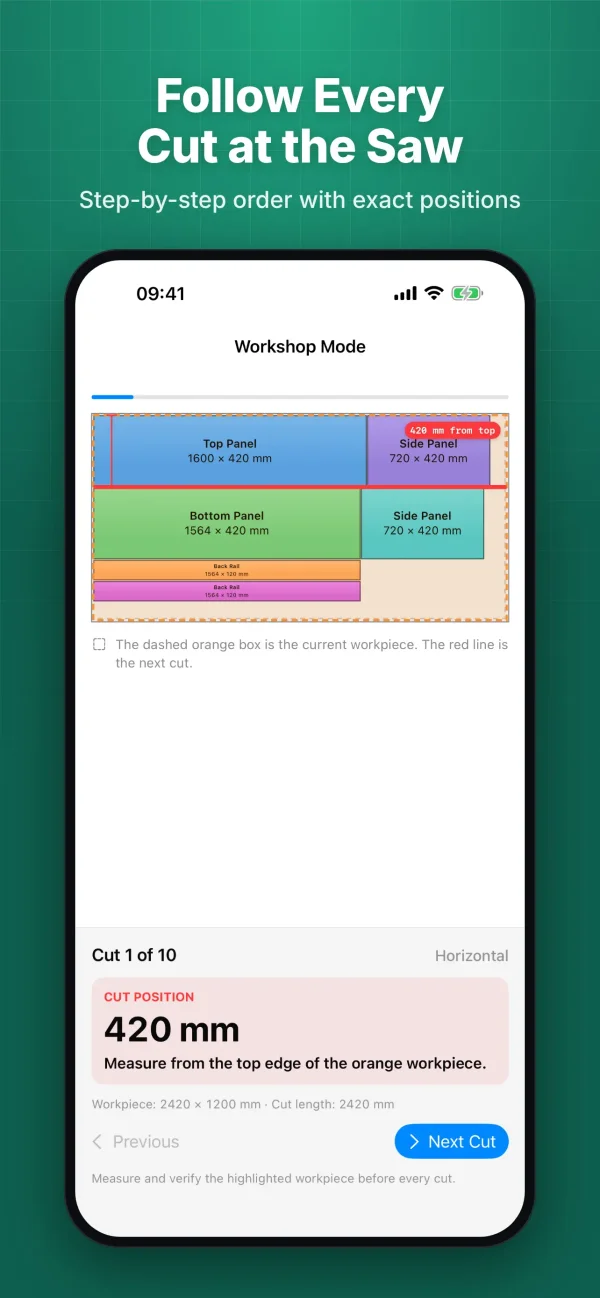
• Follow every cut in step-by-step Workshop Mode
• See the active workpiece, cut direction, and exact cut position
• Inspect, zoom, and select individual parts
• View clear dimensions directly on the sheet layout
• Track edge banding on each side of a part
SAVE AND REUSE OFFCUTS
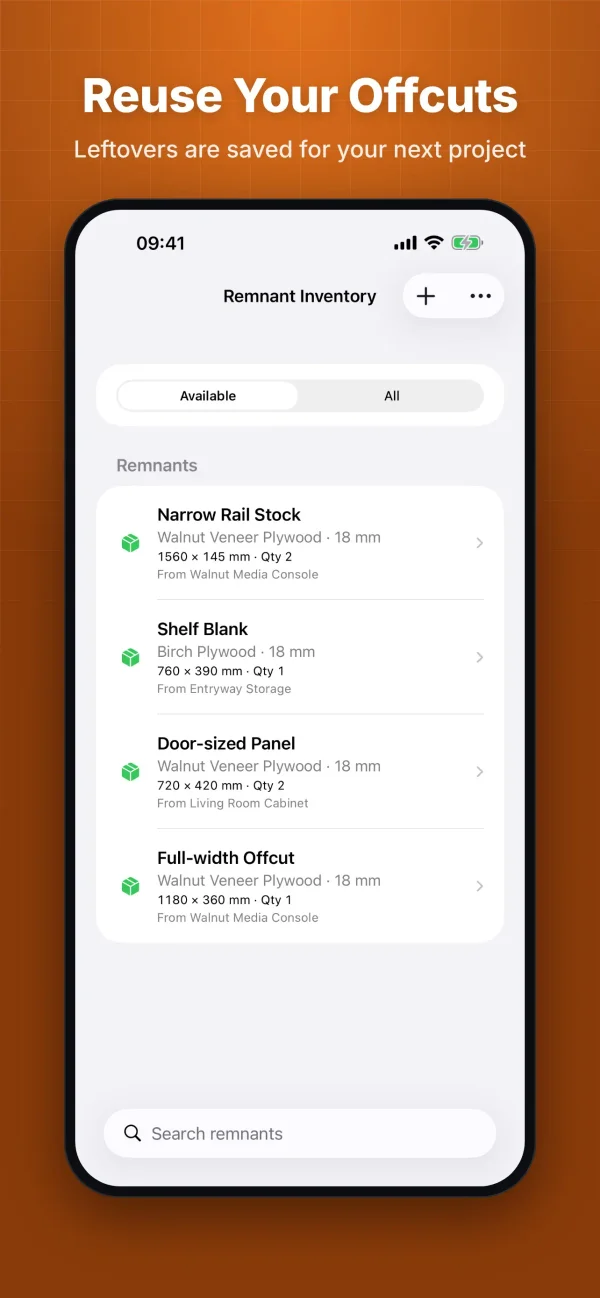
• Identify useful leftover material automatically
• Save remnants to your inventory
• Include compatible remnants in future optimizations
• Track available and consumed offcuts
EXPORT COMPLETE PLANS
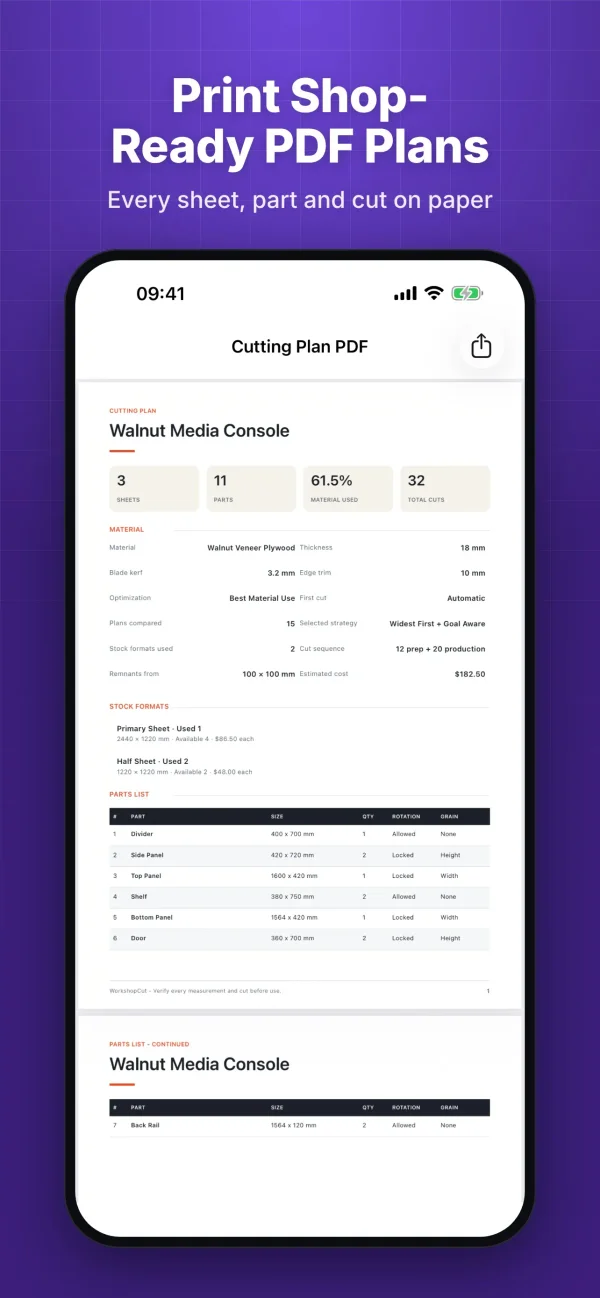
• Create detailed, workshop-ready PDF cutting plans
• Include every sheet, part, measurement, and cut sequence
• Import or export part lists with CSV
• Share plans for printing or workshop use
BUILT FOR REAL PROJECTS
• Millimeters or inches
• Decimal and fractional measurements
• Projects for cabinets, furniture, shelving, kitchens, closets, and DIY builds
• Clean native experience for iPhone and iPad
• Projects sync privately across your devices with iCloud
WorkshopCut is designed for woodworkers, cabinet makers, carpenters, furniture builders, DIY makers, and anyone who cuts sheet goods.
Measure carefully and verify every dimension and cut before using a generated plan in your workshop.
Terms of Use (EULA): https://www.apple.com/legal/internet-services/itunes/dev/stdeula/
What’s new
Version 1.2.2 · Nov 24, 2026
Improvements and bug fixes.
App privacy
What Bruno Petkovic declares on the App Store about how this app handles data.
-
Data not linked to you
May be collected but is not linked to your identity.
- Purchases
- Location
- Usage data
Privacy practices may vary, for example with the features you use or your age.
Information
- Seller
- Bruno Petkovic
- Category
- Productivity
- Version
- 1.2.2
- Updated
- Nov 24, 2026
- Released
- Jul 29, 2026
- Size
- 18.0 MB
- Requires
- iOS 18.0 or later
- Age rating
- 4+
- Price
- Free
- In-app purchases
- Yes
- Languages
- English, Arabic, Catalan, Croatian, Czech, Danish, Dutch, Finnish, French, German, Greek, Hebrew + 21 more
- Copyright
- © 2026 Bruno Petkovic
You might also like
-
 2D Cut – Cutting OptimizerPanel & sheet cut list planner
-
 Cut List Optimizer: SawKitPlywood Sheet Cutting Planner
-
 Cutly: Cut List OptimizerCutting Diagram PDF
-
 FINOpti — Cut List OptimizerOptimize melamine & MDF cuts
-
 Cutlist: Cabinet PlannerSheets, Boards & Cut Diagrams
-
 CutList: Panel Cutting PlannerSheet & MDF cutting optimizer
-
 Cut AssistantProductivity
-
 Woodworking Cut-List OptimizerPlan cuts. Waste less.
-
 QuickDIY - Sketch & BuildSketch & Build
-
 Kesim: Cut List OptimizerPlywood cut plans, less waste