
yPrompt: Teleprompter & Script
Notch & Webcam Video Prompter
Designed for iPhone, iPad, Mac
Free · In-app purchases
- Age rating4+
- CategoryPhoto & Video
- DeveloperGiuseppe Pio Cosenza
- LanguagesEnglish+ 18 more
- Size15.0 MB
Links to the official App Store page
Download.org hosts no file of yPrompt: Teleprompter & Script. The button opens its official App Store page, published by Giuseppe Pio Cosenza. Listing last checked on Nov 23, 2026.
Screenshots


About
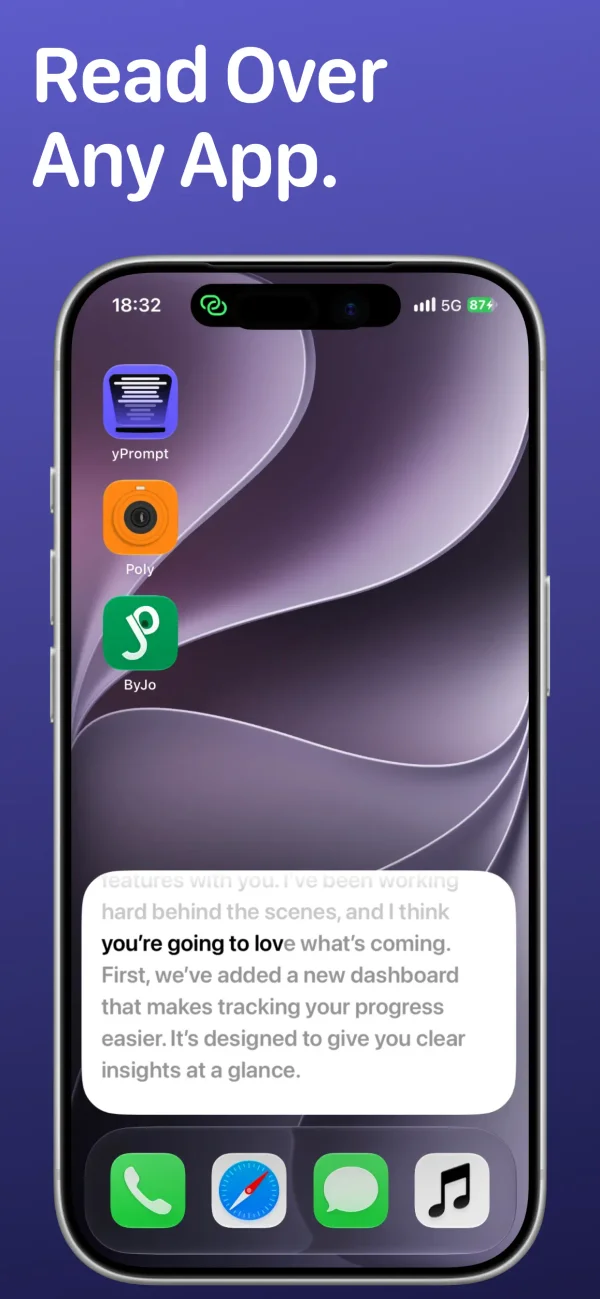
yPrompt is the professional teleprompter for creators, speakers, and broadcasters. Whether you're recording a YouTube video, delivering a keynote, or hosting a podcast, yPrompt keeps your words flowing naturally — without anyone knowing you're reading a script.
FOUR WAYS TO READ
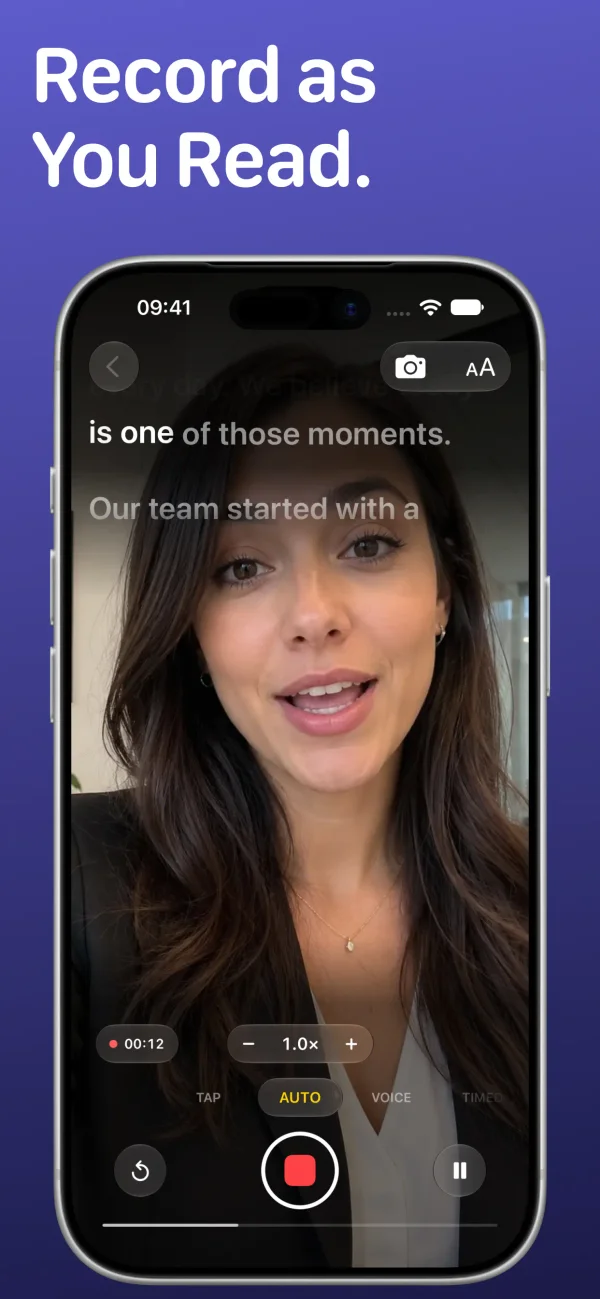
• Auto — Smooth continuous scroll at your chosen pace
• Tap — Advance each line manually with a single tap
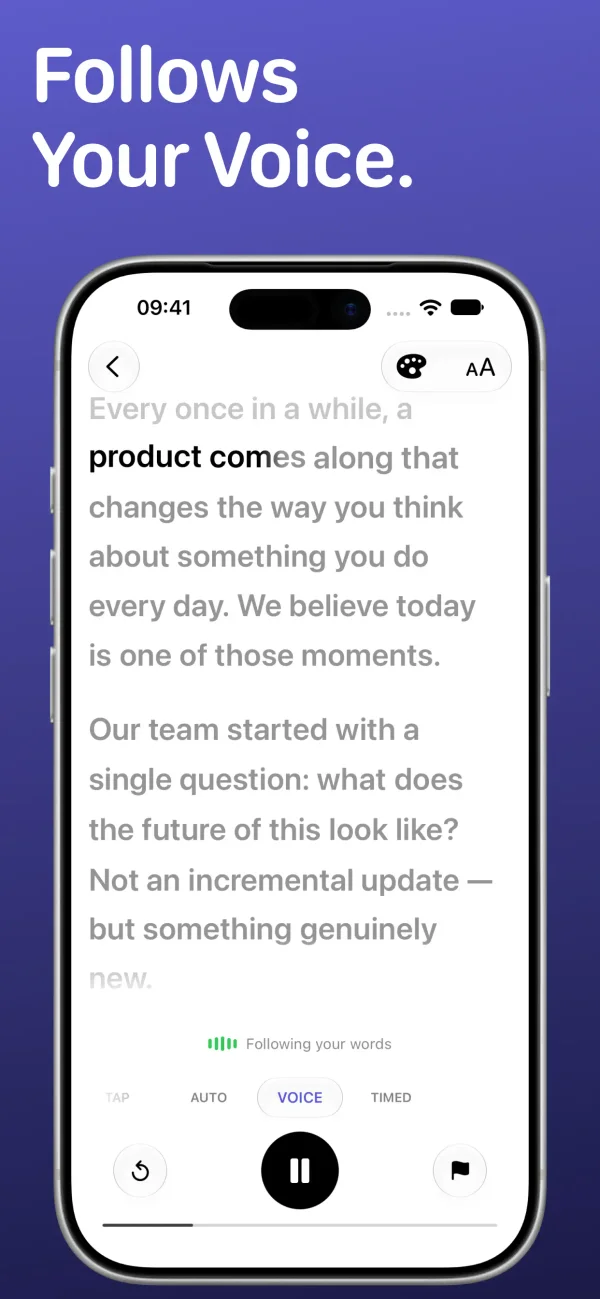
• Voice — The script follows your words as you speak and waits when you pause
• Timed — Auto-pace your delivery to hit a target duration every time
LYRICS STYLE
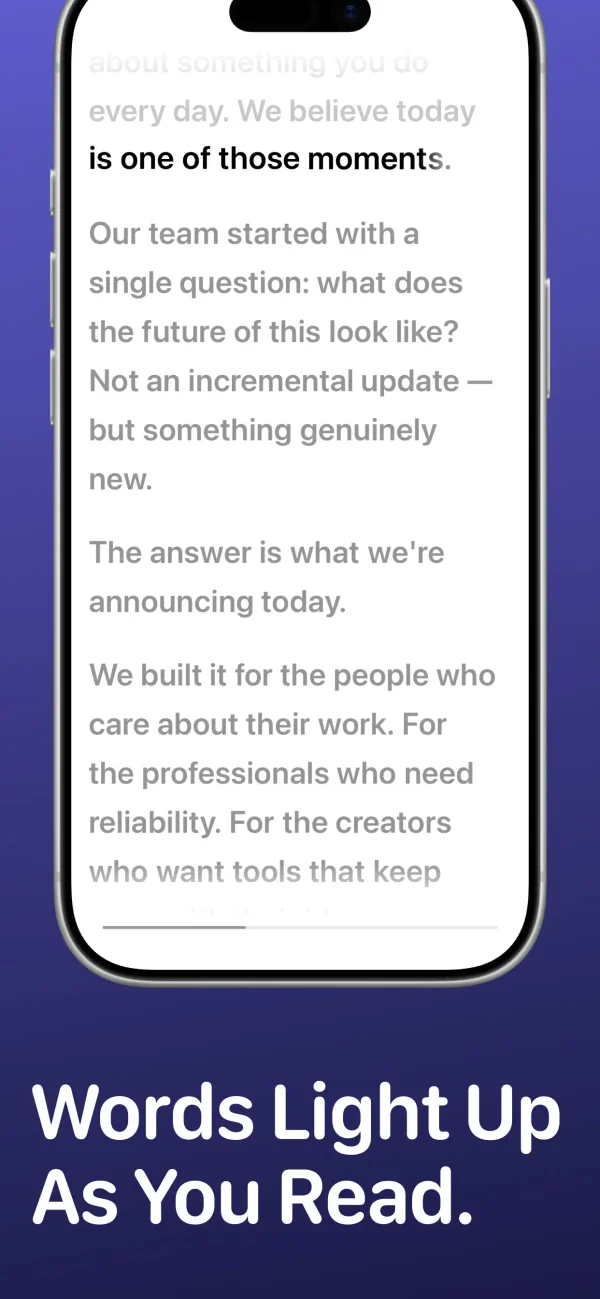
Every word lights up as you read, like song lyrics. Upcoming lines stay sharp, so you can always read ahead.
RECORD AS YOU READ
On iPhone and iPad, your script sits right under the camera, so you look straight into the lens. Or choose Audio Only to record just your voice.
EDIT IN SECONDS
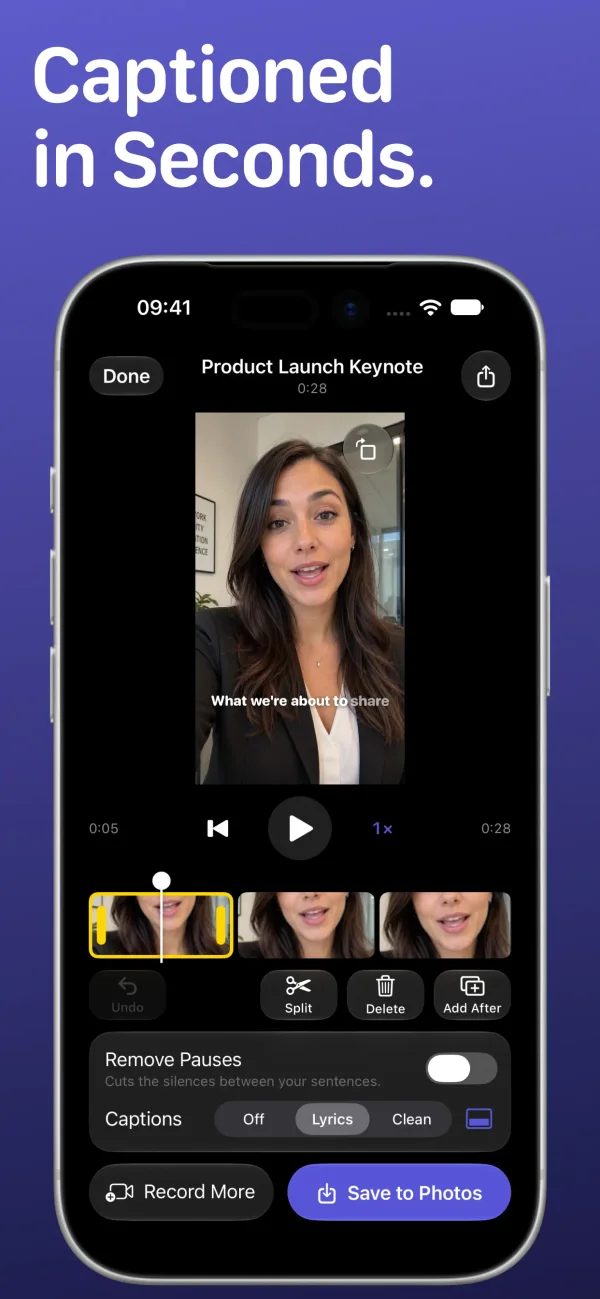
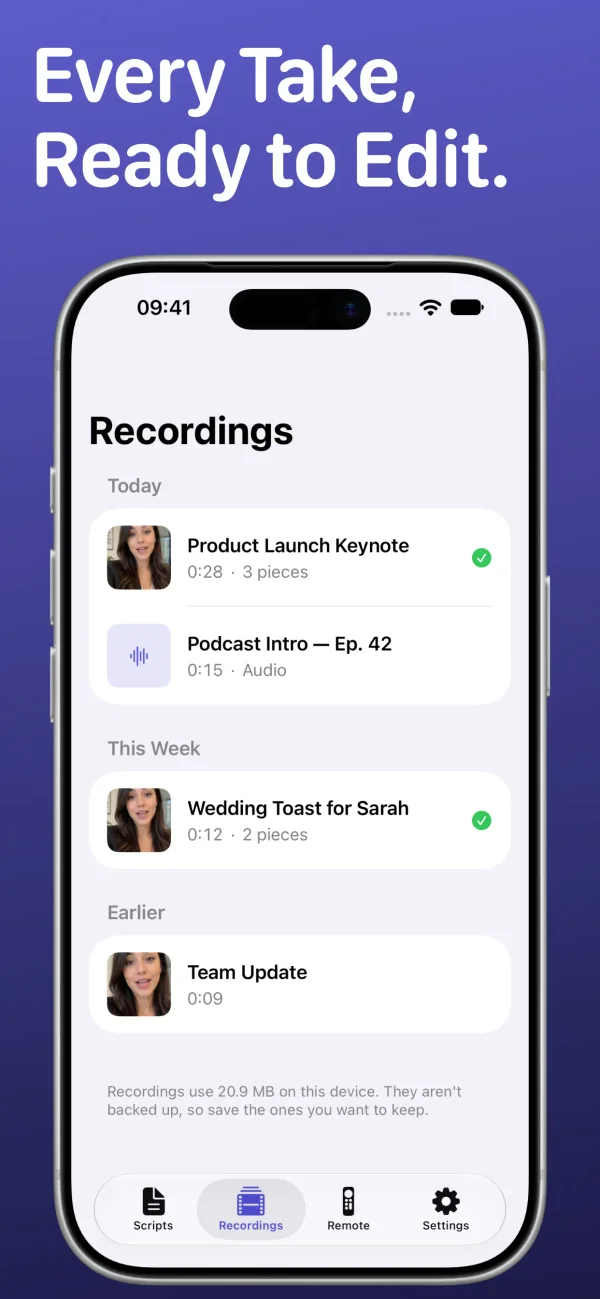
Every take lands in the Recordings tab. Cut, trim and reorder pieces, remove the pauses between sentences, and record more right where you left off: the script carries on from your last word. Add captions spelled exactly like your script, in Lyrics or Clean style. Save videos to Photos, or share audio with its transcript and subtitles.
BUILT FOR EVERY APPLE DEVICE
yPrompt runs natively on iPhone, iPad, Mac, and Apple Watch. On Mac, a floating window hovers just below your webcam — or use the notch teleprompter for a discreet readout built into your display — so you look straight into the lens while delivering every word. On iPhone and iPad, the controls step aside while you read.
FULL VISUAL CONTROL
Customize text size, colors, line height, text alignment, transparency, and mirror mode — per script. Your mode, speed, and text size carry over, so there's nothing to set up again.
SCRIPT ORGANIZATION
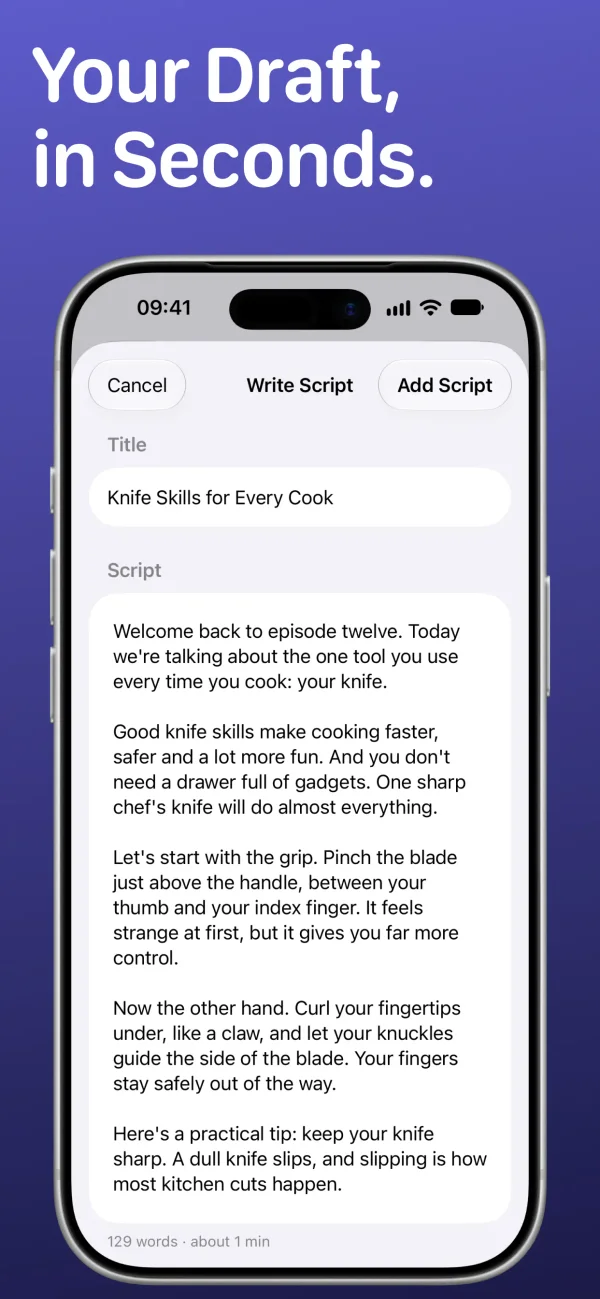
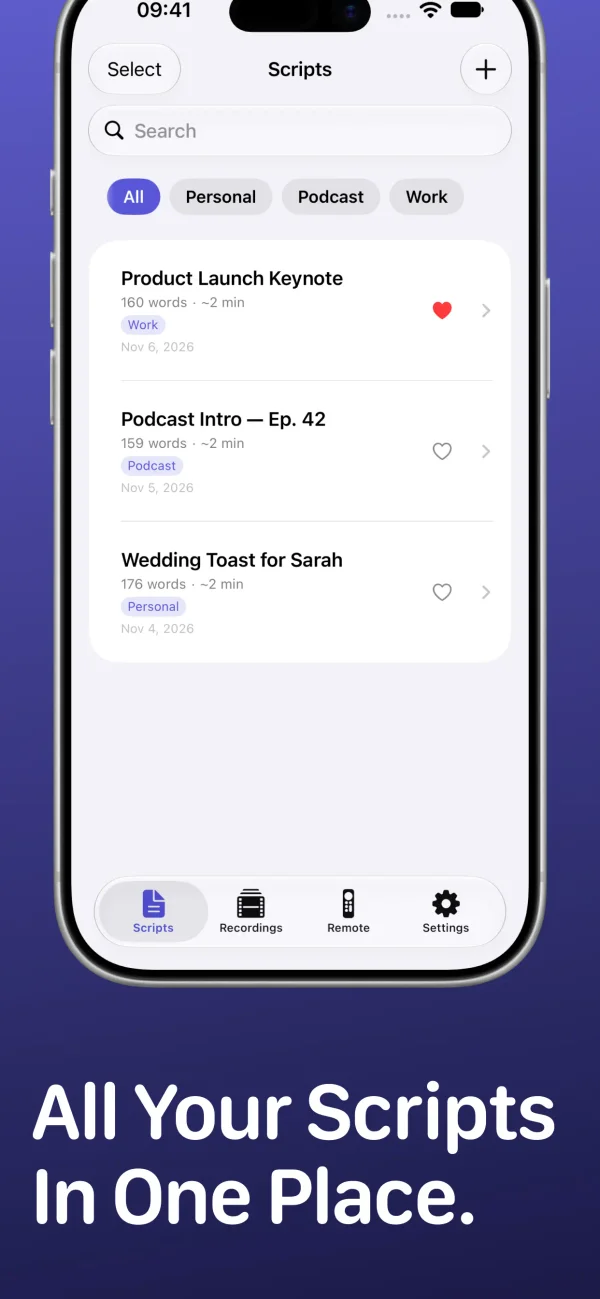
Write from scratch, paste any text, or import a file. Organize scripts with tags, mark favorites, and search instantly. Build play queues to run multiple scripts back-to-back — perfect for long presentations or multi-segment shoots.
CUE POINTS
Drop markers anywhere in a script to jump between key sections instantly during a live session.
REMOTE CONTROL
Control your Mac teleprompter directly from your iPhone over Wi-Fi or Bluetooth. Or use your Apple Watch for subtle wrist-based control during live presentations — without touching your phone.
iCLOUD SYNC
All your scripts sync automatically across every device signed into your iCloud account.
yPrompt Free includes camera and audio recording, captions and editing, up to 3 scripts, Auto and Tap reading, preset colors, iCloud sync, and the floating window on Mac — no account required. On the free plan, videos carry a small "Made with yPrompt" mark.
yPrompt Pro unlocks:
• No yPrompt Mark on Videos
• Voice Scroll
• Lyrics Style
• Timed Mode
• Unlimited Scripts
• Mac Notch Teleprompter
• iPhone Remote
• Custom Colors
• All future Pro features
Try the annual plan free for 7 days, choose a weekly subscription, or get Lifetime access with a single one-time purchase.
Payment is charged to your Apple ID at purchase confirmation. Subscriptions renew automatically until cancelled. Manage or cancel anytime in your Apple ID settings.
Terms of use: https://www.apple.com/legal/internet-services/itunes/dev/stdeula/
Privacy policy: https://yprompt.app/privacy
What’s new
Version 1.0.8 · Nov 22, 2026
• Picture in Picture (Pro): keep your script floating over the Camera app, social apps or a video call
• Write a first draft with Apple Intelligence, right on your iPhone or iPad
• Start and stop recordings from your Apple Watch
• Siri and Shortcuts: start the teleprompter or a recording with your voice
• Other fixes and improvements
App privacy
What Giuseppe Pio Cosenza declares on the App Store about how this app handles data.
-
Data not collected
The developer does not collect any data from this app.
Privacy practices may vary, for example with the features you use or your age.
Information
- Seller
- Giuseppe Pio Cosenza
- Category
- Photo & Video
- Version
- 1.0.8
- Updated
- Nov 22, 2026
- Released
- Jun 10, 2026
- Size
- 15.0 MB
- Requires
- iOS 17.0 or later
- Age rating
- 4+
- Price
- Free
- In-app purchases
- Yes
- Languages
- English, Arabic, Dutch, French, German, Hebrew, Indonesian, Italian, Japanese, Korean, Malay, Polish + 7 more
- Copyright
- © giusscos
You might also like
-
 CueSpot: TeleprompterFollows your voice on camera
-
 We-On: TeleprompterPhoto & Video
-
 Prompter.. - Record ScriptRead script while recording
-
 Dots on FacesAn App putting dots over faces
-
 Teleprompter Pro-XVoice-Following Teleprompter
-
 Teleprompter-GoPhoto & Video
-
 Video Teleprompter: SayglowPro Script Prompter & Recorder
-
 Verve AI: Stunning AI Picturesmaking creation effortless!
-
 Cue: TeleprompterRecord naturally, eye contact.
-
 Prompty: AI Video TeleprompterAuto Scroll Script, Vlog Cam