
Cue: Teleprompter
Record naturally, eye contact.
Designed for iPhone
Free · In-app purchases
- Age rating4+
- CategoryPhoto & Video
- DeveloperSPENCER JAY FARIAS
- LanguagesEnglish+ 1 more
- Size8.8 MB
Links to the official App Store page
Download.org hosts no file of Cue: Teleprompter. The button opens its official App Store page, published by SPENCER JAY FARIAS. Listing last checked on Nov 15, 2026.
Screenshots

About
Read your script while looking straight into the lens. Cue puts your words right at the camera, so you talk to your audience - not down at your notes.
Built for creators who film themselves: UGC, Founders, TikTok, Reels, Shorts, talking-head videos, and client work.
RECORD WITH REAL EYE CONTACT
Your script scrolls in a reading window pinned just under the front camera, so your eyes stay on the lens. No teleprompter rig, no second person, no reading-off-to-the-side look.
IT FOLLOWS YOUR VOICE
Cue listens as you speak and scrolls to keep pace. Pause to breathe or ad-lib, and it waits for you, then picks right back up. Prefer manual? Use auto-scroll, tap, or your volume button.
NEVER START OVER AGAIN
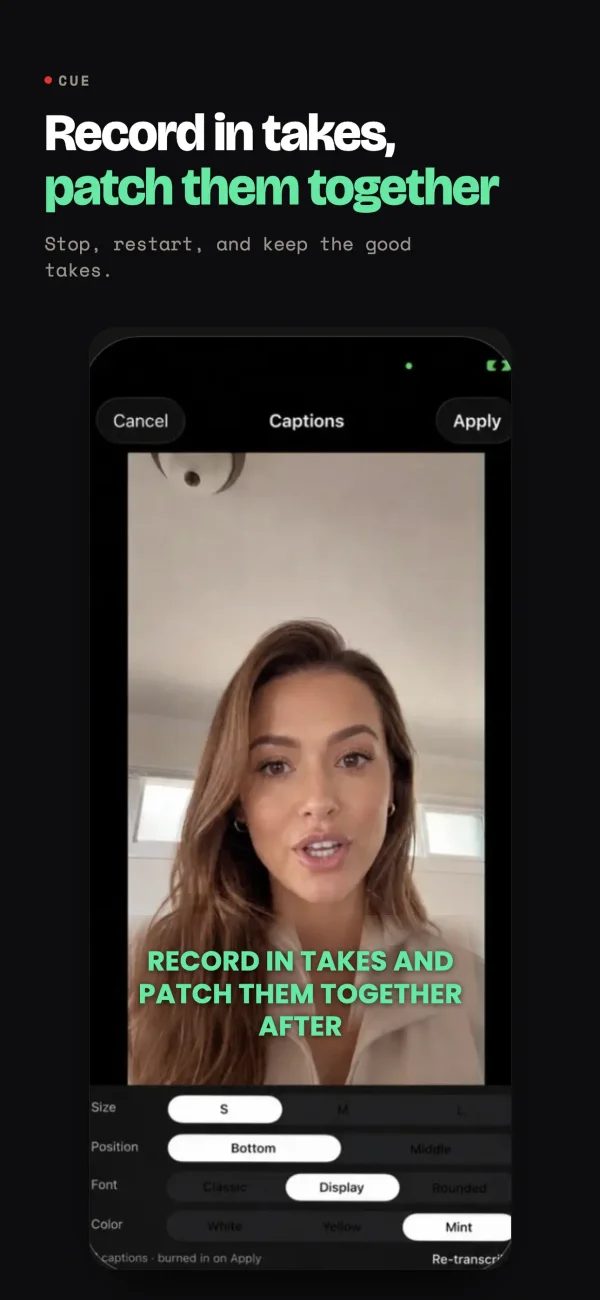
Split your script into sections and shoot each one as many times as you want. Keep the best take of every section and Cue merges them into one clean video. Flub a line and you redo that line, not the whole thing.
WRITE YOUR SCRIPT IN THE APP
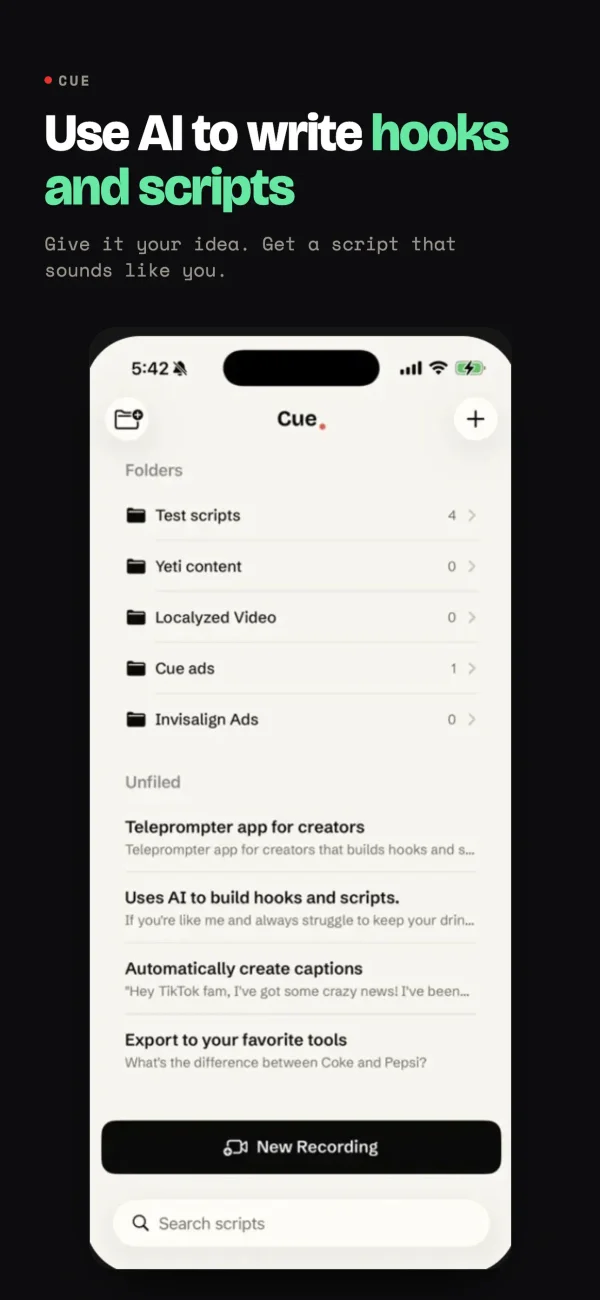
Not sure what to say? Cue Write turns a quick idea or brand brief into a ready-to-read script - hook, body, and call to action - or spins up five scroll-stopping hooks to choose from. It runs on-device.
FINISH WITHOUT LEAVING THE APP
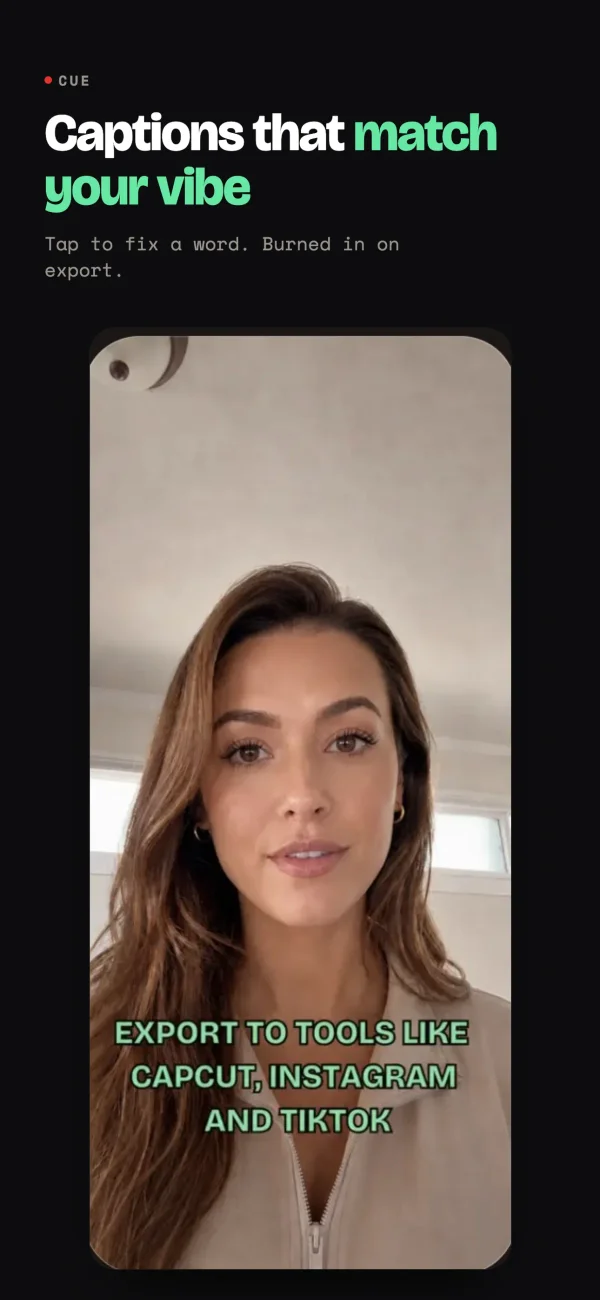
Tighten auto-removes the long pauses and dead air from a take, so your video stays snappy. Trim the top and tail, then add auto-captions burned right into your video - choose the size, position, font, and color. Save to your camera roll or share anywhere.
PRIVATE BY DESIGN
Everything happens on your device. Your camera, your voice, and your scripts never leave your phone.
Where creators go to work.
Terms of Use: https://www.apple.com/legal/internet-services/itunes/dev/stdeula/
What’s new
Version 2.2 · Nov 6, 2026
Your recordings are safe.
- Everything you film now stays in Cue under Recordings (the film icon on the home screen) for 30 days, even if you leave without saving.
- Reopen any recording to save it, share it, or keep editing. Your trims and captions are kept too.
- If you recorded in an earlier version and couldn't find the video, Cue now looks for it and brings it back.
- Cue asks before you leave a video that isn't saved to Photos yet.
Thanks for using Cue.
App privacy
What SPENCER JAY FARIAS declares on the App Store about how this app handles data.
-
Data not linked to you
May be collected but is not linked to your identity.
- User content
Privacy practices may vary, for example with the features you use or your age.
Information
- Seller
- SPENCER JAY FARIAS
- Category
- Photo & Video
- Version
- 2.2
- Updated
- Nov 6, 2026
- Released
- Aug 25, 2026
- Size
- 8.8 MB
- Requires
- iOS 17.0 or later
- Age rating
- 4+
- Price
- Free
- In-app purchases
- Yes
- Languages
- English, Spanish
- Copyright
- © 2026 Spencer Farias
You might also like
-
 Recito: Teleprompter for VideoScript reader, eyes on camera
-
 Wispim: Voice TeleprompterBest teleprompter for video
-
 Teleprompter AI & Video-CueRead to camera, record video
-
 CuePrompt: TeleprompterAuto captions & script reader
-
 Rolltake Teleprompter & CameraRead your lines & record video
-
 CueCam: AI Video TeleprompterScript, Record & Auto Caption
-
 Teleprompt OverlayRead scripts over your camera
-
 Teleprompter-Scrolling ScriptsVideo Recorder & Script Reader
-
 GoScript: AI TeleprompterVideo Script & Auto Scroll
-
 Simple Video TeleprompterRead Scripts on Camera