Focusmeter: Pomodoro Timer
zeitic.coアプリ内課金
- 3 歳以上対象年齢
- 仕事効率化カテゴリ
- 2026/11/20更新日
- 無料価格
co.zeitic.focusmeterのGoogle Play公式ページにリンクしています。最終確認:2026/11/21。

スクリーンショット


このアプリについて
Googleによる英語 (イギリス)からの自動翻訳です。
あなたの焦点を追跡し、より良い生産性と健康のために休むタイマー。
集中力は生産性にとって重要ですが、休息も同様に重要です!Focusmeterは、集中と休息のバランスを取ることで、生産性を最大限に高めるお手伝いをします。
使い方:
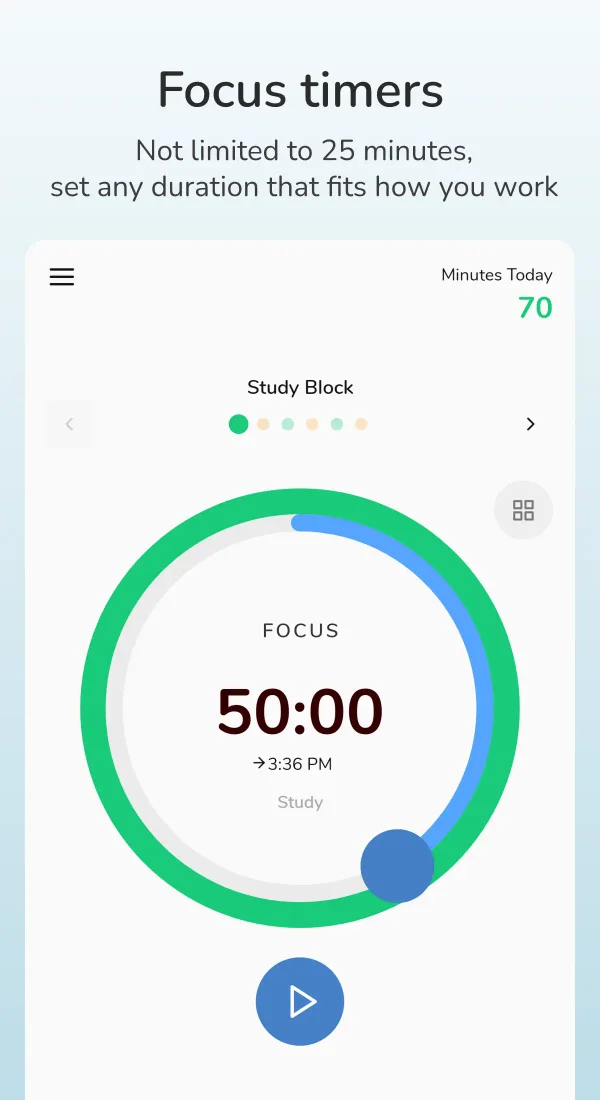
1️⃣ ルーティンを設定:集中タイマーと休息タイマーの長さをカスタマイズします。
2️⃣ 最初の集中タイマーを開始します。👨💻
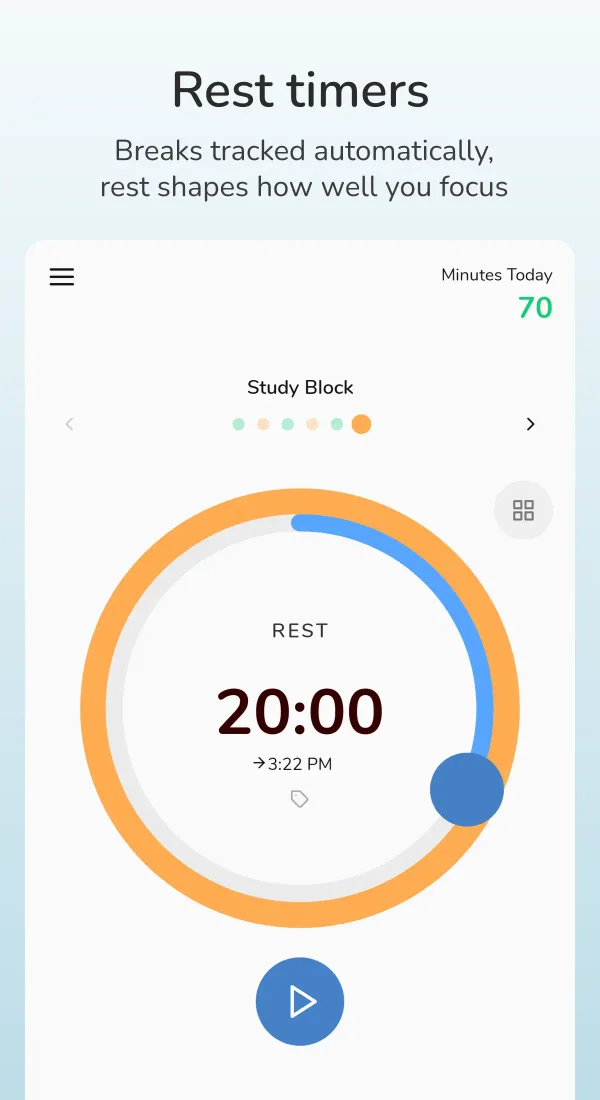
3️⃣ タイマーが終了したら、休憩時間です。☕
4️⃣ 次の集中タイマーを開始して、生産性を維持しましょう!👨💻
機能
タイマー機能:
⏲ タイマーをカスタマイズ。ポモドーロテクニックや52/17など、自分に合った設定を簡単にカスタマイズできます!
🌠 集中と休息を自動で切り替えます。もちろん、手動で切り替えることも可能です。
🎵 集中力を高めるための環境音(雨音、ホワイトノイズなど)
🌕 シンプルで使いやすいインターフェース。
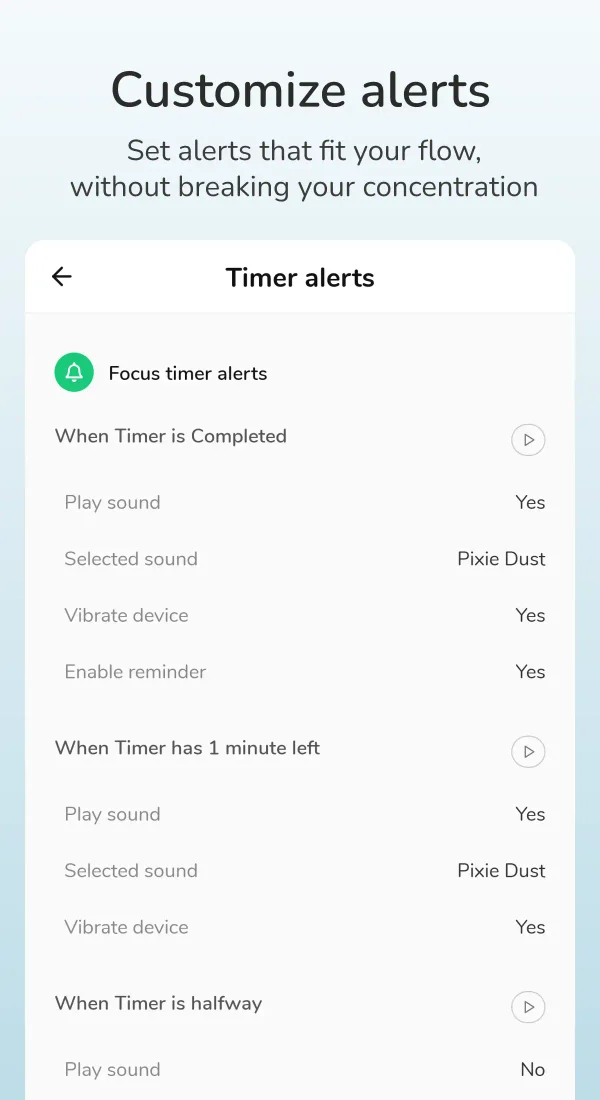
🔔 タイマーが完了または完了間近になったときに、集中と休憩のアラートを自由に設定できます。
⏱️ ストップウォッチまたは通常のタイマー:カウントアップとカウントダウンの両方のタイマーに対応しています。
➕ もう少し時間が必要な場合は、タイマーを延長できます!
タスクとプロジェクト:
✅ 予定日、タグ、プロジェクトを指定してタスクを計画できます。
🗂️ プロジェクト:タスクをグループ化し、リストを絞り込むことができます。タイトルでタスクを検索できます。
🔗 リンクされたセッション:すべてのセッションがそれぞれのタスクにカウントされます。
分析機能
🏷️ 集中と休憩のセッションにタグを付けて、集中を妨げるものを追跡できます。
📈 統計:個々のタグの経時的な分析結果を確認できます。
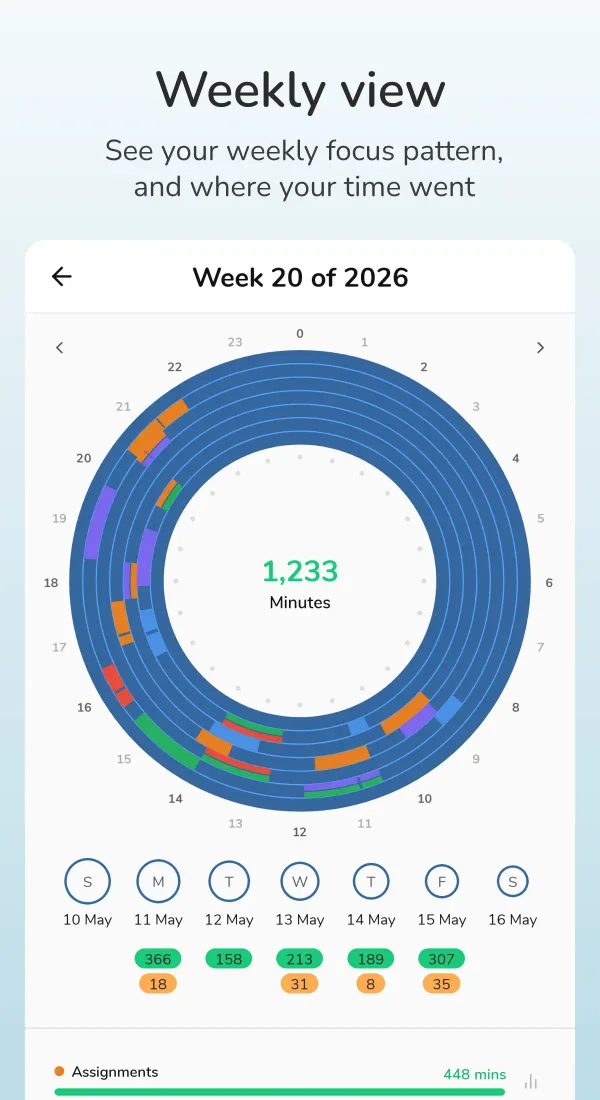
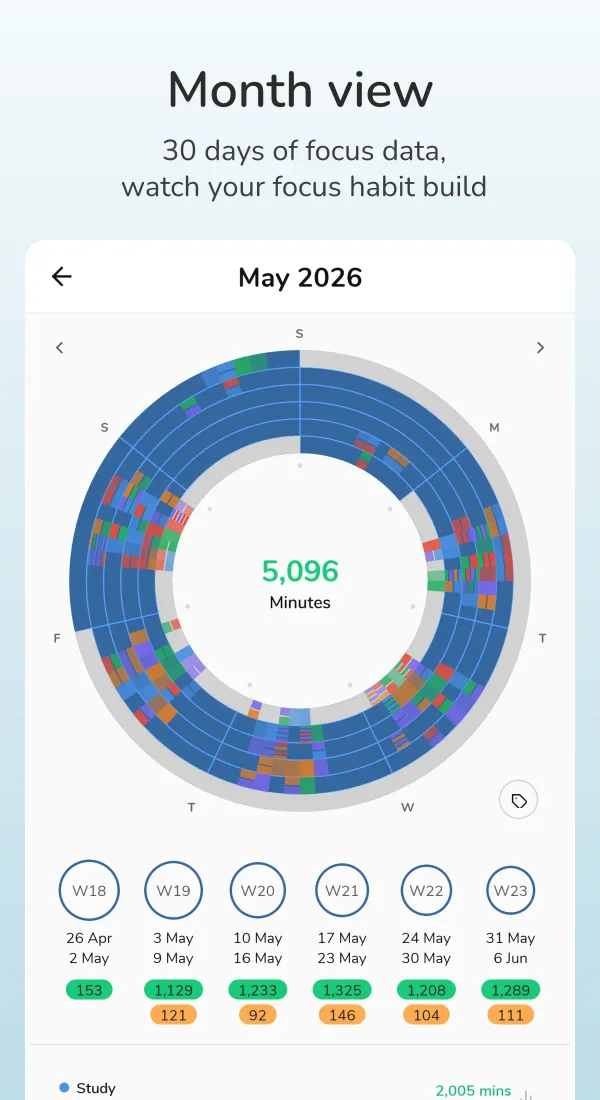
✨ 過去のアクティビティを月、週、または日単位で分析できます。ルーティンの効果を確認できます。
タイムライン機能:
📝 タイムライン/アクティビティを編集できます。時間管理を忘れずに。
✍️ タイマーにメモを追加できます。
➕ セッション/タイマーはいつでも追加できます。
⏱️ 時間を分、時間、またはセッション単位で記録できます。
その他の便利な機能:
📎 アプリのショートカットでタイマーを素早く開始できます。
👏 完了アラートを見逃した場合に備えて、完了アラートを繰り返し通知します。追加時間も加算されます。
🏃 バックグラウンドで動作します。アプリを常に開いておく必要はありません。
🔕 タイマー中は「おやすみモード」を有効にできます。
🔄 横向き表示と全画面表示に対応しています。
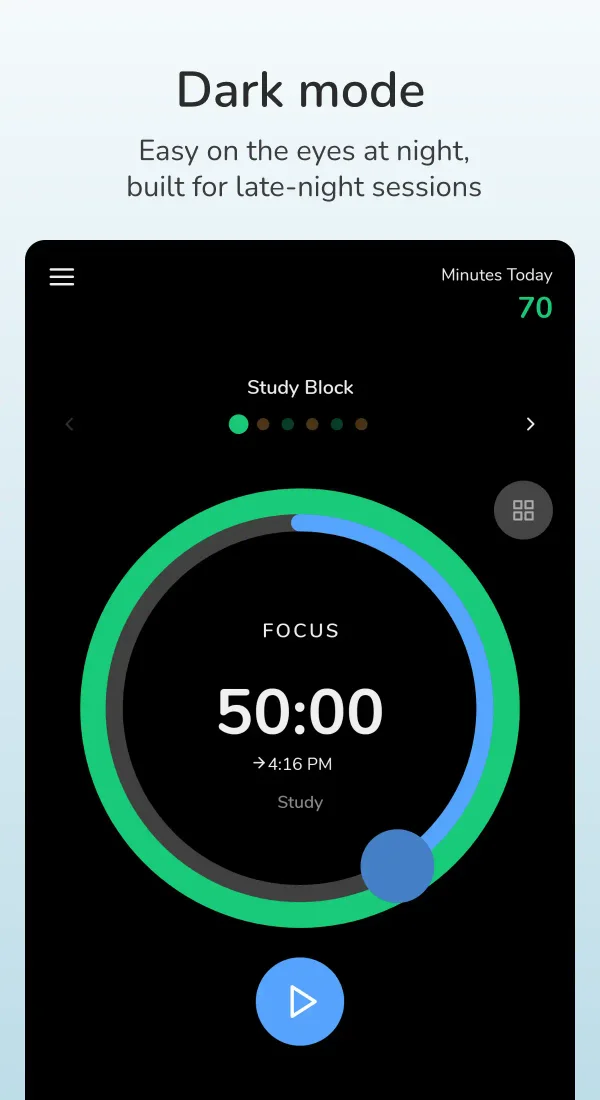
🌙 ダーク/ナイトテーマに対応しています。
📏 最大3/4/5時間の長時間セッションに対応しています。
🎨 タグの色に対応しています。
📥 データをいつでもCSVまたはJSON形式でエクスポートできます。
📁 Googleアカウントに接続している場合は自動バックアップが行われます。詳しくは、https://support.google.com/android/answer/2819582?hl=en をご覧ください。
✨ PRO機能で私たちをサポートしてください ✨
📈 タグと日付の分析機能が拡張されます
🎨 UIカラーとタグカラーをカスタマイズできます
⏱️ タイムマシンでタイマーの開始時間を早めたり、期間を変更したりできます
🌅 夜型の方のために、一日の開始時間をカスタマイズできます
新機能にご期待ください!
詳しくはウェブサイトをご覧ください:https://focusmeter.app
よくあるご質問はこちら:https://focusmeter.app/faqs.html
* Focusmeterはバックグラウンドで動作します。お使いのスマートフォン/デバイスがバックグラウンドサービスをサポートしているかどうかは、https://dontkillmyapp.com/ でご確認ください。
原文を表示
Focus is important for productivity, but rest is equally important too! Focusmeter helps you to maximize your productivity by balancing focus and rest.
HOW IT WORKS:
1️⃣ Setup your routine: customize the length of your Focus and Rest timers.
2️⃣ Start your first Focus timer. 👨💻
3️⃣ After your timer is completed, it's time for a break. ☕
4️⃣ Start the next Focus timer and stay productive! 👨💻
FEATURES
Timer features:
⏲ CUSTOMIZE your own timers. Pomodoro or 52/17, easily customize what works for you!
🌠 TRANSITION automatically between focusing or rest. Or manual if you prefer.
🎵 AMBIENT sounds (rain, white noise & more) to help you focus.
🌕 CLEAN and SIMPLE interface.
🔔 CHOOSE your own Focus and Rest alerts when the timer is completed or about to be completed.
⏱️ STOPWATCH or normal timers: Both counting up and counting down timers supported.
➕ EXTEND timers if you need just a bit more time!
Tasks & projects:
✅ PLAN tasks with a planned date, tags and a project.
🗂️ PROJECTS to group tasks and filter your list. Search tasks by title.
🔗 LINKED sessions: every session counts toward its task.
Analytics features
🏷️ TAG Focus and Rest sessions and keep track of distractions.
📈 STATISTICS to get insights for individual tags over time.
✨ INSIGHTS from your past activities in a month, week or day. See how your routine has been working for you.
Timeline features:
📝 EDIT your timeline/activities. Never forget to track your time.
✍️ Add NOTES to your timers.
➕ ADD sessions/timers anytime.
⏱️ TRACK time in minutes, hours or sessions.
Other great features:
📎 APP SHORTCUTS to start timers quickly
👏 REPEATED completed alerts, in case you missed the completed alert. Extra time is also added.
🏃 Runs in the background. This app does not need to be constantly open to work.
🔕 Activate DO NOT DISTURB during timers.
🔄 LANDSCAPE and FULLSCREEN mode supported.
🌙 DARK/NIGHT theme.
📏 LONG sessions of up to 3/4/5 hours supported.
🎨 TAG colors supported.
📥 Export your data anytime in CSV or JSON format.
📁 AUTOMATIC backup if your Google account is connected. Please visit https://support.google.com/android/answer/2819582?hl=en for more information.
✨ Support us with PRO FEATURES ✨
📈 EXTENDED tag and date analytics
🎨 CUSTOMIZE UI colors and more tag colors
⏱️ Start timers earlier/change duration with the TIME MACHINE
🌅 Custom START OF DAY for night owls
Watch for new features coming soon!
Visit our website for more info: https://focusmeter.app
Find our FAQ here: https://focusmeter.app/faqs.html
* Focusmeter runs in the background, please visit https://dontkillmyapp.com/ to check if your phone/device supports background services.
データ セーフティ
このアプリが収集・共有するデータについて、zeitic.coがGoogle Playで申告している内容です。
- 第三者と共有されるデータはありません詳しくは、デベロッパーが共有を申告する方法についての説明をご覧ください
- このアプリは以下の種類のデータを収集することがありますアプリのアクティビティ、アプリの情報、パフォーマンス、デバイスまたはその他の ID
- データは送信中に暗号化されます
- データを削除できません
新機能
バージョン 1.27.1 · 2026/11/20
1.27:
Tasks and projects feature
開発元の連絡先
- ウェブサイトzeitic.co
- メールzeitic.co@gmail.com
- プライバシーポリシーzeitic.co
- 住所22 Sin Ming Lane #06-76 Midview City Singapore 573969
情報
- 提供元
- zeitic.co
- カテゴリ
- 仕事効率化
- バージョン
- 1.27.1
- 更新日
- 2026/11/20
- リリース
- 2019/3/16
- 必要条件
- Android 7.0以降
- 対象年齢
- 3 歳以上
- 価格
- 無料
- アプリ内課金
- ¥250~¥3,690/アイテム
- パッケージ名
- co.zeitic.focusmeter
類似のアプリ
-
 Kaizen: Focus & Study Timer
仕事効率化
-
 ASWB Exam Test Prep 2026
教育
-
 SupaTask - タスク , 日常のプランナー
仕事効率化
-
 ポモドーロ 勉強タイマー & 集中タイマー
仕事効率化
-
 TIME TIMER for ANDROID
教育
-
 Daypad - Simple Time Tracker
仕事効率化
-
 Awesome Breathing: Pacer Timer
健康&フィットネス
-
 Basecamp - Project Management
仕事効率化
-
 Supershift - シフト管理
仕事効率化
-
 TimeTune
仕事効率化
-
 勤務時間トラッカー:勤務ログ作成・収入確認
ビジネス
-
 Notesnook 鍵付きメモ帳 暗号化
仕事効率化