Folder Widget - Large Folders
automan広告を含む · アプリ内課金
- 3 歳以上対象年齢
- カスタマイズカテゴリ
- 2026/11/8更新日
- 無料価格
pub.hanks.appfolderwidgetのGoogle Play公式ページにリンクしています。最終確認:2026/11/20。

スクリーンショット
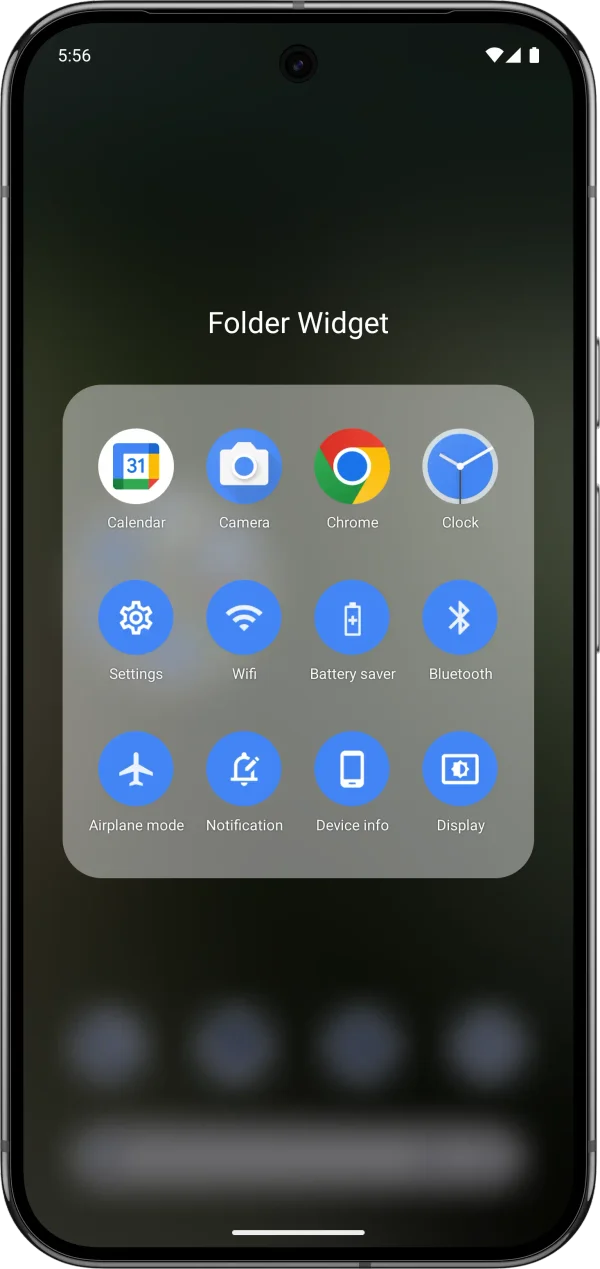
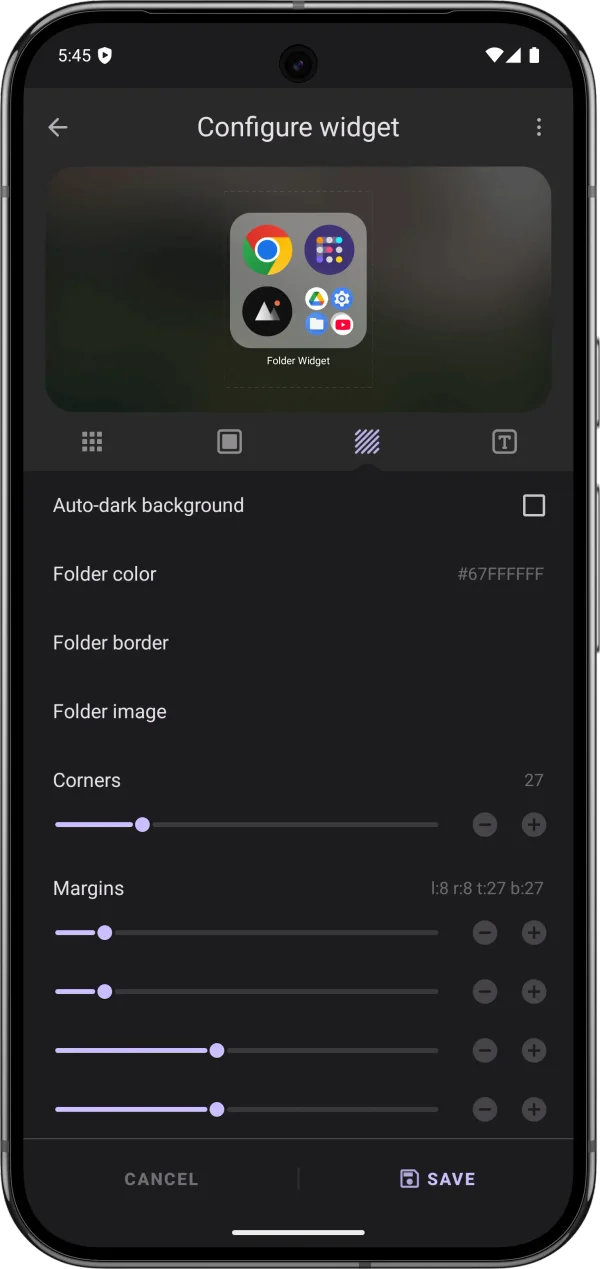
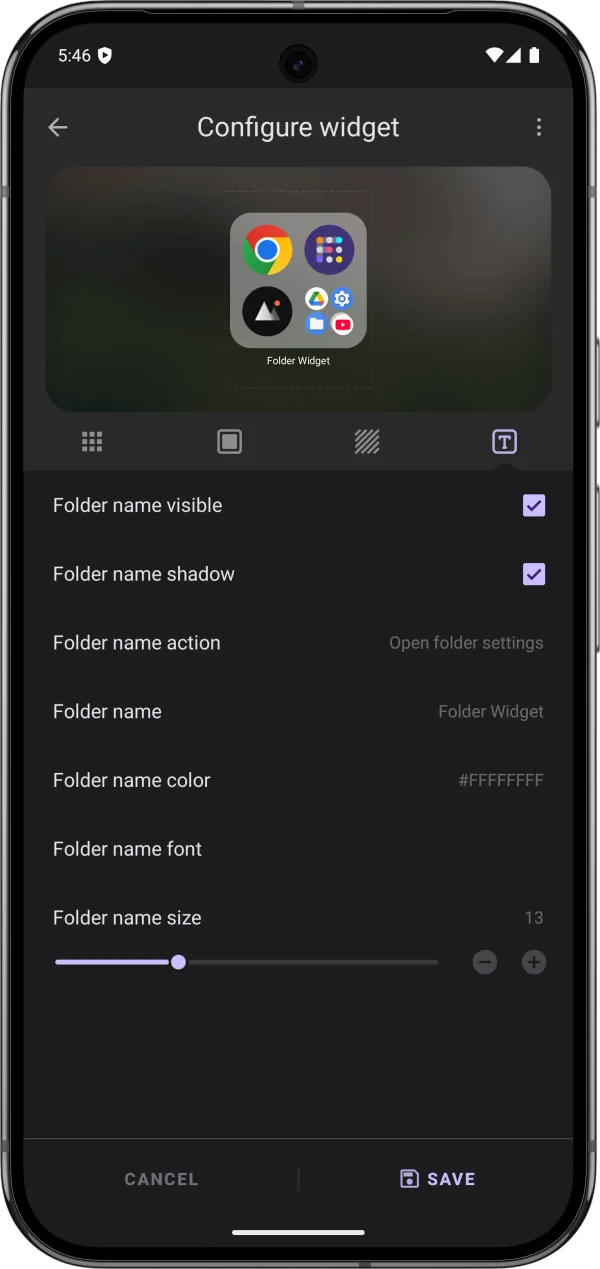
このアプリについて
Googleによる英語 (アメリカ合衆国)からの自動翻訳です。
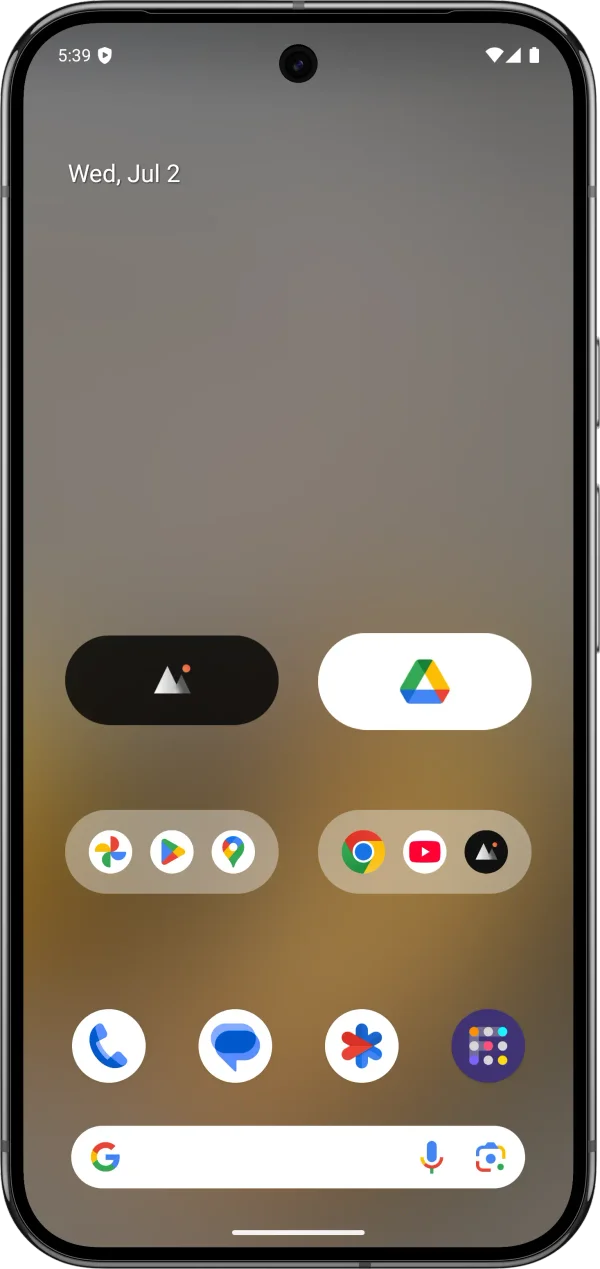
ホーム画面に大きな特大フォルダまたは大きなアイコンを配置して生産性を向上させます
ラージフォルダは、アプリを1つの大きなフォルダまたは大きなアイコンに整理することで、スマートフォンのランチャーホーム画面を簡単に操作できるようにします。アプリフォルダを開かなくても、対応するアプリに素早くアクセスできます。フォルダの右下隅をタッチするだけで、ラージフォルダに入ることができます。
機能:
- 豊富な設定オプション
- フォルダ名の非表示設定をサポート
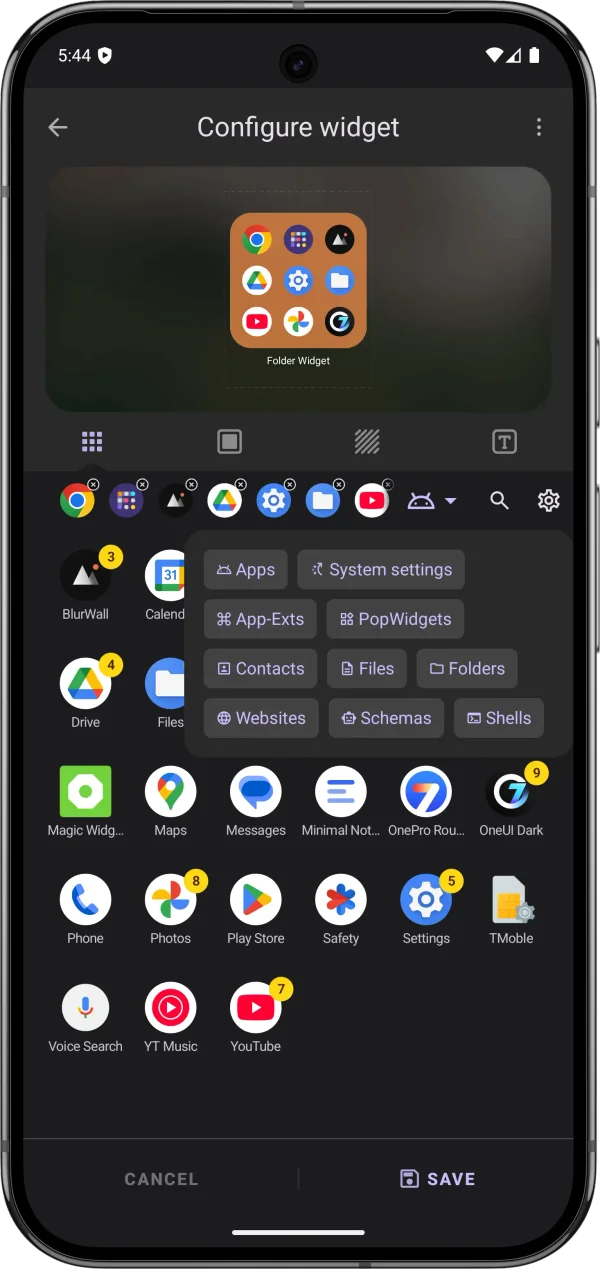
- クイックシステム設定、アプリ内ショートカット、ファイル、フォルダ、ウェブページ、アクティビティ、アクセシビリティショートカット、カスタムスキーマ、シェル、ポップアップウィジェットなど、様々なショートカットをサポート
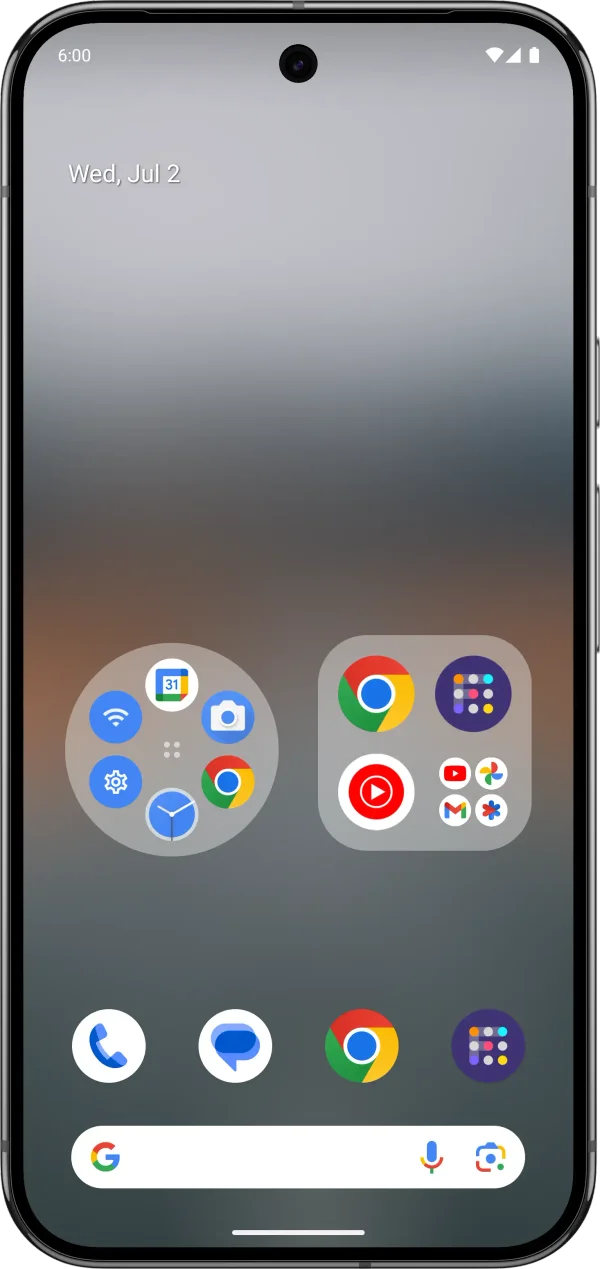
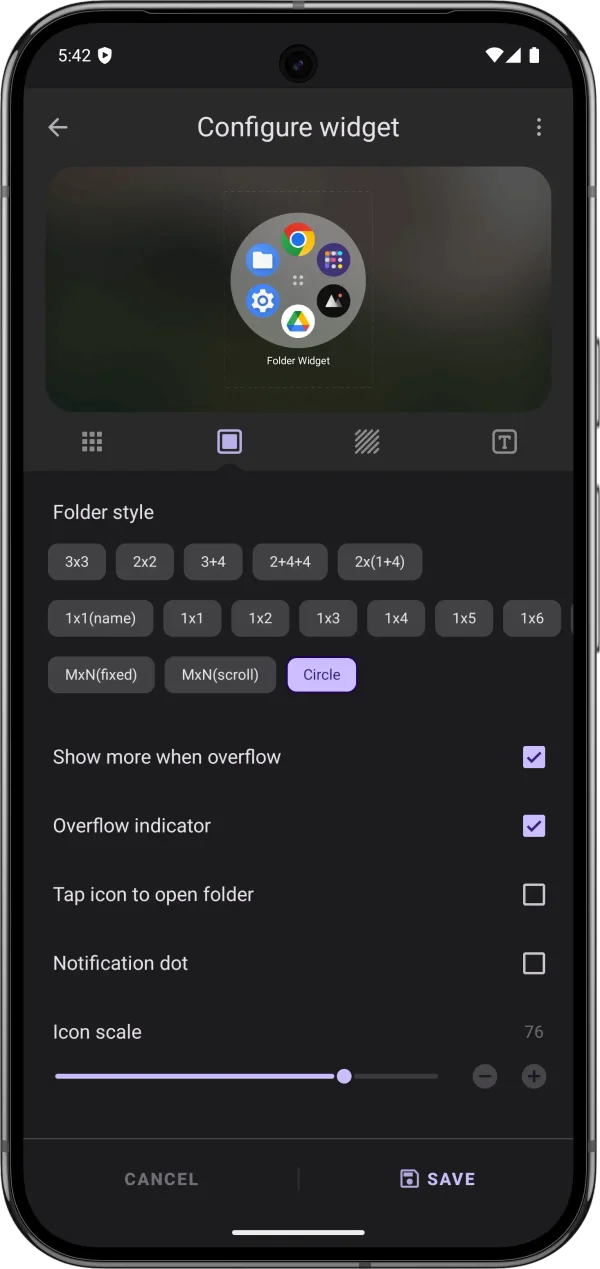
- フォルダウィジェットの構造タイプ:2x2、3x3、4x4、3+4、1x5、2x3、3x2、MxN(カスタム)、MxN(スクロール)、円など
- ウィジェットのサイズ、背景色、半径、余白、パディングをカスタマイズ
- フォルダ名、テキストの色、テキストサイズ、テキストパディングをカスタマイズ
- フォルダのグリッドサイズとアイコン名の表示設定をカスタマイズ
- 変更通知のドット番号スタイルをサポート
- フォルダボックス内で垂直スクロールが可能
- アダプティブアイコンの形状
- アイコンパックとマスクをサポート
- フォルダの背景を自動で暗くする
- フォルダ名の影オプション
ポップアップウィジェット - ホーム画面の大きなフォルダまたはアイコンに配置するポップアップウィジェットを1つ以上選択ランチャー
ファイル/フォルダ - ファイルまたはフォルダのパスを最も速く選択して開くことができます
アクセシビリティショートカット - ホーム、戻る、最近使った項目、電源メニュー、スクリーンショットの撮影(Android P+)、ワンキーロック画面(Android P+)など、様々なショートカットがあります
アクティビティ - インストールされているすべてのアプリのアクティビティ画面リスト
Webページ - 任意のURLを別のページとして使用し、素早く開くことができます
スキーマ - より高度なスキーマを使用して特定のページにジャンプします
シェル - コマンド実行
ご質問やご提案がございましたら、hanks.xyz@gmail.comまでメールでお問い合わせください
原文を表示
Large Folders makes your phone’s launcher home screen easy to navigate by organizing apps into one Large Folder or Large Icon and quickly accessing the corresponding app without even opening that app folder in the first place. You can enter the large folder with a touch on the lower right corner of the folder.
Features:
- Rich configuration options
- Support hiding folder name
- Support kind of shortcuts, such as quick system settings, in-app shortcuts, files, folders, web page, activities, accessibility shortcuts, custom schema, shell and popup widget
- Kind of folder widget struct type, 2x2, 3x3, 4x4, 3+4, 1x5, 2x3, 3x2, MxN(cutstom), MxN(Scroll), Circle and more
- Custom widget size, background color, radius, margins, paddings
- Custom folder name, text color, text size, text paddings
- Custom folder grid size and icon name visibility
- Support change notification dot number styles
- Vertical scrollable inside the folder box
- Adaptive icon shape
- Support icon pack and mask
- Auto-dark folder background
- Shadow option of folder name
Popup widget- Select one or more pop-up widgets to place in a large folder or icon on the home screen launcher
File/Folders - select the file or folder path as the quickest way to open it
Accessibility shortcuts - includes quick Home, Back, Recent, Power menu, Take screenshot(Android P+), One-key Lock screen(Android P+) and more
Activities- activity screen list of all installed apps
Web page - use any URL as a separate page that can be opened quickly
Schema - jump to a specific page using a more advanced schema
Shell - command execution
If you have any questions or suggestions, please contact me by email to hanks.xyz@gmail.com
データ セーフティ
このアプリが収集・共有するデータについて、automanがGoogle Playで申告している内容です。
- このアプリはサードパーティと以下の種類のデータを共有することがありますファイル、ドキュメント
- このアプリは以下の種類のデータを収集することがあります購入履歴
- データは暗号化されません
- データを削除するようリクエストできます
新機能
バージョン 11.0.6 · 2026/11/8
⭐ New: Island or Notch can expand to folder
⭐ New: Samsung Blur Widget background
⭐ New: more folder type
⭐ New: notification dot config
⭐ New: list-style large folder layout
⭐ New: hide scrollbar and more items name options
⭐ Edit Popup widget background
⭐ Save template and apply online template
⭐ Activities and Accessibility, Contact, Files, schema, shell, web page , System settings shortcuts
⭐ Circle Folder, Folder border, Large icons
⭐ Import widgets
⭐ Custom folder grid size and item name
開発元の連絡先
- ウェブサイトhanks.pub
- メールhanks.xyz@gmail.com
- プライバシーポリシーsupport.qq.com
- 住所胙城乡张庄村0229号 延津县, 新乡市, 河南省 China 453200
情報
- 提供元
- automan
- カテゴリ
- カスタマイズ
- バージョン
- 11.0.6
- 更新日
- 2026/11/8
- リリース
- 2022/1/11
- 必要条件
- Android 7.0以降
- 対象年齢
- 3 歳以上
- 価格
- 無料
- アプリ内課金
- ¥230~¥1,200/アイテム
- パッケージ名
- pub.hanks.appfolderwidget
類似のアプリ
-
 Wallpaper For Iphone - Wallway
カスタマイズ
-
 P Launcher
ツール
-
 Keyboard Maker: Keyboard Theme
カスタマイズ
-
 Volume Styles - カスタムコントロール
カスタマイズ
-
 ロック画面をタッチ 写真をタッチ
カスタマイズ
-
 Ratio: 生産性ホーム画面
仕事効率化
-
 Widgeet-Color Widgets(Widget)
カスタマイズ
-
 HiOS Launcher - Fast
カスタマイズ
-
 MyICON – アイコンチェンジャーテーマー
カスタマイズ
-
 One Hand Operation +
ツール
-
 Minimal Widgets
カスタマイズ
-
 Cool Mi Launcher - CC Launcher
カスタマイズ