Folder Widget - Large Folders
automanContains ads · In-app purchases
- EveryoneAge rating
- PersonalizationCategory
- Nov 8, 2026Updated
- FreePrice
Links to the official Google Play listing of pub.hanks.appfolderwidget. Last checked on Nov 20, 2026.

Screenshots
About this app
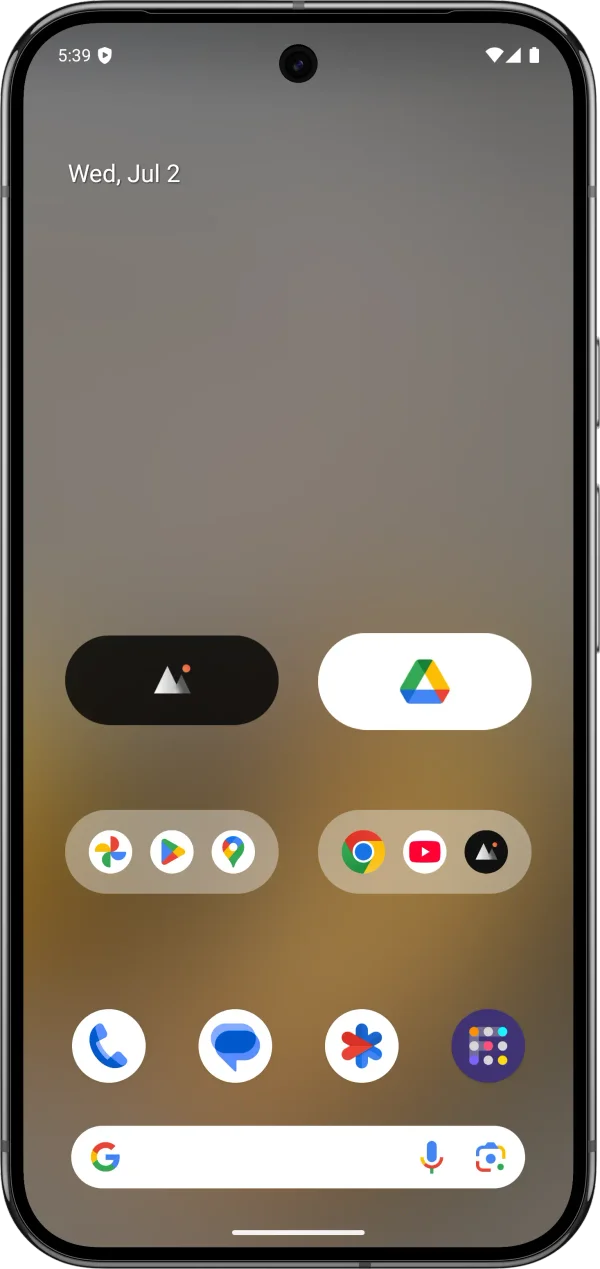
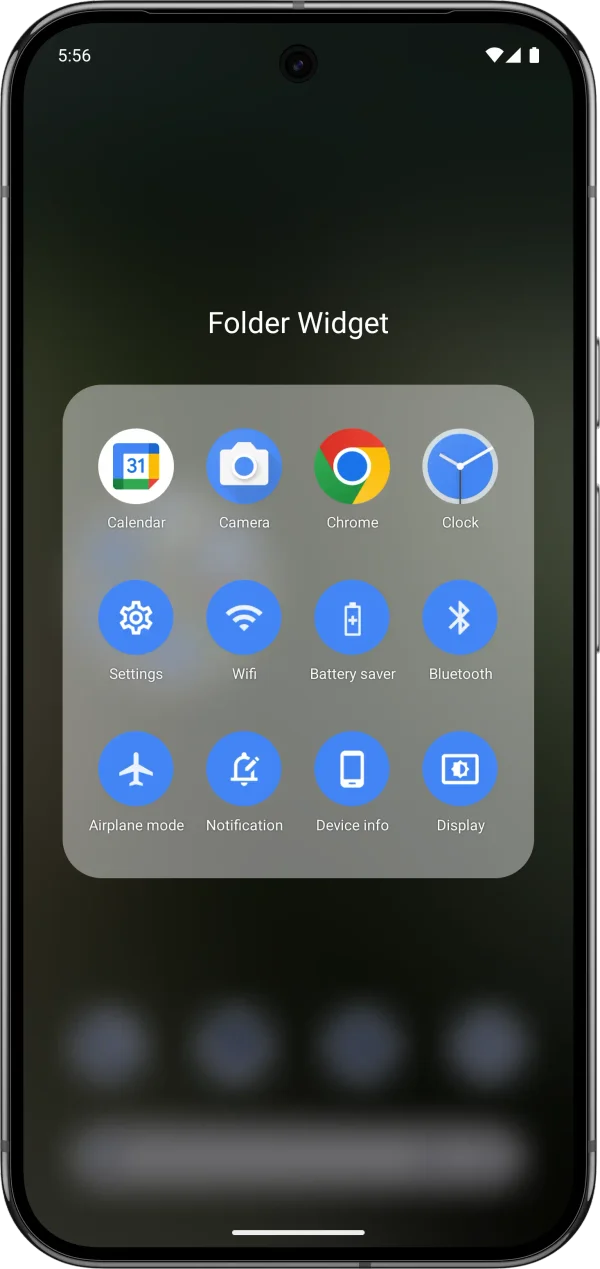
Put large super-sized folders or big icons in homescreen to improve productivity
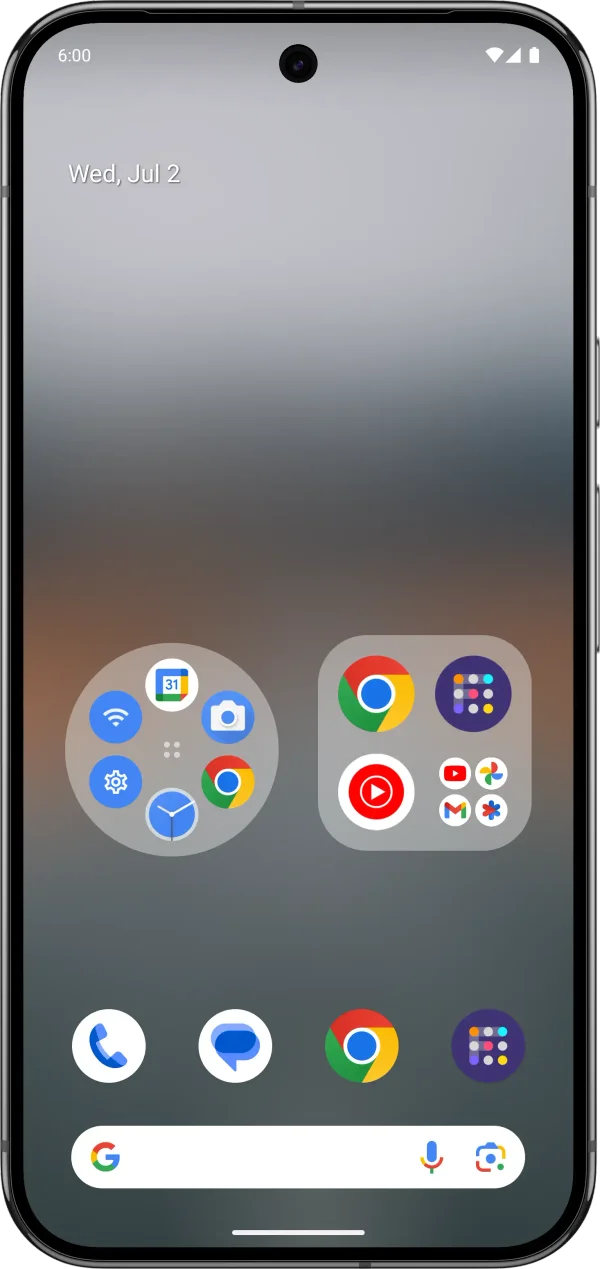
Large Folders makes your phone’s launcher home screen easy to navigate by organizing apps into one Large Folder or Large Icon and quickly accessing the corresponding app without even opening that app folder in the first place. You can enter the large folder with a touch on the lower right corner of the folder.
Features:
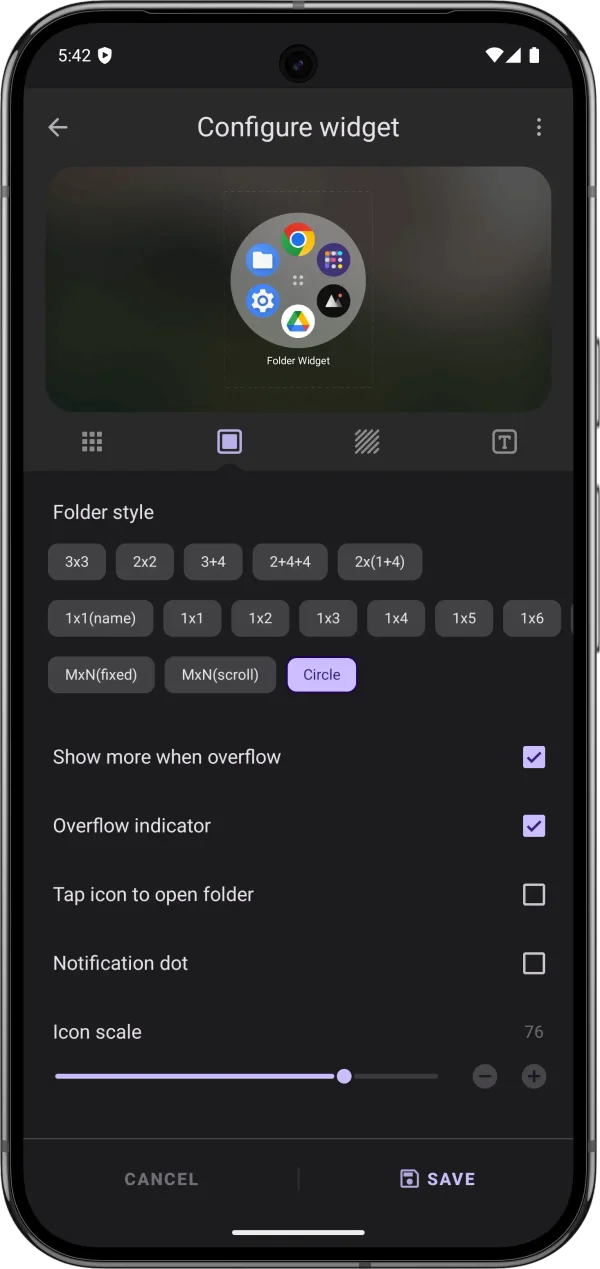
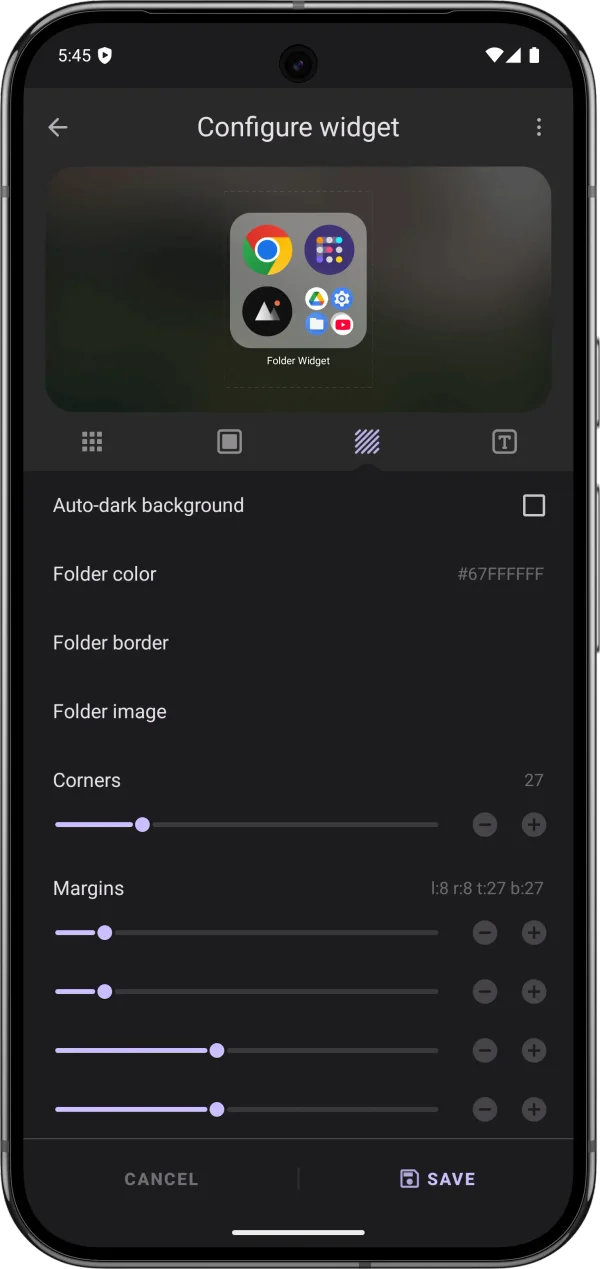
- Rich configuration options
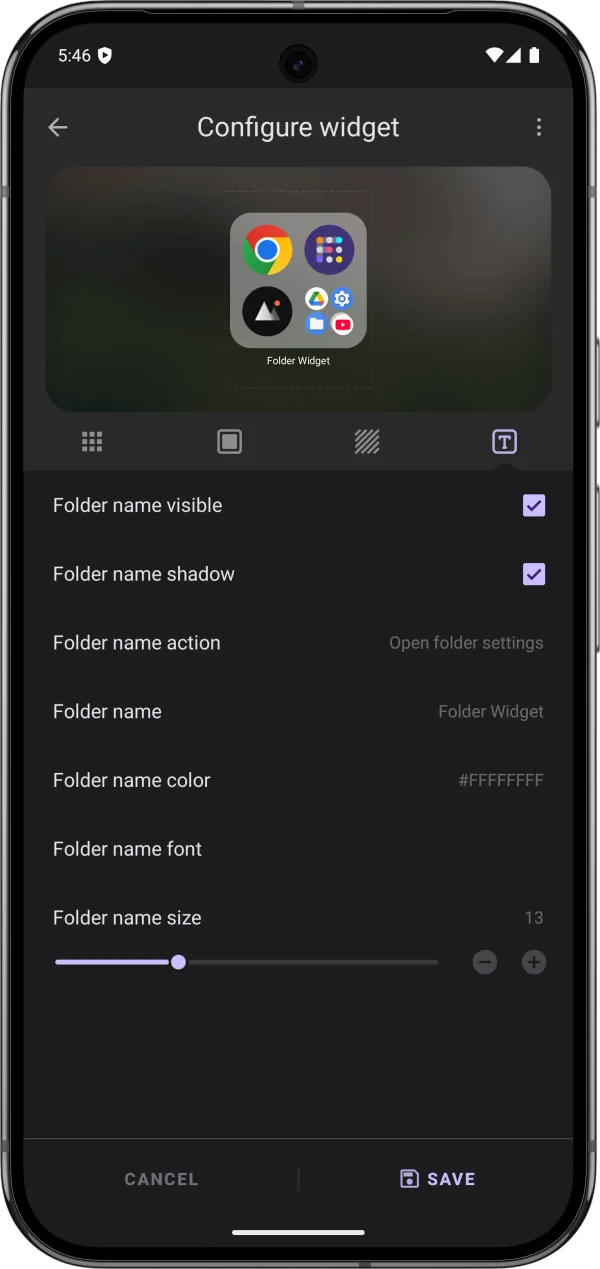
- Support hiding folder name
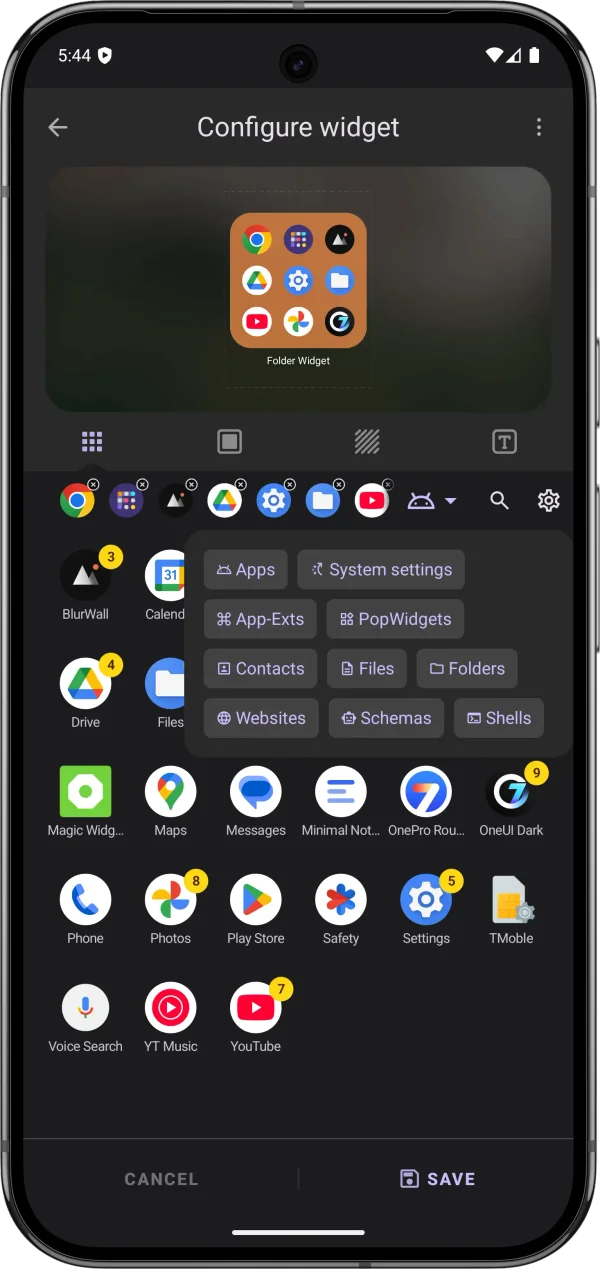
- Support kind of shortcuts, such as quick system settings, in-app shortcuts, files, folders, web page, activities, accessibility shortcuts, custom schema, shell and popup widget
- Kind of folder widget struct type, 2x2, 3x3, 4x4, 3+4, 1x5, 2x3, 3x2, MxN(cutstom), MxN(Scroll), Circle and more
- Custom widget size, background color, radius, margins, paddings
- Custom folder name, text color, text size, text paddings
- Custom folder grid size and icon name visibility
- Support change notification dot number styles
- Vertical scrollable inside the folder box
- Adaptive icon shape
- Support icon pack and mask
- Auto-dark folder background
- Shadow option of folder name
Popup widget- Select one or more pop-up widgets to place in a large folder or icon on the home screen launcher
File/Folders - select the file or folder path as the quickest way to open it
Accessibility shortcuts - includes quick Home, Back, Recent, Power menu, Take screenshot(Android P+), One-key Lock screen(Android P+) and more
Activities- activity screen list of all installed apps
Web page - use any URL as a separate page that can be opened quickly
Schema - jump to a specific page using a more advanced schema
Shell - command execution
If you have any questions or suggestions, please contact me by email to hanks.xyz@gmail.com
Data safety
What automan declares on Google Play about the data this app collects and shares.
- This app may share these data types with third partiesDevice or other IDs
- This app may collect these data typesPersonal info
- Data isn’t encrypted
- You can request that data be deleted
What’s new
Version 11.0.6 · Nov 8, 2026
⭐ New: Island or Notch can expand to folder
⭐ New: Samsung Blur Widget background
⭐ New: more folder type
⭐ New: notification dot config
⭐ New: list-style large folder layout
⭐ New: hide scrollbar and more items name options
⭐ Edit Popup widget background
⭐ Save template and apply online template
⭐ Activities and Accessibility, Contact, Files, schema, shell, web page , System settings shortcuts
⭐ Circle Folder, Folder border, Large icons
⭐ Import widgets
⭐ Custom folder grid size and item name
Developer contact
- Websitehanks.pub
- Emailhanks.xyz@gmail.com
- Privacy policysupport.qq.com
- Address胙城乡张庄村0229号 延津县, 新乡市, 河南省 China 453200
Information
- Offered by
- automan
- Category
- Personalization
- Version
- 11.0.6
- Updated
- Nov 8, 2026
- Released
- Jan 11, 2022
- Requires
- Android 7.0 or later
- Age rating
- Everyone
- Price
- Free
- In-app purchases
- $1.99 - $7.99 per item
- Package name
- pub.hanks.appfolderwidget
Similar apps
-
 Wallpaper For Iphone - Wallway
Personalization
-
 P Launcher
Tools
-
 Keyboard Maker: Keyboard Theme
Personalization
-
 Volume Styles - Custom control
Personalization
-
 Touch Lock Screen Touch Photo
Personalization
-
 Ratio: Productivity Homescreen
Productivity
-
 Widgeet-Color Widgets(Widget)
Personalization
-
 HiOS Launcher - Fast
Personalization
-
 MyICON - Icon Changer, Themes
Personalization
-
 One Hand Operation +
Tools
-
 Minimal Widgets
Personalization
-
 Cool Mi Launcher - CC Launcher
Personalization