Jinya: Dirty Work
TIMEFLIK- 3 歳以上対象年齢
- カスタマイズカテゴリ
- 2025/5/19更新日
- ¥260価格
com.apposter.jinya_dirtyworkのGoogle Play公式ページにリンクしています。最終確認:2026/11/15。
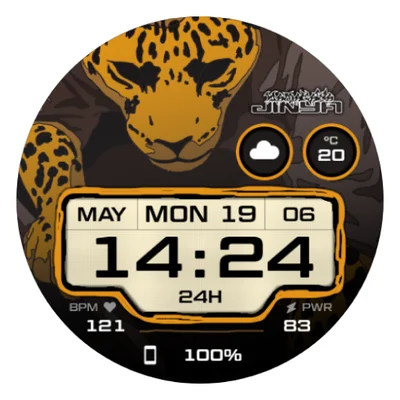
スクリーンショット


このアプリについて
Googleによる英語 (アメリカ合衆国)からの自動翻訳です。
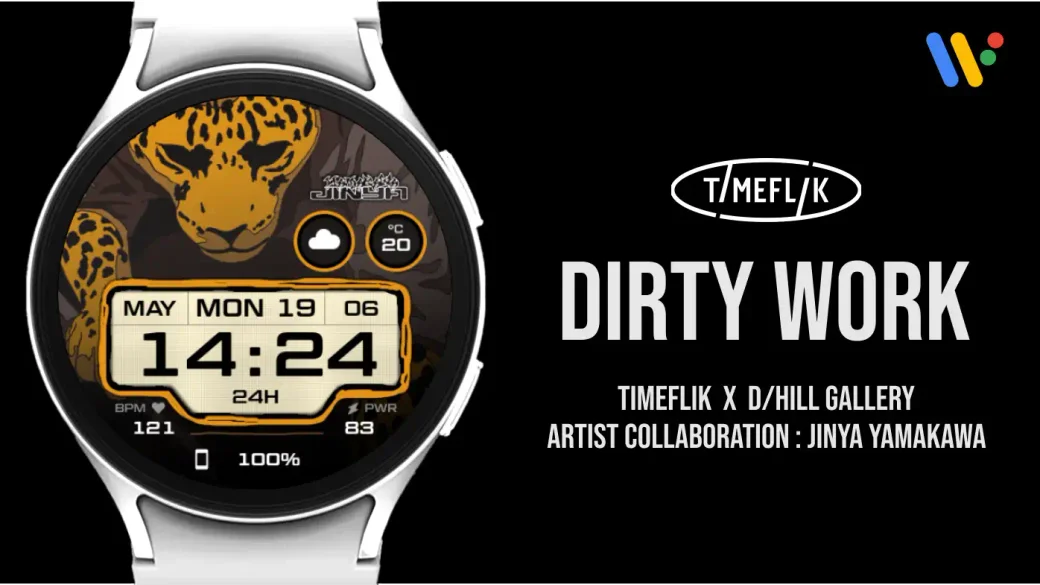
これはTIMEFLIKが作成した限定Dirty Workウォッチフェイスです
TIMEFLIK X D/HILL GALLERY
***このアプリはGoogle Playアプリです。
スマートウォッチにのみインストールおよび操作できます。
Google Playの互換性に関する警告メッセージには、ウォッチ専用アプリであることが示されています。
ご使用に問題はありませんので、ご安心ください。
[使用方法]
ダウンロード後、画面を長押ししてウォッチフェイスを変更できます。
Galaxy Watchをお使いの場合は、[Galaxy Wearable] > [ウォッチフェイス] からも変更できます。
_______________________________
[主な機能]
- デジタル時刻
- 12/24時間表示
- 日
- 日付
- バッテリーステータス
- 心拍数
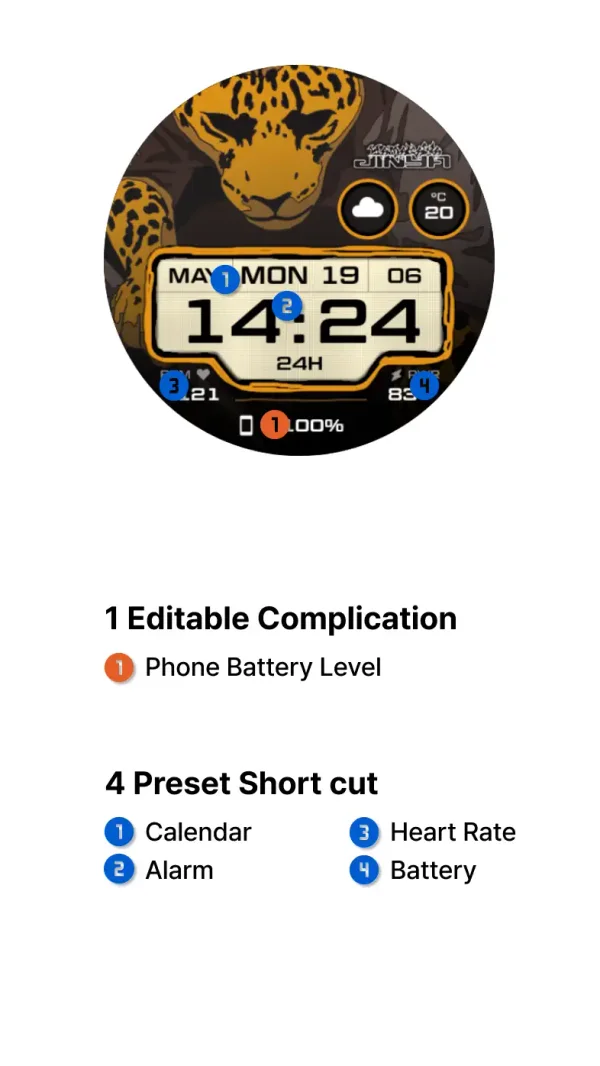
- 編集可能なコンプリケーション 1つ
- プリセットショートカット 4つ
- テーマカラー 10色
- 常時表示
[トラブルシューティング]
以下の情報をhelp@apposter.comまでお知らせください。
開発チームが再現と解決に努めます。
*このウォッチフェイスはWear OSデバイスに対応しています。
_______________________________
**スマートフォンのバッテリー残量を設定する方法**
https://play.google.com/store/apps/details?id=com.weartools.phonebattcomp
1. スマートフォンとウォッチの両方に「スマートフォンのバッテリー残量」アプリをインストールします。
2. コンプリケーションで「スマートフォンのバッテリー残量」を選択します。
原文を表示
TIMEFLIK X D/HILL GALLERY
***This app is a Goolle Play app.
It can be installed and operated in your smartwatch only.
The compatibility warning message from Google Play indicates that it is a watch-only app.
There is no problem with the use, so please don’t be confused.
[How to use]
After downloading, change the watch face by touching the screen for a while.
If your watch is a Galaxy watch, you can also change it from [Galaxy Wearable] > [Watch faces].
_______________________________
[Key Features]
- Digital Time
- 12/24H Format
- Day of Month
- Date
- Battery Status
- Heart Rate
- 1 Editable Complication
- 4 Preset Shortcut
- 10 Theme Colors
- Always On Display
[Troubleshooting]
Please let us know the information below to help@apposter.com.
Our development team will try to reproduce and solve it.
*This watch face supports wear OS devices.
_______________________________
**How to set a Phone Battery Level**
https://play.google.com/store/apps/details?id=com.weartools.phonebattcomp
1. Install the Phone Battery Level app on both the phone and the watch.
2. Select Phone Battery Level in Complications.
データ セーフティ
このアプリが収集・共有するデータについて、TIMEFLIKがGoogle Playで申告している内容です。
- 第三者と共有されるデータはありません詳しくは、デベロッパーが共有を申告する方法についての説明をご覧ください
- データは収集されません詳しくは、デベロッパーが収集を申告する方法についての説明をご覧ください
開発元の連絡先
- メールhelp@apposter.com
- プライバシーポリシーweb.timeflik.com
- 住所대한민국 서울특별시 마포구 마포구 성암로 189, 7층 705호 (상암동,중소기업 DMC 타워) 03929
情報
- 提供元
- TIMEFLIK
- カテゴリ
- カスタマイズ
- 更新日
- 2025/5/19
- リリース
- 2025/5/19
- 対象年齢
- 3 歳以上
- 価格
- ¥260
- パッケージ名
- com.apposter.jinya_dirtywork