Juggluco
Jaap Korthals Altes- 3 歳以上対象年齢
- 医療カテゴリ
- 2026/11/4更新日
- 無料価格
tk.glucodataのGoogle Play公式ページにリンクしています。最終確認:2026/11/19。
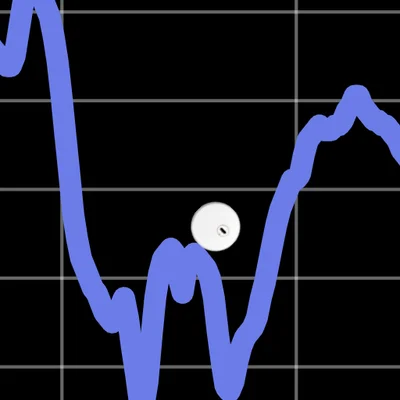
スクリーンショット




このアプリについて
Googleによる英語 (アメリカ合衆国)からの自動翻訳です。
リブレ 2+/3+、Sibionics GS1、Dexcom G7/1+、Accu-Chek、CareSens Air、Linx/Aidex X
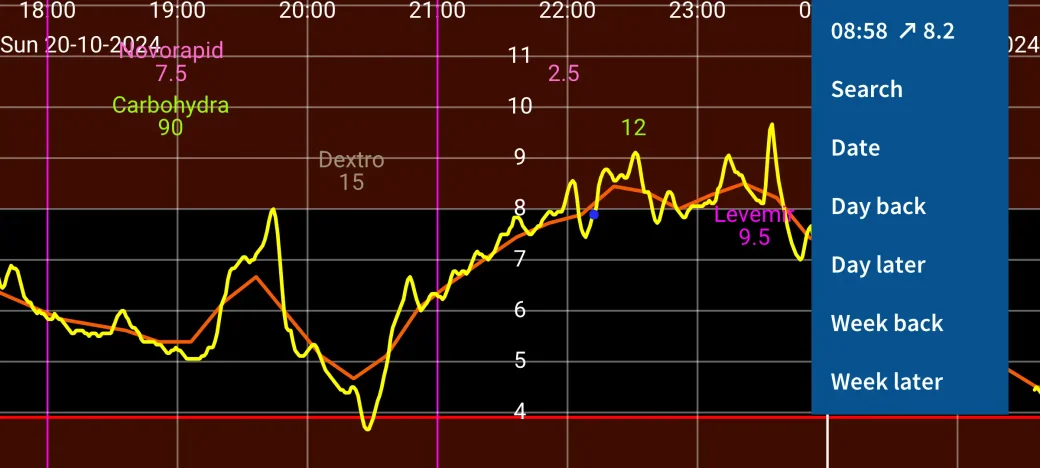
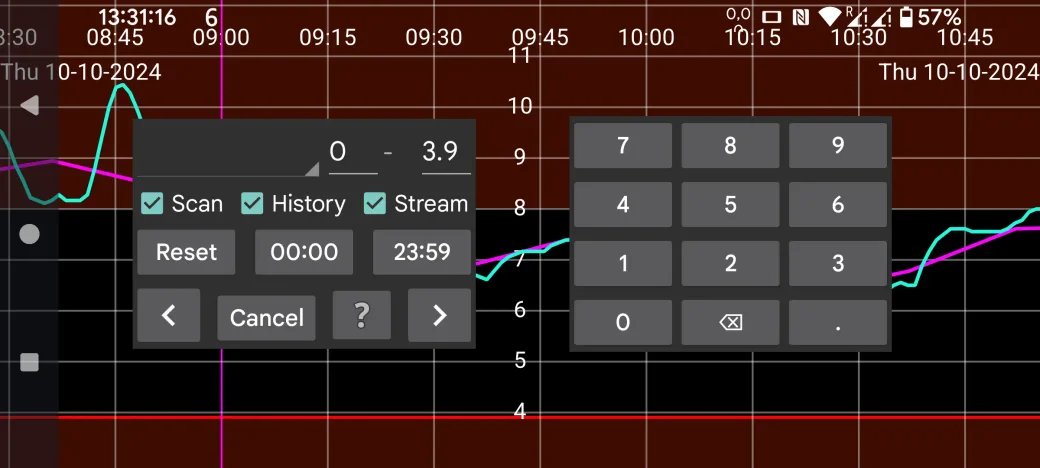
Jugglucoを開発した動機は、センサーの血糖値を、現在の血糖値を知るためや、血糖コントロールの全体像を把握するためだけに使うのではなく、もっと活用したいという思いからでした。
血糖値曲線を使って、過去のデータを簡単に参照し、インスリン投与量、炭水化物摂取量、活動量との関連性を正確に把握したかったのです。縦向きで表示される、小さくてゆっくりと生成される曲線では、それができませんでした。
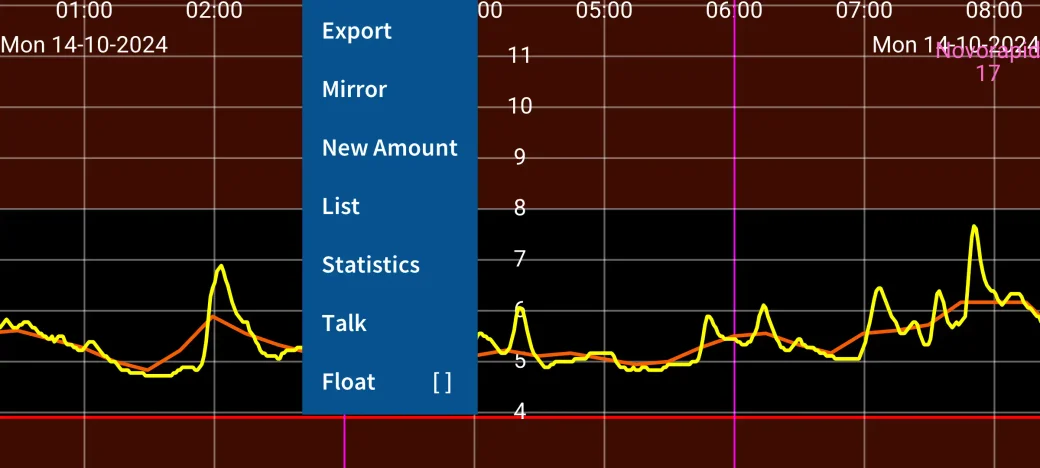
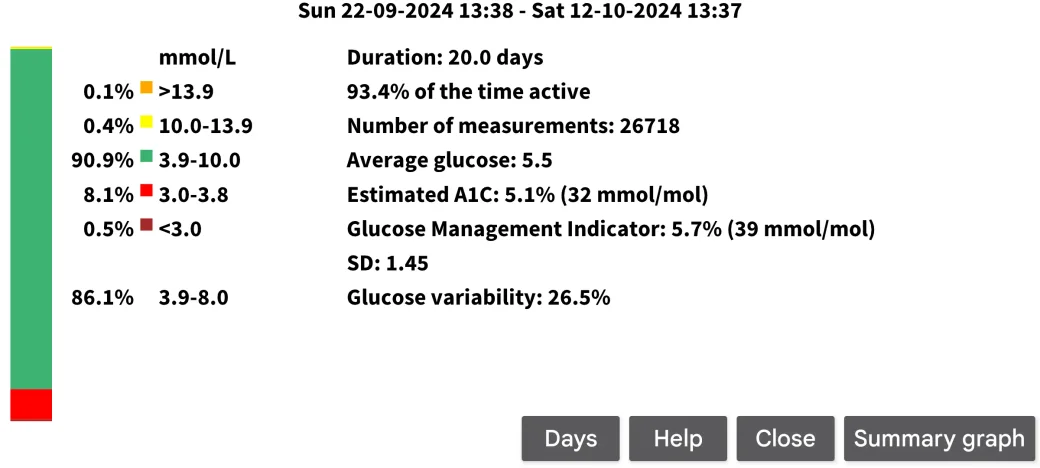
Jugglucoは、FreeStyle Libre 2、2+、3、3+、Sibionics GS1Sb、Dexcom G7/ONE+、Accu-Chek SmartGuide、CareSens Air、Linx/Aidex XセンサーからBluetooth経由で血糖値を受信できるアプリです。さらに、JugglucoはNovoPen® 6とNovoPen Echo® Plusをスキャンし、Contour Next血糖測定器からBluetooth経由で検査結果を受信できます。 Jugglucoは、あらゆる種類のスマートウォッチに血糖値を送信できます。左メニュー→ウォッチ→ヘルプをご覧ください:https://www.juggluco.nl/Jugglucohelp/watchinfo.html Jugglucoのスマートフォン版は、受信した血糖値を音声で読み上げたり、ホーム画面のウィジェットや他のアプリの上にフローティング表示したりできます。Jugglucoは、一般的な血糖統計情報を表示できます。他のアプリは、血糖値ブロードキャストやJugglucoのウェブサーバーを介してJugglucoからデータを受信できます。Jugglucoは、Health Connect、Libreview、Nightscoutにデータを送信できます。データはファイルにエクスポートしたり、別のスマートフォン、タブレット、エミュレーター、またはスマートウォッチ上のJugglucoに送信することもできます。低血糖アラーム、高血糖アラーム、服薬リマインダーを設定するオプションもあります。
左メニュー→写真で、Dexcom G7/ONE+のアプリケーター上のデータマトリックス、Sibionics GS1SbおよびLinx/Aidex Xのパッケージ、CareSens Airの内箱、Accu-Check SmartGuideセンサーの青いキャップをスキャンしてください。最後の項目については、指示に従ってPINを入力してください。警告:CareSens Airセンサーは、デバイスを切り替えられるのは1回のみです。詳細は、https://www.juggluco.nl/Juggluco/sensors を参照してください。
Wear OS版には、ウォッチフェイスに血糖値を表示するコンプリケーションが含まれています。
https://www.juggluco.nl/Jugglucohelp/introhelp.html
血糖値曲線を使って、過去のデータを簡単に参照し、インスリン投与量、炭水化物摂取量、活動量との関連性を正確に把握したかったのです。縦向きで表示される、小さくてゆっくりと生成される曲線では、それができませんでした。
Jugglucoは、FreeStyle Libre 2、2+、3、3+、Sibionics GS1Sb、Dexcom G7/ONE+、Accu-Chek SmartGuide、CareSens Air、Linx/Aidex XセンサーからBluetooth経由で血糖値を受信できるアプリです。さらに、JugglucoはNovoPen® 6とNovoPen Echo® Plusをスキャンし、Contour Next血糖測定器からBluetooth経由で検査結果を受信できます。 Jugglucoは、あらゆる種類のスマートウォッチに血糖値を送信できます。左メニュー→ウォッチ→ヘルプをご覧ください:https://www.juggluco.nl/Jugglucohelp/watchinfo.html Jugglucoのスマートフォン版は、受信した血糖値を音声で読み上げたり、ホーム画面のウィジェットや他のアプリの上にフローティング表示したりできます。Jugglucoは、一般的な血糖統計情報を表示できます。他のアプリは、血糖値ブロードキャストやJugglucoのウェブサーバーを介してJugglucoからデータを受信できます。Jugglucoは、Health Connect、Libreview、Nightscoutにデータを送信できます。データはファイルにエクスポートしたり、別のスマートフォン、タブレット、エミュレーター、またはスマートウォッチ上のJugglucoに送信することもできます。低血糖アラーム、高血糖アラーム、服薬リマインダーを設定するオプションもあります。
開始
Libre 2センサーを使用するには、Jugglucoでセンサーをスキャンしてください。アボットのLibre 3専用アプリからLibre 3センサーを引き継ぐには、左側のメニュー→設定→データ交換→Libreviewで、センサーをアクティベートしたときと同じアカウントを入力し、アカウントIDを取得を押してLibreviewから番号を受け取ります。センサーをスキャンすると、この番号がセンサーに送信されます。Libre 3センサーをJugglucoでアクティベートする場合は、Libreviewアカウントは不要です。センサーをスキャンする前に、任意の番号を入力してください。初回は、JugglucoがBluetooth経由でセンサーから血糖値を受信するまで2~10分かかります。干渉を防ぐため、センサーで使用したアプリを強制終了し、デバイスの電源を切ってください。Jugglucoをバックグラウンドで実行し続けるには、バックグラウンドアクティビティを許可し、Jugglucoのバッテリー最適化をオフにしてください。Jugglucoの通知は非表示にしないでください。 JugglucoでLibre 2センサーをスキャンした後、AbbottのLibre 2アプリではセンサーのスキャンしかできません(同じスマートフォンに2つのアプリがインストールされている場合、両方とも欧州製Libre 2センサーから血糖値を受信できますが、接続の問題が発生する可能性があります)。Libre 3センサーは、Jugglucoで使用した後でも、AbbottのLibre 3専用アプリで引き続き使用できます。Jugglucoを停止し、AbbottのLibre 3アプリでセンサーをスキャンし、現在のセンサーを停止して新しいセンサーを開始することに同意してください。Jugglucoに戻る場合は、再度スキャンする必要があります。左メニュー→写真で、Dexcom G7/ONE+のアプリケーター上のデータマトリックス、Sibionics GS1SbおよびLinx/Aidex Xのパッケージ、CareSens Airの内箱、Accu-Check SmartGuideセンサーの青いキャップをスキャンしてください。最後の項目については、指示に従ってPINを入力してください。警告:CareSens Airセンサーは、デバイスを切り替えられるのは1回のみです。詳細は、https://www.juggluco.nl/Juggluco/sensors を参照してください。
Wear OS
Jugglucoのスマートフォン版アプリはセンサーをスキャンし、そのデータをWear OS版アプリに送信します。スマートフォンとスマートウォッチの両方でBluetoothをオンにする必要があります。高速データ転送には、Wi-Fiもオンにしてください。初期化後、左メニュー→ウォッチ→Wear OS設定→センサーとウォッチの直接接続で、センサーとウォッチの直接接続をオン/オフできます。https://github.com/j-kaltes/Juggluco/wiki#wearos-watches には、さまざまなウォッチがJugglucoとどの程度連携するかについての情報が掲載されています。Wear OS版には、ウォッチフェイスに血糖値を表示するコンプリケーションが含まれています。
https://www.juggluco.nl/Jugglucohelp/introhelp.html
原文を表示
The motivation to write Juggluco was the need to use the sensor glucose values for something more than knowing my current glucose level or getting a global view the success of my glucose control.
I wanted to use the glucose curve to easily refer back to previous experiences and see exactly how it went in relation to insulin doses, carbohydrate intake and activities. A little isolated slowly generated curve in portrait mode doesn’t allow for that.
Juggluco is an app that receives glucose values via Bluetooth from Freestyle Libre 2, 2+, 3 and 3+, Sibionics GS1Sb, Dexcom G7/ONE+, Accu-Chek SmartGuide, CareSens Air and Linx/Aidex X sensors. In addition, Juggluco can scan NovoPen® 6 and NovoPen Echo® Plus and receive test results via Bluetooth from Contour Next glucose meters.
Juggluco can send glucose values to all kinds of smartwatches, see left menu→Watch→Help: https://www.juggluco.nl/Jugglucohelp/watchinfo.html
The phone version of Juggluco can talk out incoming glucose values, display it in a widget on the home screen and in floating glucose above other apps. Juggluco can display the usual glucose statistics. Other apps can receive data from Juggluco via glucose broadcasts and the web server in Juggluco. Juggluco can send data to Health Connect, Libreview and Nightscout. Data can also be exported to a file or send to another exemplar of Juggluco on another phone, tablet, emulator or watch. It has the option to set low and high glucose alarms and medication reminders.
After scanning a Libre 2 sensor with Juggluco, Abbott’s Libre 2 app can only scan the sensor (when two apps are on the same phone they can both receive glucose values from European Libre 2 sensors, but this can give connection problems.) Libre 3 sensors can still be used with Abbott’s Libre 3 only app after using it with Juggluco: stop Juggluco and scan the sensor with Abbott’s Libre 3 app, agreeing that you stop the current sensor and start a new one. When going back to Juggluco you have to scan again.
Scan with left menu→Photo the data matrix on the applicator for of Dexcom G7/ONE+, the package of Sibionics GS1Sb and Linx/Aidex X and the inner package of CareSens Air, and the blue cap of Accu-Check SmartGuide sensors. For the last enter the pin when asked. Warning: CareSens Air sensors can switch device only once. See: https://www.juggluco.nl/Juggluco/sensors
Wear OS version contains complications to display the glucose level on a watch face.
https://www.juggluco.nl/Jugglucohelp/introhelp.html
I wanted to use the glucose curve to easily refer back to previous experiences and see exactly how it went in relation to insulin doses, carbohydrate intake and activities. A little isolated slowly generated curve in portrait mode doesn’t allow for that.
Juggluco is an app that receives glucose values via Bluetooth from Freestyle Libre 2, 2+, 3 and 3+, Sibionics GS1Sb, Dexcom G7/ONE+, Accu-Chek SmartGuide, CareSens Air and Linx/Aidex X sensors. In addition, Juggluco can scan NovoPen® 6 and NovoPen Echo® Plus and receive test results via Bluetooth from Contour Next glucose meters.
Juggluco can send glucose values to all kinds of smartwatches, see left menu→Watch→Help: https://www.juggluco.nl/Jugglucohelp/watchinfo.html
The phone version of Juggluco can talk out incoming glucose values, display it in a widget on the home screen and in floating glucose above other apps. Juggluco can display the usual glucose statistics. Other apps can receive data from Juggluco via glucose broadcasts and the web server in Juggluco. Juggluco can send data to Health Connect, Libreview and Nightscout. Data can also be exported to a file or send to another exemplar of Juggluco on another phone, tablet, emulator or watch. It has the option to set low and high glucose alarms and medication reminders.
Start
To use a Libre 2 sensor, scan it with Juggluco. To take over a Libre 3 sensor from Abbott's Libre 3-only app, you need to enter in left menu→Settings→Exchange data→Libreview the same account as when activating the sensor and press Get account ID, to receive a number from Libreview. When you now scan the sensor this number will be sent to the sensor. No Libreview account is needed, when the Libre 3 sensor is activated with Juggluco: enter an arbitrary number before scanning the sensor. The first time it takes 2 to 10 minutes before Juggluco receives a glucose value via Bluetooth from the sensor. To prevent interference, force stop apps and turn off devices previously used with the sensor. To keep Juggluco running in the background, allow background activity and turn off battery optimizations for Juggluco. Don’t hide Juggluco’s notification.After scanning a Libre 2 sensor with Juggluco, Abbott’s Libre 2 app can only scan the sensor (when two apps are on the same phone they can both receive glucose values from European Libre 2 sensors, but this can give connection problems.) Libre 3 sensors can still be used with Abbott’s Libre 3 only app after using it with Juggluco: stop Juggluco and scan the sensor with Abbott’s Libre 3 app, agreeing that you stop the current sensor and start a new one. When going back to Juggluco you have to scan again.
Scan with left menu→Photo the data matrix on the applicator for of Dexcom G7/ONE+, the package of Sibionics GS1Sb and Linx/Aidex X and the inner package of CareSens Air, and the blue cap of Accu-Check SmartGuide sensors. For the last enter the pin when asked. Warning: CareSens Air sensors can switch device only once. See: https://www.juggluco.nl/Juggluco/sensors
Wear OS
The phone version of Juggluco scans the sensor and sends this data to the WearOS version of Juggluco. Bluetooth on both phone and watch needs to be turned on. For fast transmission, also WIFI. After initialization, you can switch on and off directly connecting the sensor with the watch, with left menu→Watch→Wear OS config→Direct sensor-watch connection. https://github.com/j-kaltes/Juggluco/wiki#wearos-watches collects information about how well different watches work with Juggluco.Wear OS version contains complications to display the glucose level on a watch face.
https://www.juggluco.nl/Jugglucohelp/introhelp.html
データ セーフティ
このアプリが収集・共有するデータについて、Jaap Korthals AltesがGoogle Playで申告している内容です。
- 第三者と共有されるデータはありません詳しくは、デベロッパーが共有を申告する方法についての説明をご覧ください
- データは収集されません詳しくは、デベロッパーが収集を申告する方法についての説明をご覧ください
新機能
2026/11/4
- ATTENTION: If you use Juggluco on WearOS, you need to update Juggluco on watch and phone to the same version of Juggluco.
• Can receive activities from Health Connect: left menu→Settings→Exchange data→Activities. https://www.juggluco.nl/Jugglucohelp/activities.html
• Bug fix. Taking over sensors started with Abbotts new Libre app now also works for the non-Dutch.
開発元の連絡先
- ウェブサイトjuggluco.nl
- メールjaapkorthalsaltes@gmail.com
- プライバシーポリシーjuggluco.nl
- 住所Netherlands
情報
- 提供元
- Google Commerce Ltd
- カテゴリ
- 医療
- 更新日
- 2026/11/4
- リリース
- 2021/10/17
- 必要条件
- Android 8.0以降
- 対象年齢
- 3 歳以上
- 価格
- 無料
- パッケージ名
- tk.glucodata
類似のアプリ
-
 Luscii
医療
-
 David Lloyd Clubs
健康&フィットネス
-
 SNAQ - Diabetes Food Tracker
健康&フィットネス
-
 Yazen: medical weight loss
医療
-
 糖尿病の血糖日記
医療
-
 GI値・GL値 食品表|低GI食事管理・糖尿病
健康&フィットネス
-
 Owlet Dream
健康&フィットネス
-
 GoCoCo - Diabetes Food Tracker
健康&フィットネス
-
 Lean:AIカロリー・体脂肪記録
健康&フィットネス
-
 Kardia
医療
-
 Holvi – Business banking
ファイナンス
-
 AI Calorie Counter: Calfinity
健康&フィットネス