Quikshort: Shortcut Creator
AtolphaDevアプリ内課金
- 3 歳以上対象年齢
- ツールカテゴリ
- 2026/9/5更新日
- 無料価格
com.atolphadev.quikshortのGoogle Play公式ページにリンクしています。最終確認:2026/11/28。

スクリーンショット


このアプリについて
Googleによる英語 (アメリカ合衆国)からの自動翻訳です。
あらゆる用途に対応した、カスタムホーム画面ショートカットとクイック設定タイルを作成できます。
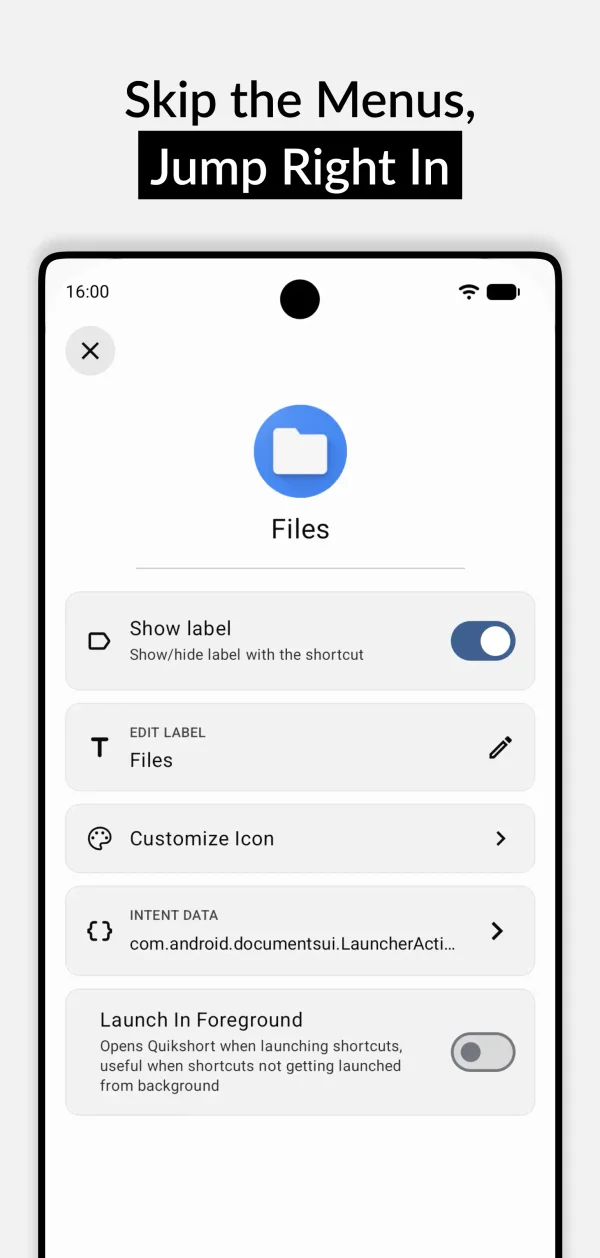
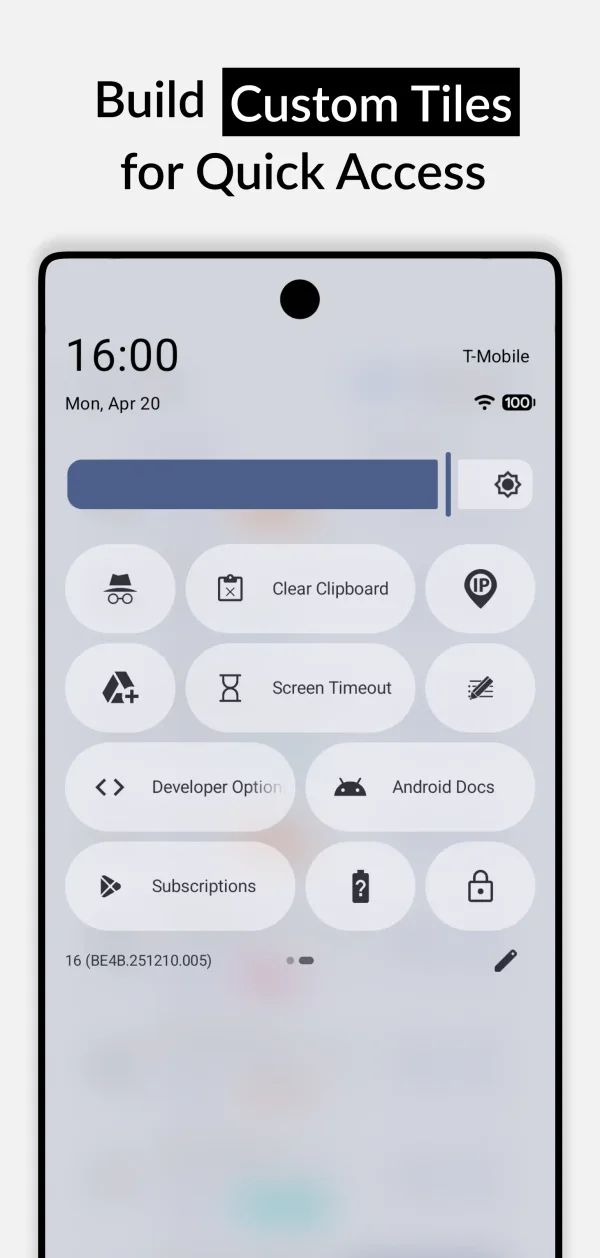
Quikshortは、ホーム画面にカスタムショートカットを作成したり、クイック設定にタイルを追加したり、それらをグループ化してスマートフォンの使い方に合わせてカスタマイズできるショートカット作成ツールです。
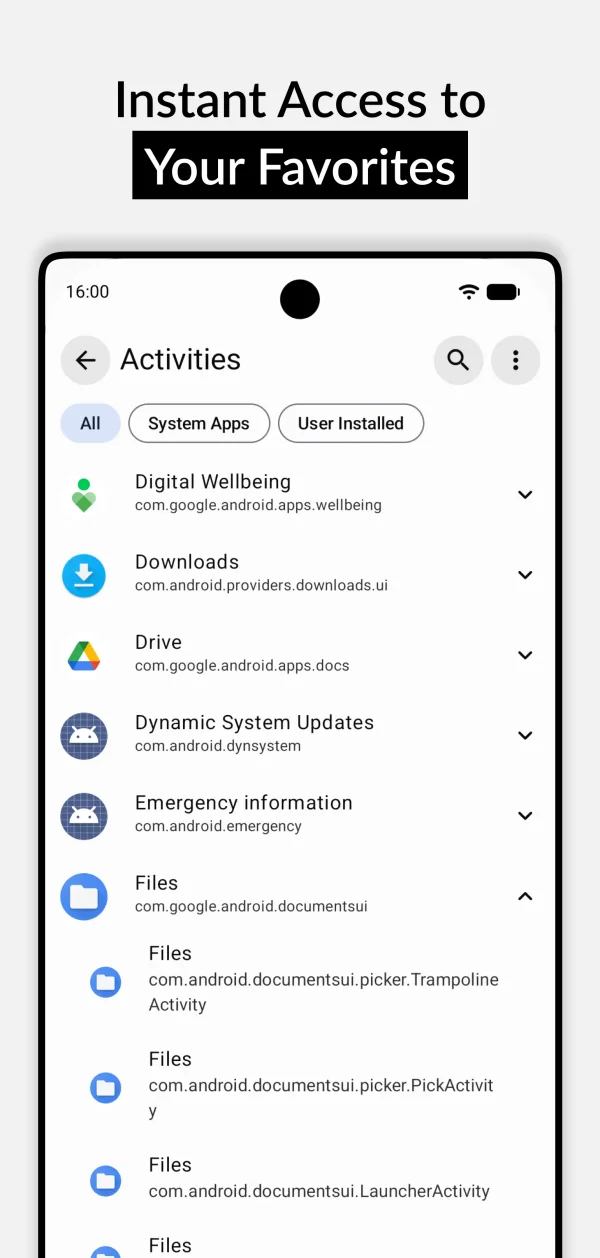
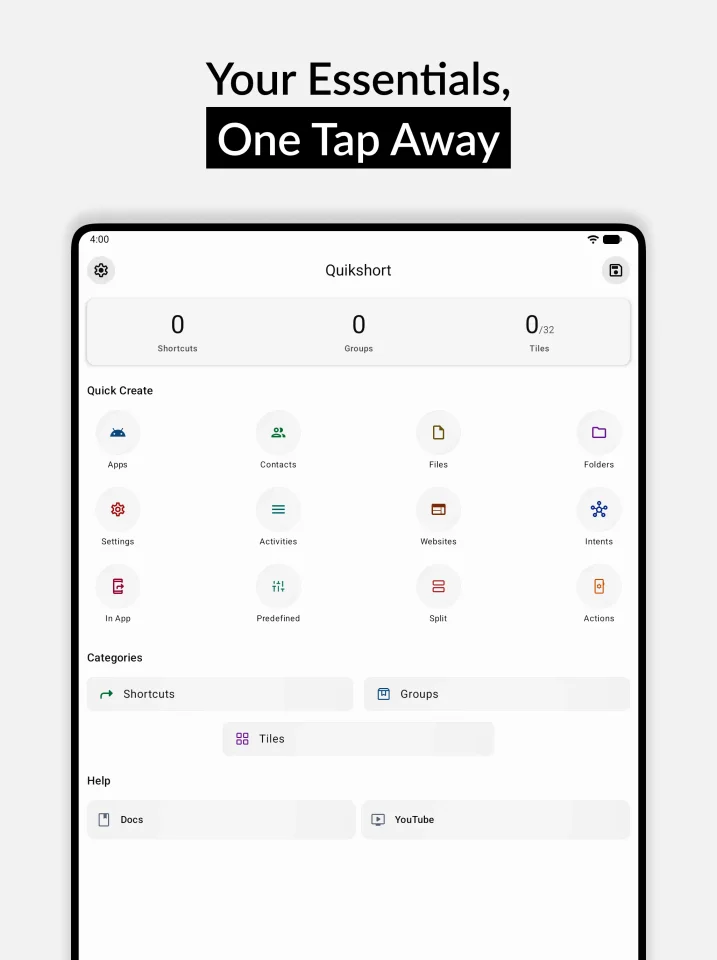
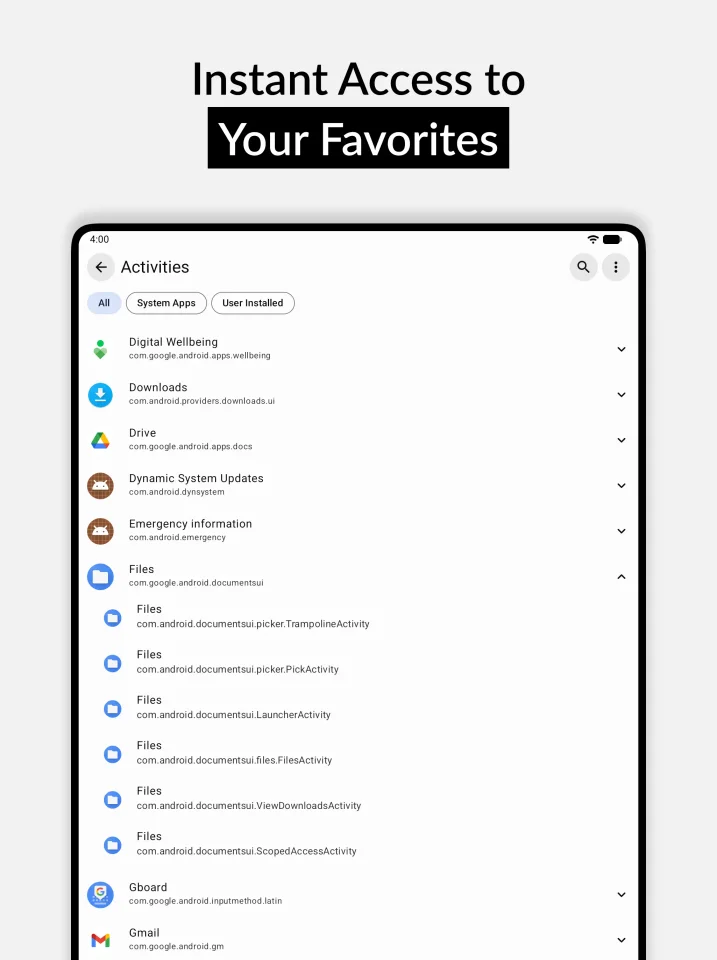
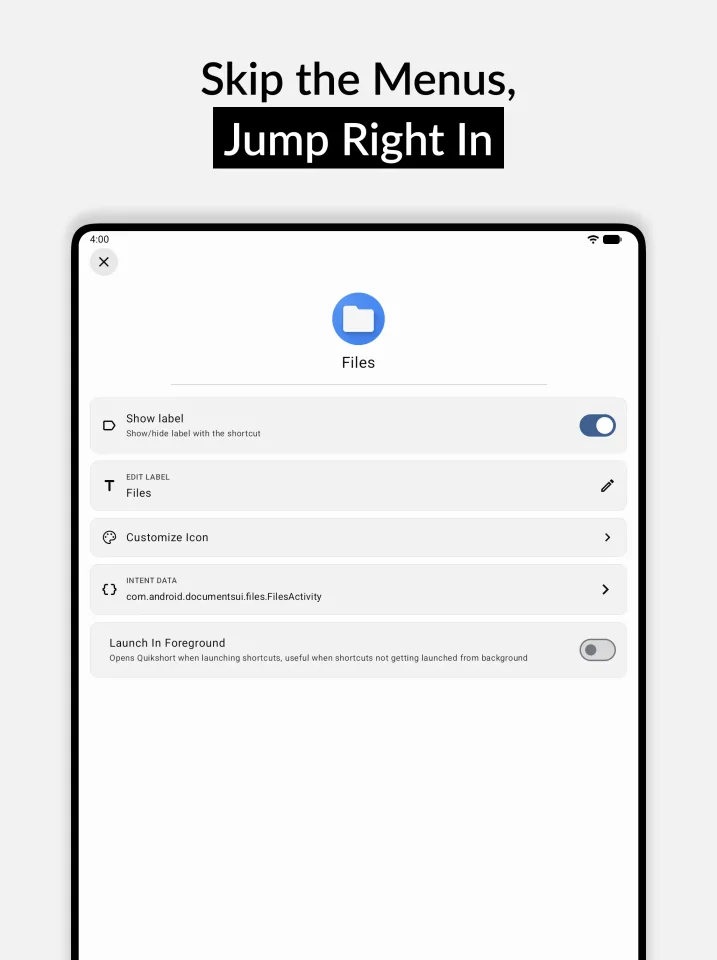
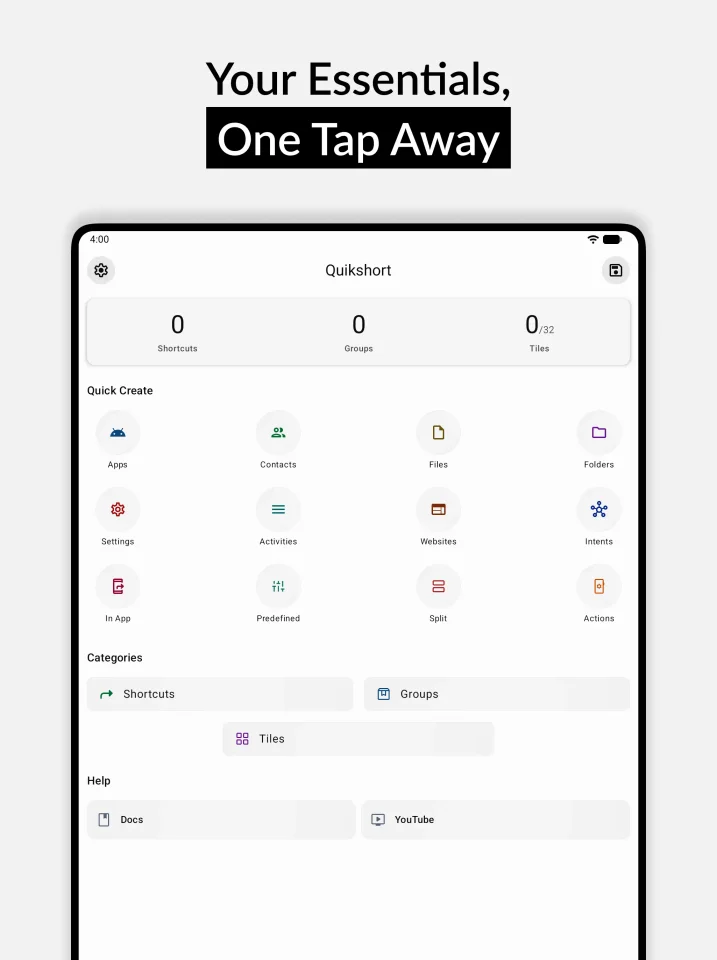
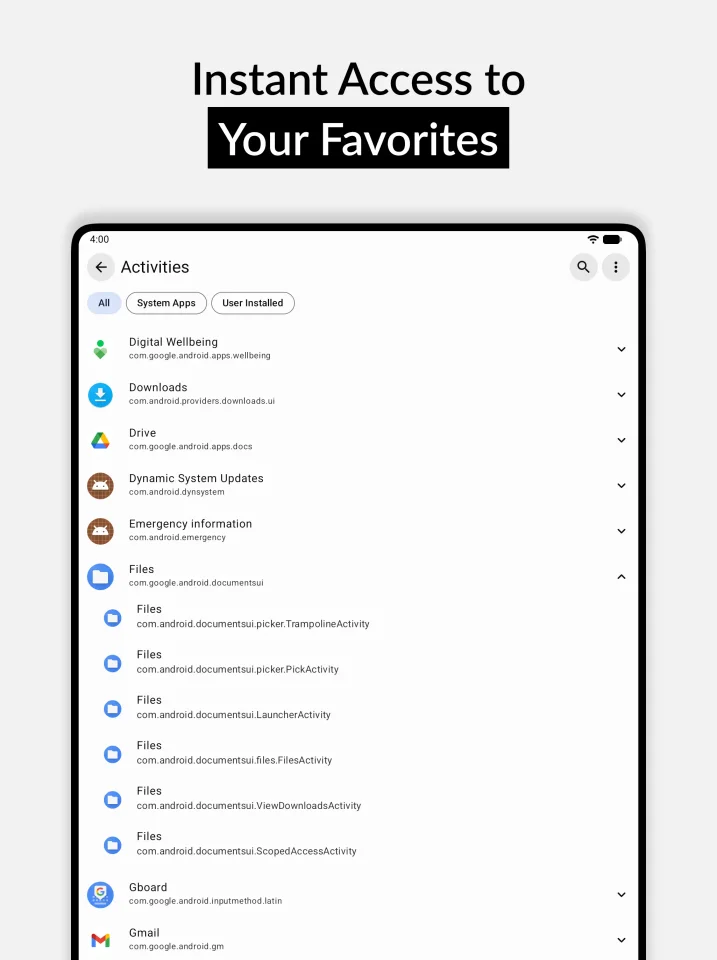
特定のアプリを起動したり、アプリ内のアクティビティに直接アクセスしたり、よく使うファイルやフォルダを開いたりしたい場合、Quikshortを使えば簡単に操作できます。お気に入りのウェブサイト、連絡先への直接ダイヤル、システム設定、システムインテントやカスタムインテントのショートカットも作成可能です。
ホーム画面とクイック設定:
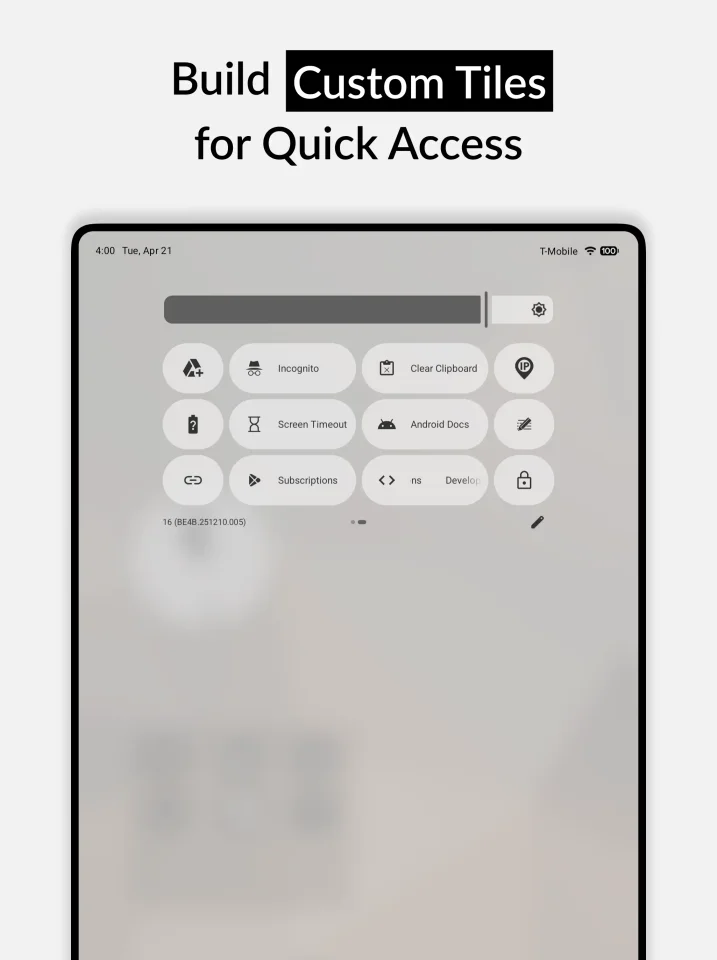
ホーム画面のショートカットとグループは無制限に作成できます。さらに、クイック設定パネルには最大15個のカスタムタイルを設定でき、Pro版では最大32個まで拡張できます。
カスタマイズ機能:
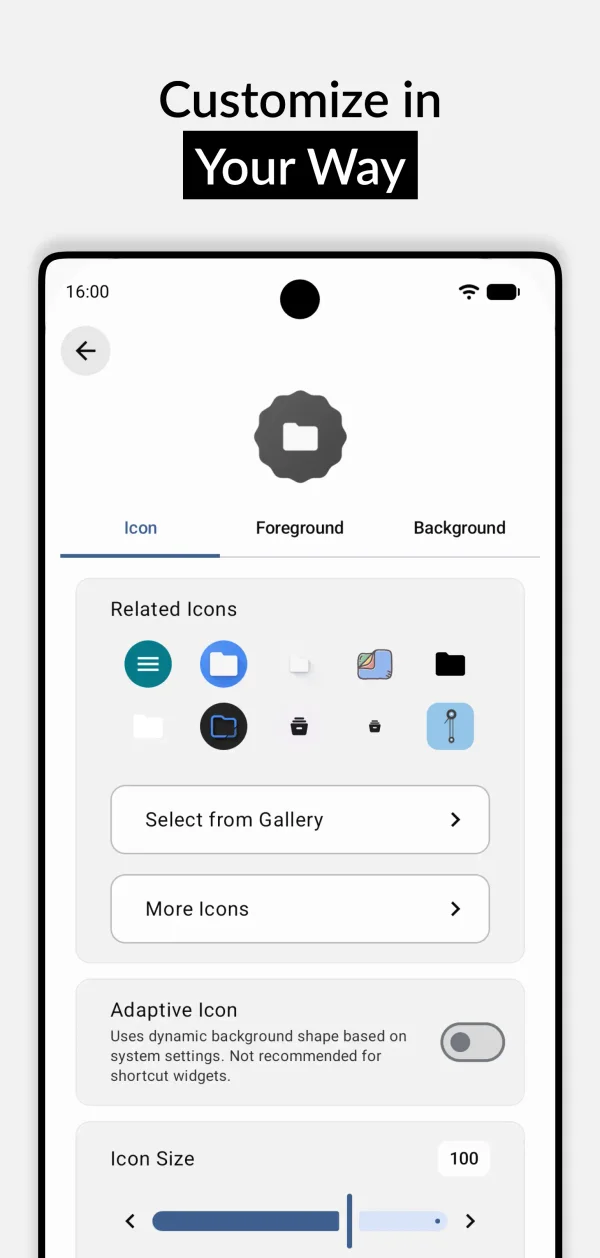
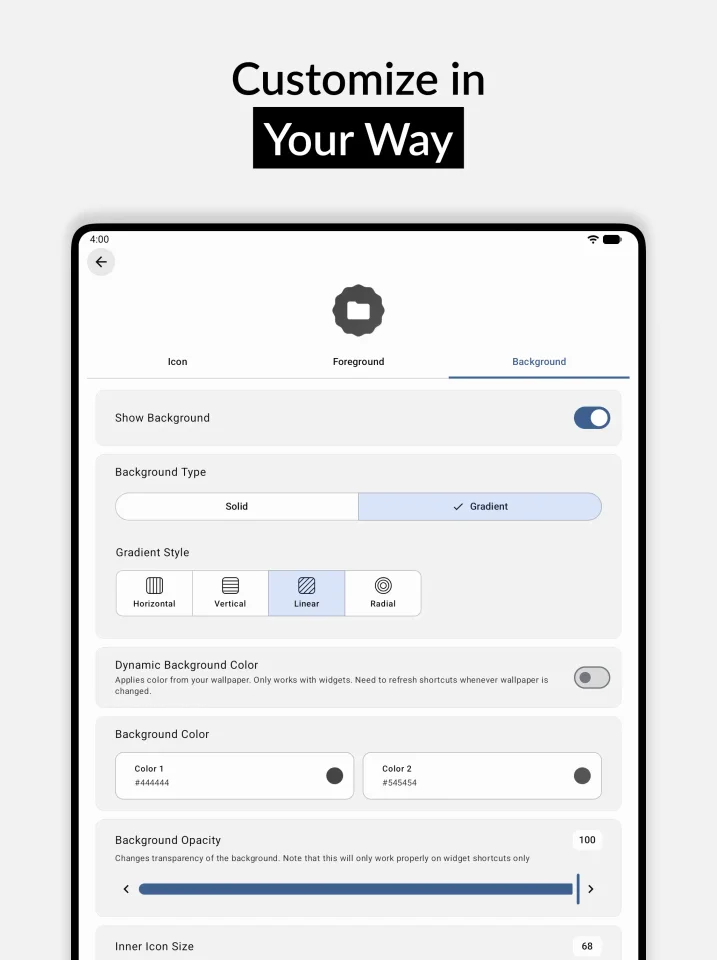
サードパーティ製アイコンパックのアイコンを適用したり、背景色を単色またはグラデーションにしたり、アイコンの形状やサイズを調整したりして、ショートカットをデザインできます。独自の画像を使用してカスタム形状を作成することも可能です。
グループ機能:
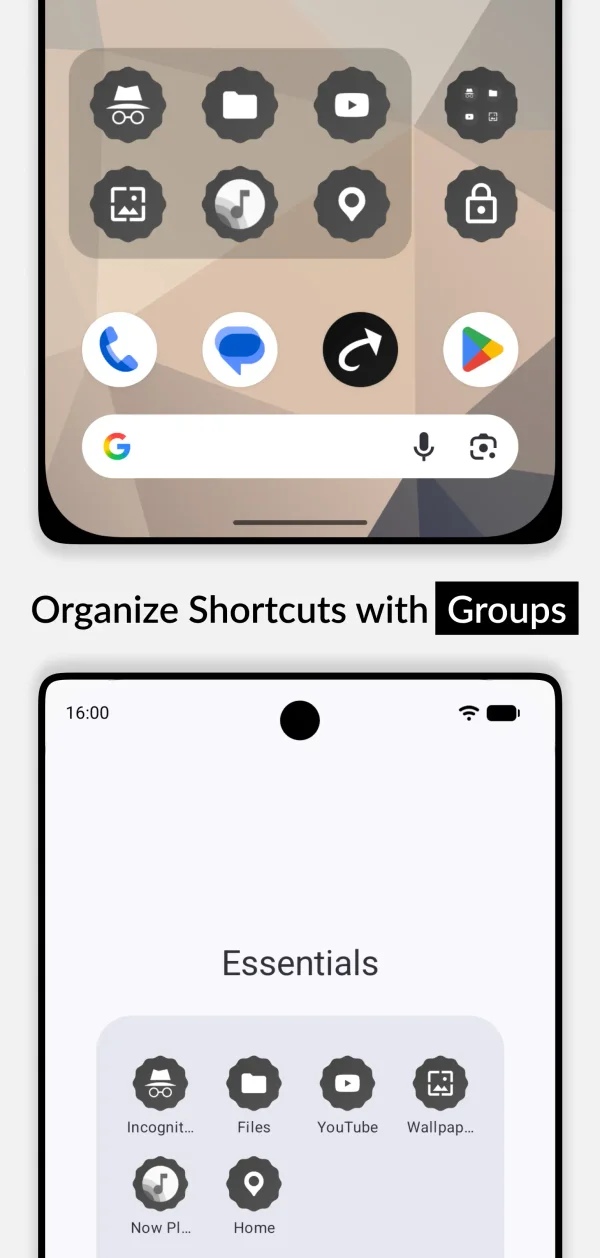
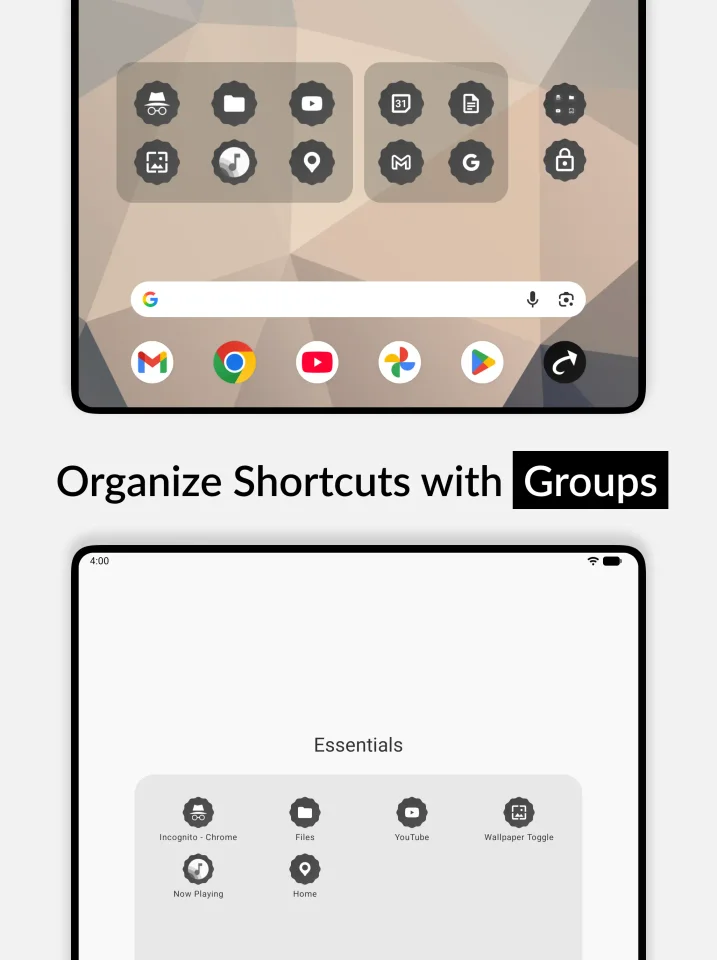
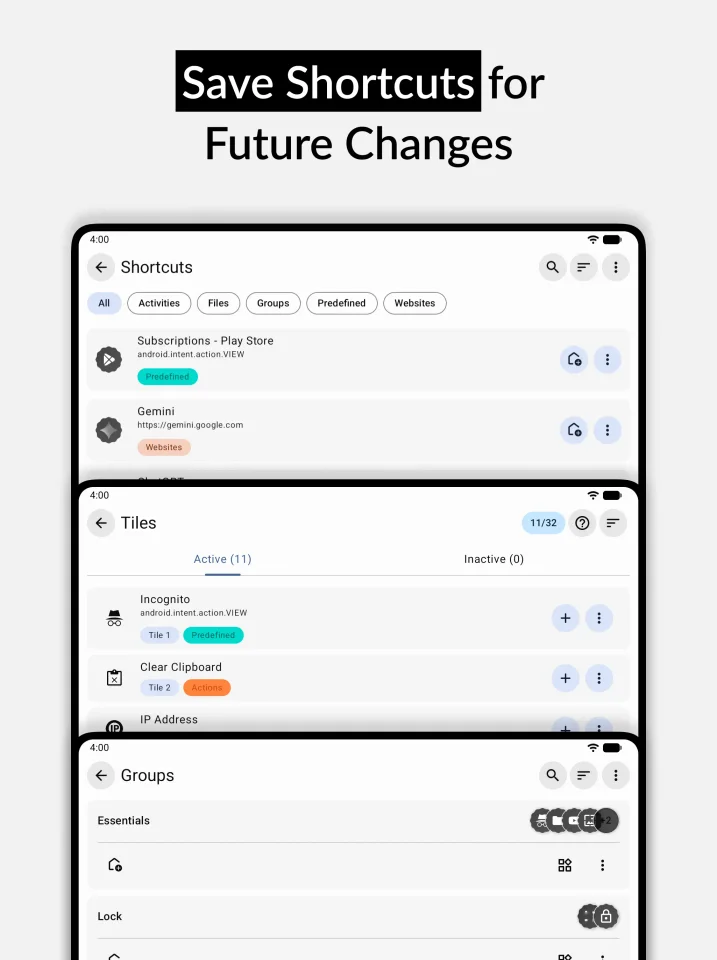
関連する複数のショートカットを1つのグループにまとめて、ワンタップでアクセスできます。作成したグループは、ホーム画面に直接フォルダとして配置したり、ダイアログボックスやボトムシートとして開くように設定したりできます。
バックアップと復元:
Quikshortは作成したショートカットをデバイスのストレージに保存するため、最初から作り直すことなく、後で変更や更新が可能です。ショートカットをファイルとしてエクスポートしてバックアップしたり、別のデバイスにインポートしたりすることもできます。
アクションショートカット:
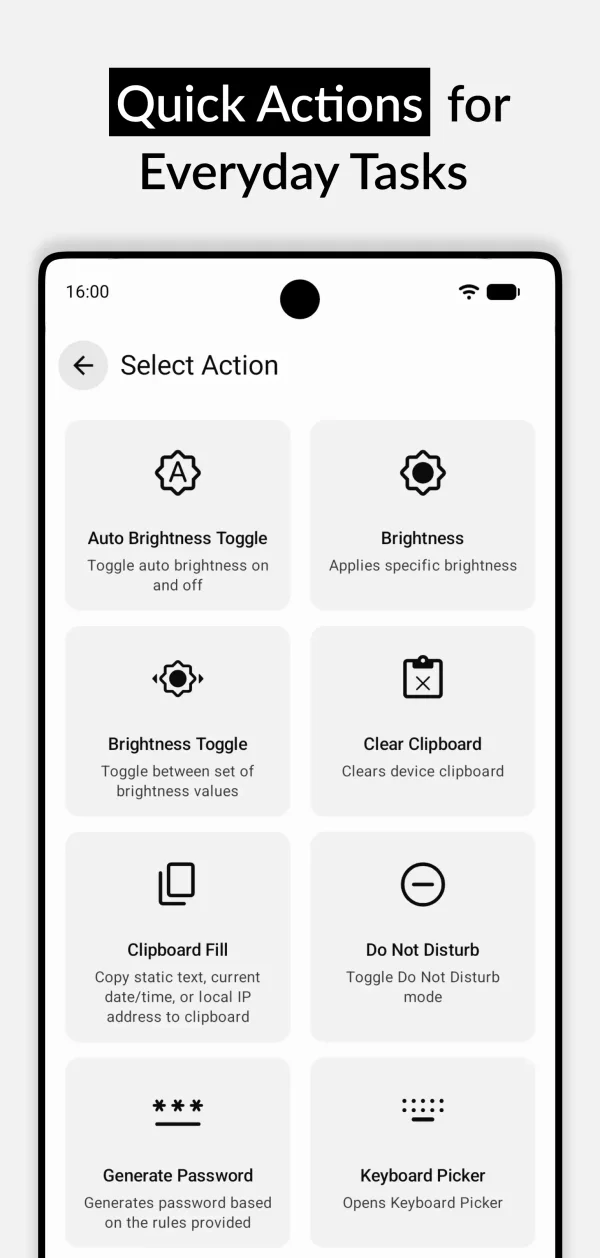
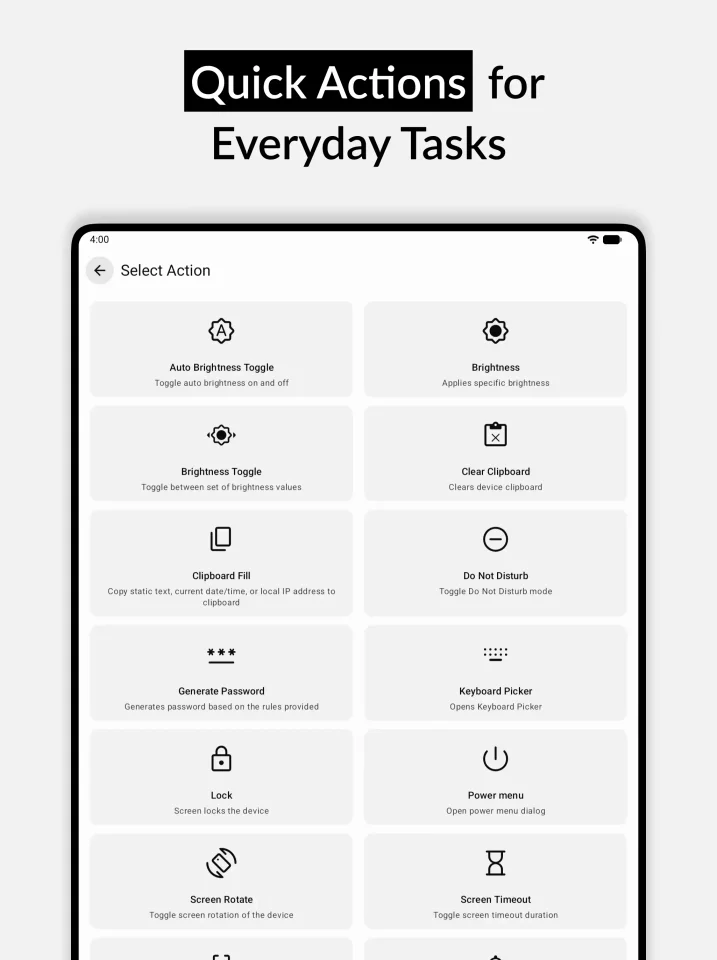
日常的なタスクのためのアクションショートカットを作成できます。おやすみモードや画面の明るさなどのデバイス設定の切り替え、クリップボードの管理、スクリーンショットの撮影、デバイスのロック、電源メニューの起動などの物理コマンドの実行などが可能です。
==== アクセシビリティサービスの使用 ====
Quikshortは、電源メニュー、デバイスのロック、スクリーンショットなどの特定のアクションショートカットを有効にするためだけに、アクセシビリティサービスAPIを使用します。この権限はアプリの通常の使用には必要なく、ユーザーが上記のアクションショートカットを作成する場合にのみ要求されます。Quikshortはアクセシビリティサービスを通じて、個人情報や機密データを収集、保存、共有することはありません。このサービスは、記載されているアクションショートカットを実行するためだけに使用され、その他の機能には一切使用されません。
サポートとフィードバック:
問題が発生した場合や機能リクエストがある場合は、support@atolphadev.com までご連絡ください。
Quikshortのドキュメントは、https://quikshort.atolphadev.com/docs/ でご覧いただけます。
原文を表示
Quikshort is a shortcut maker that lets you create custom shortcuts on your home screen, add tiles to your quick settings, and group them together to fit how you use your phone.
Whether you want to launch specific apps, navigate directly to in-app activities, or open frequently used files and folders, Quikshort makes it simple. You can also generate shortcuts for your favorite websites, direct contact dials, system settings, and both system or custom intents.
Home Screen & Quick Settings:
You can create an unlimited number of home screen shortcuts and groups. Additionally, you can configure up to 15 custom tiles in your quick settings panel, expanding up to 32 tiles with the Pro version.
Customization Features:
Design your shortcuts by applying icons from third-party icon packs, adding solid or gradient background colors, and adjusting the icon shapes and sizes. You can even use your own images to create custom shapes.
Groups Feature:
Combine multiple related shortcuts into a single group to access them with one tap. You can place groups as open folders directly on your home screen, or set them to open as a dialog box or bottom sheet.
Backup and Restore:
Quikshort saves your generated shortcuts in your device storage, so you can modify and update them later without starting from scratch. You can also export your shortcuts as files to back them up or import them onto another device.
Action Shortcuts:
Create action shortcuts for everyday tasks. You can toggle device settings like Do Not Disturb and brightness, manage your clipboard, or trigger physical commands like taking a screenshot, locking your device, or opening the power menu.
==== Accessibility Service Usage ====
Quikshort uses the Accessibility Service API strictly to enable specific action shortcuts such as Power Menu, Lock Device, and Screenshot. This permission is not required for general use of the app and is only requested when a user creates any of the specific mentioned action shortcuts. Quikshort does not collect, store, or share any personal or sensitive data through the Accessibility Service. The service is used solely for the purpose of executing the mentioned action shortcuts and for no other function.
Support & Feedback:
If you run into any issues or have feature requests, please reach out to me at support@atolphadev.com.
You can also find the Quikshort documentation at: https://quikshort.atolphadev.com/docs/
データ セーフティ
このアプリが収集・共有するデータについて、AtolphaDevがGoogle Playで申告している内容です。
- 第三者と共有されるデータはありません詳しくは、デベロッパーが共有を申告する方法についての説明をご覧ください
- データは収集されません詳しくは、デベロッパーが収集を申告する方法についての説明をご覧ください
新機能
バージョン 1.10.0 · 2026/9/5
- You can now configure APIs for fetching Favicons for website shortcuts
- Added media and volume actions
- Added the ability to customize borders of shortcuts
- Minor additions to group shortcut configuration
- Fixed crashes and bugs
開発元の連絡先
- ウェブサイトquikshort.atolphadev.com
- メールsupport@atolphadev.com
- プライバシーポリシーquikshort.atolphadev.com
- 住所Gantasalavari Street Penugonda, Andhra Pradesh 534320 India
情報
- 提供元
- AtolphaDev
- カテゴリ
- ツール
- バージョン
- 1.10.0
- 更新日
- 2026/9/5
- リリース
- 2023/9/13
- 必要条件
- Android 8.1以降
- 対象年齢
- 3 歳以上
- 価格
- 無料
- アプリ内課金
- ¥80~¥14,100/アイテム
- パッケージ名
- com.atolphadev.quikshort
類似のアプリ
-
 Ares Light: Pastel Icon Pack
カスタマイズ
-
 WiFiman
ツール
-
 スクエアホームランチャー - タイルレイアウト
カスタマイズ
-
 Taskbar
ツール
-
 NetSpeed Indicator
ツール
-
 AppDash: App Manager & Backup
ツール
-
 G-CPU:Monitor CPU, RAM, Widget
ツール
-
 Skit Premium
ツール
-
 Nothing X
ツール
-
 Freedom Street Garage
ショッピング
-
 PurpleLine Icon Pack : LineX
カスタマイズ
-
 Borealis - Icon Pack
カスタマイズ