AppDash: App Manager & Backup
flar2アプリ内課金
- 12 歳以上対象年齢
- ツールカテゴリ
- 2026/11/13更新日
- 無料価格
flar2.appdashboardのGoogle Play公式ページにリンクしています。最終確認:2026/11/19。
スクリーンショット
このアプリについて
Googleによる英語 (アメリカ合衆国)からの自動翻訳です。
バックアップ、分析、権限管理などを備えた高度なアプリマネージャー
AppDashは、Android向けの高度なアプリマネージャーです。 Androidアプリの整理、検査、バックアップ、追跡をすべて一箇所で行えます。
AppDashは、アプリの詳細、権限、使用状況、履歴、バックアップ、ウィジェット、Playストア検索、ウォッチリスト追跡、そしてより詳細なアプリ情報を、洗練されたパワフルなインターフェースに統合します。
アプリを整理
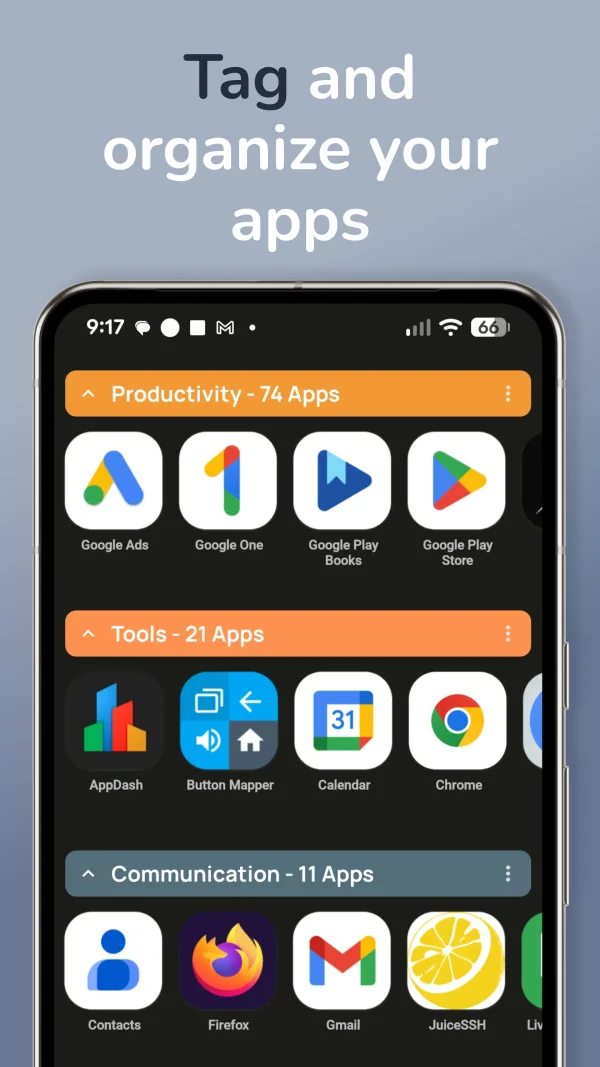
• カスタムグループと色でアプリにタグを付けます
• インストール済みのアプリを検索、並べ替え、フィルタリングします
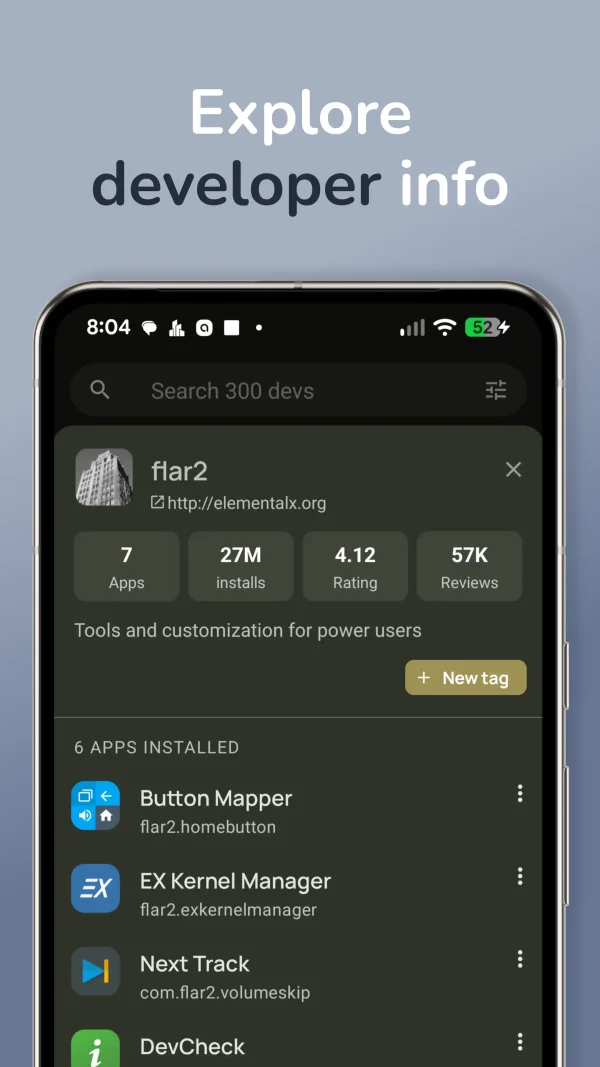
• 開発者ごとにすべてのアプリを表示し、開発者の詳細情報も確認できます
• アプリにメモや評価を追加できます
• アプリリストを作成して共有できます
最も重要な情報を把握
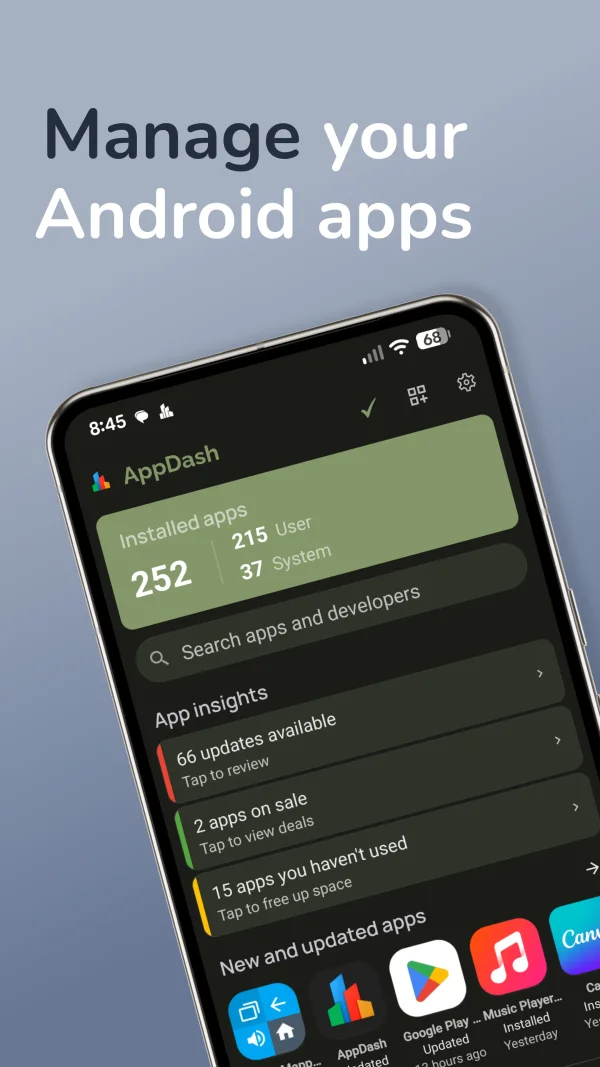
• 便利なアプリ分析情報が掲載されたダッシュボードをご覧ください
• 新規アプリや最近更新されたアプリを見つけます
• 使用されていないアプリや容量の大きいアプリを特定します
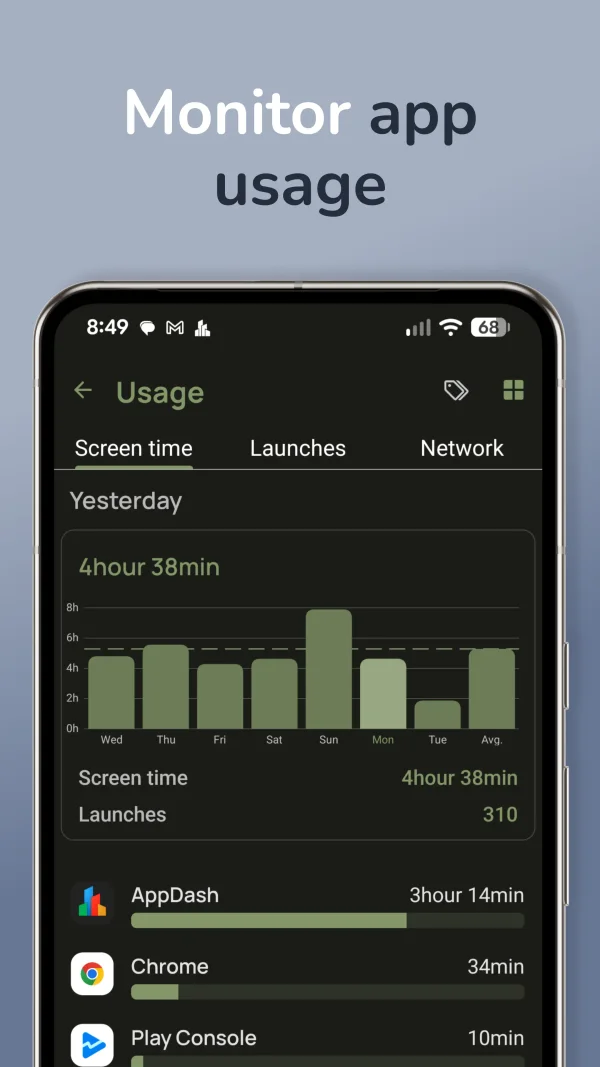
• アプリの使用状況、スクリーンタイム、起動回数を監視します
• インストール、更新、アンインストール、再インストール、バージョン履歴を追跡します
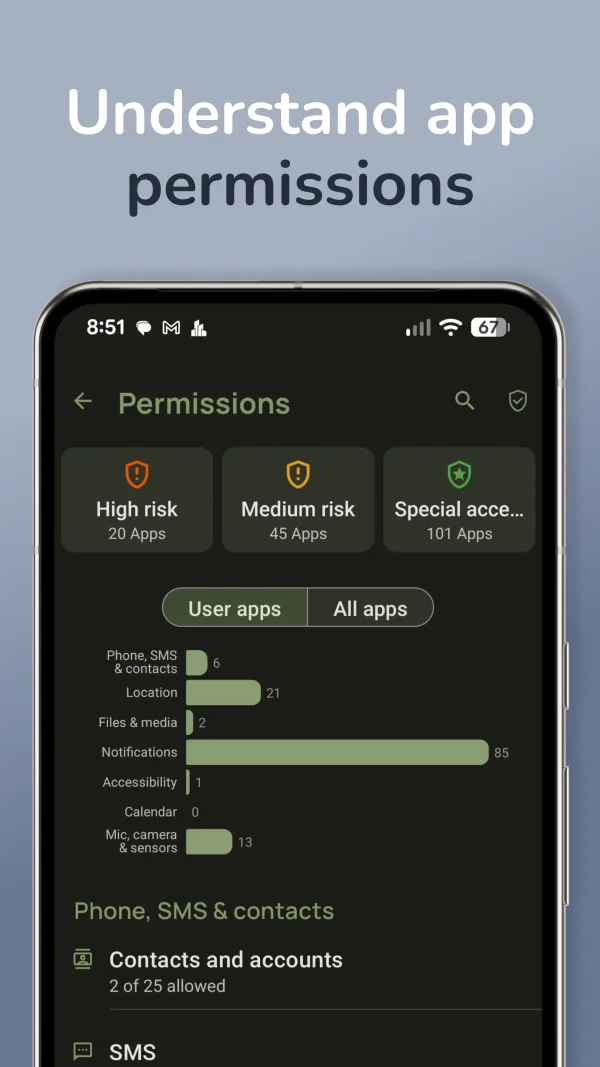
• 高リスク、中リスク、特別なアクセス権限の概要で権限を閲覧できます
Androidのデフォルトのアプリ情報画面よりも詳細な情報を表示
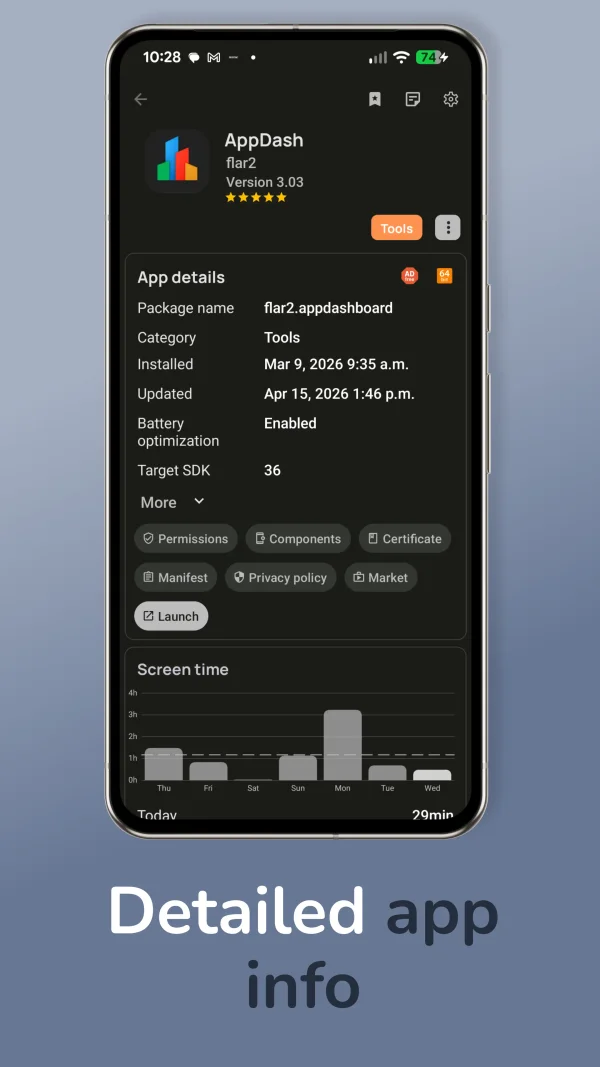
• アプリの詳細を表示情報、メタデータ、インストーラーの詳細
• マニフェストデータとアプリコンポーネントを検査
• 権限、証明書、技術詳細を閲覧
• アプリの起動、バックアップ、アンインストール、共有、抽出などをすべて一箇所で実行
バックアップと復元
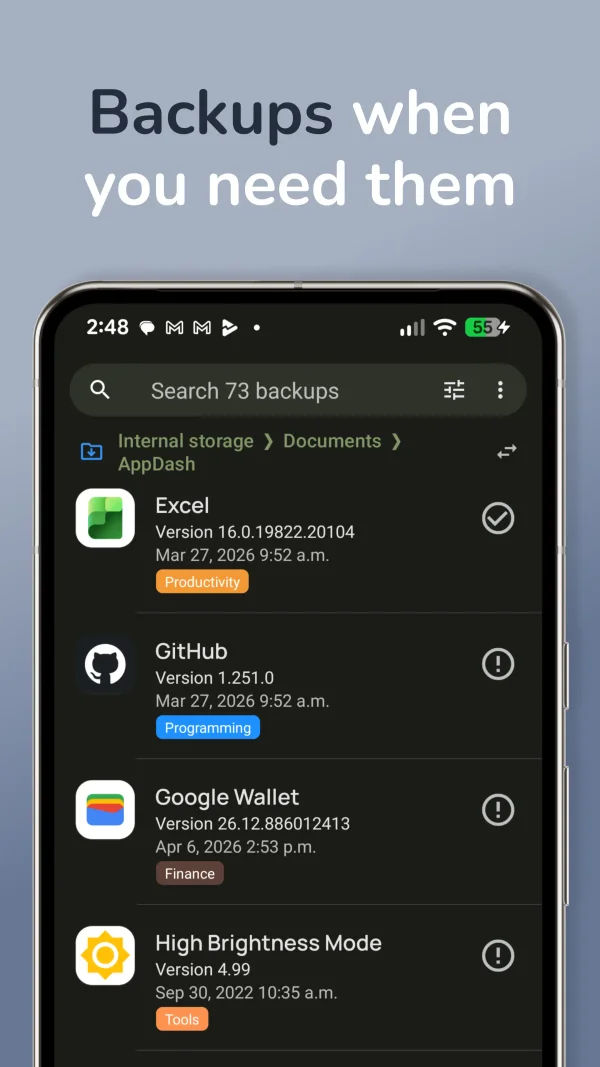
• アプリを内部ストレージ、Googleドライブ、またはSMB共有にバックアップ
• バージョン管理されたバックアップを保持し、必要に応じて復元
• バックアップをスケジュール設定、またはアプリのアップデート時に自動的にバックアップ
• ルートユーザーはアプリデータ、外部データ、OBBファイルをバックアップ可能
• ルート権限を持たないユーザーはAPKファイルをバックアップ可能
APKツール
• APK、APKS、XAPK、APKMファイルを分析、抽出、共有、またはインストール
• 「AppDashで開く」を使用してファイルエクスプローラーからAPKファイルを直接開く
• インストール前にAPKの内容を検査
気になるアプリを追跡
• フィルターを使用してPlayストアを検索
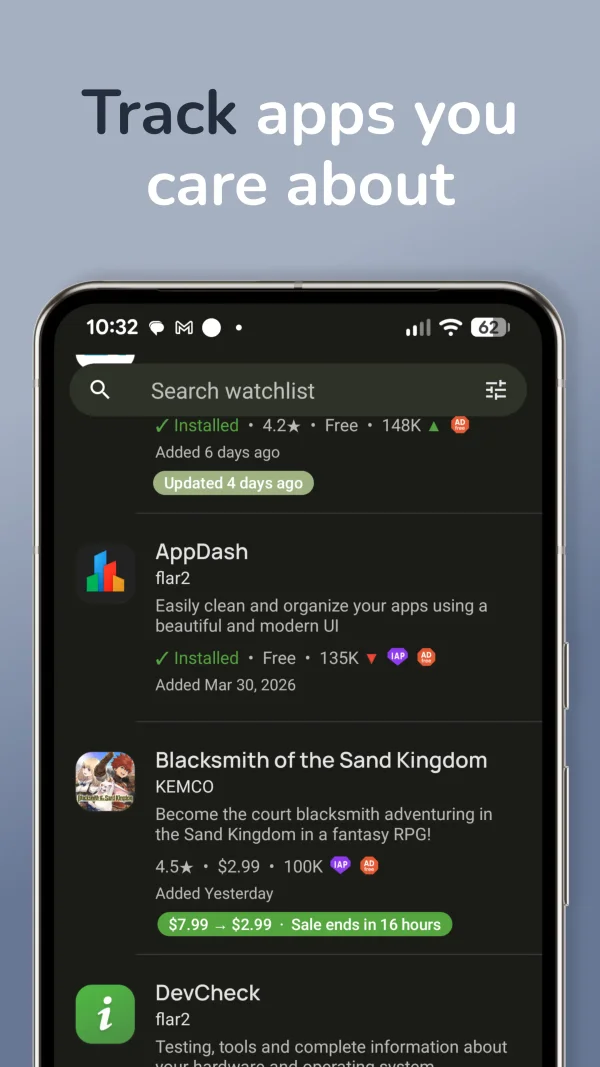
• アプリをウォッチリストに追加
• 価格下落、セール、アップデートや無料アプリの配信
• 評価、変更履歴、開発者情報など、より詳細なアプリ情報を表示
ホーム画面ウィジェット
• 最近使用したアプリのウィジェット
• スクリーンタイムウィジェット
• 利用可能なアップデートウィジェット
• タグウィジェットなど
高度な機能
AppDashは標準的なAndroid端末で便利に使えますが、root化やShizukuを導入することで、さらに高度なアプリ管理機能を利用できます。
プライバシー
AppDashは100%広告なしで、ユーザーのプライバシーを尊重します。オプション機能は、豊富なメタデータを提供するためだけに、パッケージ名を安全に送信します。
7日間のフルアクセスプレビューが含まれています。その後、AppDashを継続して利用するにはプランへの加入が必要です。Google Playの設定でキャンセルしない限り、サブスクリプションは自動更新されます。永久ライセンスの購入オプションもご利用いただけます。
原文を表示
AppDash is an advanced app manager for Android. Organize, inspect, back up, and track your Android apps from one place.
AppDash combines app details, permissions, usage, history, backups, widgets, Play Store search, watchlist tracking, and richer app info in one polished, powerful interface.
Organize your apps
• Tag apps with custom groups and colors
• Search, sort, and filter installed apps
• See all your apps by developer, with rich developer details
• Add notes and ratings to any app
• Create and share app lists
See what matters most
• Explore dashboard with useful app insights
• Find new and recently updated apps
• Identify unused apps and large apps
• Monitor app usage, screen time, and launches
• Track install, update, uninstall, reinstall, and version history
• Browse permissions with high-risk, medium-risk, and special access summaries
Go deeper than Android’s default app info screen
• View detailed app info, metadata, and installer details
• Inspect manifest data and app components
• Browse permissions, certificates, and technical details
• Launch, back up, uninstall, share, extract, and more from one place
Back up and restore
• Back up apps to internal storage, Google Drive, or SMB shares
• Keep versioned backups and restore when needed
• Schedule backups or back up automatically when apps update
• Root users can back up app data, external data, and OBB files
• Non-root users can back up APK files
APK tools
• Analyze, extract, share, or install APK, APKS, XAPK, and APKM files
• Open APK files directly from file explorers with “Open with AppDash”
• Inspect APK contents before installing
Track apps you care about
• Search the Play Store with filters
• Add apps to your watchlist
• Follow price drops, sales, updates, and apps becoming free
• See richer app info such as ratings, changelogs, and developer details
Home screen widgets
• Recent activity widgets
• Screen time widgets
• Updates available widgets
• Tag widgets and more
Advanced features
AppDash is useful on standard Android devices and goes even further with root or Shizuku for advanced app management features.
Privacy
AppDash is 100% ad-free and respects your privacy. Optional features securely transmit package names solely to provide rich metadata.
Includes a 7-day full-access preview. After that, a plan is required to continue using AppDash. Subscriptions auto-renew unless cancelled in Google Play settings. A lifetime purchase option is also available.
データ セーフティ
このアプリが収集・共有するデータについて、flar2がGoogle Playで申告している内容です。
- 第三者と共有されるデータはありません詳しくは、デベロッパーが共有を申告する方法についての説明をご覧ください
- このアプリは以下の種類のデータを収集することがあります個人情報、財務情報
- データは送信中に暗号化されます
新機能
バージョン 3.18 · 2026/11/13
3.18:
-Reduced memory & storage use
-bug fixes
3.17:
-bug fixes
3.16:
-track permission changes
-archive apps
-WebDAV self-signed certs
Other recent changes:
-OneDrive, Dropbox, SFTP, S3 & WebDAV support for backups
-Privacy details
-Task Manager (Shizuku)
-App Insights
-Watchlist & full store search
開発元の連絡先
- ウェブサイトappdash.app
- メールinfo@appdash.app
- プライバシーポリシーappdash.app
- 住所9093 West Ridge Line Blenheim, ON N0P 1A0 Canada
情報
- 提供元
- flar2
- カテゴリ
- ツール
- バージョン
- 3.18
- 更新日
- 2026/11/13
- リリース
- 2026/10/19
- 必要条件
- Android 8.1以降
- 対象年齢
- 12 歳以上
- 価格
- 無料
- アプリ内課金
- ¥200~¥3,000/アイテム
- パッケージ名
- flar2.appdashboard
類似のアプリ
-
 MacroDroid - デバイス自動化
ツール
-
 POCO Launcher 2.0 - Customize,
カスタマイズ
-
 SafeInCloud 1
仕事効率化
-
 CodeGym: learn Java
教育
-
 TAP Kiln Control Mobile
ツール
-
 Elgato Stream Deck Mobile
仕事効率化
-
 Quikshort: Shortcut Creator
ツール
-
 Swift Backup
ツール
-
 ASTROファイルマネージャー:容量不足解消・ストレージ管理
ツール
-
 UltData: Photo & File Recovery
ツール
-
 UserLAnd - Linux on Android
ツール
-
 Taskbar
ツール