Secure Camera
GrapheneOS- 3 歳以上対象年齢
- 写真カテゴリ
- 2026/11/21更新日
- 無料価格
app.grapheneos.camera.playのGoogle Play公式ページにリンクしています。最終確認:2026/11/21。

スクリーンショット
このアプリについて
Googleによる英語 (アメリカ合衆国)からの自動翻訳です。
QR /バーコードスキャンによるプライバシーとセキュリティに焦点を当てた最新のカメラアプリ。
これは、プライバシーとセキュリティに焦点を当てた最新のカメラアプリです。 利用可能なデバイス。
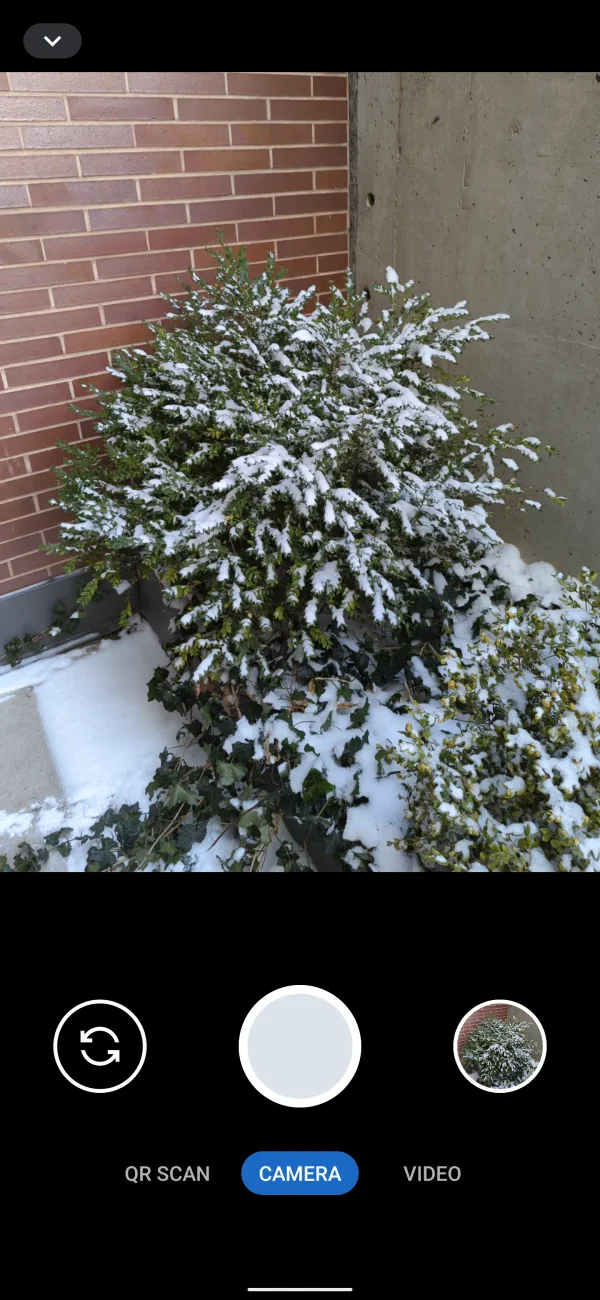
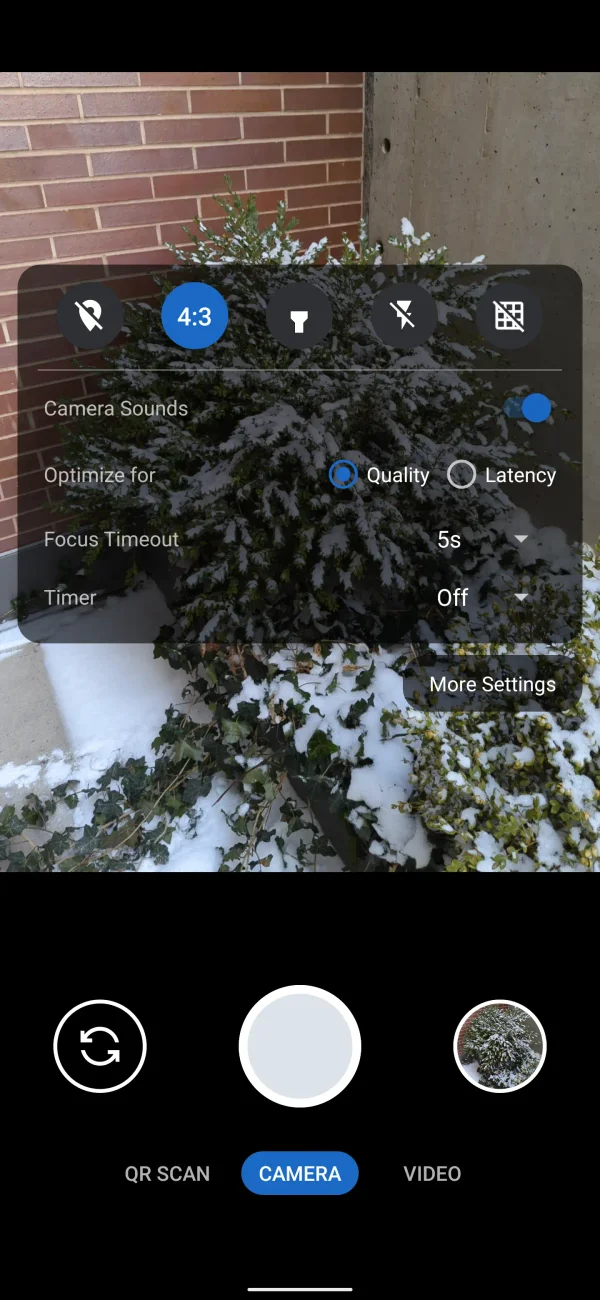
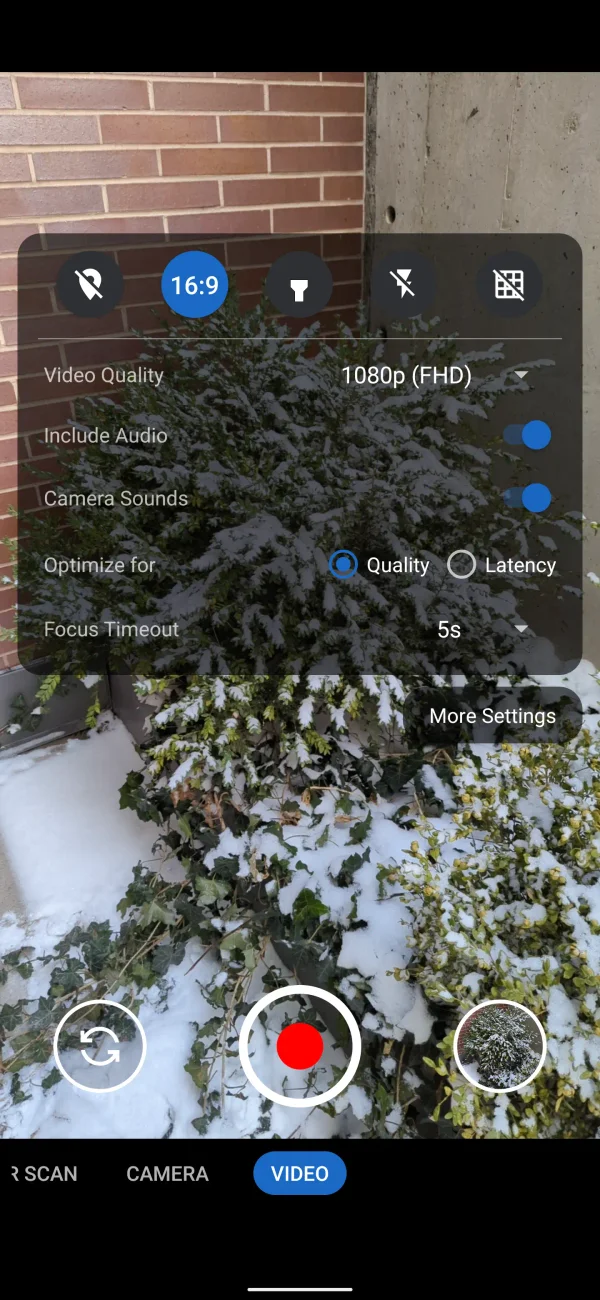
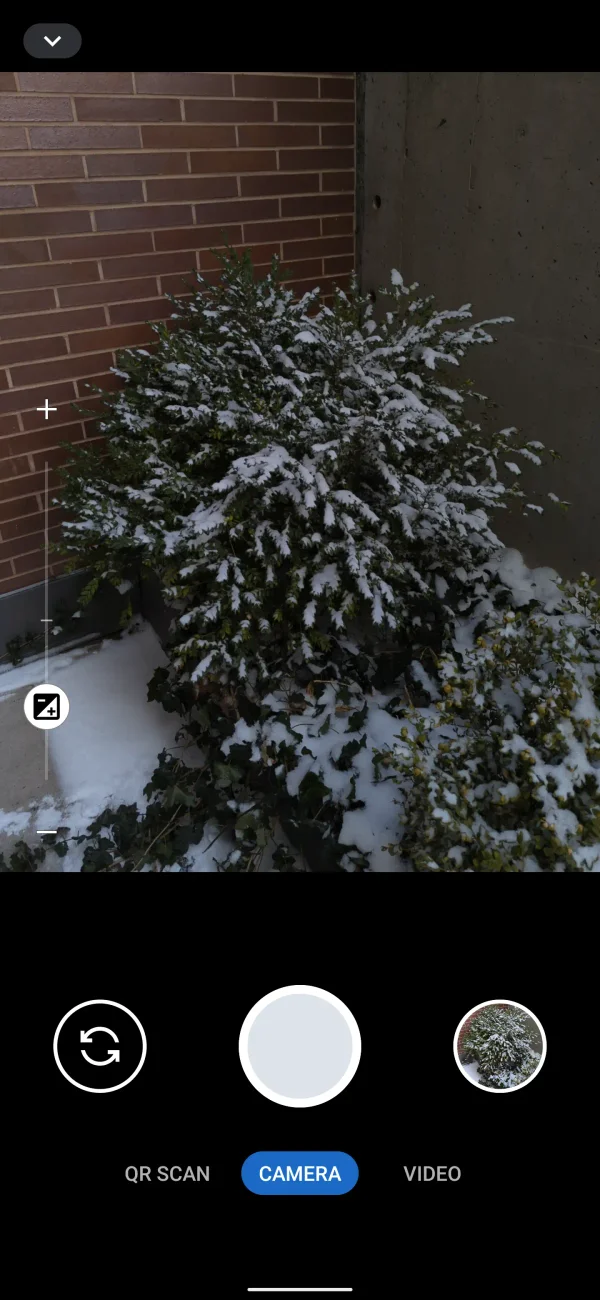
モードは、画面の下部にタブとして表示されます。タブインターフェイスを使用するか、画面の任意の場所で左右にスワイプすることで、モードを切り替えることができます。上部の矢印ボタンで設定パネルを開き、設定パネルの外側を押すと閉じることができます。下にスワイプして設定を開き、上にスワイプして閉じることもできます。 QRスキャンモード以外では、タブバーの上に大きなボタンが並んでおり、カメラの切り替え(左)、画像のキャプチャ、ビデオ録画の開始/停止(中央)、ギャラリーの開き(右)が可能です。音量キーは、キャプチャボタンを押すのと同じように使用することもできます。ビデオを録画している間、ギャラリーボタンは画像をキャプチャするための画像キャプチャボタンになります。
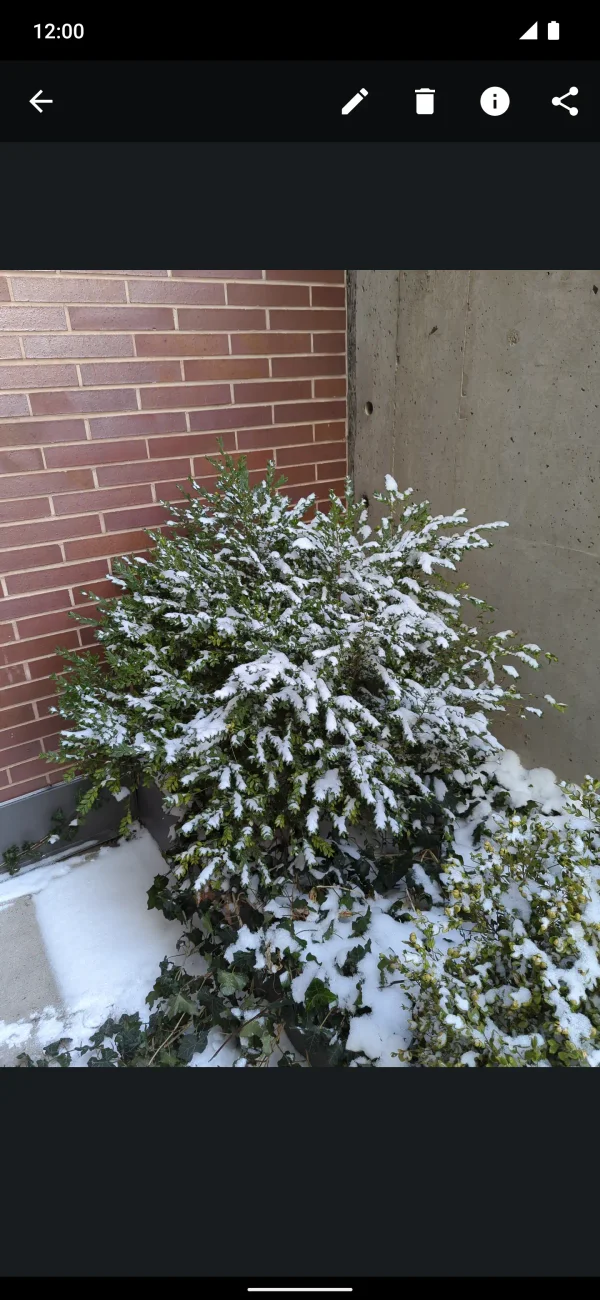
アプリには、アプリ内ギャラリーと、一緒に撮影した画像/動画用のビデオプレーヤーがあります。現在、編集アクションの外部エディターアクティビティを開きます。
ピンチでズームまたはズームスライダーを使用すると、Pixelやそれをサポートするその他のデバイスの広角カメラと望遠カメラが自動的に使用されます。時間の経過とともに、より広くサポートされるようになります。
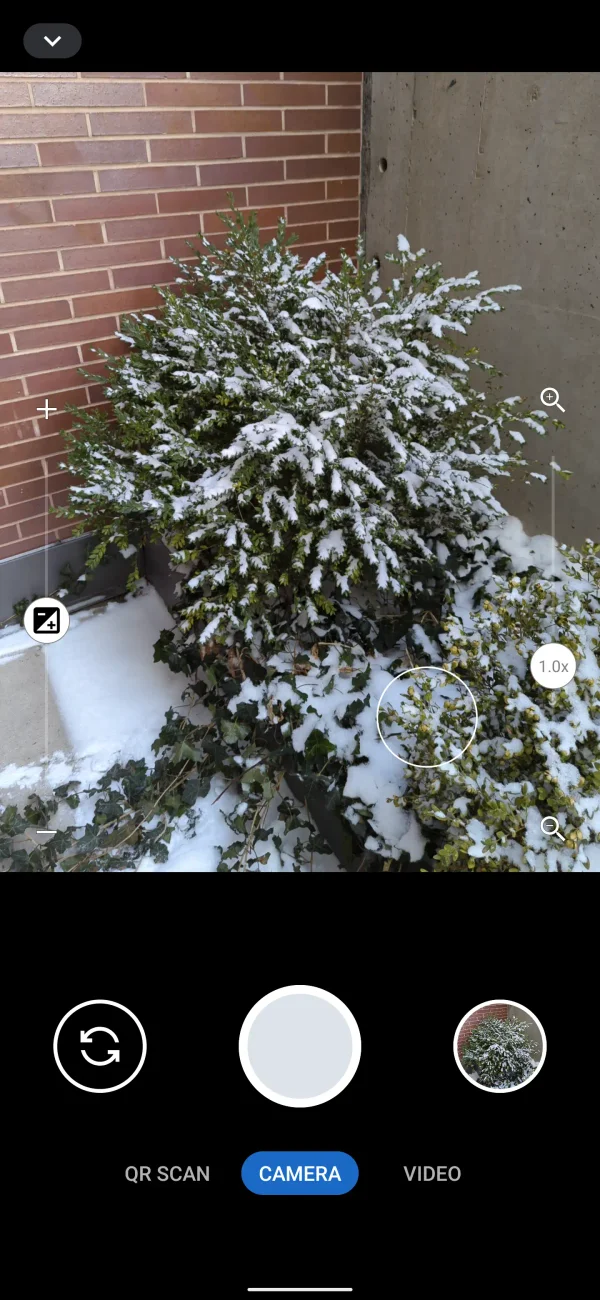
デフォルトでは、連続オートフォーカス、自動露出、自動ホワイトバランスがシーン全体で使用されます。タップしてピントを合わせると、その場所に基づいてオートフォーカス、自動露出、自動ホワイトバランスに切り替わります。フォーカスタイムアウト設定は、デフォルトモードに戻る前のタイムアウトを決定します。左側の露出補正スライダーを使用すると、露出を手動で調整でき、シャッタースピード、絞り、ISOを自動的に調整できます。将来、さらなる構成/調整が提供される予定です。
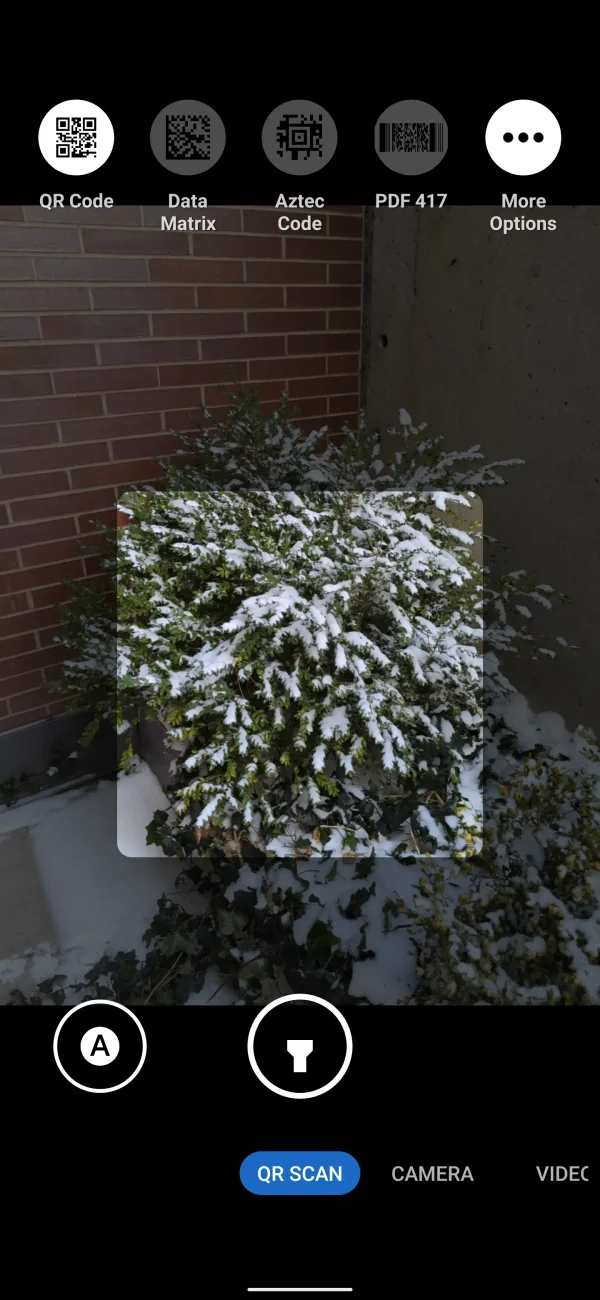
QRスキャンモードは、画面にマークされたスキャンスクエア内でのみスキャンします。 QRコードは正方形の端に揃える必要がありますが、90度の向きにすることができます。非標準の反転QRコードは完全にサポートされています。 Pixelsから非常に高密度のQRコードを簡単にスキャンできる非常に高速で高品質のQRスキャナーです。 2秒ごとに、スキャンスクエアのオートフォーカス、自動露出、自動ホワイトバランスが更新されます。ズームインとズームアウトを完全にサポートしています。トーチは中央下のボタンで切り替えることができます。左下の自動切り替えを使用して、サポートされているすべてのバーコードタイプのスキャンを切り替えることができます。または、上部のメニューからスキャンするバーコードの種類を選択することもできます。迅速で信頼性の高いスキャンを提供するため、デフォルトではQRコードのみをスキャンします。他のほとんどのタイプのバーコードは、誤検知を引き起こす可能性があります。有効なタイプごとにスキャンが遅くなり、特に高密度のQRコードなどのスキャンが難しいバーコードの場合に誤検知が発生しやすくなります。
必要なのはカメラの許可だけです。画像と動画はMediaStoreAPIを介して保存されるため、メディア/ストレージの権限は必要ありません。マイクの許可は、デフォルトでビデオ録画に必要ですが、オーディオを含めることが無効になっている場合は必要ありません。位置情報の許可は、実験的な機能である位置タグ付けを明示的に有効にする場合にのみ必要です。
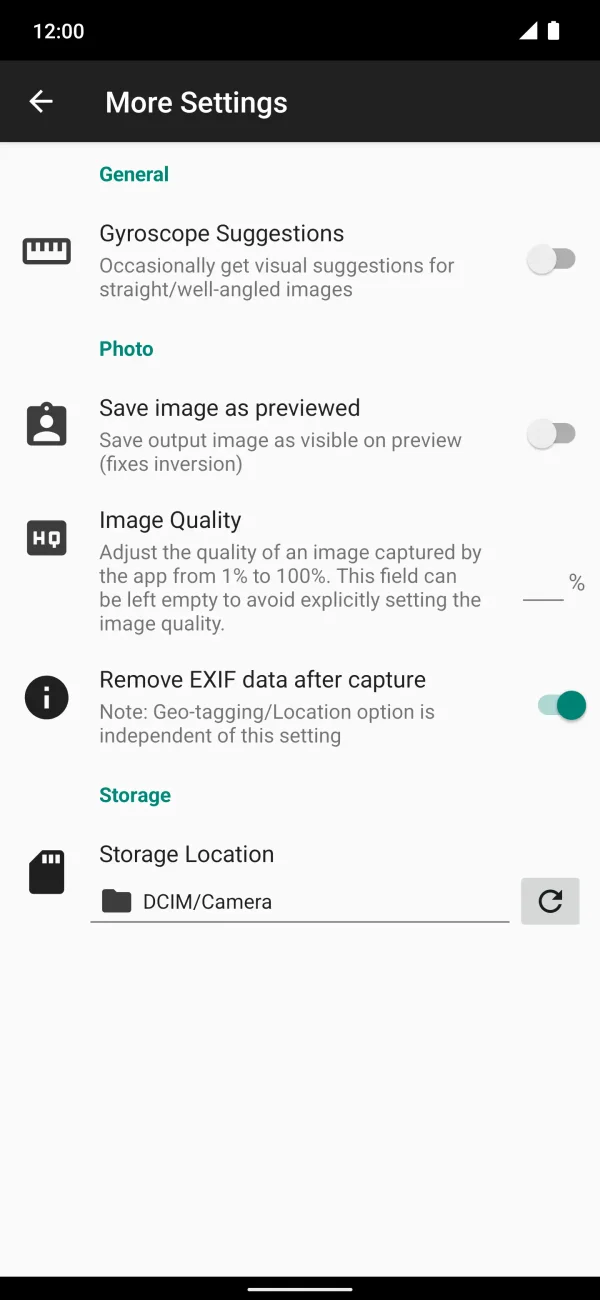
デフォルトでは、EXIFメタデータはキャプチャされた画像に対して削除され、向きのみが含まれます。動画のメタデータの削除は計画されていますが、まだサポートされていません。向きのメタデータは、画像の表示方法から完全に表示されるため、削除されません。そのため、非表示のメタデータとしてカウントされず、適切に表示するために必要です。設定ダイアログから開いた[その他の設定]メニューで、EXIFメタデータの削除をオフに切り替えることができます。メタデータストリッピングを無効にすると、タイムスタンプ、電話モデル、露出設定、その他のメタデータが残ります。場所のタグ付けはデフォルトで無効になっており、有効にしても削除されません。
原文を表示
This is a modern camera app focused on privacy and security. It includes modes for capturing images, videos and QR / barcode scanning along with additional modes based on CameraX vendor extensions (Portrait, HDR, Night, Face Retouch and Auto) on devices where they're available.
Modes are displayed as tabs at the bottom of the screen. You can switch between modes using the tab interface or by swiping left/right anywhere on the screen. The arrow button at the top opens the settings panel and you can close it by pressing anywhere outside the settings panel. You can also swipe down to open the settings and swipe up to close it. Outside of the QR scanning mode, there's a row of large buttons above the tab bar for switching between the cameras (left), capturing images and starting/stopping video recording (middle) and opening the gallery (right). The volume keys can also be used as an equivalent to pressing the capture button. While recording a video, the gallery button becomes an image capture button for capturing images.
The app has an in-app gallery and video player for images/videos taken with it. It currently opens an external editor activity for the edit action.
Zooming via pinch to zoom or the zoom slider will automatically make use of the wide angle and telephoto cameras on Pixels and other devices supporting it. It will become more broadly supported over time.
By default, continuous auto focus, auto exposure and auto white balance are used across the whole scene. Tapping to focus will switch to auto focus, auto exposure and auto white balance based on that location. The focus timeout setting determines the timeout before it switches back the default mode. The exposure compensation slider on the left allows manually tuning exposure and will automatically adjust shutter speed, aperture and ISO. Further configuration / tuning will be provided in the future.
The QR scanning mode only scans within the scanning square marked on the screen. The QR code should be aligned with the edges of the square but can have any 90 degree orientation. Non-standard inverted QR codes are fully supported. It's a very quick and high quality QR scanner able to easily scan very high density QR codes from Pixels. Every 2 seconds, it will refresh auto focus, auto exposure and auto white balance on the scanning square. It has full support for zooming in and out. The torch can be toggled with the button at the bottom center. The auto toggle at the bottom left can be used to toggle scanning for all supported barcode types. Alternatively, you can select which barcode types it should scan via the menu at the top. It only scans QR codes by default since that provides quick and reliable scanning. Most other types of barcodes can result in false positives. Each enabled type will slow down the scanning and will make it more prone to false positives especially with difficult to scan barcodes such as a dense QR code.
Camera permission is the only one that's required. Images and videos are stored via the Media Store API so media/storage permissions aren't required. The Microphone permission is needed for video recording by default but not when including audio is disabled. Location permission is only needed if you explicitly enabling location tagging, which is an experimental feature.
By default, EXIF metadata is stripped for captured images and only includes the orientation. Stripping metadata for videos is planned but not supported yet. Orientation metadata isn't stripped since it's fully visible from how the image is displayed so it doesn't count as hidden metadata and is needed for proper display. You can toggle off stripping EXIF metadata in the More Settings menu opened from the settings dialog. Disabling metadata stripping will leave timestamp, phone model, exposure configuration and other metadata. Location tagging is disabled by default and won't be stripped if you enable it.
データ セーフティ
このアプリが収集・共有するデータについて、GrapheneOSがGoogle Playで申告している内容です。
- 第三者と共有されるデータはありません詳しくは、デベロッパーが共有を申告する方法についての説明をご覧ください
- データは収集されません詳しくは、デベロッパーが収集を申告する方法についての説明をご覧ください
- Play ファミリー ポリシーの遵守に努めています
新機能
バージョン 93 · 2026/11/21
See https://github.com/GrapheneOS/Camera/releases/tag/93 for the full release notes.
開発元の連絡先
- ウェブサイトgithub.com
- メールcontact@grapheneos.org
- プライバシーポリシーgrapheneos.org
- 住所198 Bain Ave Toronto, ON M4K 1G1 Canada
情報
- 提供元
- GrapheneOS
- カテゴリ
- 写真
- バージョン
- 93
- 更新日
- 2026/11/21
- リリース
- 2022/3/1
- 必要条件
- Android 10以降
- 対象年齢
- 3 歳以上
- 価格
- 無料
- パッケージ名
- app.grapheneos.camera.play