Shapes: Vector Drawing Tool
Mobile Infographics Tools広告を含む
- 3 歳以上対象年齢
- アート&デザインカテゴリ
- 2025/8/21更新日
- 無料価格
com.mobile_infographics_tools.patternmakerのGoogle Play公式ページにリンクしています。最終確認:2026/11/14。

スクリーンショット
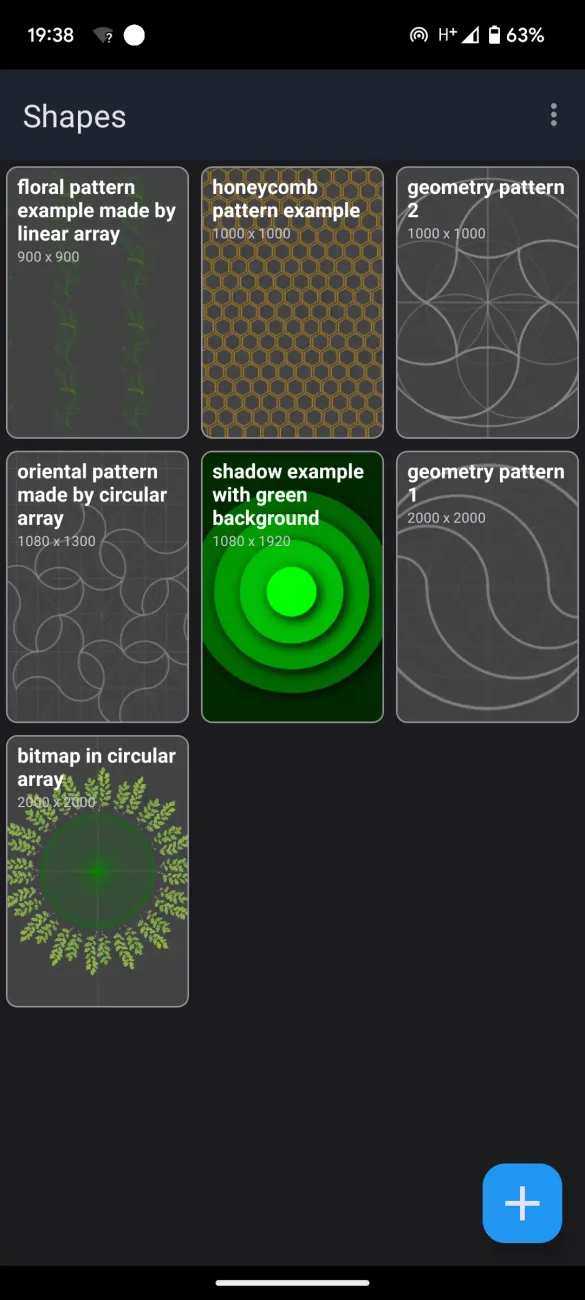

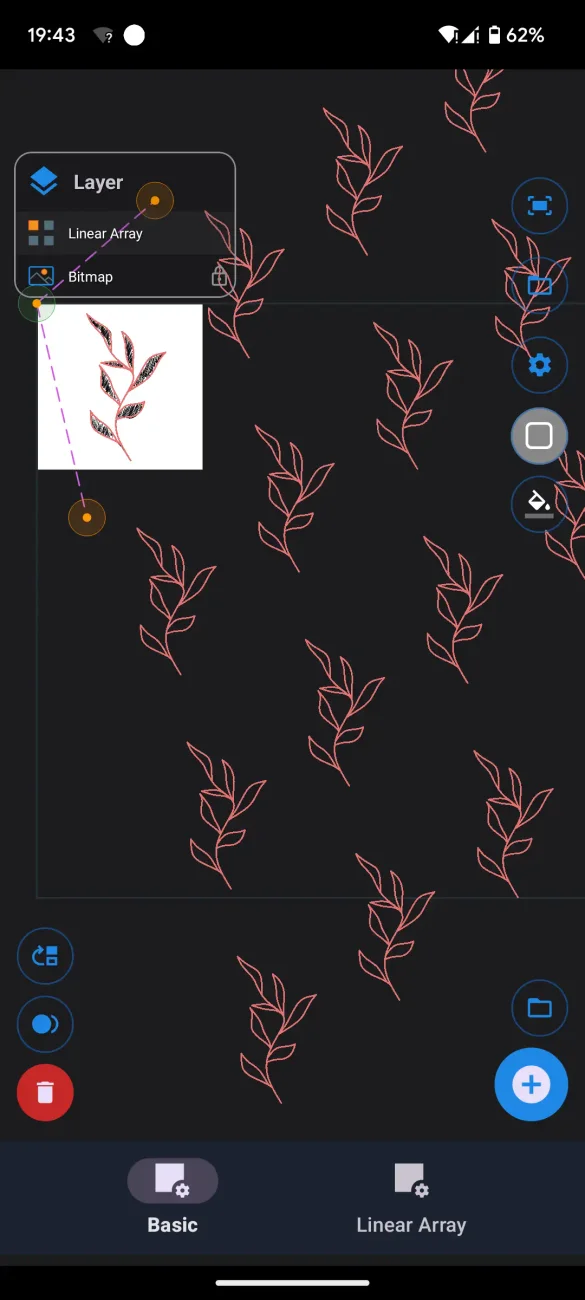
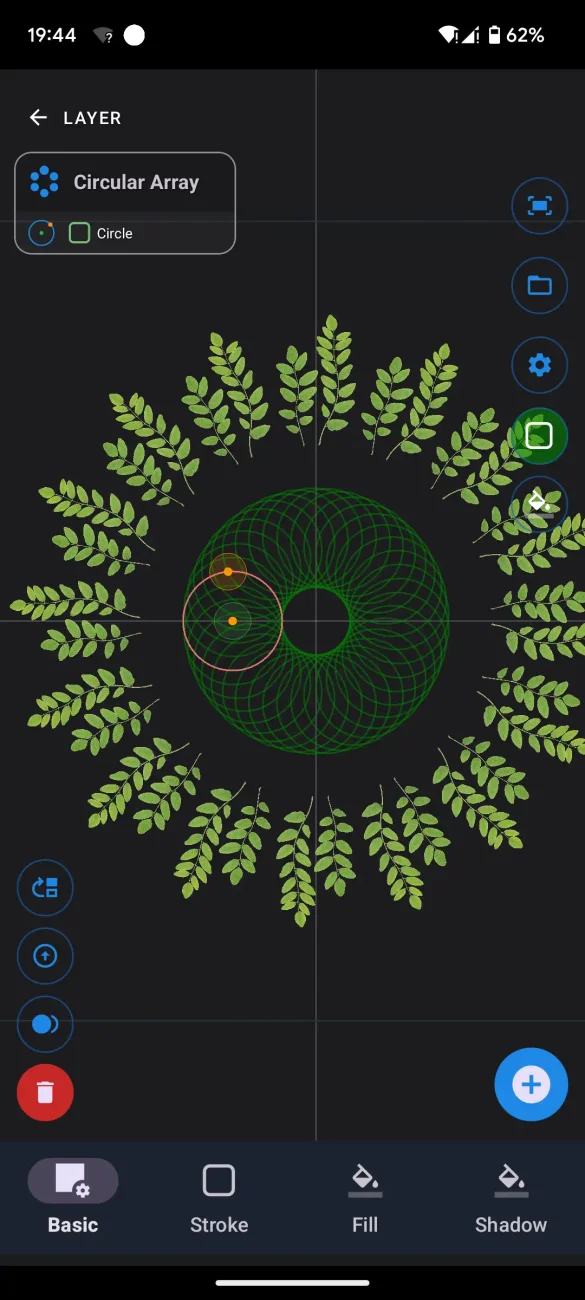
このアプリについて
Googleによる英語 (アメリカ合衆国)からの自動翻訳です。
パラメトリック パターン作成機能を備えたベクター描画アプリ
このアプリケーションは、ジオメトリ プリミティブ (線、円、スプラインなど) とカスタム ベクター (SVG) およびラスター イメージ (PNG、JPG、BMP) の両方から高品質のイメージを作成するように設計されています。このアプリケーションを使用すると、アイデアをすばやくテストし、本格的なグラフィック エディターで実装できます。
主な特長:
- アプリケーションには、その機能のデモンストレーションを含むプロジェクトの例が含まれています。例を削除し、必要に応じて復元できます。
- プロジェクトの作成時に、画像のエクスポート領域のサイズをピクセル単位で指定できます。ピクセル数が多いほど、最終的な画像はより良くなります。
- アプリケーションは全体のコンストラクション ヒストリをコンストラクション ツリーの形式で保存します。これにより、シーンの任意のレベルで調整を行うことができます。たとえば、円形配列を入力して、それを形成する曲線を編集できます。
- アプリケーションは、作成されたジオメトリを形状のキー ポイント (セグメントの端、中間点、中心、スプライン ノード、曲線上の点、交差点) にスナップすることをサポートしています。これにより、要素を相互に相対的により正確に配置できます。
主な機能:
- 描画ベクトル プリミティブ (点、線、円、楕円、円弧、スプライン、垂直および水平ガイド)、
- ベクター (SVG) およびビットマップ画像をシーンに挿入する
- 図形と画像をグループにグループ化する
- 形状の配列の形成 (円形配列、線形配列、反射)、
- コントロールポイントを介して任意のレベルで編集する形状、
- 線の色と形状の塗りつぶしの割り当て
- 個別の形状またはプロジェクト全体の両方を複製する機能
- 現在不要なオブジェクトをブロックして隠す
- シーンをビットマップにエクスポートします。
アプリケーションは開発中です。エラーや希望する機能についての提案を mobile.infographics@gmail.com に書き込んでください。
今後のバージョンで追加される機能:
- エディターには取り消し/やり直し機能はありません - 形状 (プロジェクト) を変更する前に、それを複製できます。
- プロジェクトの変更に関する警告はありません。閉じる前にプロジェクトを保存することを忘れないでください。
- テキストの作成。
原文を表示
The application is designed to create high-quality images both from geometric primitives (line, circle, spline, etc.) and using custom vector (SVG) and raster images (PNG, JPG, BMP). Using the application, you can quickly test your ideas and implement them in a full-fledged graphic editor.
Key Features:
- the application contains examples of projects with a demonstration of its capabilities. You can delete examples and restore them if necessary,
- when creating a project, it is possible to specify the size of the image export area in pixels. The more pixels, the better the final image will be.
- the application stores the entire construction history in the form of a construction tree - this allows you to make adjustments at any level of the scene, for example, enter a circular array and edit the curve that forms it;
- the application supports snapping of the created geometry to the shape key points (end of the segment, midpoint, center, spline node, point on the curve, intersection). This provides more precise positioning of elements relative to each other;
Main functionality:
- drawing vector primitives (point, line, circle, ellipse, arc, spline, vertical and horizontal guide),
- inserting vector (SVG) and bitmap images into the scene,
- grouping shapes and images into groups,
- formation of arrays of shapes (circular array, linear array, reflection),
- shapes editing at any level through control points,
- assigning line color and shape fill,
- the ability to clone both a separate shape or the entire project,
- blocking and hiding currently unnecessary objects
- export scene to bitmap.
The application is under development, write your suggestions for errors and desired functionality to mobile.infographics@gmail.com
Features to be added in upcoming versions:
- there are no undo/redo functions in the editor - before modifying an shape (project), you can clone it;
- there is no warning about project modification, do not forget to save the project before closing;
- text creation.
データ セーフティ
このアプリが収集・共有するデータについて、Mobile Infographics ToolsがGoogle Playで申告している内容です。
- このアプリはサードパーティと以下の種類のデータを共有することがありますアプリの情報、パフォーマンス、デバイスまたはその他の ID
- データは収集されません詳しくは、デベロッパーが収集を申告する方法についての説明をご覧ください
- データは送信中に暗号化されます
- データを削除できません
開発元の連絡先
- メールmobile.infographics@gmail.com
- プライバシーポリシーdocs.google.com
- 住所Горный переулок 8 Минск Минская область 220005 Belarus
情報
- 提供元
- Mobile Infographics Tools
- カテゴリ
- アート&デザイン
- バージョン
- 1.0.286.release
- 更新日
- 2025/8/21
- リリース
- 2023/4/9
- 必要条件
- Android 5.0以降
- 対象年齢
- 3 歳以上
- 価格
- 無料
- パッケージ名
- com.mobile_infographics_tools.patternmaker