- 対象年齢4+
- カテゴリ仕事効率化
- 開発元Nelson Taruc
- 言語英語
- サイズ3.6 MB
App Storeの公式ページにリンクしています
Download.orgはAnnovateのファイルを一切ホストしていません。ボタンを押すと、Nelson Tarucが公開しているApp Storeのアプリページが開きます。ページの最終確認:2026/11/13。
スクリーンショット

概要
開発元はこのテキストをお使いの言語で提供していません。
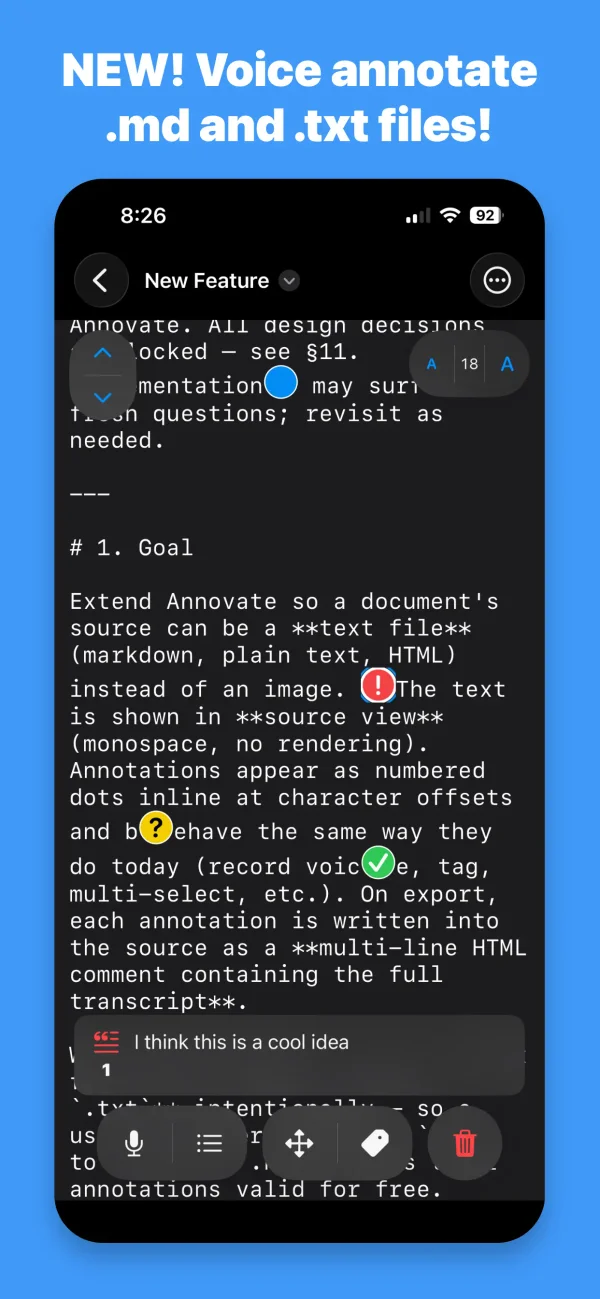
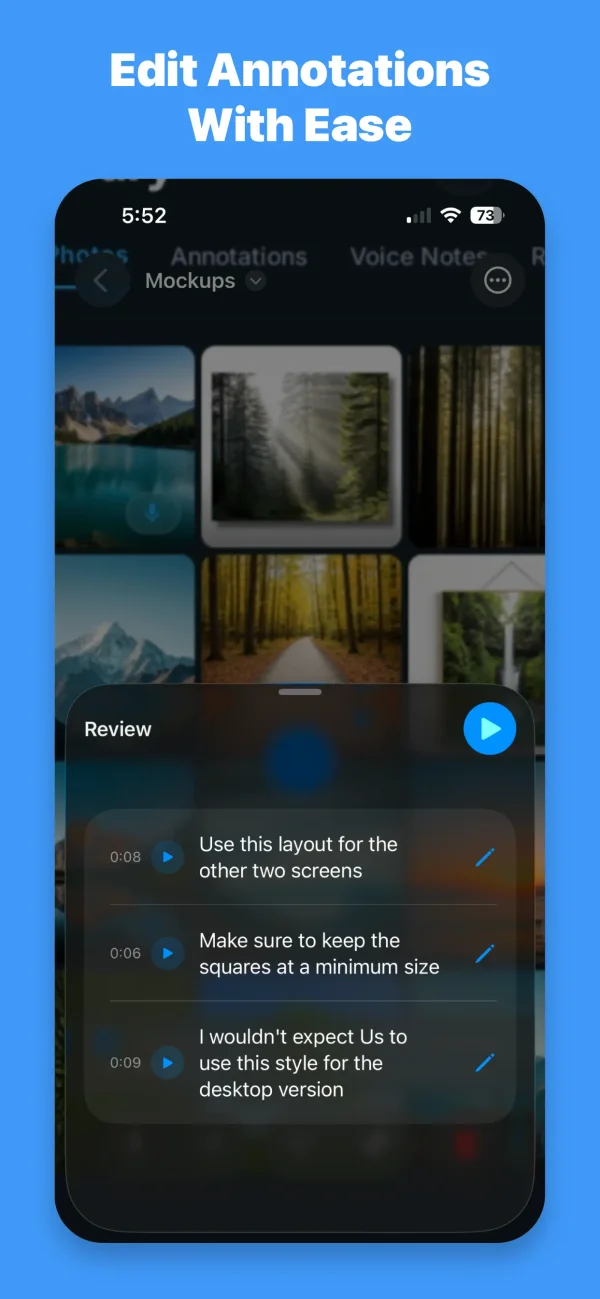
Annovate lets you add voice or text annotations directly to any image or markdown/plain text file (.md or .txt). Tap to place a numbered marker, record your thoughts, and share annotated images with easily editable voice-to-text transcripts.
I built Annovate to give design feedback on my phone without having to type, and to easily edit before sharing with others. With the new 2.0 version, I can now review markdown and plain text files on the go, without needing to type. The annotations save into the text as inline comments. Export your text into a new file for later review.
While other annotation apps are loaded with features and are difficult to use while mobile, Annovate is optimized for quick annotations, anytime and anywhere.
How It Works
1. Import any image from your photo library or files OR a markdown or plain text file (.md or .txt)
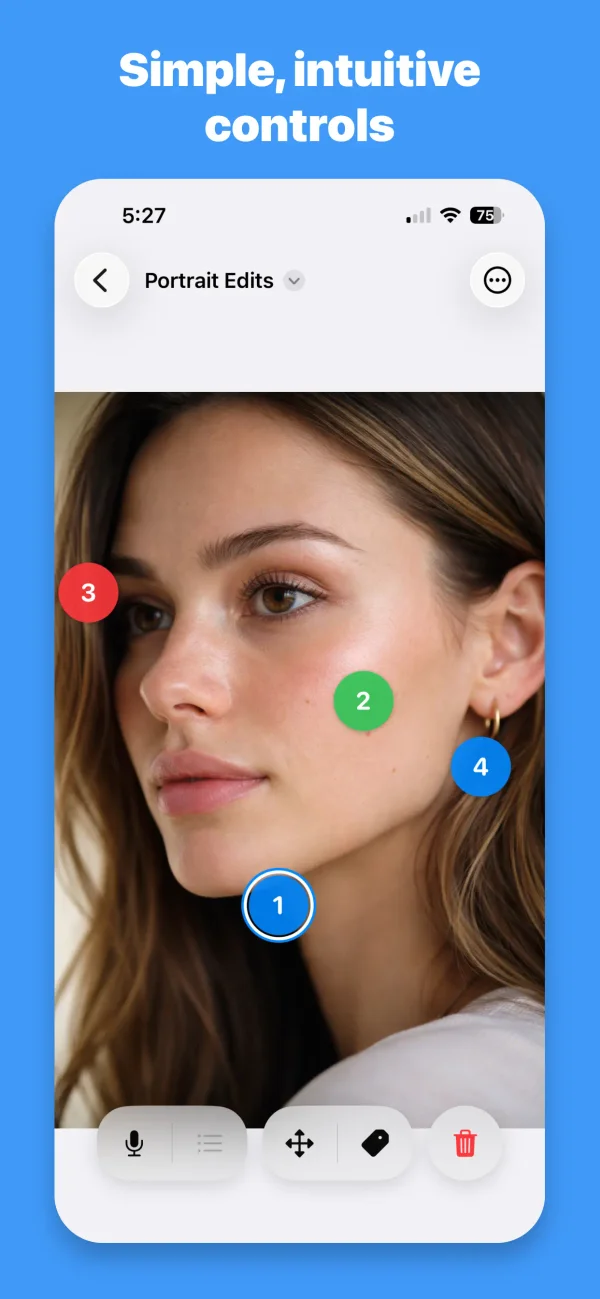
2. Tap anywhere to place a numbered annotation
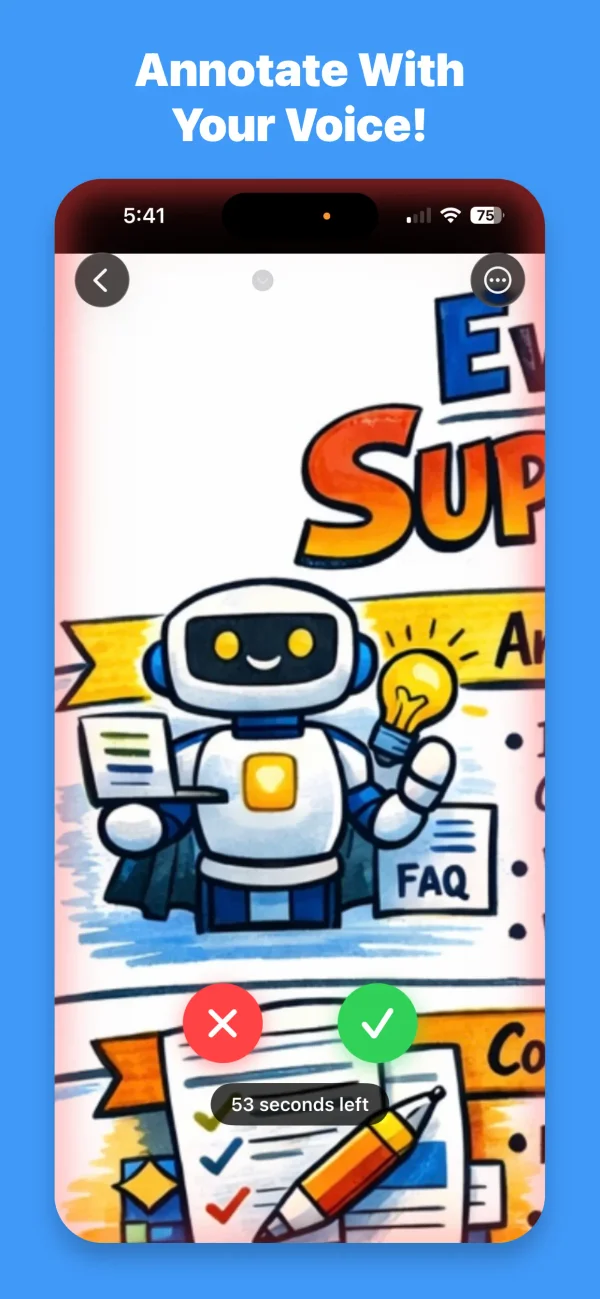
3. Tap the record button to capture multiple voice notes (up to 60 seconds per note)
4. On-device speech recognition automatically transcribes your audio
5. Easily edit your transcript and listen to voice notes
6. Share your Annovate document with other users, or export as PDF if an image
7. For text-based Annovate documents, you can export your text with your annotations embedded as inline comments
Use Cases
- Give design feedback on mockups and wireframes
- Mark up markdown files while on the go, then export and share with others
- Mark up photos to document feedback for edits or issues
- Annotate photos from your photo library or files
- Provide critique and revision notes for any image or plain text file
- Take a screen shot of a map, then annotate image for step by step direction
- Take a picture of a paper checklist, then annotate image with completion checkmarks
Key Features
- Voice recording with automatic transcription
- On-device speech recognition for complete privacy
- Unlimited audio clips per annotation
- Smart move mode allows for precise placement of markers
- Tag annotations as alert, resolved, or question
- PDF export with numbered transcript list
- Native document format with AirDrop sharing
- Smooth pinch-to-zoom and pan navigation
Pricing
All features are available in the free version, with up to 3 annotations per document.
Upgrade with one-time purchases, only when you need more annotations.
Basic: 10 annotations per document
Pro: 99 annotations per document
新機能
バージョン 2.0 · 2026/5/6
NEW FOR 2.0: You can now annotate plain text files (.md or .txt)!
アプリのプライバシー
このアプリのデータの取り扱いについて、Nelson TarucがApp Storeで申告している内容です。
-
データの収集なし
開発元はこのアプリからデータを収集しません。
プライバシーの取り扱いは、ご利用の機能やお客様の年齢などに応じて異なる場合があります。
情報
- 販売元
- Nelson Taruc
- カテゴリ
- 仕事効率化
- バージョン
- 2.0
- 更新日
- 2026/5/6
- リリース
- 2026/2/21
- サイズ
- 3.6 MB
- 必要条件
- iOS 26.2以降
- 対象年齢
- 4+
- 価格
- 無料
- アプリ内課金
- あり
- 言語
- 英語
- 著作権
- © 2026 Nelson Taruc