Annovate
Voice annotations for images
Được thiết kế cho iPhone, iPad
Miễn phí · Mua hàng trong ứng dụng
- Độ tuổi4+
- Danh mụcHiệu Suất
- Nhà phát triểnNelson Taruc
- Ngôn ngữTiếng Anh
- Kích thước3,6 MB
Liên kết đến trang App Store chính thức
Download.org không lưu trữ tệp nào của Annovate. Nút này mở trang ứng dụng trên App Store, nơi Nelson Taruc phát hành ứng dụng. Trang được kiểm tra lần cuối: 13/11/2026.
Ảnh chụp màn hình

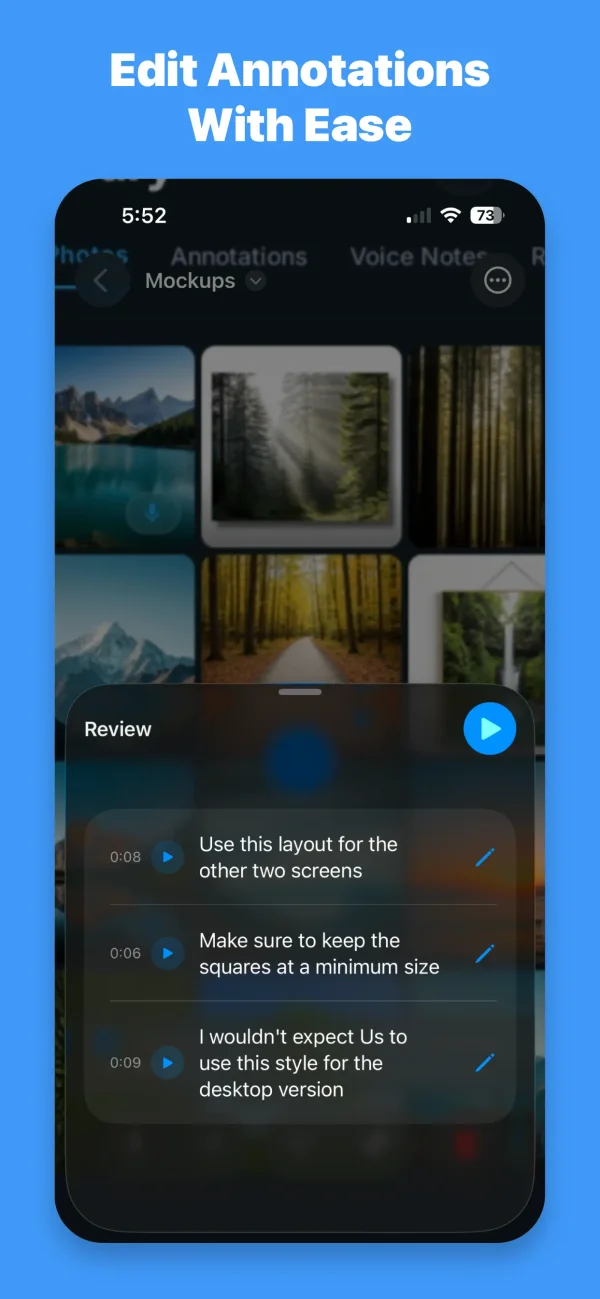
Giới thiệu
Nhà phát triển chưa cung cấp nội dung này bằng ngôn ngữ của bạn.
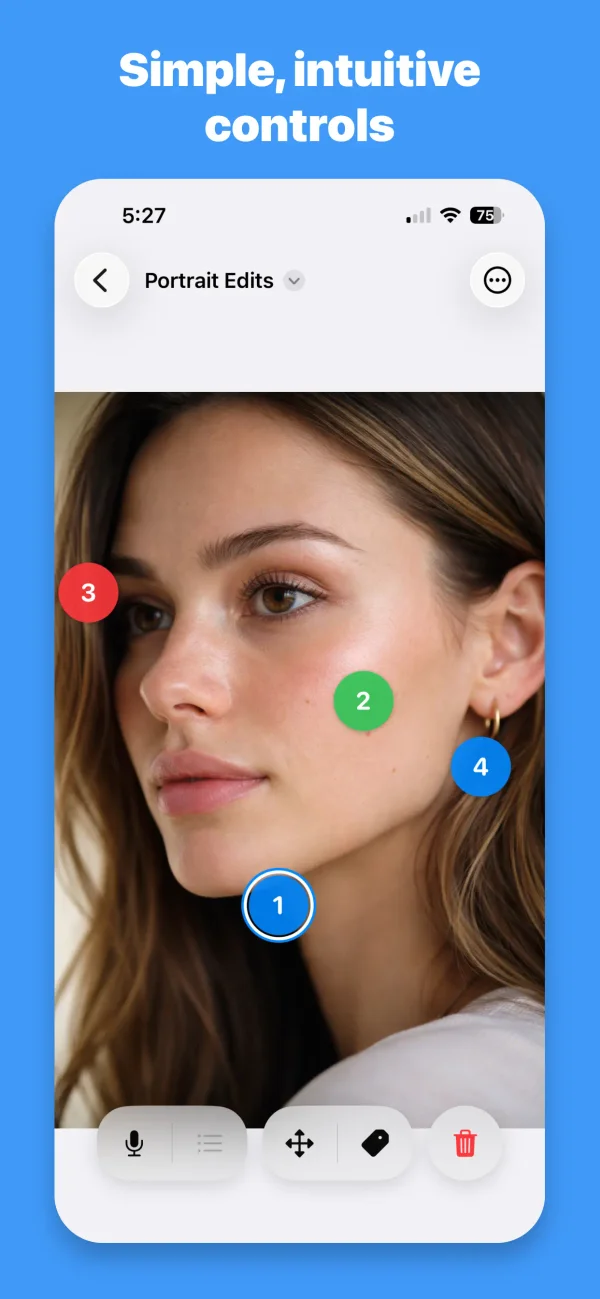
Annovate lets you add voice or text annotations directly to any image or markdown/plain text file (.md or .txt). Tap to place a numbered marker, record your thoughts, and share annotated images with easily editable voice-to-text transcripts.
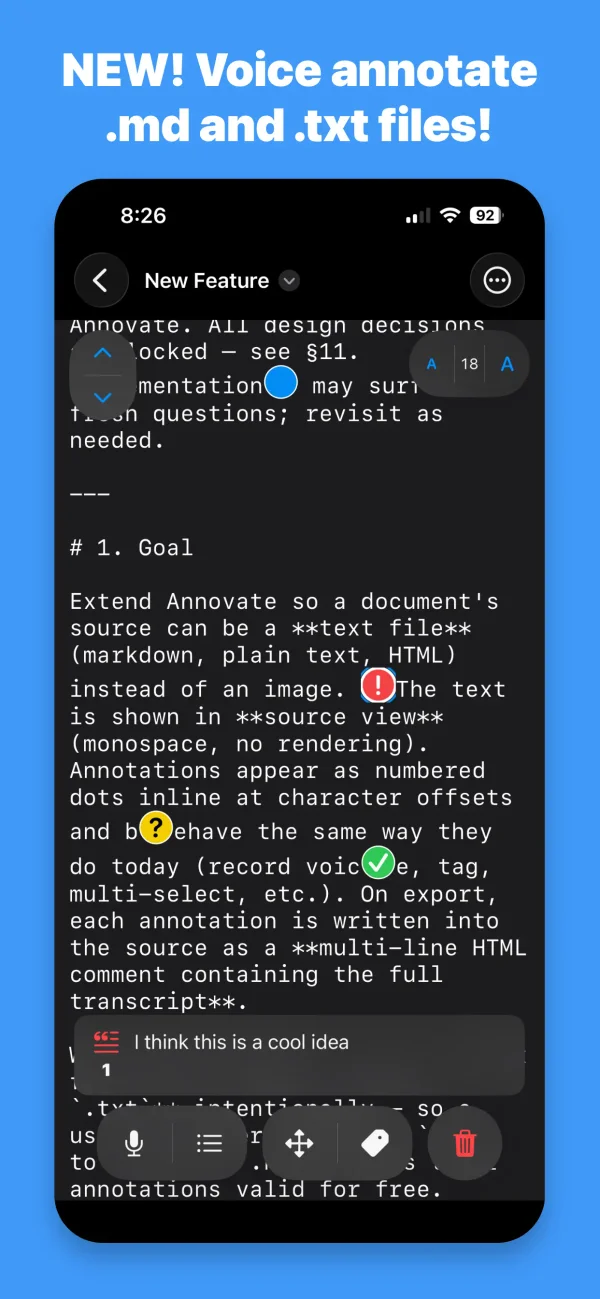
I built Annovate to give design feedback on my phone without having to type, and to easily edit before sharing with others. With the new 2.0 version, I can now review markdown and plain text files on the go, without needing to type. The annotations save into the text as inline comments. Export your text into a new file for later review.
While other annotation apps are loaded with features and are difficult to use while mobile, Annovate is optimized for quick annotations, anytime and anywhere.
How It Works
1. Import any image from your photo library or files OR a markdown or plain text file (.md or .txt)
2. Tap anywhere to place a numbered annotation
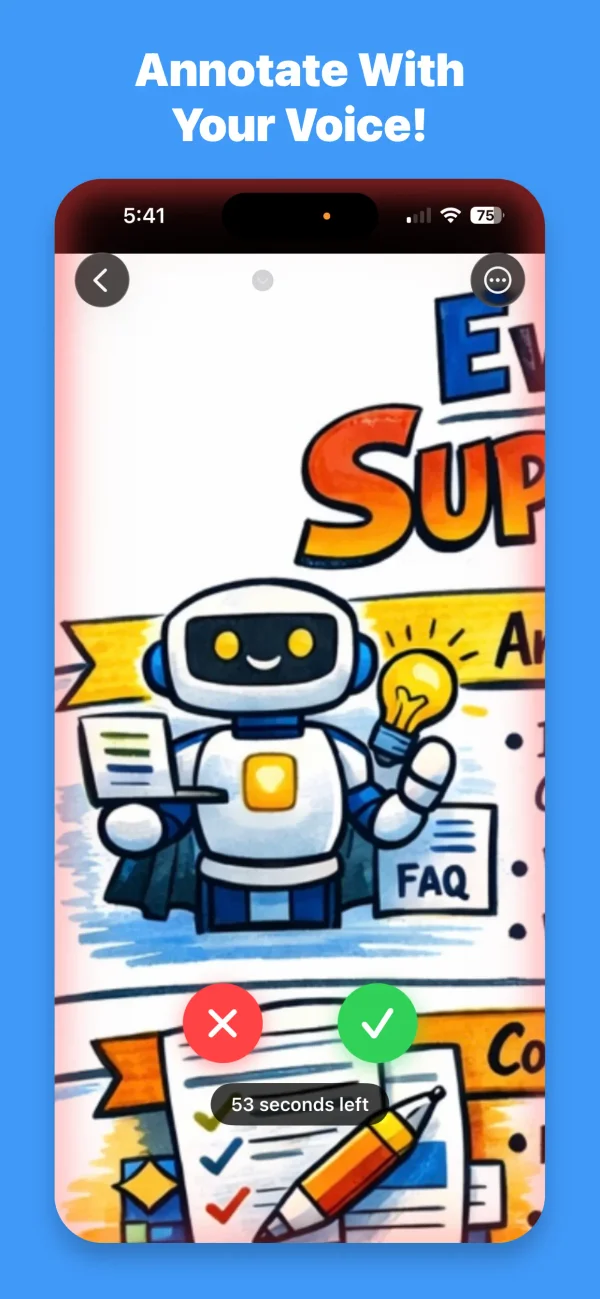
3. Tap the record button to capture multiple voice notes (up to 60 seconds per note)
4. On-device speech recognition automatically transcribes your audio
5. Easily edit your transcript and listen to voice notes
6. Share your Annovate document with other users, or export as PDF if an image
7. For text-based Annovate documents, you can export your text with your annotations embedded as inline comments
Use Cases
- Give design feedback on mockups and wireframes
- Mark up markdown files while on the go, then export and share with others
- Mark up photos to document feedback for edits or issues
- Annotate photos from your photo library or files
- Provide critique and revision notes for any image or plain text file
- Take a screen shot of a map, then annotate image for step by step direction
- Take a picture of a paper checklist, then annotate image with completion checkmarks
Key Features
- Voice recording with automatic transcription
- On-device speech recognition for complete privacy
- Unlimited audio clips per annotation
- Smart move mode allows for precise placement of markers
- Tag annotations as alert, resolved, or question
- PDF export with numbered transcript list
- Native document format with AirDrop sharing
- Smooth pinch-to-zoom and pan navigation
Pricing
All features are available in the free version, with up to 3 annotations per document.
Upgrade with one-time purchases, only when you need more annotations.
Basic: 10 annotations per document
Pro: 99 annotations per document
Có gì mới
Phiên bản 2.0 · 06/05/2026
NEW FOR 2.0: You can now annotate plain text files (.md or .txt)!
Quyền riêng tư của ứng dụng
Những gì Nelson Taruc khai báo trên App Store về cách ứng dụng này xử lý dữ liệu.
-
Dữ liệu không được thu thập
Nhà phát triển không thu thập bất kỳ dữ liệu nào từ ứng dụng này.
Phương thức đảm bảo quyền riêng tư có thể khác nhau, chẳng hạn như tuỳ theo các tính năng bạn sử dụng hoặc độ tuổi của bạn.
Thông tin
- Người bán
- Nelson Taruc
- Danh mục
- Hiệu Suất
- Phiên bản
- 2.0
- Cập nhật
- 06/05/2026
- Phát hành
- 21/02/2026
- Kích thước
- 3,6 MB
- Yêu cầu
- iOS 26.2 trở lên
- Độ tuổi
- 4+
- Giá
- Miễn phí
- Mua hàng trong ứng dụng
- Có
- Ngôn ngữ
- Tiếng Anh
- Bản quyền
- © 2026 Nelson Taruc
Có thể bạn cũng thích
-
 NoteLens: Photo & Voice MemosHiệu Suất
-
 Audio Timestamp MarkerĐánh dấu sóng âm, tìm nhanh
-
 MarkUp - Word, Markdown, LaTeXHiệu Suất
-
 PhotoReport — Photo ReportsHiệu Suất
-
 MRU4uHiệu Suất
-
 Instant Prompter: TeleprompterHiệu Suất
-
 XNote AIHiệu Suất
-
 XPSViewHiệu Suất
-
 Đánh dấu ảnh - Vẽ trên ảnhChú thích và đánh dấu hình ảnh
-
 fileee - for your paperworkHiệu Suất