- 対象年齢4+
- カテゴリ仕事効率化
- 開発元Wei Chen
- 言語英語ほか2言語
- サイズ18.0 MB
App Storeの公式ページにリンクしています
Download.orgはBeamer Notesのファイルを一切ホストしていません。ボタンを押すと、Wei Chenが公開しているApp Storeのアプリページが開きます。ページの最終確認:2026/11/24。
スクリーンショット

概要
開発元はこのテキストをお使いの言語で提供していません。
Beamer Notes puts your slides, private speaker notes, and teaching tools in one workspace. Present a Beamer PDF, open an interactive HTML lesson, or teach from a whiteboard while your audience sees only the lesson.
SLIDES AND PRIVATE NOTES
• Open Beamer PDFs with separate slide and notes areas, or import standard PDFs. Choose the source layout manually if needed.
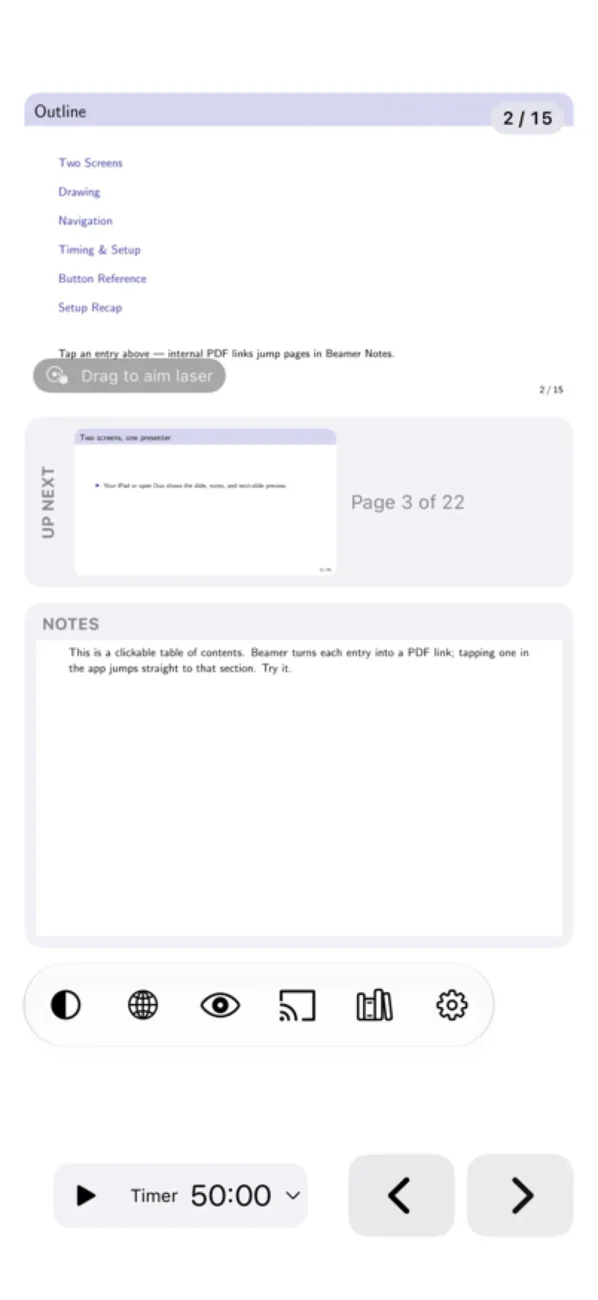
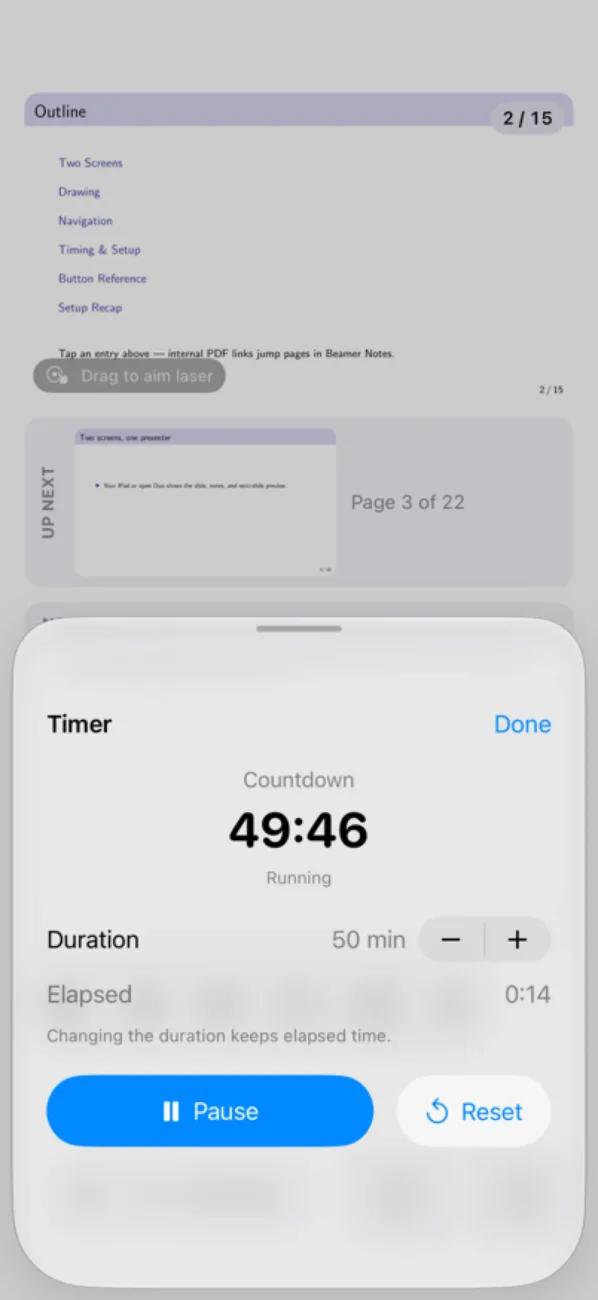
• See the current slide, next-slide preview, thumbnails, and a private countdown. Put notes beside or below the slide, or use Notes Only or Slide Only where available.
• Jump to a frame from the PDF overview. In PDF and paginated HTML, the Next preview indicates when you reach the last page.
DRAW AND TEACH ON IPAD
• Write with Apple Pencil using pens, highlighters, erasers, the lasso, and ruler. Undo individual strokes or restore ink after clearing it.
• Tidy hand-drawn shapes with adjustable shape correction. Add photos and text, or use the laser pointer to guide attention.
• Create named multipage whiteboards with white or black backgrounds. Reopen them with saved ink, or export a separate PDF copy.
INTERACTIVE HTML
• Open compatible HTML from Library, load a live web link, or download the initial HTML file to Library. For offline use, import one self-contained HTML file.
• Move sliders and use buttons with touch. On iPad, add Apple Pencil annotations. Compatible HTML shows private notes, page thumbnails, and a next-page preview.
• Try the bilingual Supply and Demand example. Adjust the charts to explore equilibrium, production possibilities, and opportunity cost.
PROJECT AND RECORD
• Use a wired display or AirPlay for a separate audience view on iPad or open iPhone Duo. Chromecast supports PDFs and whiteboards on those devices.
• Blank the audience screen when needed, or record the audience view with optional microphone audio. Keep your notes, timer, and controls private.
• On Mac, opening a PDF, HTML lesson, or whiteboard opens a separate Audience window. Reopen it with the TV button. Drag it to an extended display or share it through AirPlay while keeping notes on the Mac.
• On Mac, click PDF links and operate HTML buttons and sliders with a mouse or trackpad. Turn pages with the keyboard or a compatible Bluetooth presenter.
LIBRARY, TUTORIALS, AND IPHONE
• Organize PDFs, HTML files, and whiteboards in folders. Library files can sync through iCloud Drive. Ink, photos, and text stay on the device where you added them.
• Open the free 16:9 and 4:3 tutorials in Library for Mac projection, controls, and recording. When the app offers to update your tutorials, it keeps the earlier PDFs and annotations in Tutorial Backups.
• If a tutorial or the HTML example is missing, restore it when prompted or from Settings. On iPad and unfolded iPhone Duo, choose Download from a file’s Library menu to save a copy to Files.
• Use iPhone to control pages, the timer, and blackout on a nearby Mac or iPad. Fully open iPhone Duo to use its presenter workspace. Close it to use the remote.
Free access includes 3 distinct non-tutorial PDFs and 3 whiteboards of up to 2 pages each. Reopening a counted file uses no extra credit. A one-time Full Version purchase removes the PDF and whiteboard limits and unlocks presenting your own HTML files and live links on iPad.
新機能
バージョン 2.3.1 · 2026/11/21
• Restore missing 16:9 and 4:3 PDF tutorials and the Supply and Demand HTML example when you open Beamer Notes. You can turn off the reminder and restore them from Settings at any time.
• On iPad and unfolded iPhone Duo, choose Download from a document’s Library menu to save a PDF or HTML copy to Files.
• Find More Settings below Purchases when using the free version. Tap it to jump to the general settings.
アプリのプライバシー
このアプリのデータの取り扱いについて、Wei ChenがApp Storeで申告している内容です。
-
データの収集なし
開発元はこのアプリからデータを収集しません。
プライバシーの取り扱いは、ご利用の機能やお客様の年齢などに応じて異なる場合があります。
情報
- 販売元
- Wei Chen
- カテゴリ
- 仕事効率化
- バージョン
- 2.3.1
- 更新日
- 2026/11/21
- リリース
- 2026/9/16
- サイズ
- 18.0 MB
- 必要条件
- iOS 18.0以降
- 対象年齢
- 4+
- 価格
- 無料
- アプリ内課金
- あり
- 言語
- 英語, 簡体字中国語, 繁体字中国語
- 著作権
- © 2026 Wei James Chen