
Beamer Notes
Beamer Slide with Notes & ink
Projetado para iPhone, iPad, Mac
Grátis · Compras no app
- Classificação etária4+
- CategoriaProdutividade
- DesenvolvedorWei Chen
- IdiomasInglêse mais 2
- Tamanho18,0 MB
Leva à página oficial na App Store
O Download.org não hospeda nenhum arquivo de Beamer Notes. O botão abre a página do app na App Store, onde Wei Chen o publica. Página verificada pela última vez em 24/11/2026.
Capturas de tela
Sobre
O desenvolvedor não forneceu este texto no seu idioma.
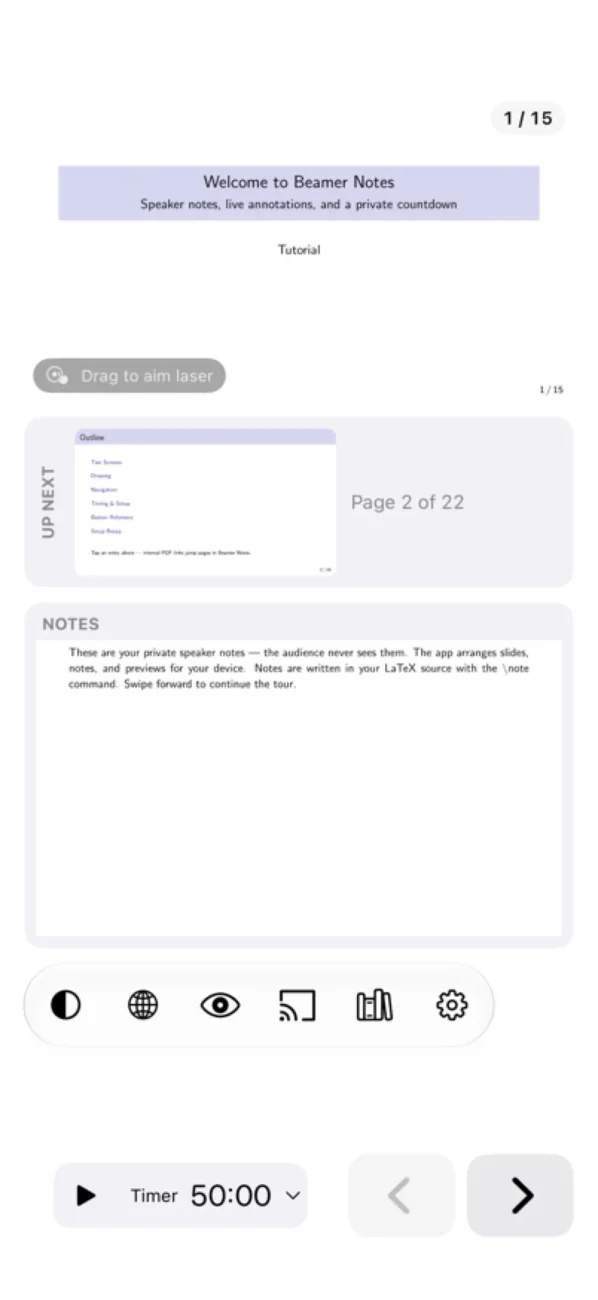
Beamer Notes puts your slides, private speaker notes, and teaching tools in one workspace. Present a Beamer PDF, open an interactive HTML lesson, or teach from a whiteboard while your audience sees only the lesson.
SLIDES AND PRIVATE NOTES
• Open Beamer PDFs with separate slide and notes areas, or import standard PDFs. Choose the source layout manually if needed.
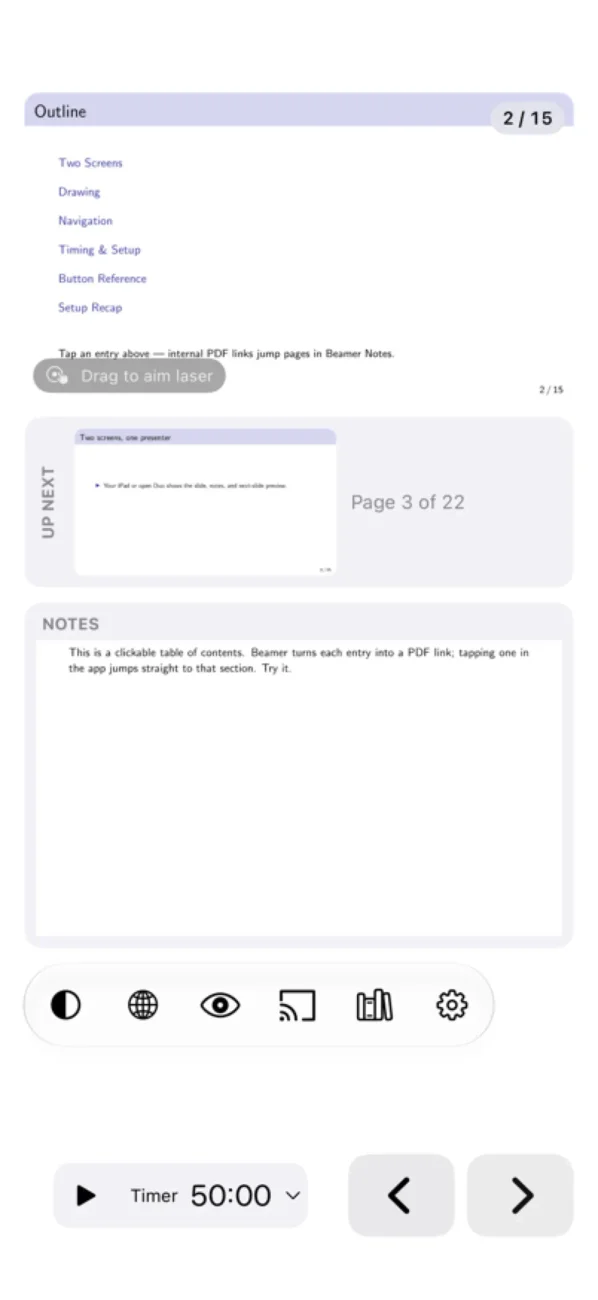
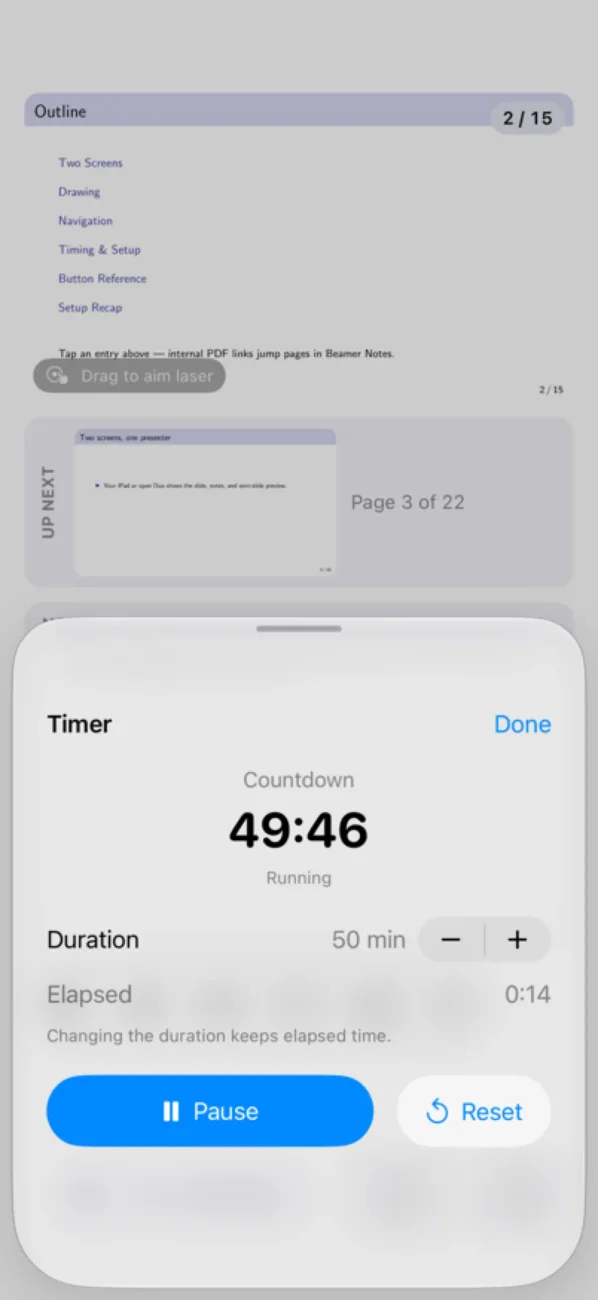
• See the current slide, next-slide preview, thumbnails, and a private countdown. Put notes beside or below the slide, or use Notes Only or Slide Only where available.
• Jump to a frame from the PDF overview. In PDF and paginated HTML, the Next preview indicates when you reach the last page.
DRAW AND TEACH ON IPAD
• Write with Apple Pencil using pens, highlighters, erasers, the lasso, and ruler. Undo individual strokes or restore ink after clearing it.
• Tidy hand-drawn shapes with adjustable shape correction. Add photos and text, or use the laser pointer to guide attention.
• Create named multipage whiteboards with white or black backgrounds. Reopen them with saved ink, or export a separate PDF copy.
INTERACTIVE HTML
• Open compatible HTML from Library, load a live web link, or download the initial HTML file to Library. For offline use, import one self-contained HTML file.
• Move sliders and use buttons with touch. On iPad, add Apple Pencil annotations. Compatible HTML shows private notes, page thumbnails, and a next-page preview.
• Try the bilingual Supply and Demand example. Adjust the charts to explore equilibrium, production possibilities, and opportunity cost.
PROJECT AND RECORD
• Use a wired display or AirPlay for a separate audience view on iPad or open iPhone Duo. Chromecast supports PDFs and whiteboards on those devices.
• Blank the audience screen when needed, or record the audience view with optional microphone audio. Keep your notes, timer, and controls private.
• On Mac, opening a PDF, HTML lesson, or whiteboard opens a separate Audience window. Reopen it with the TV button. Drag it to an extended display or share it through AirPlay while keeping notes on the Mac.
• On Mac, click PDF links and operate HTML buttons and sliders with a mouse or trackpad. Turn pages with the keyboard or a compatible Bluetooth presenter.
LIBRARY, TUTORIALS, AND IPHONE
• Organize PDFs, HTML files, and whiteboards in folders. Library files can sync through iCloud Drive. Ink, photos, and text stay on the device where you added them.
• Open the free 16:9 and 4:3 tutorials in Library for Mac projection, controls, and recording. When the app offers to update your tutorials, it keeps the earlier PDFs and annotations in Tutorial Backups.
• If a tutorial or the HTML example is missing, restore it when prompted or from Settings. On iPad and unfolded iPhone Duo, choose Download from a file’s Library menu to save a copy to Files.
• Use iPhone to control pages, the timer, and blackout on a nearby Mac or iPad. Fully open iPhone Duo to use its presenter workspace. Close it to use the remote.
Free access includes 3 distinct non-tutorial PDFs and 3 whiteboards of up to 2 pages each. Reopening a counted file uses no extra credit. A one-time Full Version purchase removes the PDF and whiteboard limits and unlocks presenting your own HTML files and live links on iPad.
Novidades
Versão 2.3.1 · 21/11/2026
• Restore missing 16:9 and 4:3 PDF tutorials and the Supply and Demand HTML example when you open Beamer Notes. You can turn off the reminder and restore them from Settings at any time.
• On iPad and unfolded iPhone Duo, choose Download from a document’s Library menu to save a PDF or HTML copy to Files.
• Find More Settings below Purchases when using the free version. Tap it to jump to the general settings.
Privacidade do app
O que Wei Chen declara na App Store sobre como este app lida com os dados.
-
Dados não coletados
O desenvolvedor não coleta nenhum dado deste app.
As práticas de privacidade podem variar, por exemplo, com base nos recursos que você usa ou na sua idade.
Informações
- Vendedor
- Wei Chen
- Categoria
- Produtividade
- Versão
- 2.3.1
- Atualizado
- 21/11/2026
- Lançamento
- 16/09/2026
- Tamanho
- 18,0 MB
- Requer
- iOS 18.0 ou posterior
- Classificação etária
- 4+
- Preço
- Grátis
- Compras no app
- Sim
- Idiomas
- Inglês, Chinês simplificado, Chinês tradicional
- Copyright
- © 2026 Wei James Chen
Você também pode gostar
-
 Priyo NotesProdutividade
-
 LumaGuide: AI Goal TrackerProdutividade
-
 LocalNotebookProdutividade
-
 On Time: Meeting AlarmsProdutividade
-
 CustosNotesProdutividade
-
 Tiny-WinsProdutividade
-
 Notes at HandProdutividade
-
 Routine Path: Habit TrackerProdutividade
-
 QuikNotes: Notes & NotebookProdutividade
-
 Super Reminder AppProdutividade