BoardNotes: Notes, PDF, Docs
Note taking,Whiteboard,Mindmap
iPhone, iPad, Mac, iPod touch向けに設計
無料 · アプリ内課金
- 対象年齢4+
- カテゴリ仕事効率化
- 開発元Chongqing Ouluowa Technology Co., Ltd.
- 言語英語ほか2言語
- サイズ342.5 MB
App Storeの公式ページにリンクしています
Download.orgはBoardNotes: Notes, PDF, Docsのファイルを一切ホストしていません。ボタンを押すと、Chongqing Ouluowa Technology Co., Ltd.が公開しているApp Storeのアプリページが開きます。ページの最終確認:2026/11/17。
スクリーンショット
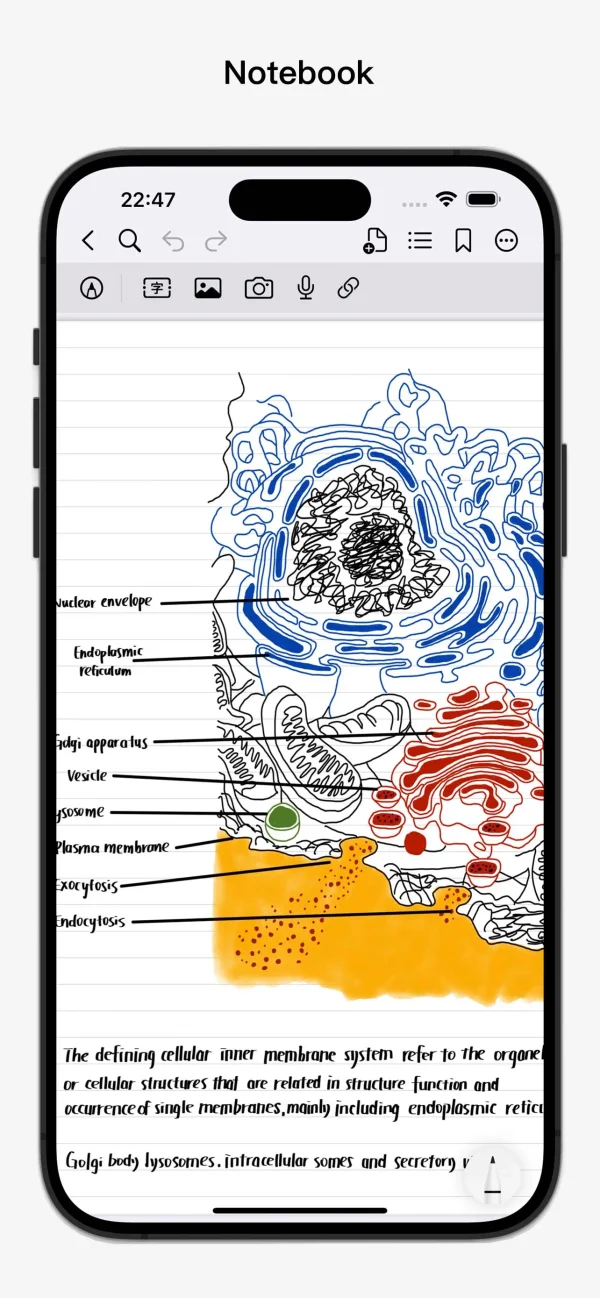
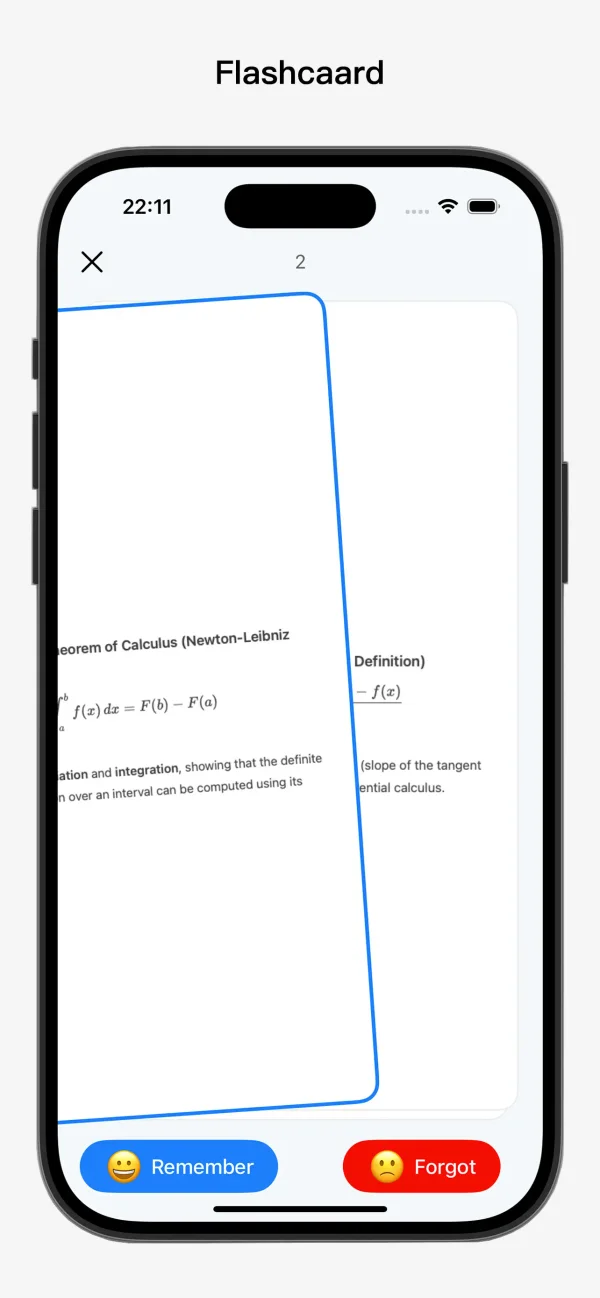
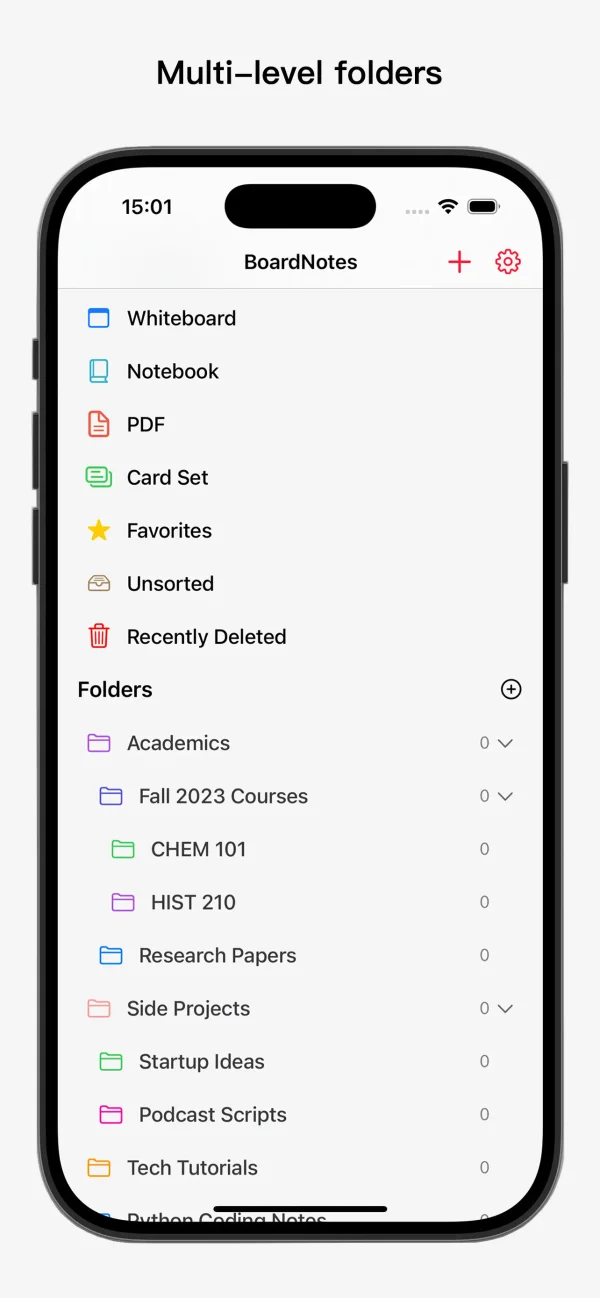
概要
開発元はこのテキストをお使いの言語で提供していません。
Feature Introduction:
BoardNotes is a versatile handwriting note-taking app that integrates five major functions—whiteboard, notebook, PDF, mind map, and flashcards—covering most note-taking scenarios. It serves as your All-In-One App.
Handwriting Pen:
1. BoardNotes utilizes Apple's native pen technology and has developed additional pens tailored for Chinese writing, including a fountain pen, a laser pointer for presentations, and a tape pen for masking notes.
2. Choose from a variety of brushes (laser pen, tape pen, ballpoint pen, straight-line pen, wavy-line pen, custom fountain pen, quill pen, pencil, marker, watercolor pen, fill pen, single-line pen, crayon, freehand pen) to unleash your creativity.
3. Lasso tool (extremely powerful).
4. Eraser (pixel eraser and object eraser).
Whiteboard:
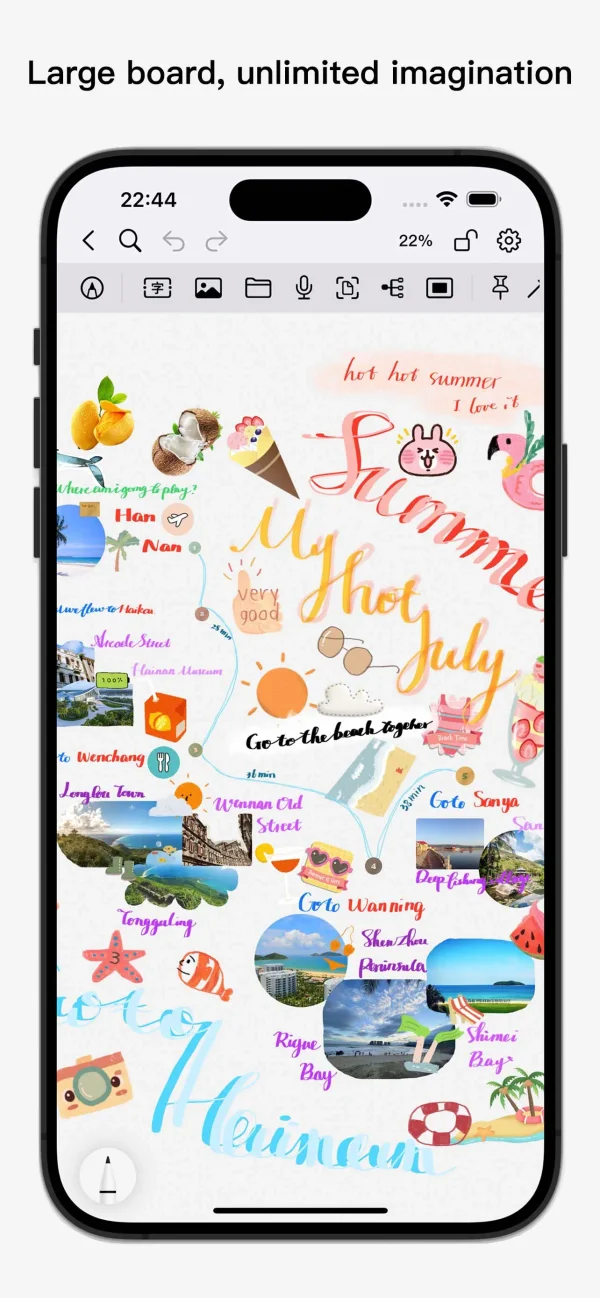
1. The whiteboard is ideal for organizing fragmented knowledge, brainstorming, and boosting creativity.
2. Write and draw freely without worrying about boundaries.
3. Customize background colors and grid templates.
4. Add various card types (text, image, video, audio, webpage, file, handwriting).
5. Multiple auxiliary tools: background board, pins, link navigation (supports bidirectional links), connectors, timer (countdown supported), calculator.
6. Quickly locate notes using the search function.
Notebook & PDF:
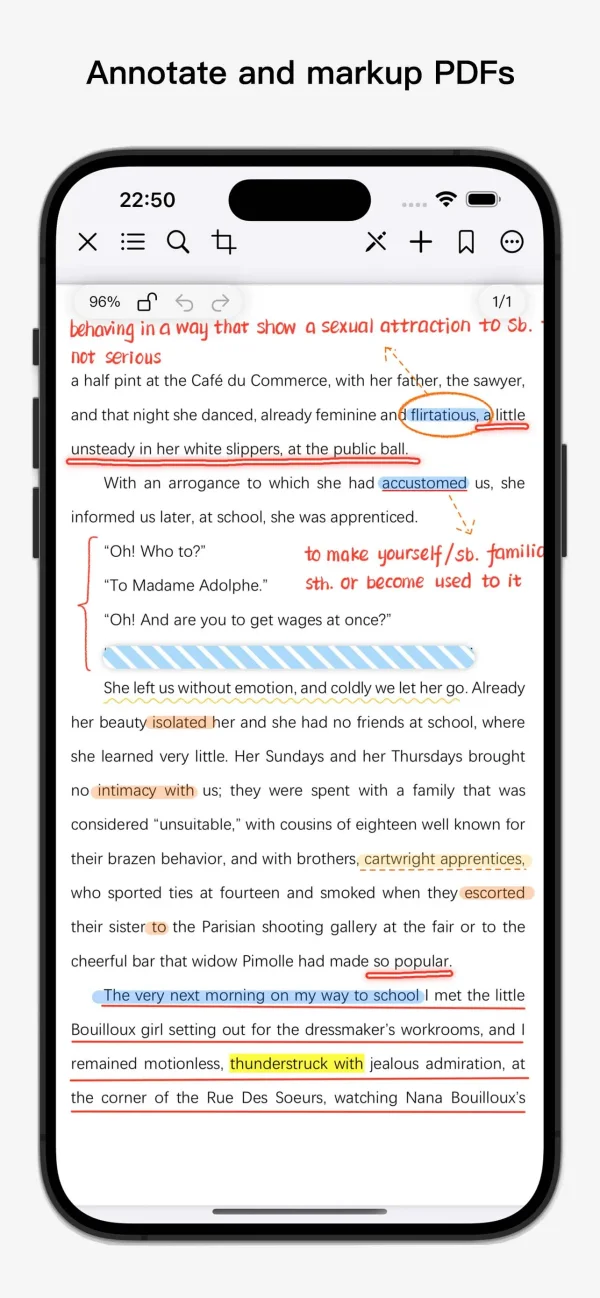
1. Create notebooks and PDFs with multiple paper templates and cover options. Import images from Photos or PDFs from the Files app as pages or covers.
2. Add text, images, stickers, videos, webpage snapshots, audio recordings, links (bidirectional links supported), timers, calculators, and floating PDF windows.
3. Layer functionality—show or hide layers as needed.
4. Insert new pages via blank sheets, images, scanned documents, or files.
5. Cut, copy, and paste pages into other notebooks or PDFs.
6. Duplicate, rotate, or delete pages.
7. Reorder pages via long-press and drag in thumbnail view.
8. Create outlines and add bookmarks.
9. Search (text, handwritten notes, etc.).
10. Import e-books (epub, mobi, azw, etc.).
Mind Map:
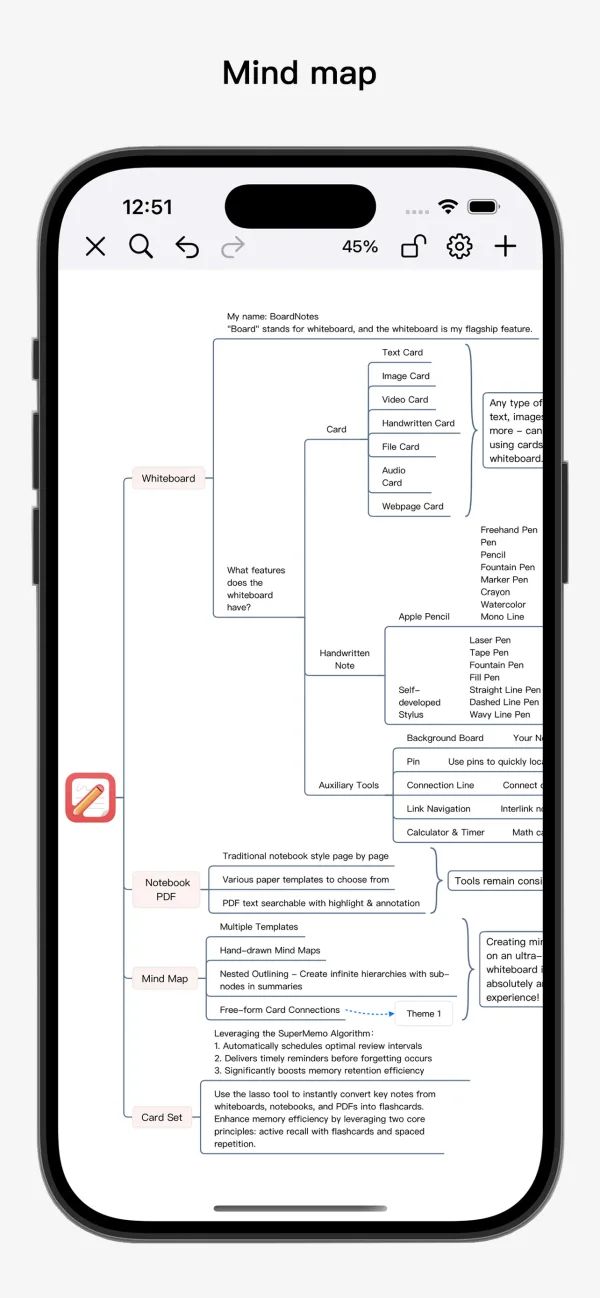
1. Mind mapping is a key feature within the whiteboard.
2. Nodes support multiple formats (text, image, handwriting, video, audio, webpage snapshot, file).
3. Offers 3 structures and 18 color schemes.
4. Add summaries (brackets).
5. Handwritten mind maps (using handwritten cards).
6. Long-press and drag selected cards into the mind map.
7. Reorder nodes or adjust hierarchy via long-press and drag.
Flashcard:
1. Flashcards use the SuperMemo algorithm to automatically schedule optimal review intervals, reminding you before forgetting to maximize memory efficiency.
2. Flashcards support text, images, and handwriting.
3. Quickly create cards from notes in whiteboards, notebooks, or PDFs using the rectangular lasso tool.
Download BoardNotes for free on iPad, iPhone, and Mac.
For suggestions, please contact us via the in-app feedback feature.
新機能
バージョン 1.4.2 · 2026/11/7
1. The spacing of guide lines on whiteboards, handwritten cards, and notebook paper can now be adjusted.
2. Optimized some features and fixed some bugs.
アプリのプライバシー
このアプリのデータの取り扱いについて、Chongqing Ouluowa Technology Co., Ltd.がApp Storeで申告している内容です。
-
ユーザーのトラッキングに使用されるデータ
他社のアプリやウェブサイトを横断してユーザーをトラッキングする目的で使用される場合があります。
- ID
-
ユーザーに関連付けられないデータ
収集される場合がありますが、ユーザーの識別情報には関連付けられません。
- ID
- 診断
プライバシーの取り扱いは、ご利用の機能やお客様の年齢などに応じて異なる場合があります。
情報
- 販売元
- Chongqing Ouluowa Technology Co., Ltd.
- カテゴリ
- 仕事効率化
- バージョン
- 1.4.2
- 更新日
- 2026/11/7
- リリース
- 2023/5/18
- サイズ
- 342.5 MB
- 必要条件
- iOS 15.0以降
- 対象年齢
- 4+
- 価格
- 無料
- アプリ内課金
- あり
- 言語
- 英語, 簡体字中国語, 繁体字中国語
- 著作権
- © BoardNotes
こちらもおすすめ
-
 GUGA-Hyperboard :全能手書きメモツール「ノート+ホワイトボード+カード」のスーパー学習ツール
-
 OrigNotes仕事効率化
-
 BigPaper - マインドマップ&ホワイトボード PDFPDF 手書きメモで思考整理、クラウド同期、テンプレート豊富
-
 MarginNote 3仕事効率化
-
 MarginNote 5: AI読書・マインドマップ読書メモ・問題演習・単語学習、テンプレートを自由に切替
-
 touchnotesPro: Notes & PDF仕事効率化
-
 TMind-手書き思考ガイド、無限ドラフト、ホワイトボード手書きの思考ガイド、無限ドラフト
-
 UltraNotes - ノート作成&PDFノート、文章作成&PDF注釈
-
 Prodrafts - 手書きノート無限キャンバス・PDF注釈・マインドマップ
-
 ZoomNotes Lite仕事効率化