BoardNotes: Notes, PDF, Docs
Note taking,Whiteboard,Mindmap
Được thiết kế cho iPhone, iPad, Mac, iPod touch
Miễn phí · Mua hàng trong ứng dụng
- Độ tuổi4+
- Danh mụcHiệu Suất
- Nhà phát triểnChongqing Ouluowa Technology Co., Ltd.
- Ngôn ngữTiếng Anh+ 2 ngôn ngữ khác
- Kích thước342,5 MB
Liên kết đến trang App Store chính thức
Download.org không lưu trữ tệp nào của BoardNotes: Notes, PDF, Docs. Nút này mở trang ứng dụng trên App Store, nơi Chongqing Ouluowa Technology Co., Ltd. phát hành ứng dụng. Trang được kiểm tra lần cuối: 17/11/2026.
Ảnh chụp màn hình
Giới thiệu
Nhà phát triển chưa cung cấp nội dung này bằng ngôn ngữ của bạn.
Feature Introduction:
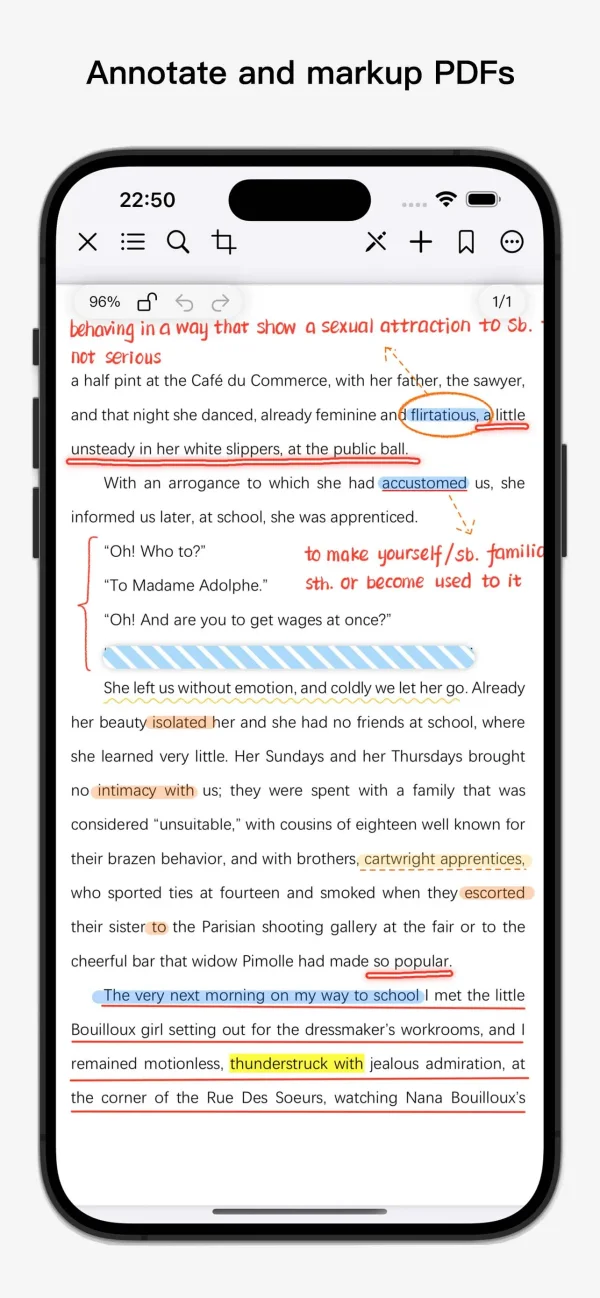
BoardNotes is a versatile handwriting note-taking app that integrates five major functions—whiteboard, notebook, PDF, mind map, and flashcards—covering most note-taking scenarios. It serves as your All-In-One App.
Handwriting Pen:
1. BoardNotes utilizes Apple's native pen technology and has developed additional pens tailored for Chinese writing, including a fountain pen, a laser pointer for presentations, and a tape pen for masking notes.
2. Choose from a variety of brushes (laser pen, tape pen, ballpoint pen, straight-line pen, wavy-line pen, custom fountain pen, quill pen, pencil, marker, watercolor pen, fill pen, single-line pen, crayon, freehand pen) to unleash your creativity.
3. Lasso tool (extremely powerful).
4. Eraser (pixel eraser and object eraser).
Whiteboard:
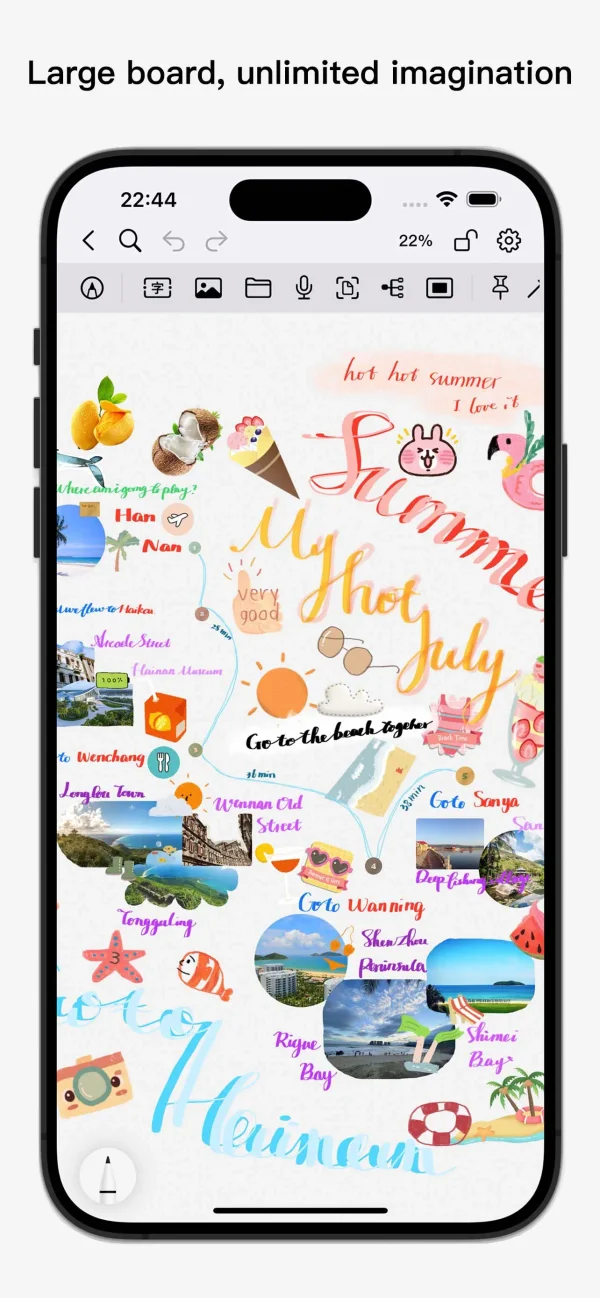
1. The whiteboard is ideal for organizing fragmented knowledge, brainstorming, and boosting creativity.
2. Write and draw freely without worrying about boundaries.
3. Customize background colors and grid templates.
4. Add various card types (text, image, video, audio, webpage, file, handwriting).
5. Multiple auxiliary tools: background board, pins, link navigation (supports bidirectional links), connectors, timer (countdown supported), calculator.
6. Quickly locate notes using the search function.
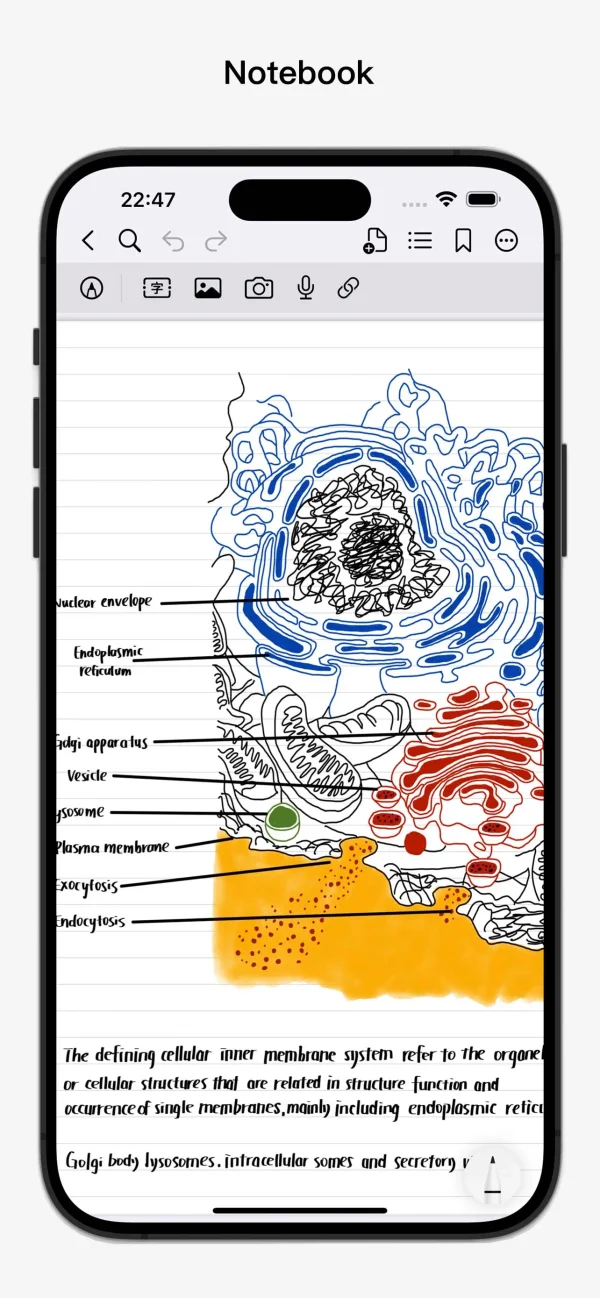
Notebook & PDF:
1. Create notebooks and PDFs with multiple paper templates and cover options. Import images from Photos or PDFs from the Files app as pages or covers.
2. Add text, images, stickers, videos, webpage snapshots, audio recordings, links (bidirectional links supported), timers, calculators, and floating PDF windows.
3. Layer functionality—show or hide layers as needed.
4. Insert new pages via blank sheets, images, scanned documents, or files.
5. Cut, copy, and paste pages into other notebooks or PDFs.
6. Duplicate, rotate, or delete pages.
7. Reorder pages via long-press and drag in thumbnail view.
8. Create outlines and add bookmarks.
9. Search (text, handwritten notes, etc.).
10. Import e-books (epub, mobi, azw, etc.).
Mind Map:
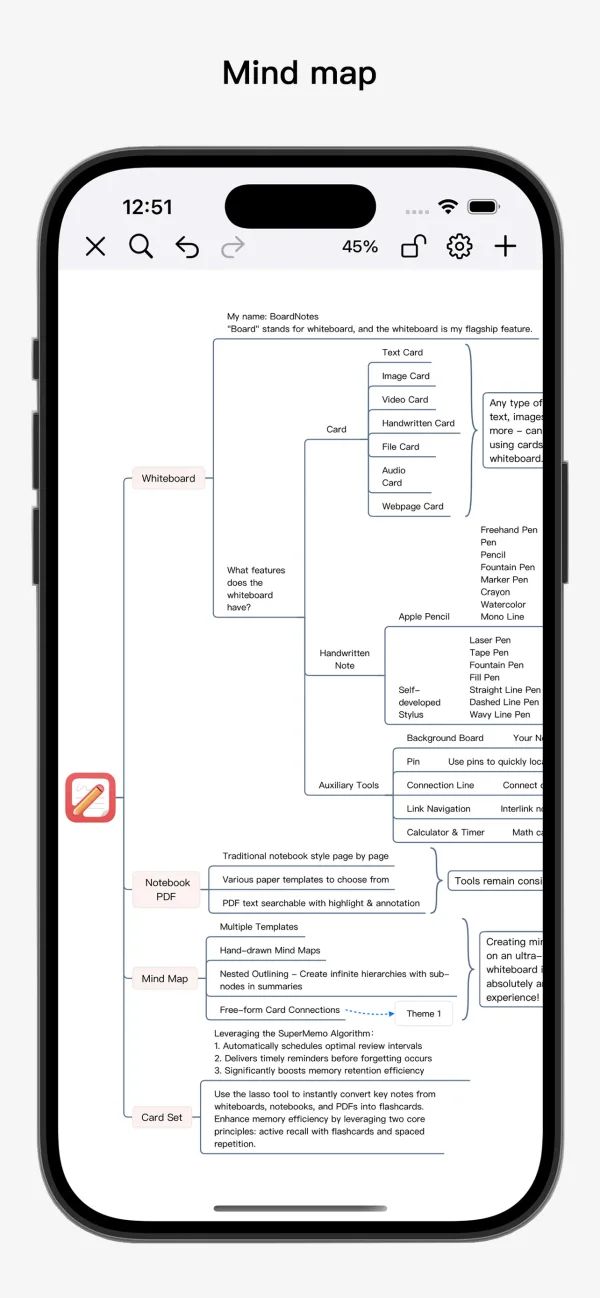
1. Mind mapping is a key feature within the whiteboard.
2. Nodes support multiple formats (text, image, handwriting, video, audio, webpage snapshot, file).
3. Offers 3 structures and 18 color schemes.
4. Add summaries (brackets).
5. Handwritten mind maps (using handwritten cards).
6. Long-press and drag selected cards into the mind map.
7. Reorder nodes or adjust hierarchy via long-press and drag.
Flashcard:
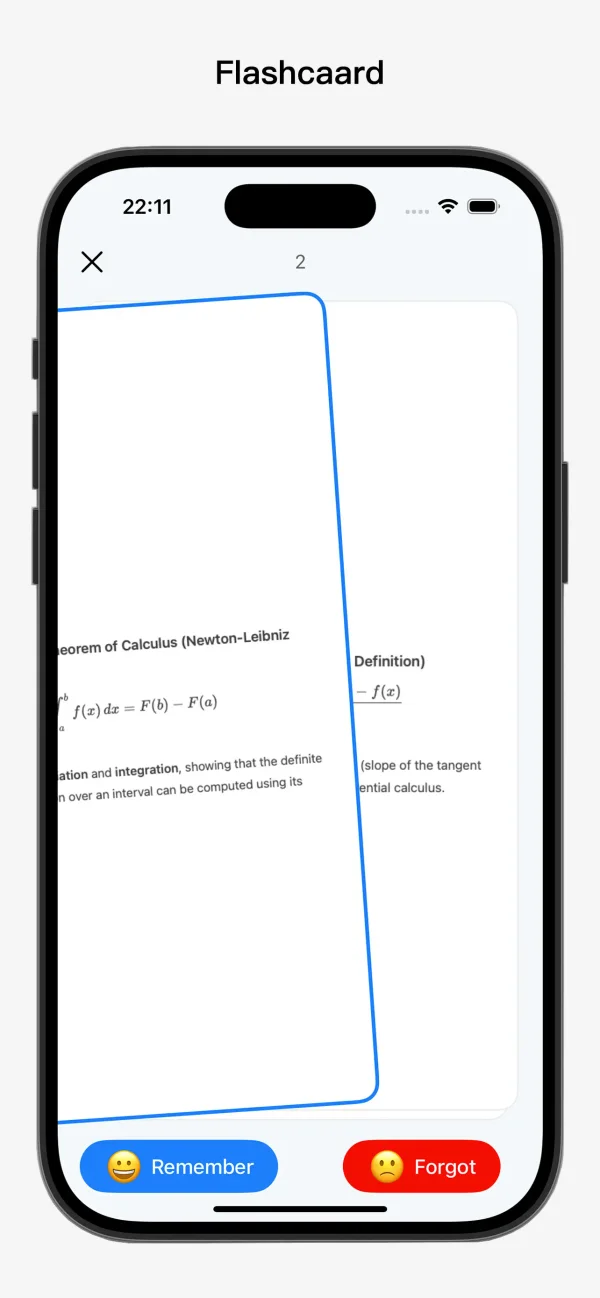
1. Flashcards use the SuperMemo algorithm to automatically schedule optimal review intervals, reminding you before forgetting to maximize memory efficiency.
2. Flashcards support text, images, and handwriting.
3. Quickly create cards from notes in whiteboards, notebooks, or PDFs using the rectangular lasso tool.
Download BoardNotes for free on iPad, iPhone, and Mac.
For suggestions, please contact us via the in-app feedback feature.
Có gì mới
Phiên bản 1.4.2 · 07/11/2026
1. The spacing of guide lines on whiteboards, handwritten cards, and notebook paper can now be adjusted.
2. Optimized some features and fixed some bugs.
Quyền riêng tư của ứng dụng
Những gì Chongqing Ouluowa Technology Co., Ltd. khai báo trên App Store về cách ứng dụng này xử lý dữ liệu.
-
Dữ liệu được sử dụng để theo dõi bạn
Có thể được sử dụng để theo dõi bạn trên các ứng dụng và trang web do công ty khác sở hữu.
- Mã định danh
-
Dữ liệu không liên kết với bạn
Có thể được thu thập nhưng không liên kết với danh tính của bạn.
- Mã định danh
- Chẩn đoán
Phương thức đảm bảo quyền riêng tư có thể khác nhau, chẳng hạn như tuỳ theo các tính năng bạn sử dụng hoặc độ tuổi của bạn.
Thông tin
- Người bán
- Chongqing Ouluowa Technology Co., Ltd.
- Danh mục
- Hiệu Suất
- Phiên bản
- 1.4.2
- Cập nhật
- 07/11/2026
- Phát hành
- 18/05/2023
- Kích thước
- 342,5 MB
- Yêu cầu
- iOS 15.0 trở lên
- Độ tuổi
- 4+
- Giá
- Miễn phí
- Mua hàng trong ứng dụng
- Có
- Ngôn ngữ
- Tiếng Anh, Tiếng Trung Giản thể, Tiếng Trung Phồn thể
- Bản quyền
- © BoardNotes
Có thể bạn cũng thích
-
 GUGA-HyperboardHiệu Suất
-
 OrigNotesHiệu Suất
-
 BigPaper -Mind Map, PDF MarkupHiệu Suất
-
 MarginNote 3Hiệu Suất
-
 MarginNote 5: AI Notes·MindMapHiệu Suất
-
 touchnotesPro: Notes & PDFHiệu Suất
-
 TouchMind-handwritten mind mapHiệu Suất
-
 UltraNotes - Note Taking & PDFHiệu Suất
-
 Prodrafts - Ghi chúKhung vẽ vô hạn, viết tay, PDF
-
 ZoomNotes LiteHiệu Suất