- 対象年齢4+
- カテゴリ教育
- 開発元思迪 李
- 言語英語ほか2言語
- サイズ6.6 MB
App Storeの公式ページにリンクしています
Download.orgはCaptureNote - Screenshot Notesのファイルを一切ホストしていません。ボタンを押すと、思迪 李が公開しているApp Storeのアプリページが開きます。ページの最終確認:2026/11/12。
スクリーンショット

概要
開発元はこのテキストをお使いの言語で提供していません。
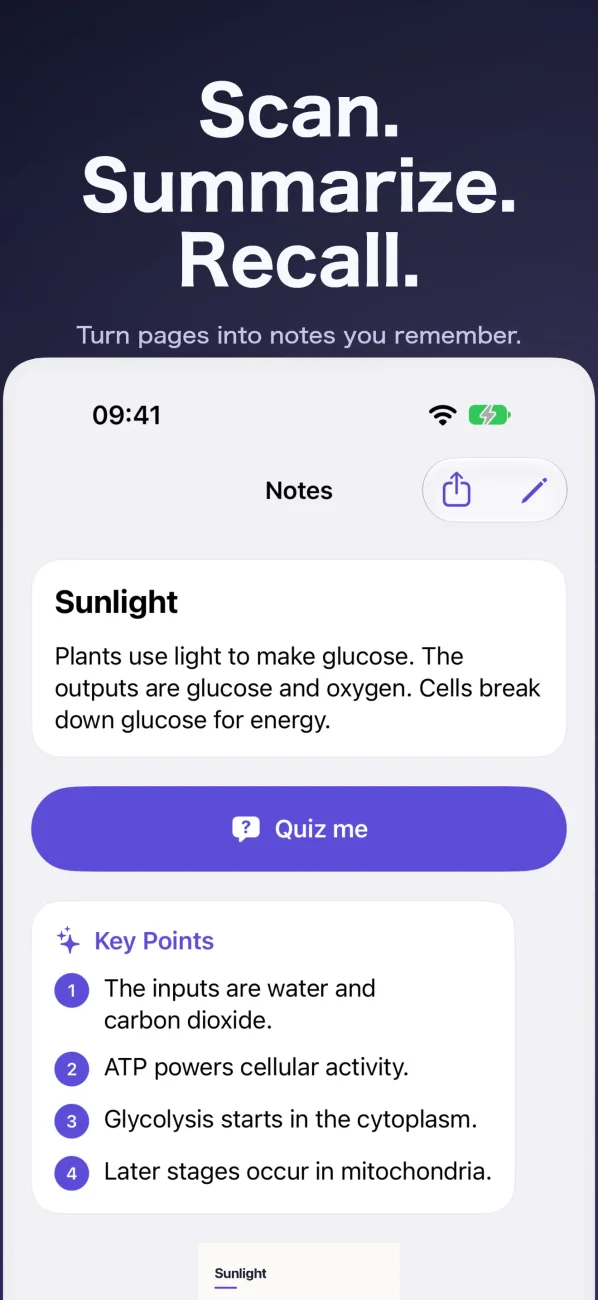
Turn textbook pages, lecture slides, and screenshots into notes you actually remember.
CaptureNote reads the text in your images, writes a summary with key points, then quizzes you at the right time so it sticks. OCR, the local summary fallback, review scheduling, and reminders all work on your device, with no account.
HOW IT WORKS
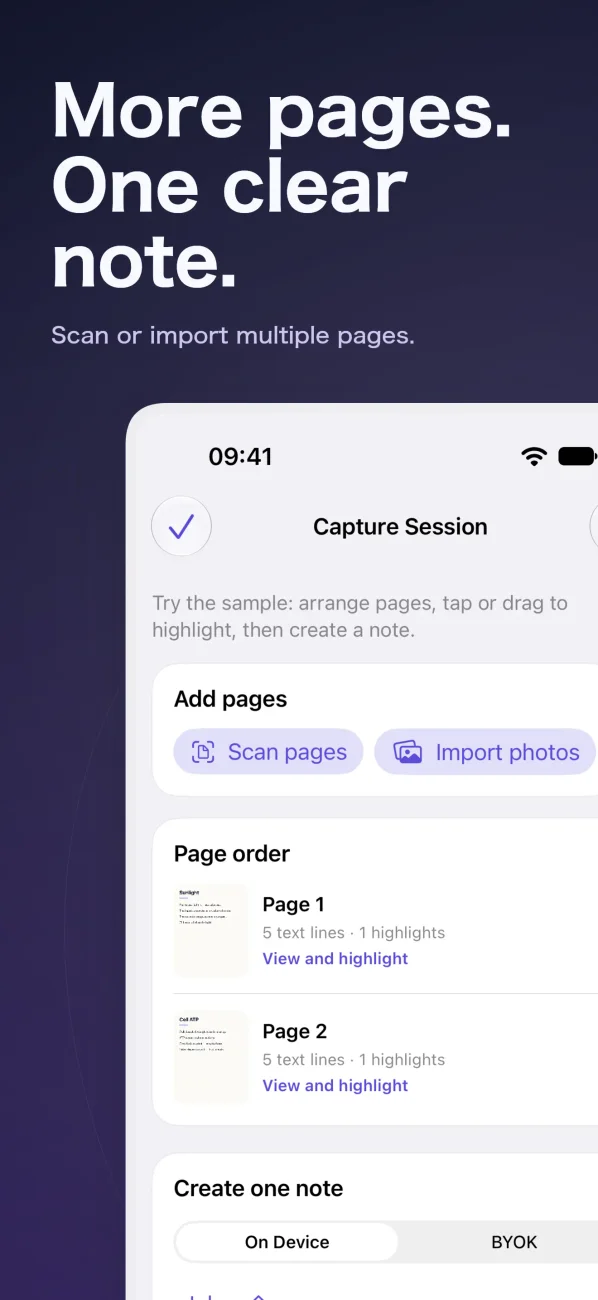
• Scan or import pages: capture several pages at once, then reorder, crop, rotate, and highlight what matters.
• Get a clear note: a title, summary, and key points from the Apple on-device model on supported iPhones. When it isn’t available, CaptureNote builds the summary from sentences in your own text and tells you which one you got.
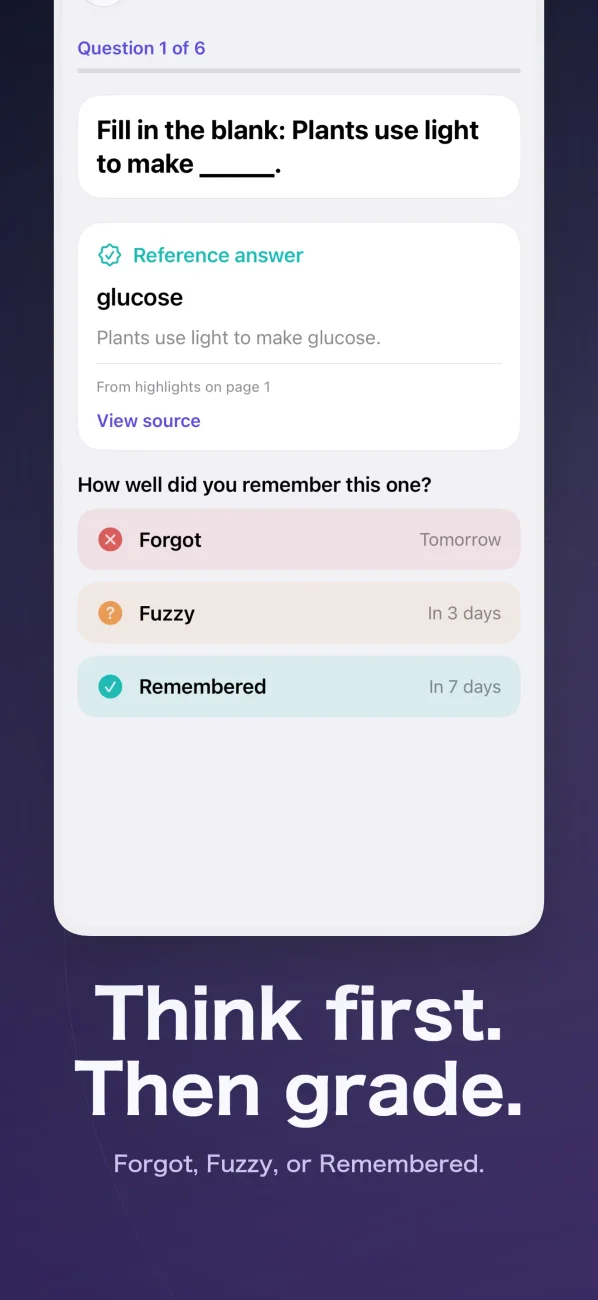
• Quiz yourself: reveal the answer, then grade yourself — Forgot, Fuzzy, or Remembered. Questions come from your notes, including fill-in-the-blank cards that need no AI.
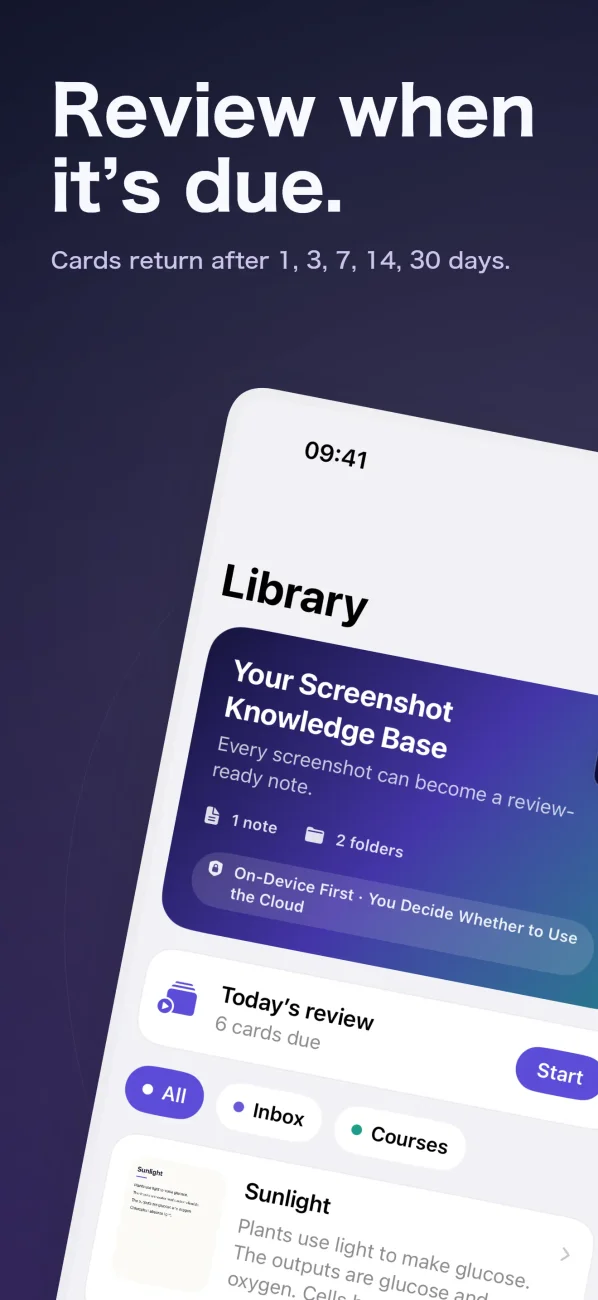
• Review on a schedule: cards return after 1, 3, 7, 14, and 30 days. The Library shows what is due today, and a round is at most 10 cards, about two minutes.
• Optional reminders: a local notification, only on days when cards are due.
• Export to Markdown: share any note as a .md file with its summary, key points, and your highlights.
MORE
• Shortcuts: add Summarize Screenshot or Recognize Screenshot Text after Take Screenshot.
• Folders and search: organize, edit, move, share, or delete notes.
• Keep the context: the source image, full text, summary, and key points stay together.
• Bring your own key: connect an OpenAI-compatible API and model. Only OCR text is sent; provider fees are separate.
• Local first: OCR and local processing happen on device. Content is never uploaded without your explicit consent.
Ideal for lecture slides, textbook screenshots, web research, reading highlights, and exam prep.
CaptureNote is free to download. Basic OCR, editing, folders, search, Markdown export, and reviewing your notes are free, and 5 complete smart summaries are included. Unlimited smart summaries and summary Shortcuts require a one-time Lifetime Pro in-app purchase.
新機能
バージョン 1.4.0 · 2026/11/8
Notes you remember, not just save.
• Review loop: reveal each answer, grade yourself (Forgot, Fuzzy, Remembered), and cards come back after 1, 3, 7, 14, and 30 days.
• Cards due today appear in the Library, plus optional on-device reminders on days when cards are due.
• Fill-in-the-blank questions are now made on your device without AI.
• Better summaries when the Apple model isn’t available: pages are rebuilt into paragraphs in reading order before key sentences are chosen, and long notes are summarized in parts.
• Clear notices tell you whether a note came from the Apple model, a part-by-part summary, or the local fallback.
• Export any note as a Markdown file with your highlights.
• If your library ever can’t open, CaptureNote now backs it up and offers recovery instead of crashing.
アプリのプライバシー
このアプリのデータの取り扱いについて、思迪 李がApp Storeで申告している内容です。
-
ユーザーに関連付けられたデータ
収集され、ユーザーの識別情報に関連付けられる場合があります。
- 購入
- 位置情報
- ユーザーコンテンツ
- ID
- 使用状況データ
-
ユーザーに関連付けられないデータ
収集される場合がありますが、ユーザーの識別情報には関連付けられません。
- 診断
プライバシーの取り扱いは、ご利用の機能やお客様の年齢などに応じて異なる場合があります。
情報
- 販売元
- 思迪 李
- カテゴリ
- 教育
- バージョン
- 1.4.0
- 更新日
- 2026/11/8
- リリース
- 2026/7/22
- サイズ
- 6.6 MB
- 必要条件
- iOS 18.0以降
- 対象年齢
- 4+
- 価格
- 無料
- アプリ内課金
- あり
- 言語
- 英語, 簡体字中国語, 繁体字中国語
- 著作権
- © 2026 Sidi Li