CaptureNote - Screenshot Notes
Scan, Summarize & Recall
Được thiết kế cho iPhone
Miễn phí · Mua hàng trong ứng dụng
- Độ tuổi4+
- Danh mụcGiáo Dục
- Nhà phát triển思迪 李
- Ngôn ngữTiếng Anh+ 2 ngôn ngữ khác
- Kích thước6,6 MB
Liên kết đến trang App Store chính thức
Download.org không lưu trữ tệp nào của CaptureNote - Screenshot Notes. Nút này mở trang ứng dụng trên App Store, nơi 思迪 李 phát hành ứng dụng. Trang được kiểm tra lần cuối: 12/11/2026.
Ảnh chụp màn hình
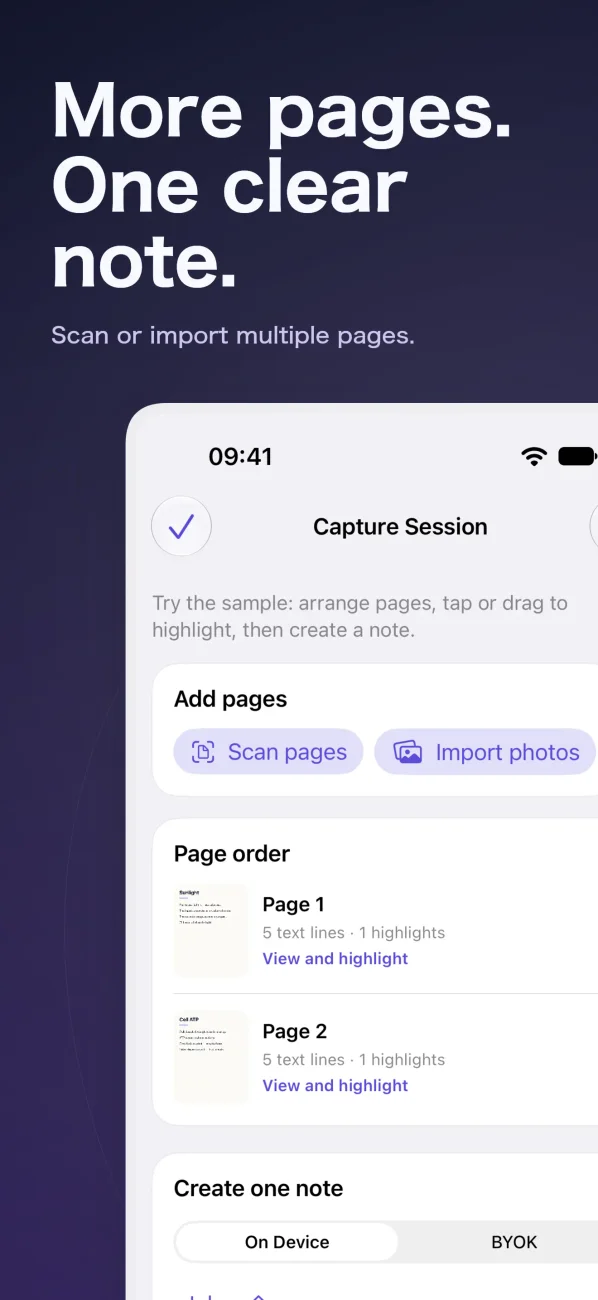

Giới thiệu
Nhà phát triển chưa cung cấp nội dung này bằng ngôn ngữ của bạn.
Turn textbook pages, lecture slides, and screenshots into notes you actually remember.
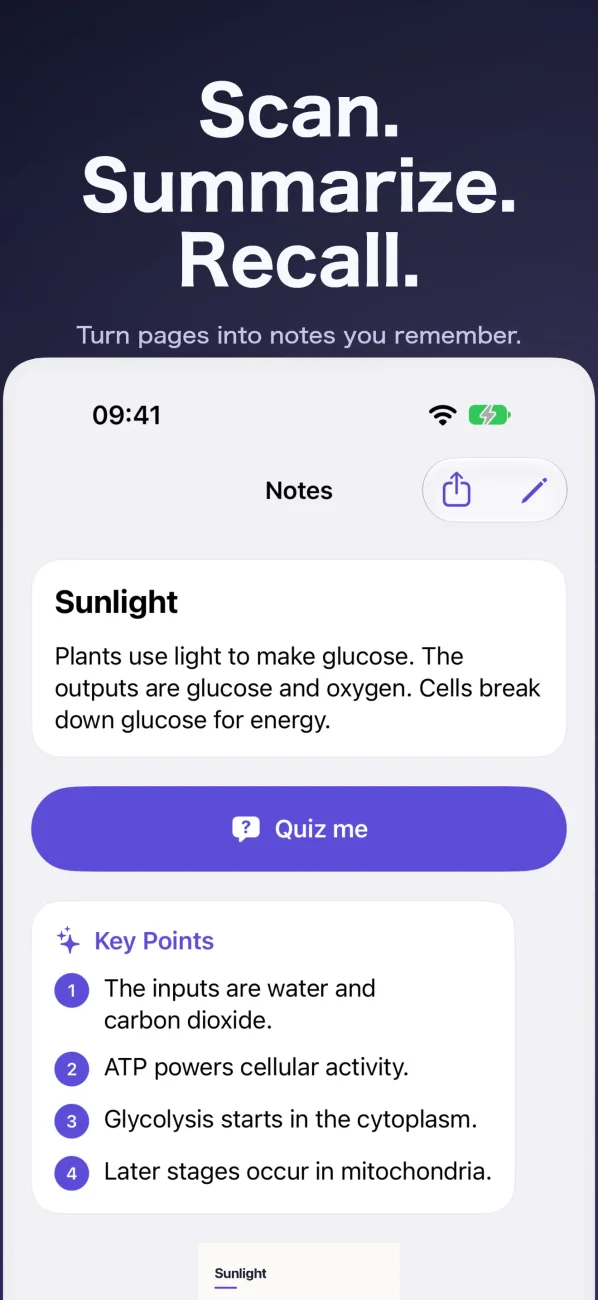
CaptureNote reads the text in your images, writes a summary with key points, then quizzes you at the right time so it sticks. OCR, the local summary fallback, review scheduling, and reminders all work on your device, with no account.
HOW IT WORKS
• Scan or import pages: capture several pages at once, then reorder, crop, rotate, and highlight what matters.
• Get a clear note: a title, summary, and key points from the Apple on-device model on supported iPhones. When it isn’t available, CaptureNote builds the summary from sentences in your own text and tells you which one you got.
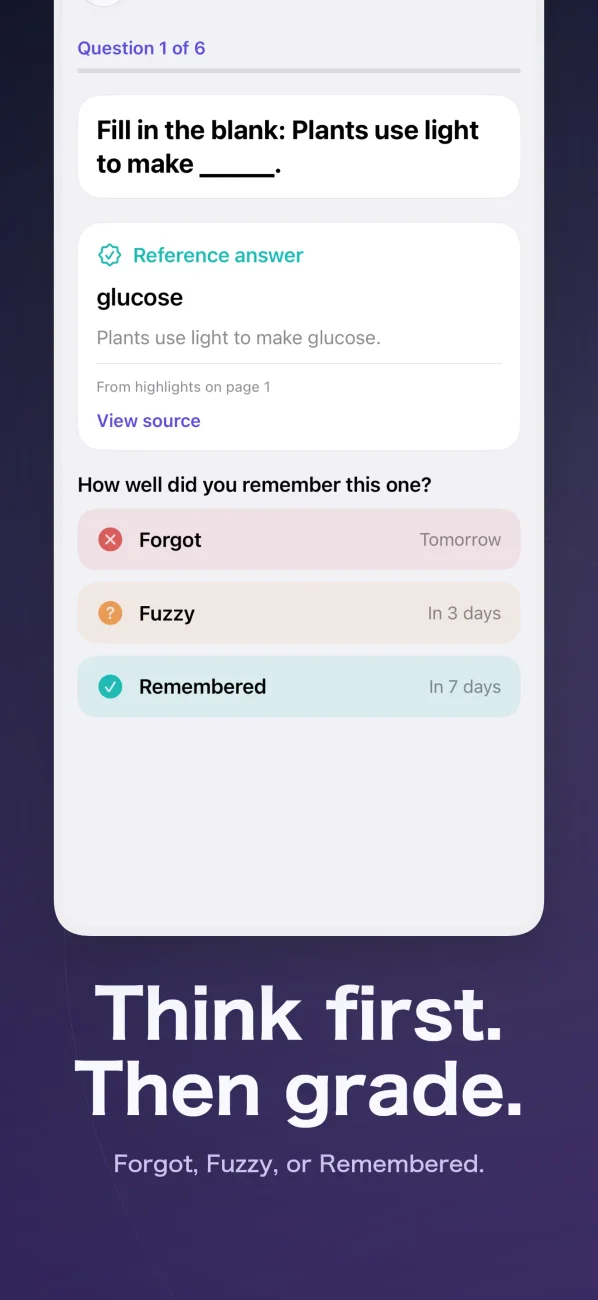
• Quiz yourself: reveal the answer, then grade yourself — Forgot, Fuzzy, or Remembered. Questions come from your notes, including fill-in-the-blank cards that need no AI.
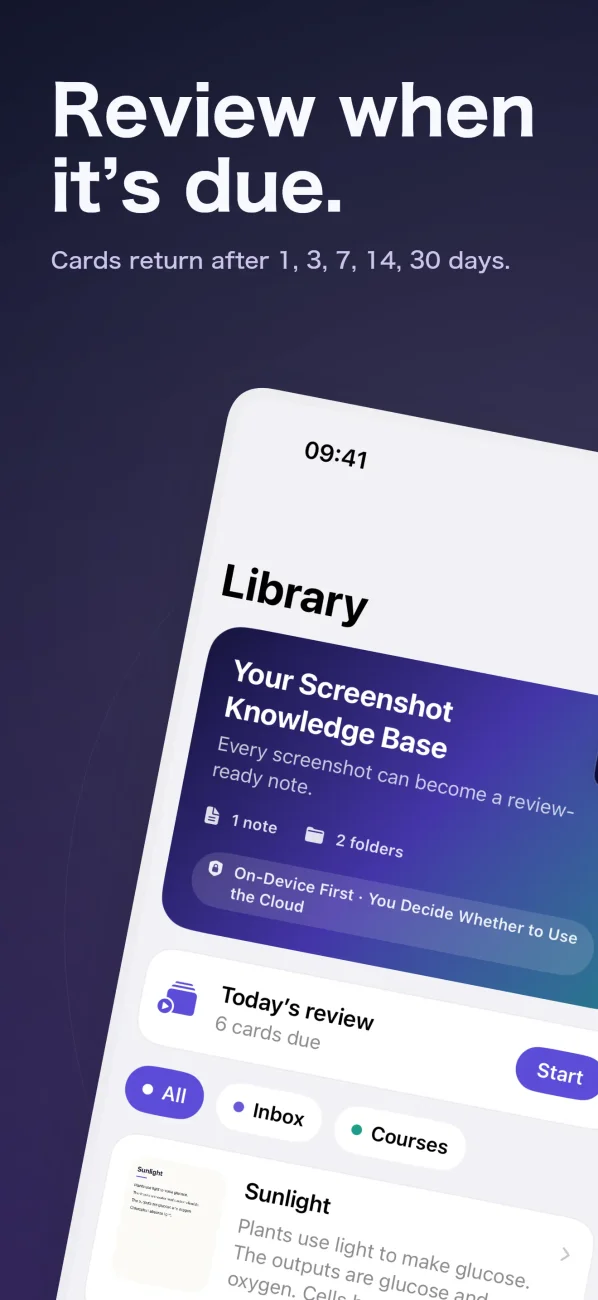
• Review on a schedule: cards return after 1, 3, 7, 14, and 30 days. The Library shows what is due today, and a round is at most 10 cards, about two minutes.
• Optional reminders: a local notification, only on days when cards are due.
• Export to Markdown: share any note as a .md file with its summary, key points, and your highlights.
MORE
• Shortcuts: add Summarize Screenshot or Recognize Screenshot Text after Take Screenshot.
• Folders and search: organize, edit, move, share, or delete notes.
• Keep the context: the source image, full text, summary, and key points stay together.
• Bring your own key: connect an OpenAI-compatible API and model. Only OCR text is sent; provider fees are separate.
• Local first: OCR and local processing happen on device. Content is never uploaded without your explicit consent.
Ideal for lecture slides, textbook screenshots, web research, reading highlights, and exam prep.
CaptureNote is free to download. Basic OCR, editing, folders, search, Markdown export, and reviewing your notes are free, and 5 complete smart summaries are included. Unlimited smart summaries and summary Shortcuts require a one-time Lifetime Pro in-app purchase.
Có gì mới
Phiên bản 1.4.0 · 08/11/2026
Notes you remember, not just save.
• Review loop: reveal each answer, grade yourself (Forgot, Fuzzy, Remembered), and cards come back after 1, 3, 7, 14, and 30 days.
• Cards due today appear in the Library, plus optional on-device reminders on days when cards are due.
• Fill-in-the-blank questions are now made on your device without AI.
• Better summaries when the Apple model isn’t available: pages are rebuilt into paragraphs in reading order before key sentences are chosen, and long notes are summarized in parts.
• Clear notices tell you whether a note came from the Apple model, a part-by-part summary, or the local fallback.
• Export any note as a Markdown file with your highlights.
• If your library ever can’t open, CaptureNote now backs it up and offers recovery instead of crashing.
Quyền riêng tư của ứng dụng
Những gì 思迪 李 khai báo trên App Store về cách ứng dụng này xử lý dữ liệu.
-
Dữ liệu liên kết với bạn
Có thể được thu thập và liên kết với danh tính của bạn.
- Mục mua
- Vị trí
- Nội dung của người dùng
- Mã định danh
- Dữ liệu sử dụng
-
Dữ liệu không liên kết với bạn
Có thể được thu thập nhưng không liên kết với danh tính của bạn.
- Chẩn đoán
Phương thức đảm bảo quyền riêng tư có thể khác nhau, chẳng hạn như tuỳ theo các tính năng bạn sử dụng hoặc độ tuổi của bạn.
Thông tin
- Người bán
- 思迪 李
- Danh mục
- Giáo Dục
- Phiên bản
- 1.4.0
- Cập nhật
- 08/11/2026
- Phát hành
- 22/07/2026
- Kích thước
- 6,6 MB
- Yêu cầu
- iOS 18.0 trở lên
- Độ tuổi
- 4+
- Giá
- Miễn phí
- Mua hàng trong ứng dụng
- Có
- Ngôn ngữ
- Tiếng Anh, Tiếng Trung Giản thể, Tiếng Trung Phồn thể
- Bản quyền
- © 2026 Sidi Li
Có thể bạn cũng thích
-
 Cognilo: Brain Training GamesGiáo Dục
-
 StudySnap: AI Tutor HomeworkGiáo Dục
-
 PagePrism: Doc SummariesGiáo Dục
-
 ScanStudy AIGiáo Dục
-
 Hanzi Reader: Học tiếng TrungTừ điển, từ vựng, Hán tự HSK
-
 Cardly - AI Flashcard MakerGiáo Dục
-
 Note OCR: Ghi chú AI có OCROCR AI & ghi chú
-
 Listen to SadhuGiáo Dục
-
 Memorify - Vocabulary BuilderGiáo Dục
-
 Speak Languages: TalkiGiáo Dục