
- 対象年齢4+
- カテゴリユーティリティ
- 開発元Robert France
- 言語英語
- サイズ2.7 MB
App Storeの公式ページにリンクしています
Download.orgはChronographerのファイルを一切ホストしていません。ボタンを押すと、Robert Franceが公開しているApp Storeのアプリページが開きます。ページの最終確認:2026/11/14。
スクリーンショット
概要
開発元はこのテキストをお使いの言語で提供していません。
Chronographer is for people who enjoy mechanical watches. It does two things:
1. Tracks your watches’ long-term accuracy
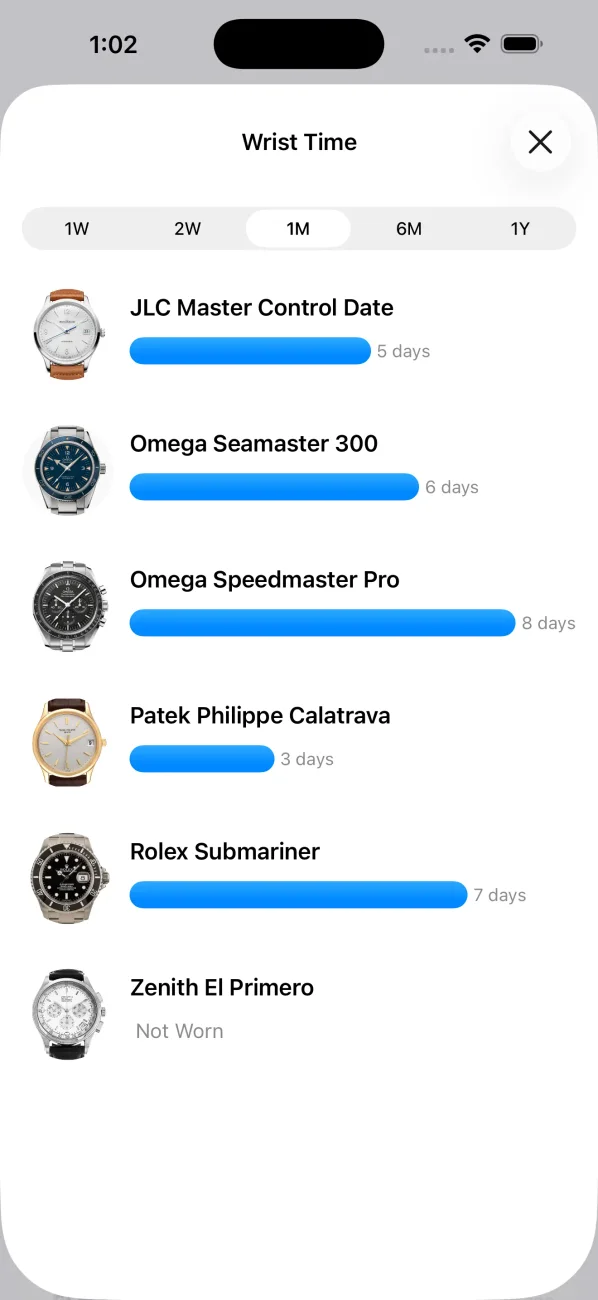
2. Records wrist time
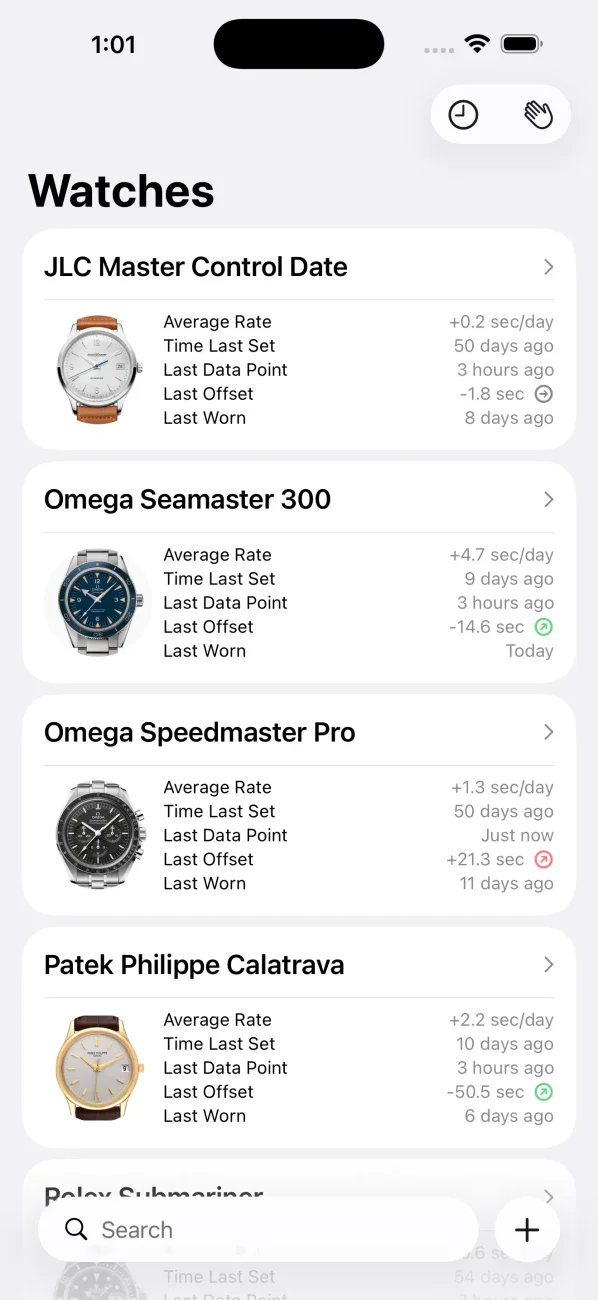
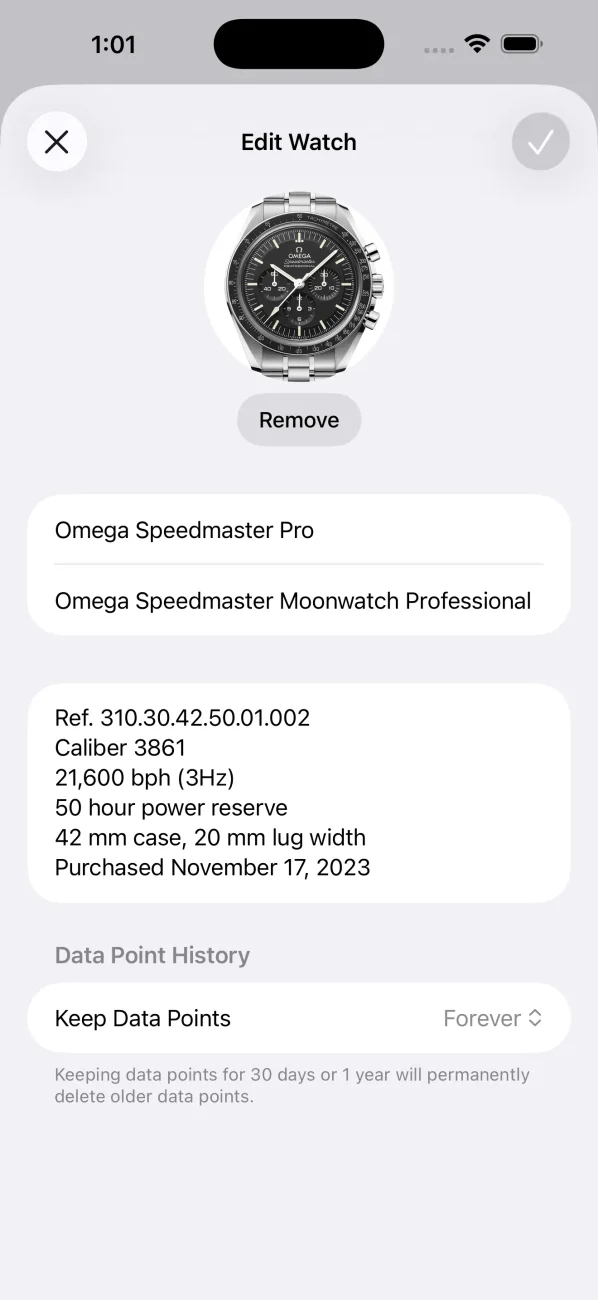
Chronographer can work with your whole watch collection. Create a “card” for each watch, giving it a name and, optionally, a longer description. Select a picture from your Photos library and add additional notes, such as the watch’s specifications, purchase details, and service history. All information is stored in iCloud and automatically synchronized between your devices.
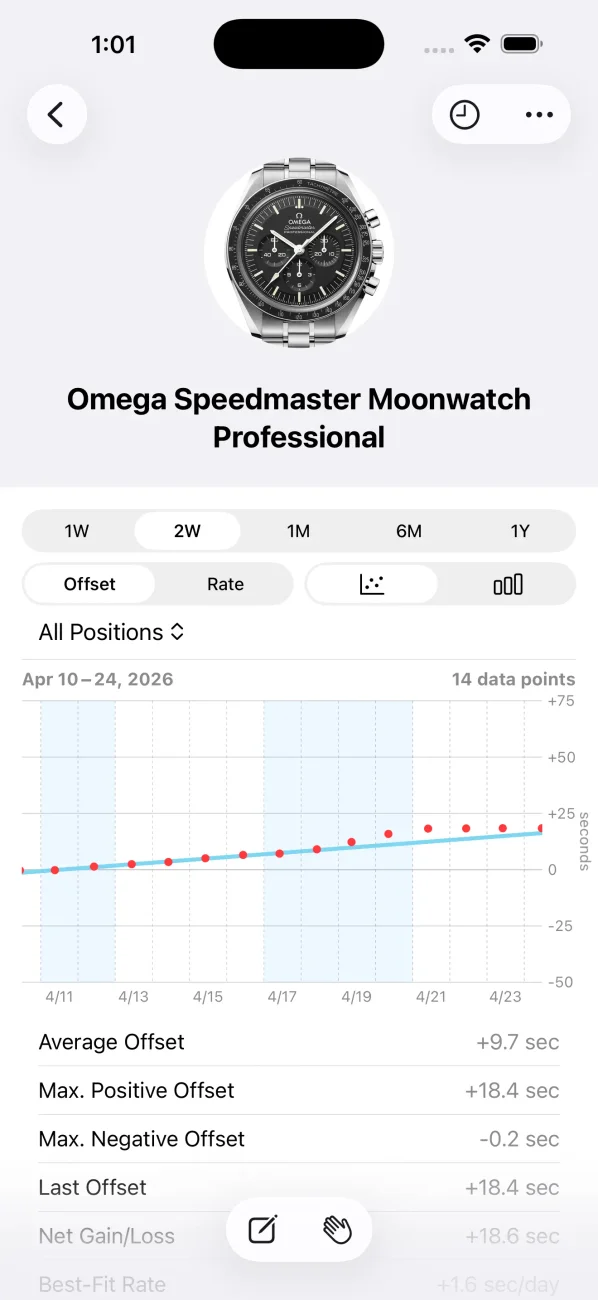
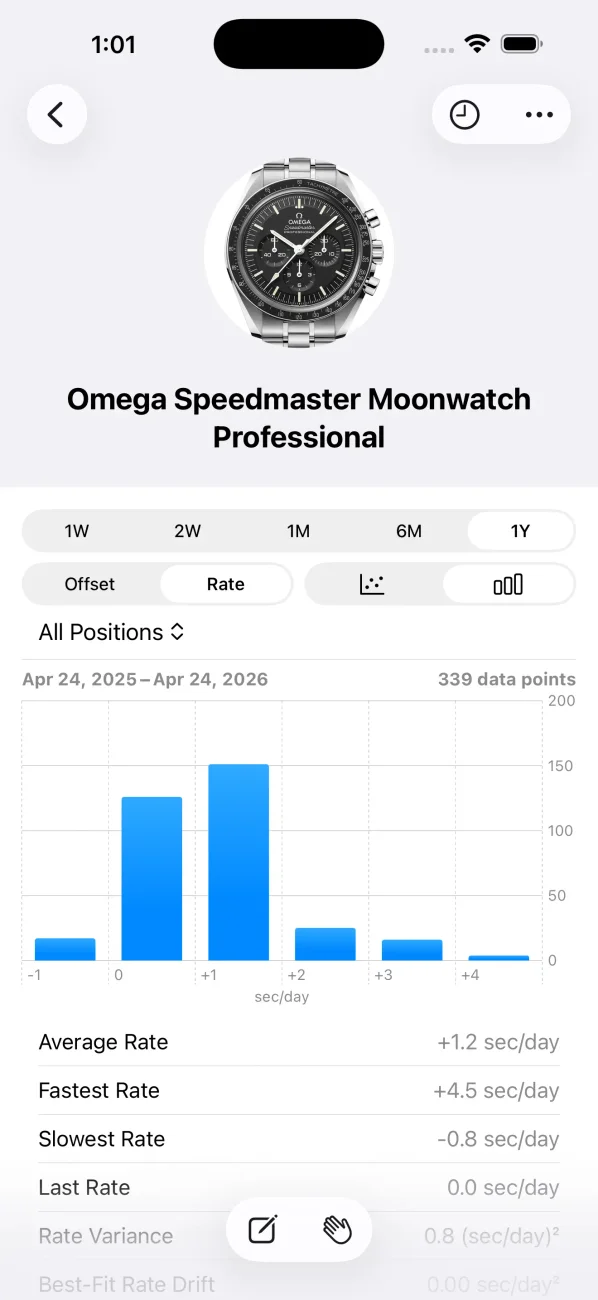
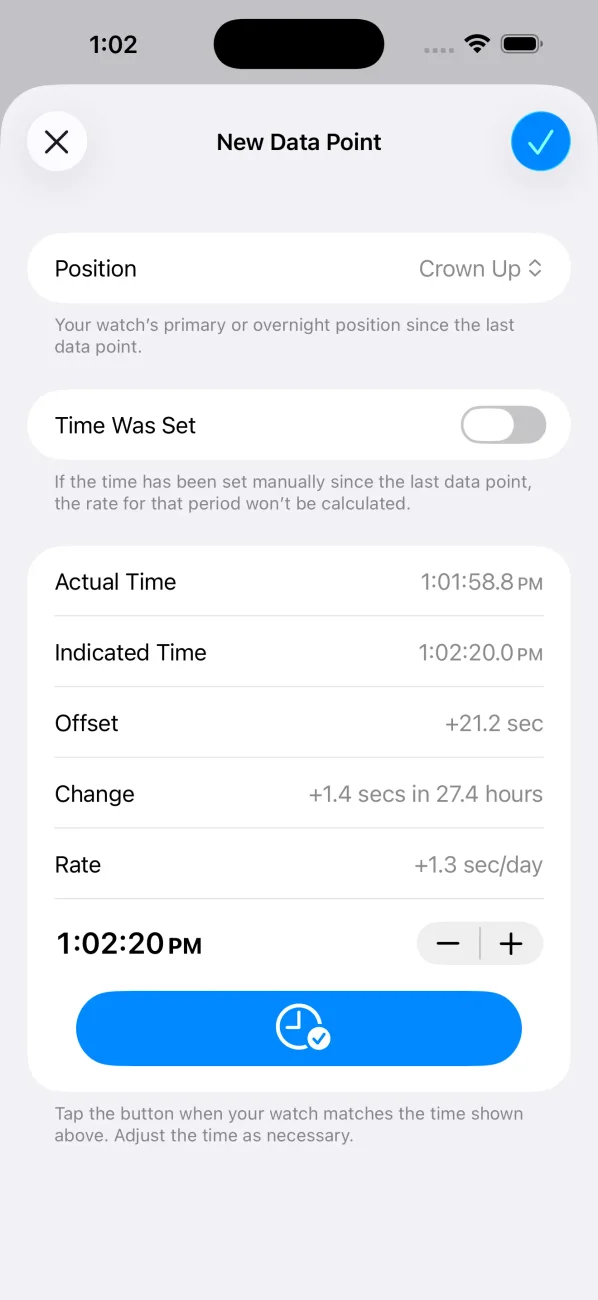
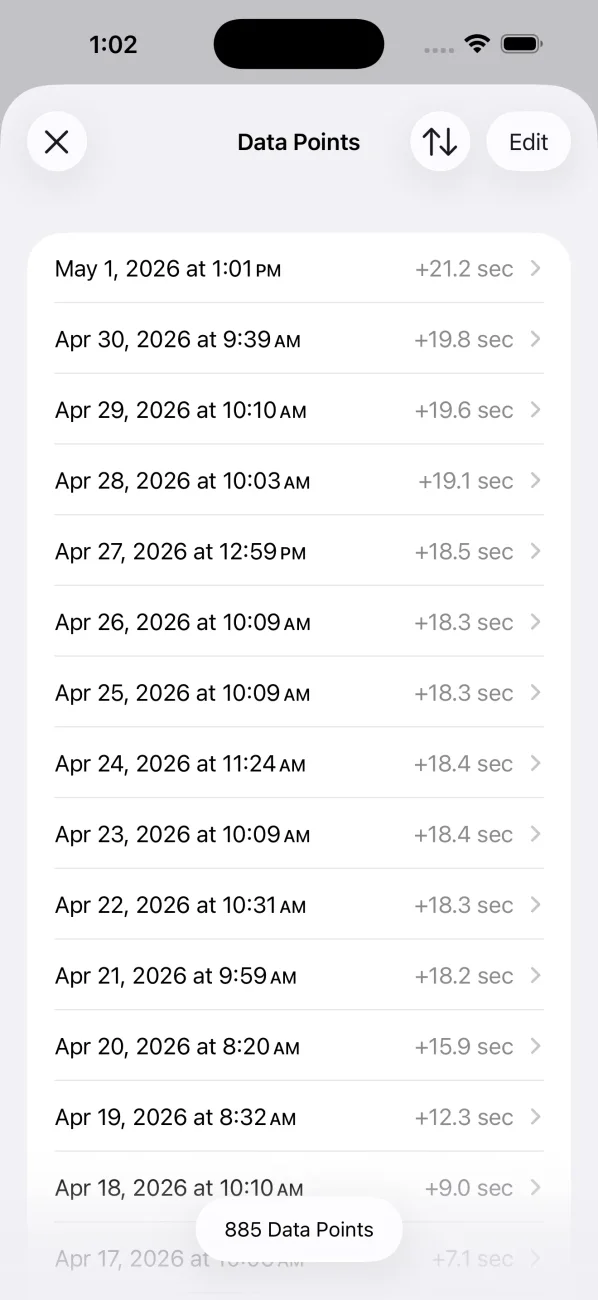
To track a watch’s accuracy, periodically collect data points comparing its indicated time to the current correct time. Chronographer tracks offsets (the difference from the correct time) and daily rate (how many seconds it gains or loses per day). It uses this information to create graphs and histograms that help you visualize your watch’s performance over time.
Chronographer also calculates the following metrics:
* Average offset
* Max. positive offset
* Max. negative offset
* Last offset
* Net gain/loss
* Best-fit rate
* Average rate
* Fastest rate
* Slowest rate
* Last rate
* Rate variance
* Best-fit rate drift
You can log the watch (or watches) that you wear each day. Chronographer’s wrist time tracking feature lets you see which watches you wear the most and how long it’s been since you’ve worn each one.
You can use Chronographer to identify positional variation. When you record a data point, include the position (dial up, crown up, etc.) that the watch was stored in. Then, you can restrict the charts and metrics to specific positions and compare the results.
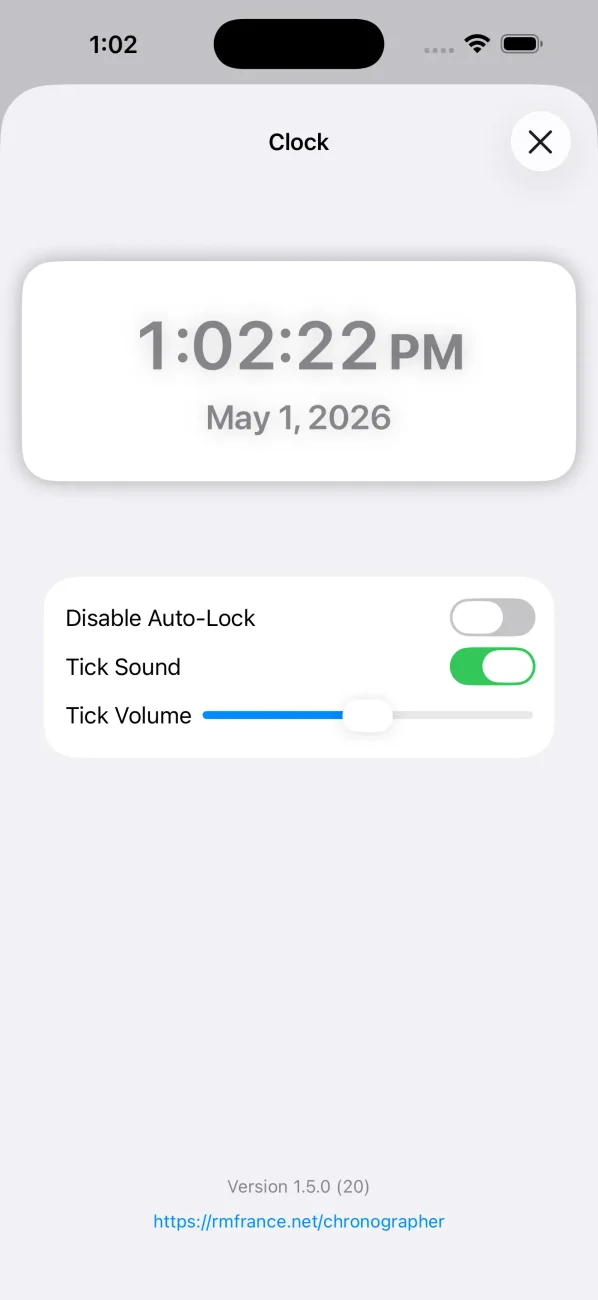
Chronographer includes a large digital clock to help when you set your watches.
For more information, including a detailed user’s guide, see https://www.rmfrance.net/chronographer
新機能
バージョン 1.5.4 · 2026/11/10
• Support for iPhone Duo
• When estimating the Add Data Point target time, don’t consider previous data points older than 30 days.
• Moved the iPad search field to the sidebar for better consistency with other device types.
アプリのプライバシー
このアプリのデータの取り扱いについて、Robert FranceがApp Storeで申告している内容です。
-
データの収集なし
開発元はこのアプリからデータを収集しません。
プライバシーの取り扱いは、ご利用の機能やお客様の年齢などに応じて異なる場合があります。
情報
- 販売元
- Robert France
- カテゴリ
- ユーティリティ
- バージョン
- 1.5.4
- 更新日
- 2026/11/10
- リリース
- 2023/7/17
- サイズ
- 2.7 MB
- 必要条件
- iOS 18.6以降
- 対象年齢
- 4+
- 価格
- 無料
- 言語
- 英語
- 著作権
- © 2026 Robert M. France
こちらもおすすめ
-
 Tickscope: 時計の精度機械式時計の歩度を測るタイムグラファー
-
 zakuni電卓=の手間を省いた電卓
-
 TickTracer - Watch Accuracyユーティリティ
-
 Watch Accuracy Checkerユーティリティ
-
 WristLog: Watch Collection Logユーティリティ
-
 Oscillo: 腕時計精度測定器歩度・片振り・振り角
-
 Wrotate: Watch Timegrapherユーティリティ
-
 Tempochron:機械式時計精度・歩度・片振りを測定
-
 Isochron 機械式時計の精度測定タイムグラファー&時計管理
-
 ChronoLog • Watch Accuracyユーティリティ