
Chronographer
Track your mechanical watches
Được thiết kế cho iPhone, iPad
Miễn phí
- Độ tuổi4+
- Danh mụcTiện Ích
- Nhà phát triểnRobert France
- Ngôn ngữTiếng Anh
- Kích thước2,7 MB
Liên kết đến trang App Store chính thức
Download.org không lưu trữ tệp nào của Chronographer. Nút này mở trang ứng dụng trên App Store, nơi Robert France phát hành ứng dụng. Trang được kiểm tra lần cuối: 14/11/2026.
Ảnh chụp màn hình
Giới thiệu
Nhà phát triển chưa cung cấp nội dung này bằng ngôn ngữ của bạn.
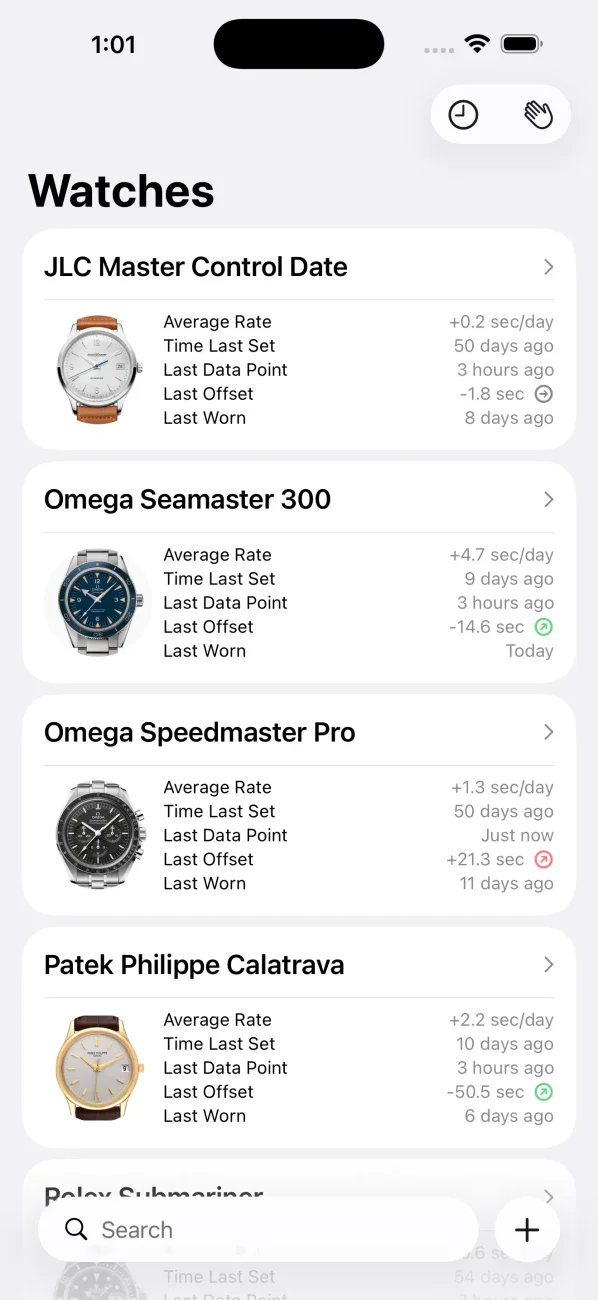
Chronographer is for people who enjoy mechanical watches. It does two things:
1. Tracks your watches’ long-term accuracy
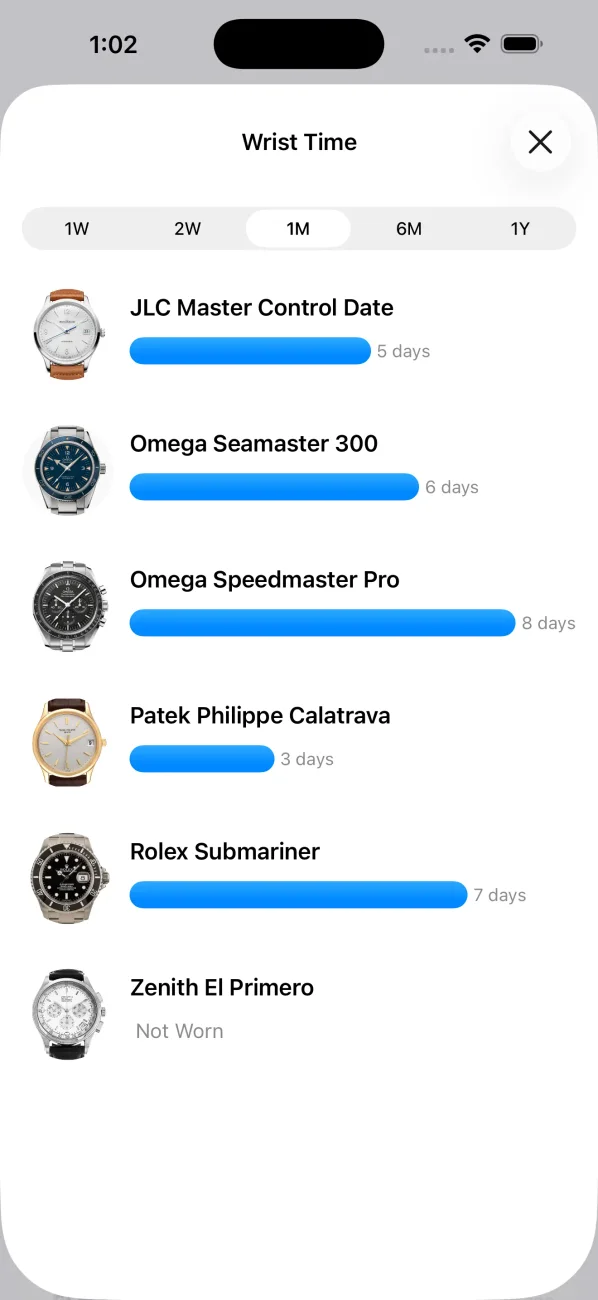
2. Records wrist time
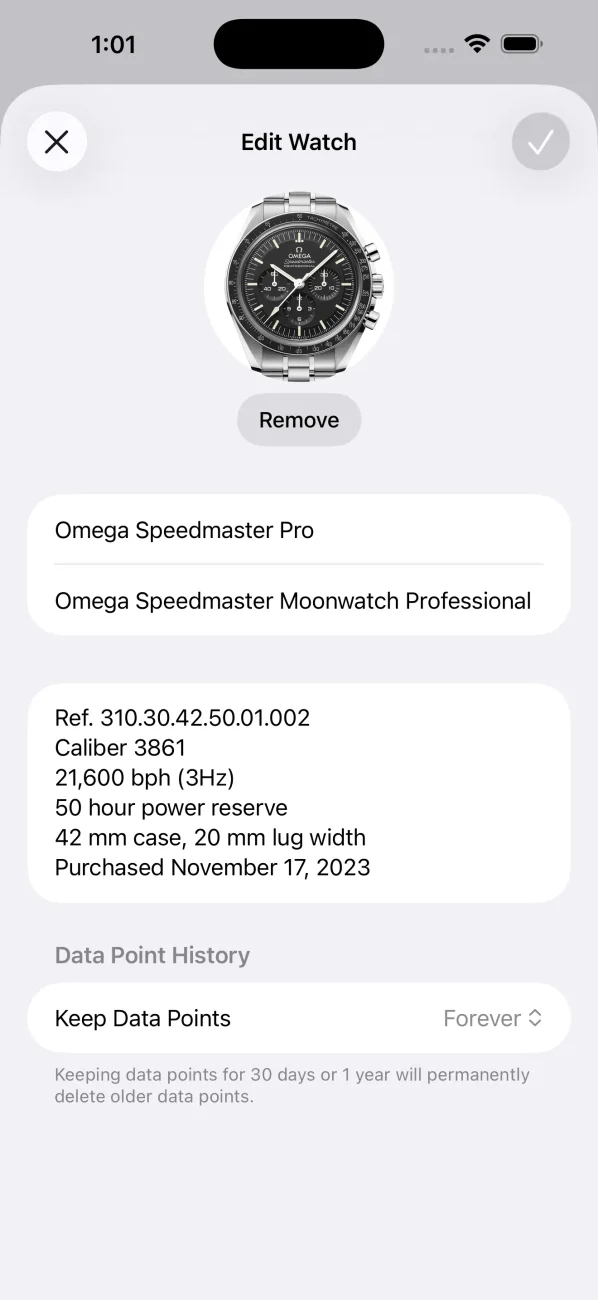
Chronographer can work with your whole watch collection. Create a “card” for each watch, giving it a name and, optionally, a longer description. Select a picture from your Photos library and add additional notes, such as the watch’s specifications, purchase details, and service history. All information is stored in iCloud and automatically synchronized between your devices.
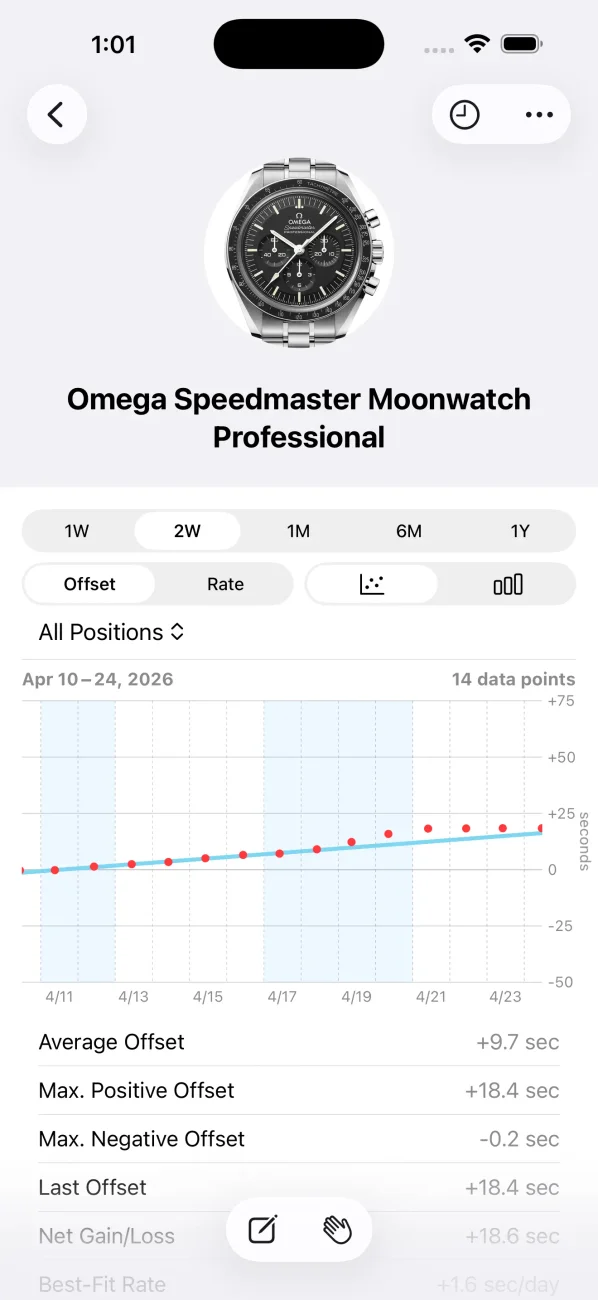
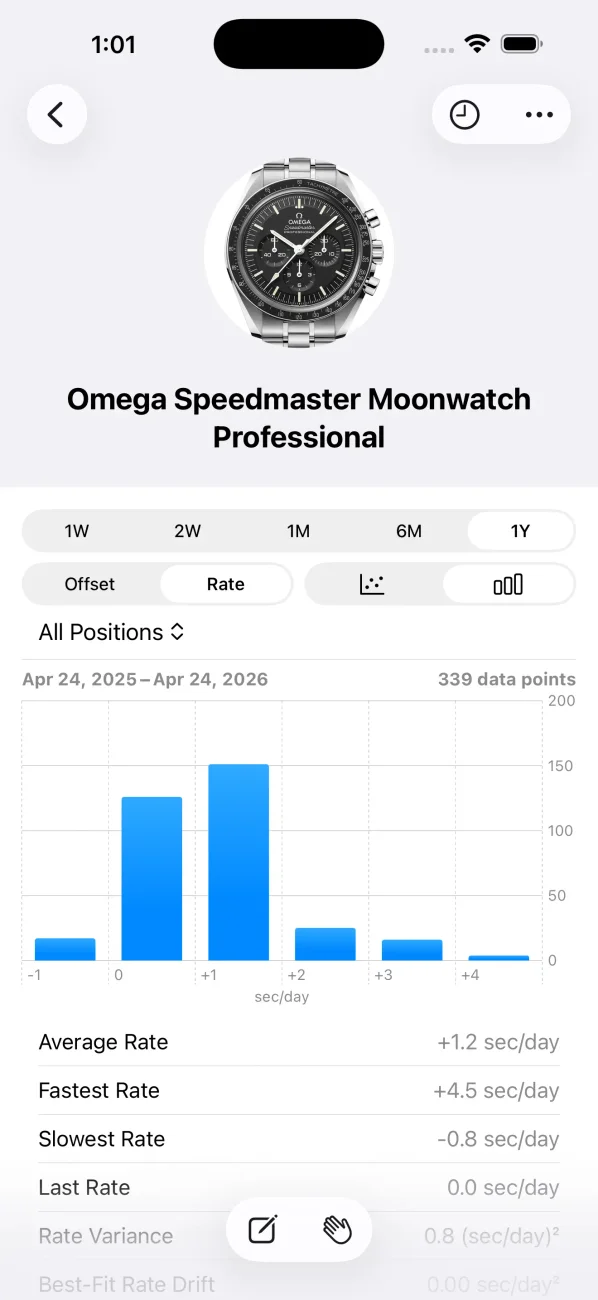
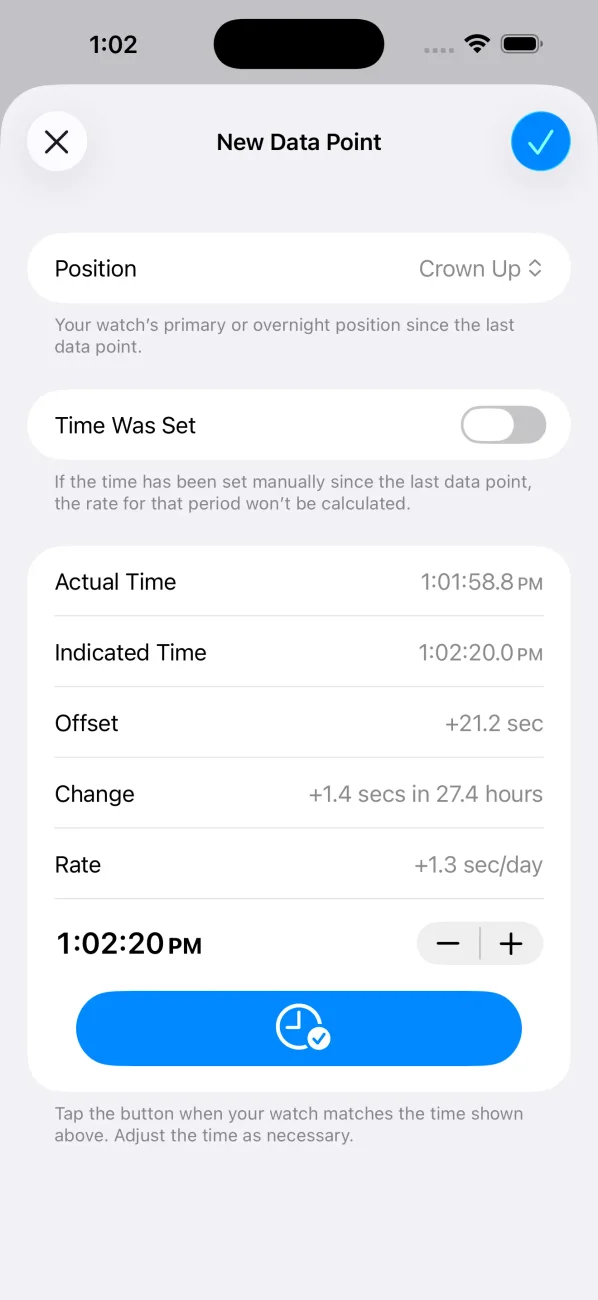
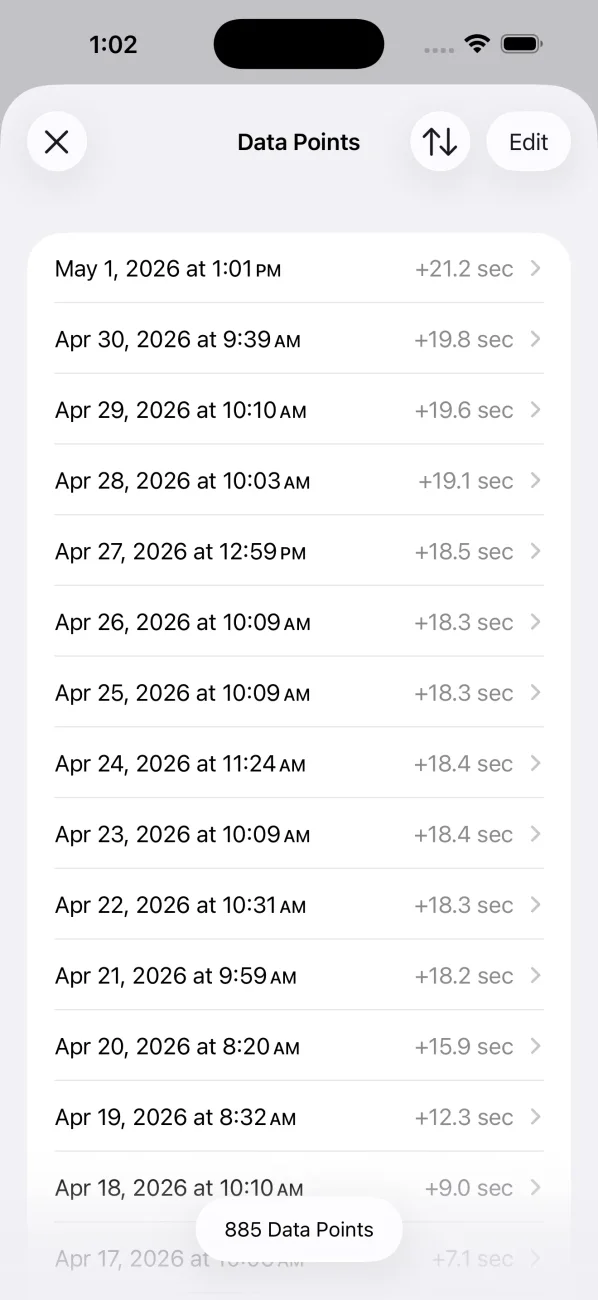
To track a watch’s accuracy, periodically collect data points comparing its indicated time to the current correct time. Chronographer tracks offsets (the difference from the correct time) and daily rate (how many seconds it gains or loses per day). It uses this information to create graphs and histograms that help you visualize your watch’s performance over time.
Chronographer also calculates the following metrics:
* Average offset
* Max. positive offset
* Max. negative offset
* Last offset
* Net gain/loss
* Best-fit rate
* Average rate
* Fastest rate
* Slowest rate
* Last rate
* Rate variance
* Best-fit rate drift
You can log the watch (or watches) that you wear each day. Chronographer’s wrist time tracking feature lets you see which watches you wear the most and how long it’s been since you’ve worn each one.
You can use Chronographer to identify positional variation. When you record a data point, include the position (dial up, crown up, etc.) that the watch was stored in. Then, you can restrict the charts and metrics to specific positions and compare the results.
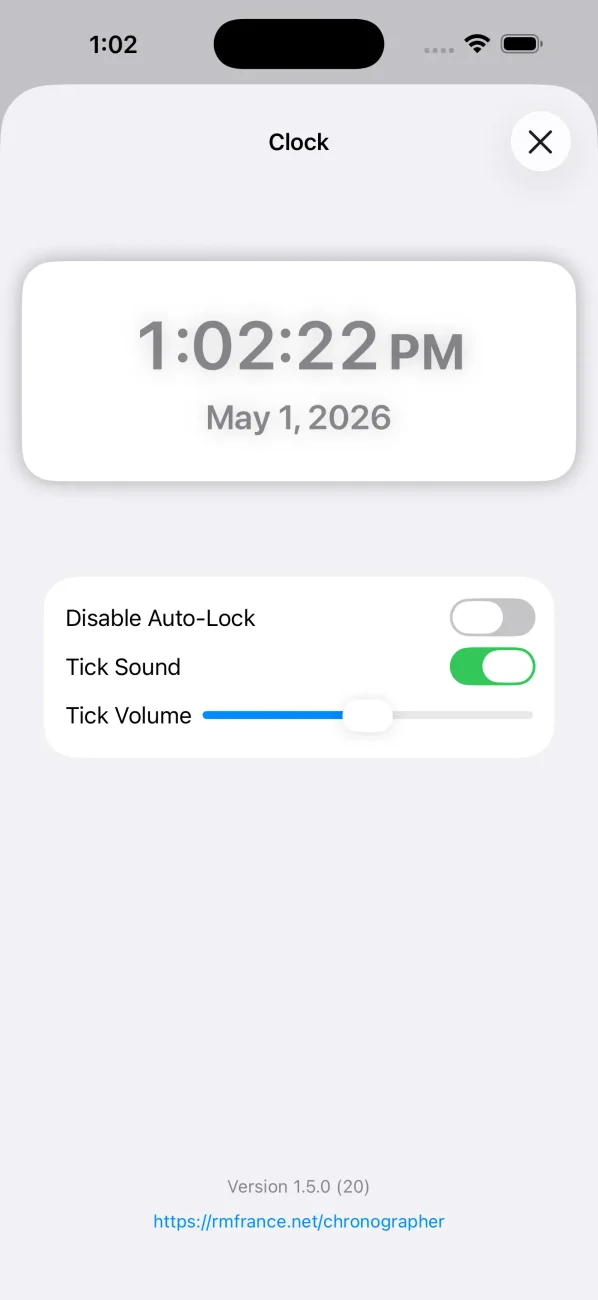
Chronographer includes a large digital clock to help when you set your watches.
For more information, including a detailed user’s guide, see https://www.rmfrance.net/chronographer
Có gì mới
Phiên bản 1.5.4 · 10/11/2026
• Support for iPhone Duo
• When estimating the Add Data Point target time, don’t consider previous data points older than 30 days.
• Moved the iPad search field to the sidebar for better consistency with other device types.
Quyền riêng tư của ứng dụng
Những gì Robert France khai báo trên App Store về cách ứng dụng này xử lý dữ liệu.
-
Dữ liệu không được thu thập
Nhà phát triển không thu thập bất kỳ dữ liệu nào từ ứng dụng này.
Phương thức đảm bảo quyền riêng tư có thể khác nhau, chẳng hạn như tuỳ theo các tính năng bạn sử dụng hoặc độ tuổi của bạn.
Thông tin
- Người bán
- Robert France
- Danh mục
- Tiện Ích
- Phiên bản
- 1.5.4
- Cập nhật
- 10/11/2026
- Phát hành
- 17/07/2023
- Kích thước
- 2,7 MB
- Yêu cầu
- iOS 18.6 trở lên
- Độ tuổi
- 4+
- Giá
- Miễn phí
- Ngôn ngữ
- Tiếng Anh
- Bản quyền
- © 2026 Robert M. France
Có thể bạn cũng thích
-
 Tickscope — Watch AccuracyTiện Ích
-
 zakuni CalculatorTiện Ích
-
 TickTracer - Watch AccuracyTiện Ích
-
 Watch Accuracy CheckerTiện Ích
-
 WristLog: Watch Collection LogTiện Ích
-
 Oscillo: Watch Accuracy MeterTiện Ích
-
 Wrotate: Watch TimegrapherTiện Ích
-
 Tempochron: Watch TimegrapherTiện Ích
-
 Isochron: Watch AccuracyTiện Ích
-
 ChronoLog • Watch AccuracyTiện Ích