
- 対象年齢4+
- カテゴリユーティリティ
- 開発元Kilian Eisenegger
- 言語英語
- サイズ2.7 MB
App Storeの公式ページにリンクしています
Download.orgはChronometerのファイルを一切ホストしていません。ボタンを押すと、Kilian Eiseneggerが公開しているApp Storeのアプリページが開きます。ページの最終確認:2026/11/12。
スクリーンショット

概要
開発元はこのテキストをお使いの言語で提供していません。
Chronometer – Mechanical Watch Accuracy
This app helps you track the real-world accuracy and long-term rate performance of your mechanical watch.
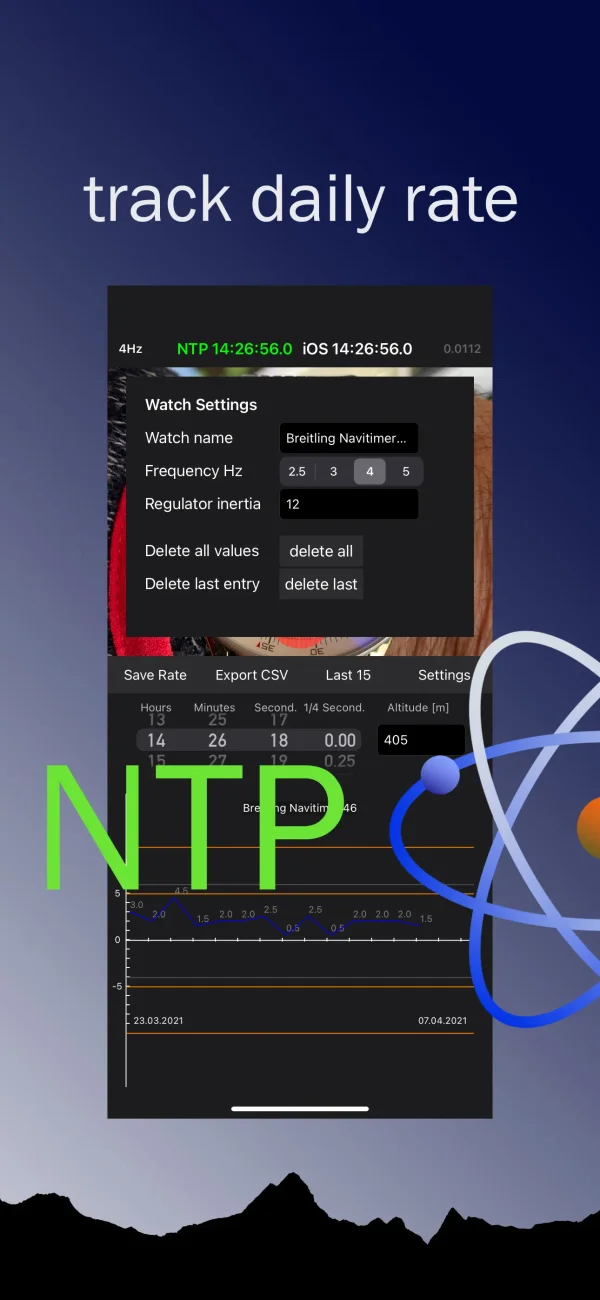
It provides an easy way to measure the daily rate of your watch against an accurate NTP time reference and to follow its performance over days, weeks or months.
Before starting a new measurement series, synchronize your watch with an accurate time reference. Do not reset the watch during the measurement period. An internet connection is required to obtain the precise NTP reference time.
How to measure your watch
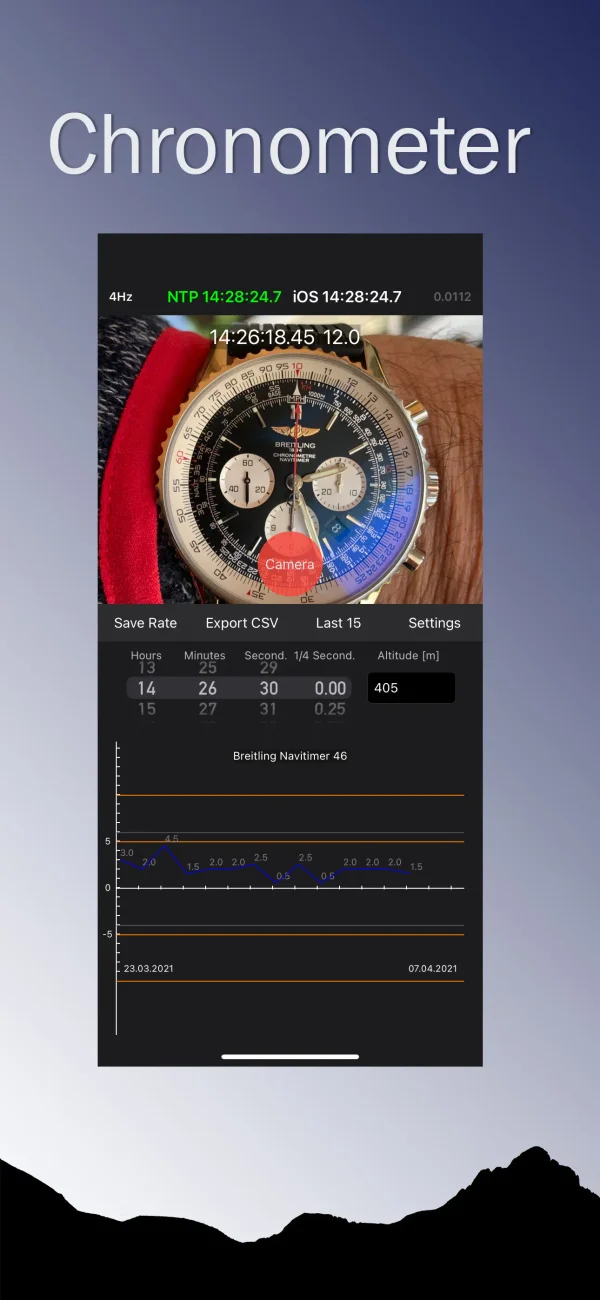
1. Start the app and wait until the NTP server has synchronized. The NTP time turns green when the reference time is available.
2. Point the camera at the watch dial. You can use pinch-to-zoom and, on supported devices, the macro capability for precise reading of the seconds hand.
3. Tap the camera button to freeze the image. The app records the corresponding NTP reference time.
4. Read the exact time from the frozen image and adjust the displayed watch time using the picker wheels.
5. If desired, enter the current altitude above sea level.
6. Tap Save Rate to store the measurement.
7. Tap the camera button again to return to the live camera view.
For the best results, measure your watch once per day at approximately the same time. If more than one day passes between two measurements, the app automatically calculates the average daily rate for that interval.
Performance evaluation
The graph shows the daily rate of your watch together with the standard COSC limits and the more demanding COSC Excellence limits.
After at least 15 measurements, the app provides an additional COSC Evaluation based on the most recent 15 daily rate values.
The evaluation includes a COSC pass/fail assessment and a Concours Score from 0 to 500 points, derived from the chronometer competition formula.
The Concours Score does not include the thermal coefficient (CT). Temperature testing, controlled positional changes, magnetic exposure and shock testing cannot be reproduced during normal everyday use. The result is therefore not an official COSC certification, but a practical evaluation of the real-world rate performance of your watch.
The complete measurement history can be exported as a CSV file for further analysis. The exported data includes the date, absolute rate difference, daily rate difference and altitude above sea level.
Time reference: Swiss NTP server ntp11.metas.ch
The app also includes a COSC NTP 4 Hz reference dial for calibration and verification of optical timing instruments.
Requires iOS 18.6 or later.
新機能
バージョン 1.9 · 2026/8/20
What’s New
- New 15-day COSC Evaluation and Concours Score
- Improved camera with macro support and zoom
- Improved daily rate calculation for measurements over multiple days
- Optimized for iOS 18
アプリのプライバシー
このアプリのデータの取り扱いについて、Kilian EiseneggerがApp Storeで申告している内容です。
-
データの収集なし
開発元はこのアプリからデータを収集しません。
プライバシーの取り扱いは、ご利用の機能やお客様の年齢などに応じて異なる場合があります。
情報
- 販売元
- Kilian Eisenegger
- カテゴリ
- ユーティリティ
- バージョン
- 1.9
- 更新日
- 2026/8/20
- リリース
- 2021/4/10
- サイズ
- 2.7 MB
- 必要条件
- iOS 18.6以降
- 対象年齢
- 4+
- 価格
- ¥500
- 言語
- 英語
- 著作権
- © Kilian Eisenegger
こちらもおすすめ
-
 ChronoLog • Watch Accuracyユーティリティ
-
 QRコードリーダー&ジェネレーター高速バーコードスキャナー&メーカー
-
 タイマー, ストップウォッチ と カウントダウン勉強タイマー, すとっぷうぉっち と タバタ式タイマー
-
 Blue Light Filterユーティリティ
-
 マルチタイマープラス: タイマー & ストップウォッチ複数 タイマー: トレーニング、勉強、ルーチン、キッチン
-
 QR Code Reader: Batch Scanner一括での高速連続読取、履歴の自動保存とバーコードの作成
-
 Glassesユーティリティ
-
 原子時計プロ好きな背景画像を付けられるデジタルまたはアナログ時計
-
 Tab - The simple bill splitterユーティリティ
-
 ノートン パスワード マネージャー安全なパスワードマネージャ