
- 対象年齢4+
- カテゴリ開発ツール
- 開発元卿 徐
- 言語英語
- サイズ23.0 MB
App Storeの公式ページにリンクしています
Download.orgはCode Analyzerのファイルを一切ホストしていません。ボタンを押すと、卿 徐が公開しているApp Storeのアプリページが開きます。ページの最終確認:2026/11/12。
スクリーンショット
概要
開発元はこのテキストをお使いの言語で提供していません。
For the latest, full-featured Code Analyzer experience, download Code Analyzer from the Mac App Store.
Code Analyzer turns opaque software into a workspace you can navigate.
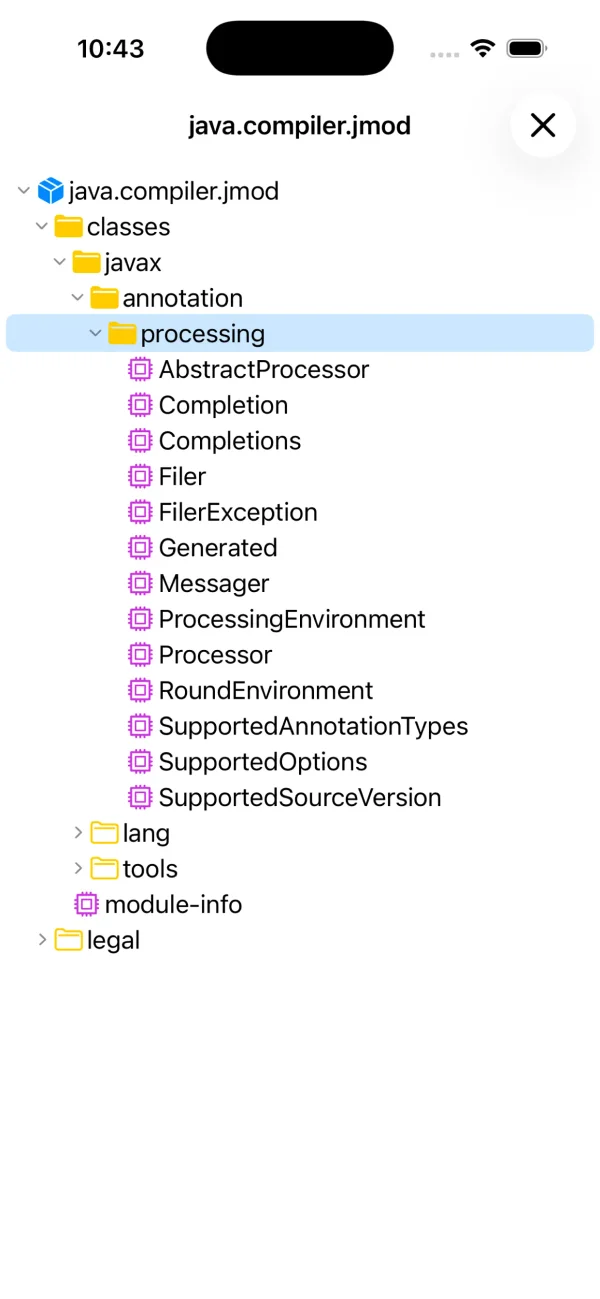
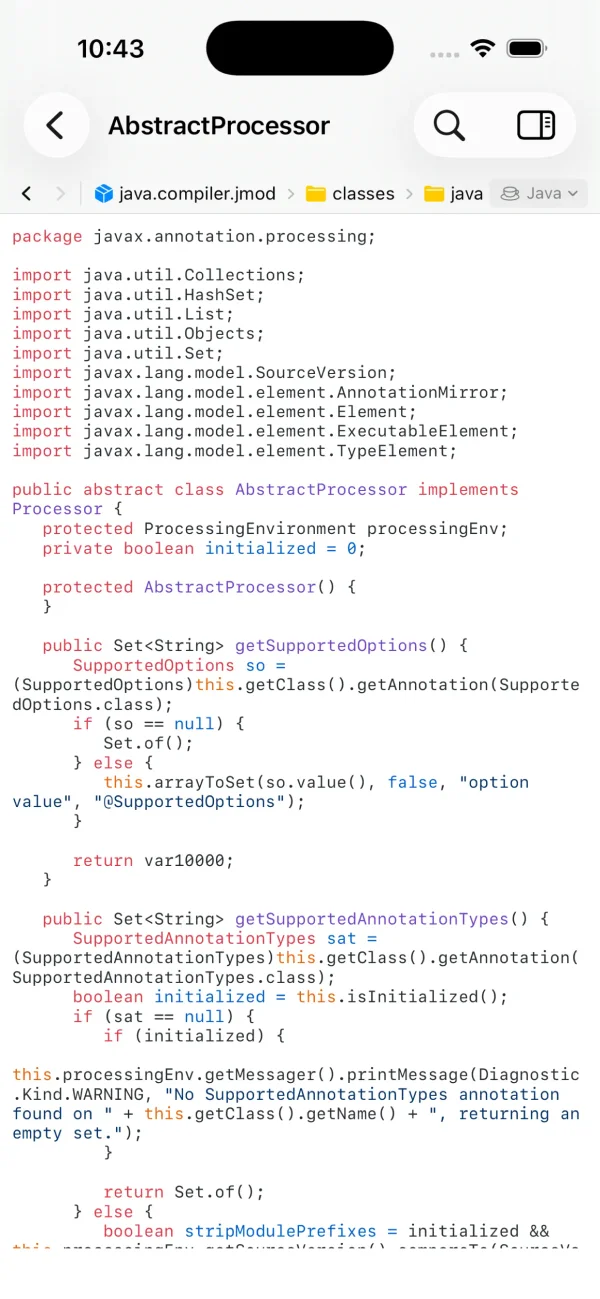
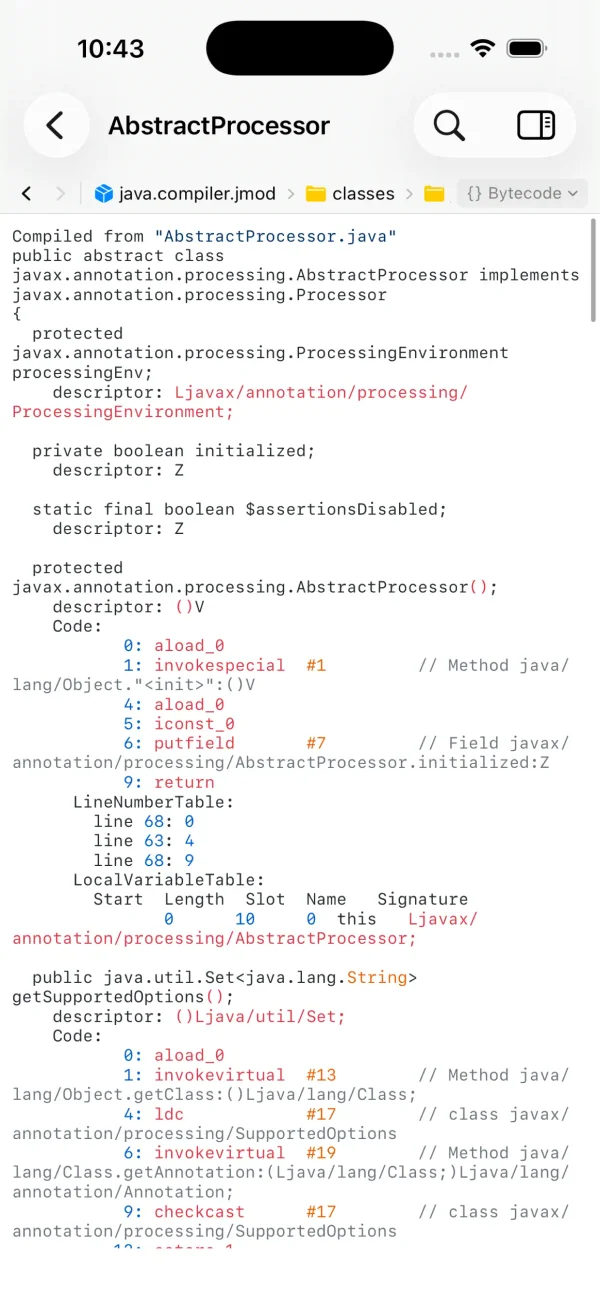
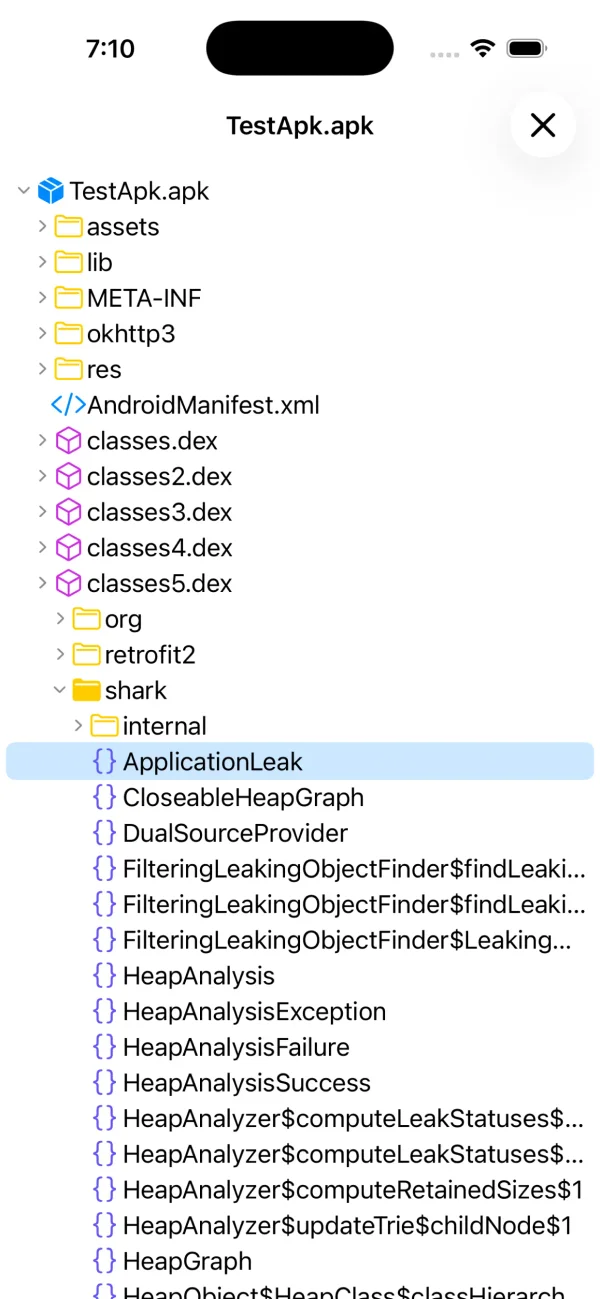
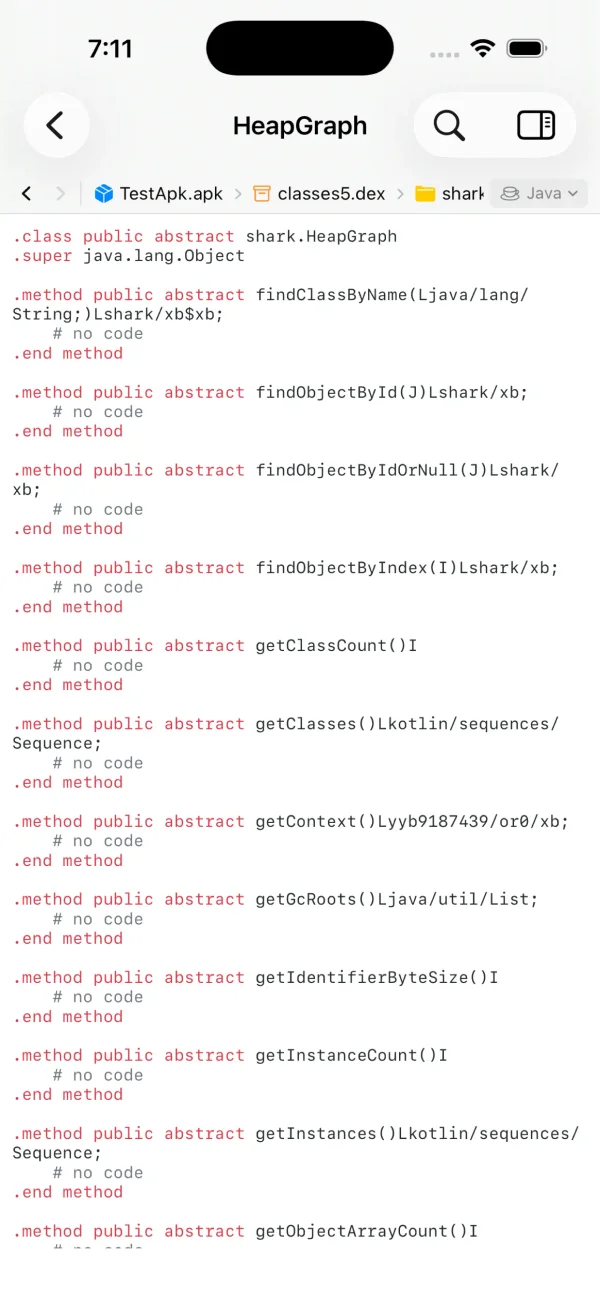
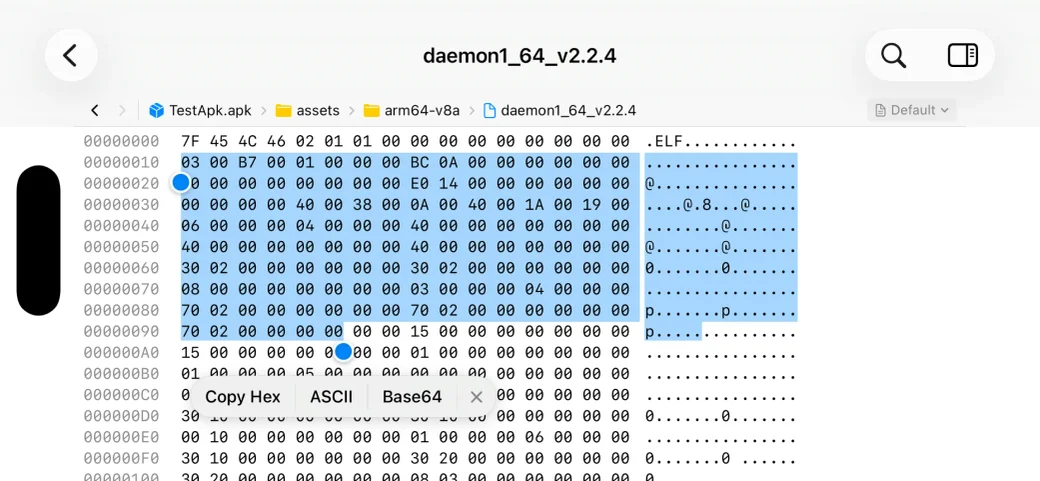
Analyze APK, JAR, and JMOD archives, inspect Mach-O and ELF binaries and font files, and move naturally from package structure to readable code, functions, symbols, assembly, and raw bytes. Code Analyzer combines an APK analyzer, JAR/JMOD decompiler, native disassembler, font glyph viewer, bytecode viewer, and hex viewer in one focused iPhone and iPad workspace. There is no command-line setup and nothing to upload.
PACKAGE AND BYTECODE ANALYSIS
• Open APK packages and browse files, compiled classes, decoded resources, and manifest data
• Decompile supported class files from JAR and JMOD archives into readable high-level output
• Fall back to low-level bytecode automatically when a higher-level result is unavailable
• Follow nested ZIP, APK, and JAR containers in place without manually unpacking them
NATIVE BINARY ANALYSIS
• Inspect Mach-O universal binaries, dynamic libraries, application bundles, and frameworks
• Explore ELF executables and shared libraries across multiple CPU architectures
• Browse architecture slices, headers, segments, sections, symbols, and discovered functions
• Explore ELF and Mach-O machine code in a continuous, architecture-aware disassembly view
• Jump directly to discovered functions and symbols, including useful results from stripped binaries
FIND THE SIGNAL
• Open TrueType, OpenType, and font collections in a searchable glyph viewer with metadata and outline inspection
• Use Quick Open to find files, classes, methods, resources, and symbols with responsive fuzzy matching
• Filter Project Explorer by filename to find files quickly
• Search raw data as text or hex and step through every match
• Jump to decimal or hexadecimal offsets without losing context
• Copy any byte selection as hex, text, or Base64
• Keep syntax highlighting and symbol outlines beside the content you are reading
ANALYZE ON THE GO
• Native SwiftUI interface adapted for iPhone and iPad
• Responsive background processing for large, multi-part files
• Runs entirely offline, so your files stay on your device
Built for developers, security professionals, and students who need clear answers from software they are authorized to inspect.
新機能
バージョン 1.17 · 2026/9/16
For the latest, full-featured Code Analyzer experience, download Code Analyzer from the Mac App Store.
Code Analyzer 1.17
• Improved JAR, JMOD, and class-file decompilation accuracy.
• Added filename filtering in Project Explorer.
• Improved iPhone navigation and editor display reliability.
アプリのプライバシー
このアプリのデータの取り扱いについて、卿 徐がApp Storeで申告している内容です。
-
ユーザーに関連付けられないデータ
収集される場合がありますが、ユーザーの識別情報には関連付けられません。
- 使用状況データ
- 診断
プライバシーの取り扱いは、ご利用の機能やお客様の年齢などに応じて異なる場合があります。
情報
- 販売元
- 卿 徐
- カテゴリ
- 開発ツール
- バージョン
- 1.17
- 更新日
- 2026/9/16
- リリース
- 2018/11/1
- サイズ
- 23.0 MB
- 必要条件
- iOS 18.6以降
- 対象年齢
- 4+
- 価格
- 無料
- 言語
- 英語
- 著作権
- © 2026 decompile.io
こちらもおすすめ
-
 Vision Detector開発ツール
-
 JAR DLL EXE File Viewer開発ツール
-
 DevKit: PDF, JSON & Dev Tools開発ツール
-
 OpsToolboxオールインワン運用ツール:HTTP、Ping、DNS、ポート
-
 hypothesis.sh開発ツール
-
 テキストエディタ : HTMLエディタコードやテキストを素早く編集
-
 ServerView-SSH ターミナル&シェルVibeコーディングのためのリモートログイン
-
 DevSnoop - Developer Browser開発ツール
-
 Secure Terminal開発ツール
-
 Code Converter AIAI を活用したコーディング アシスタント