
- 対象年齢4+
- カテゴリ開発ツール
- 開発元Michael Frey
- 言語英語
- サイズ47.8 MB
App Storeの公式ページにリンクしています
Download.orgはCodeMan - VSCodeのファイルを一切ホストしていません。ボタンを押すと、Michael Freyが公開しているApp Storeのアプリページが開きます。ページの最終確認:2026/11/21。
スクリーンショット

概要
開発元はこのテキストをお使いの言語で提供していません。
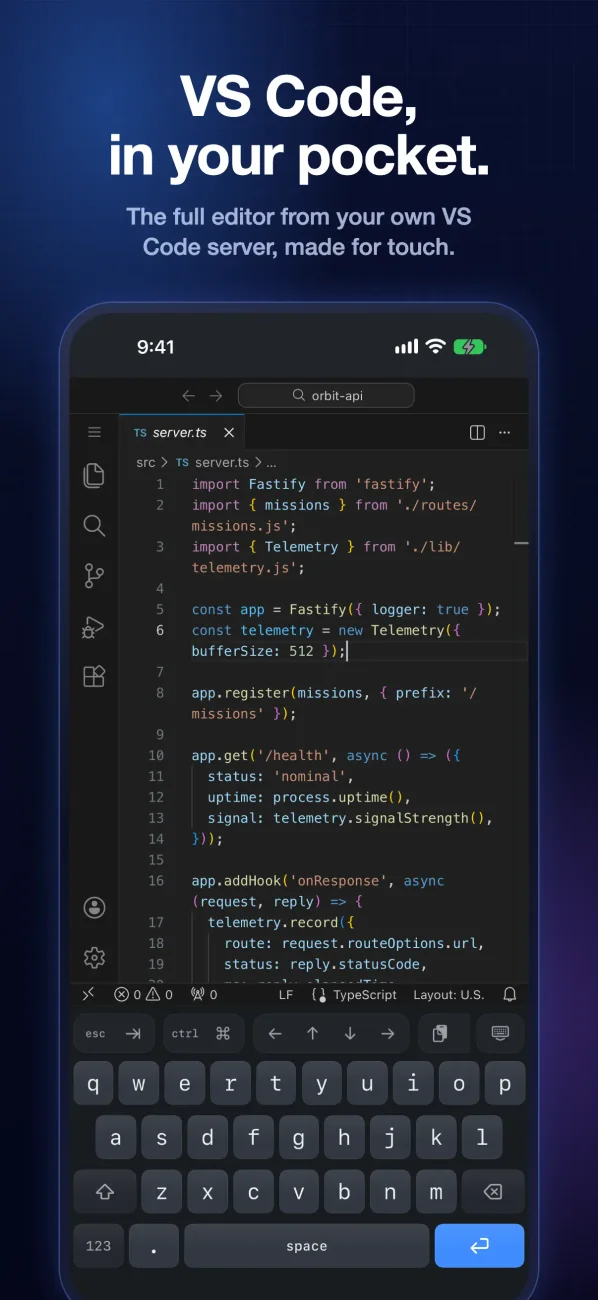
VS Code, in your pocket.
CodeMan brings your VS Code server to iPhone and iPad, with a native shell built for touch, a keyboard made for code, and folders from the Files app or straight from your servers over SSH.
YOUR VS CODE, FULL SCREEN
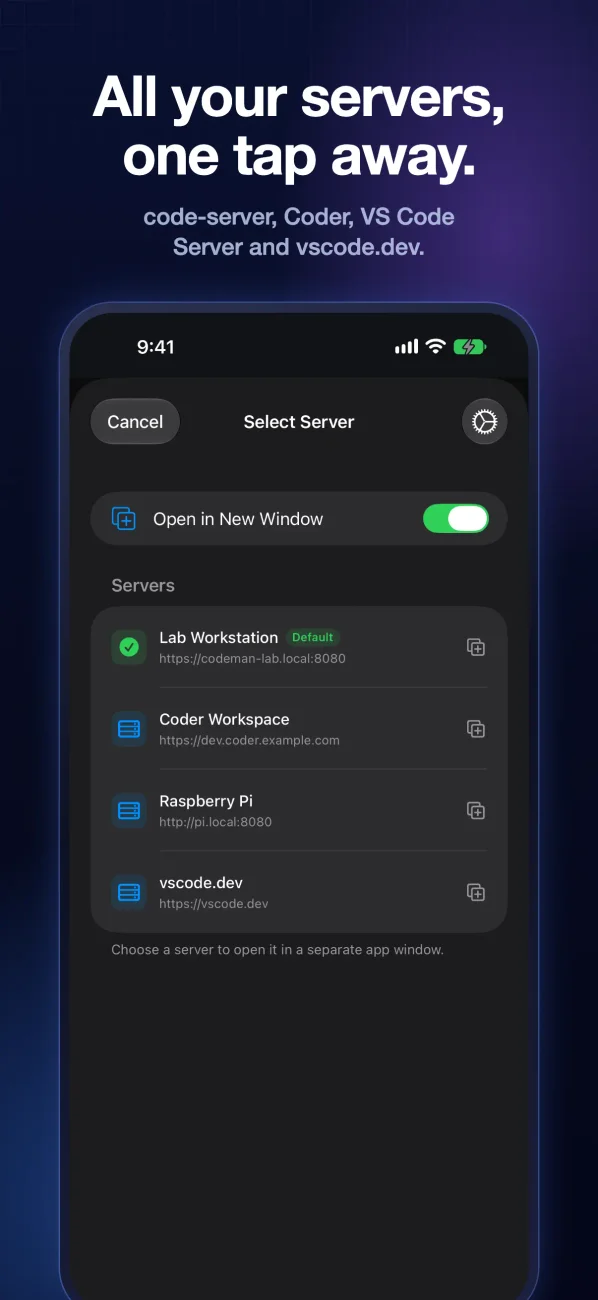
- Works with code-server, Coder, VS Code Server and vscode.dev
- Chromeless, so the editor gets the whole screen
- Extensions, terminal, Git and settings come from your server
- Self-signed certificates for servers on your network
A KEYBOARD MADE FOR CODE
- Brackets, operators and symbols on their own layer
- Arrow keys, Esc, Tab, Control and Command always one tap away
- Copy, paste, undo and redo in the toolbar
- Full shortcut support with a hardware keyboard
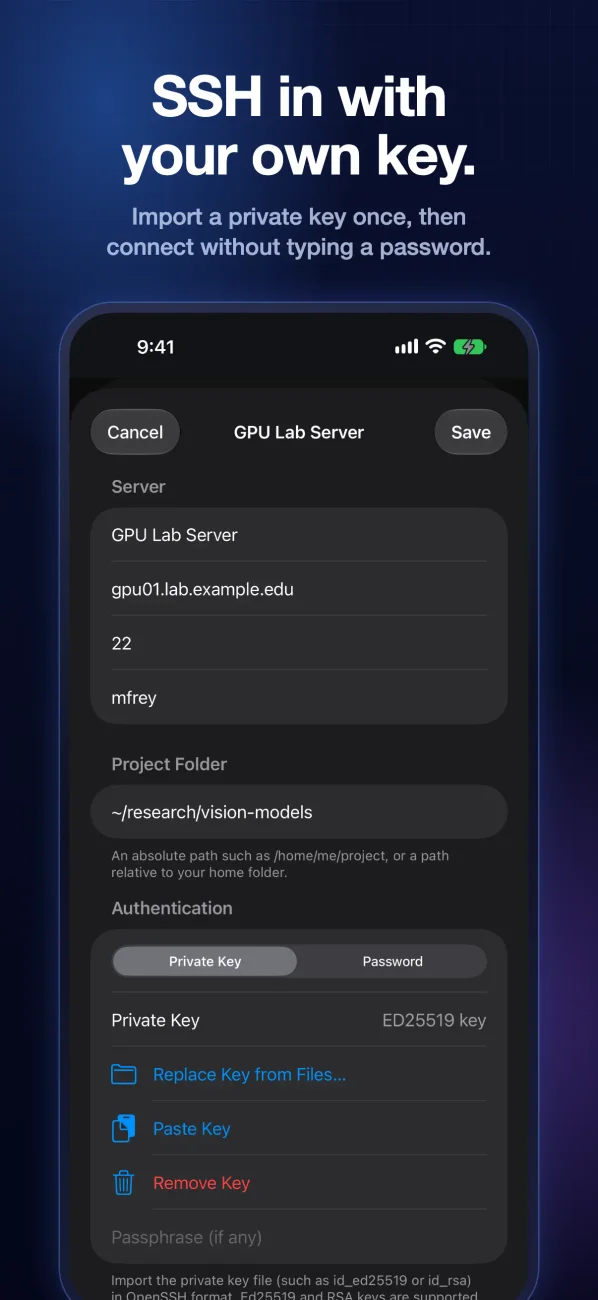
SSH WITH YOUR OWN KEY
- Import a private key from the Files app or paste it
- Save a host with its username, key and project folder
- Open folders on your lab or cloud server over SFTP, with no password to type
- Ed25519 and RSA keys; host keys are checked on every connection
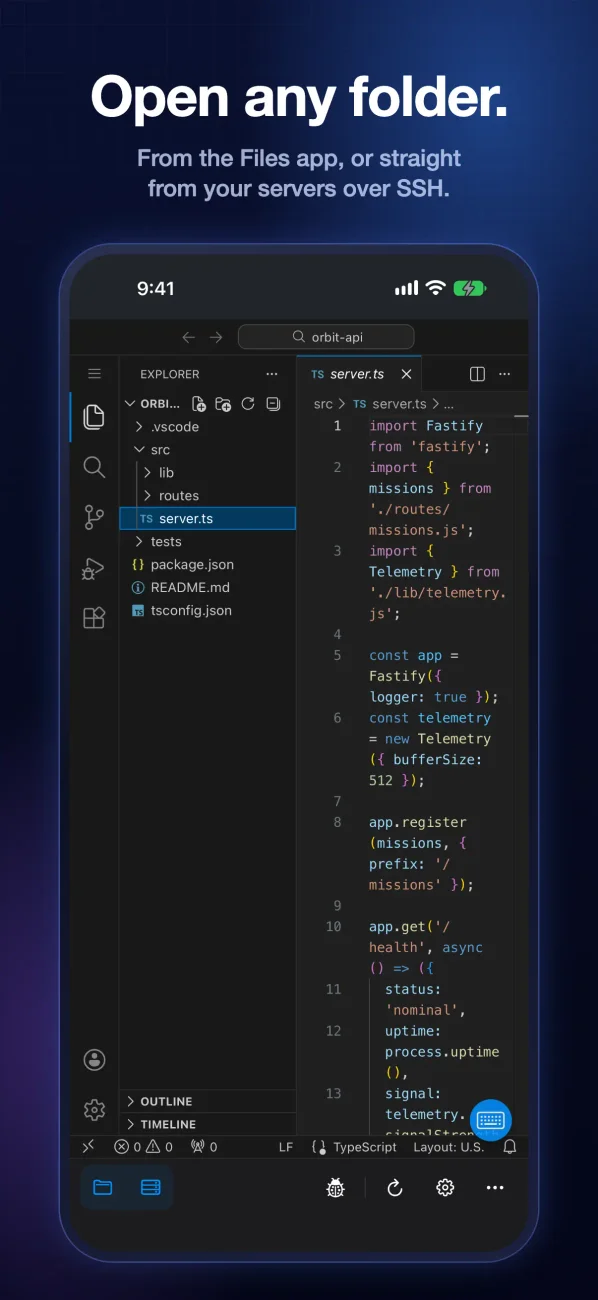
OPEN ANY FOLDER FROM FILES
- Edit folders from your device, iCloud Drive or other Files providers in your VS Code workspace
- Only the files you open are read, so big projects stay fast
MADE FOR EVERY SCREEN
- iPhone: a full-width editor with the code keyboard
- iPhone Duo: tabs that survive folding, the iPad-size keyboard when open, and laptop mode with the editor above the fold
- iPad: tabs, multiple windows, Split View and Stage Manager
- Apple Vision Pro: your editor in a window beside your work
PRIVATE BY DESIGN
- No tracking, analytics or accounts
- Connections go straight from your device to your servers
- Keys and passwords stay in your device's Keychain
- Optional iCloud sync for settings (never for keys or passwords)
REQUIREMENTS
- A VS Code server (code-server, Coder or VS Code Server), or vscode.dev
- Folders from Files and SSH use the free CodeMan iPad Files extension on your server
- SSH needs an OpenSSH-format private key (Ed25519 or RSA) and isn't available on Apple Vision Pro
新機能
バージョン 1.8 · 2026/11/19
SSH with your own key
Save a server with your username and private key, imported from the Files app, then open its folders in VS Code. No password to type each time. Manage hosts in Settings > SSH Hosts and open them from the editor's More menu with Open SSH Project.
Faster folders from Files
Folders open right away. CodeMan reads only the files you open, so big projects and cloud folders load quickly. Update the CodeMan iPad Files extension on your server to version 0.2.0.
iPhone Duo
Tabs keep your work when you fold and unfold. When open, the code keyboard goes full size. In laptop mode the editor sits above the fold and the keyboard below it.
アプリのプライバシー
このアプリのデータの取り扱いについて、Michael FreyがApp Storeで申告している内容です。
-
データの収集なし
開発元はこのアプリからデータを収集しません。
プライバシーの取り扱いは、ご利用の機能やお客様の年齢などに応じて異なる場合があります。
情報
- 販売元
- Michael Frey
- カテゴリ
- 開発ツール
- バージョン
- 1.8
- 更新日
- 2026/11/19
- リリース
- 2026/3/5
- サイズ
- 47.8 MB
- 必要条件
- iOS 18.6以降
- 対象年齢
- 4+
- 価格
- ¥800
- 言語
- 英語
- 著作権
- © Michael Frey 2026
こちらもおすすめ
-
 Visual Code Editor - vCodeRun Node.js,Python,JS,C & more
-
 Code AppDesktop-class code editing
-
 WhisperCode開発ツール
-
 Termix Pro: SSH & SFTP Client開発ツール
-
 Visual Claude: Vibe Code開発ツール
-
 楽 SSH純粋な SSH ターミナル体験
-
 Prompt 3The SSH app with speed & style
-
 SSH Client - Secure ShellFish開発ツール
-
 DetailsPro開発ツール
-
 Moshi: SSH・MOSH で herdr・tmuxCodex CLI 対応エージェント端末